https://github.com/pyvesb/eclipse-planet-themes
:new_moon: Collection of light and dark Eclipse themes, inspired by planets of the Solar System.
https://github.com/pyvesb/eclipse-planet-themes
dark-theme eclipse eclipse-plugin light-theme theme
Last synced: over 1 year ago
JSON representation
:new_moon: Collection of light and dark Eclipse themes, inspired by planets of the Solar System.
- Host: GitHub
- URL: https://github.com/pyvesb/eclipse-planet-themes
- Owner: PyvesB
- License: epl-2.0
- Created: 2020-07-15T16:46:23.000Z (almost 6 years ago)
- Default Branch: master
- Last Pushed: 2024-07-19T20:18:08.000Z (almost 2 years ago)
- Last Synced: 2024-10-14T20:45:35.291Z (over 1 year ago)
- Topics: dark-theme, eclipse, eclipse-plugin, light-theme, theme
- Language: CSS
- Homepage: https://marketplace.eclipse.org/content/planet-themes
- Size: 31.8 MB
- Stars: 38
- Watchers: 5
- Forks: 5
- Open Issues: 2
-
Metadata Files:
- Readme: README.md
- License: LICENSE.md
Awesome Lists containing this project
README
# Planet Themes



**Collection of light and dark Eclipse themes, inspired by planets of the Solar System!**
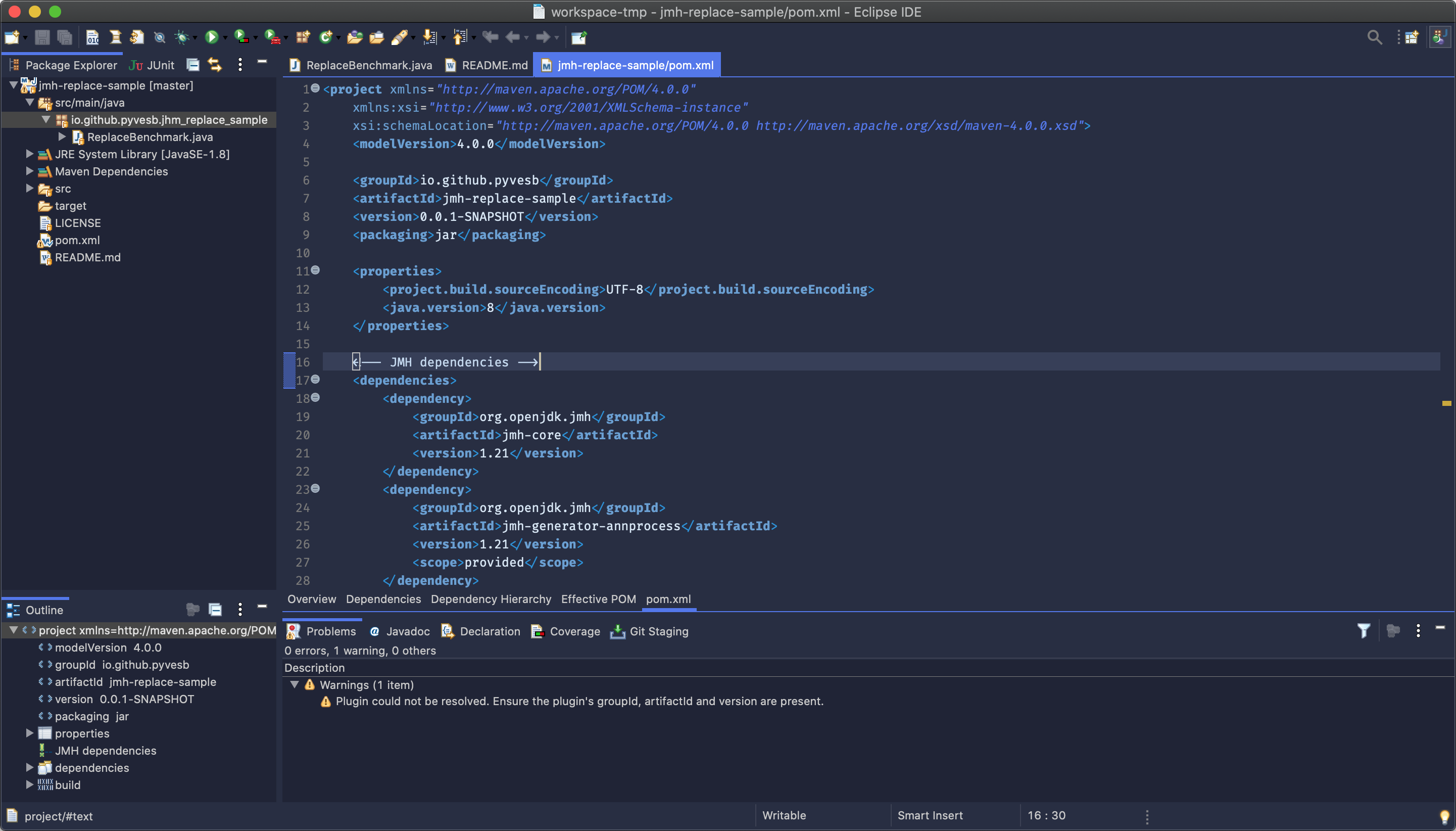


Left to right: the Neptune, Pluto and Moon themes!
## :moon: Features at a glance
Three themes are currently available:
* Moon: familiar-looking but not an actual planet. Light-grey, by and large sticks to Eclipse's classic color scheme.
* Neptune: dark blue theme with some red reflections from the distant sun.
* Pluto: not much light reaches this distant dwarf planet, leading to a resolutely dark theme. The presence of purple has yet to be explained by astronomers.
A few words to summarise the planetary ambitions:
* compact: few borders, less visual artifacts, and hidden buttons.
* readable: easy on the eyes with low glare, balanced contrasts and an integrated editor font with programming ligatures.
* outstanding: not a revolution, but hopefully a nice twist to the traditional Eclipse look and feel.
Check out what's new in the [latest releases](https://github.com/PyvesB/eclipse-planet-themes/releases)!
## :cd: Plugin installation
Note that all themes require Eclipse Oxygen (4.7) or more recent.
You can download and install the plugin via the [Eclipse Marketplace](https://marketplace.eclipse.org/content/planet-themes/), or simply drag the below button to your running Eclipse workspace:

Alternatively, use the following update site: `https://raw.githubusercontent.com/PyvesB/eclipse-planet-themes/updatesite`. Note that this link will give an error when opened in a browser, but will be handled correctly by Eclipse.
Once installed, open Eclipse's preferences, navigate to `General` -> `Appearance` and select the planet of your choice in the `Theme` dropdown. Restart Eclipse and enjoy your new theme!
## :star: Support and feedback
Building themes is hard work. Something isn't to your taste? Thought of a cool idea? Found a problem or need some help? Simply open an [**issue**](https://github.com/PyvesB/eclipse-planet-themes/issues)!
Find the project useful, fun or interesting? **Star** the repository by clicking on the icon on the top right of this page!
## :computer: Code contributions
Want to improve the existing planets or add a new one? Contributions are more than welcome, open a **pull request** and share your CSS!
Setting up your own working copy of the project is easy:
* Download the [RCP and RAP Developers](https://eclipse.org/downloads/eclipse-packages/) version of Eclipse.
* Fork the repository by clicking on the *Fork* icon on the top right of this page and clone it locally.
* In Eclipse, go to `File` -> `Import...` -> `General` -> `Existing Projects into Workspace`.
* In the `Select root directory` field, indicate the location where you checked out the planet-themes repository.
* Ensure `Search for nested projects` is enabled, select all projects in the `Projects` field and click `Finish`.
* Open `planet-themes-targetplatform.target` and click `Set as Active Target Platform`.
* You're ready to go! You can now either launch an instance of Eclipse running the plugin by right-clicking on the plugin project and selecting `Run As` -> `Eclipse Application`, or you can export a plugin archive file by selecting `Export` -> `Deployable plug-ins and fragments`.
## :balance_scale: License and acknowledgements
Planet Themes are licensed under Eclipse Public License - v 2.0.
[Fira Code](https://github.com/tonsky/FiraCode) (Open Font License) is being used as the editor font, many thanks to [Nikita Prokopov](https://github.com/tonsky) and other contributors!