https://github.com/q1chenl/todoism
A simple and easy-to-use todo TUI
https://github.com/q1chenl/todoism
curses pip python task-manager terminal todo todo-app todolist tui
Last synced: 11 months ago
JSON representation
A simple and easy-to-use todo TUI
- Host: GitHub
- URL: https://github.com/q1chenl/todoism
- Owner: Q1CHENL
- License: mit
- Created: 2024-03-07T08:13:50.000Z (over 2 years ago)
- Default Branch: main
- Last Pushed: 2024-06-09T09:38:13.000Z (about 2 years ago)
- Last Synced: 2024-10-13T17:15:02.093Z (over 1 year ago)
- Topics: curses, pip, python, task-manager, terminal, todo, todo-app, todolist, tui
- Language: Python
- Homepage:
- Size: 2.75 MB
- Stars: 6
- Watchers: 1
- Forks: 1
- Open Issues: 1
-
Metadata Files:
- Readme: README.md
- License: LICENSE
Awesome Lists containing this project
README
# todoism
A powerful yet easy-to-use todo TUI
## Screenshots
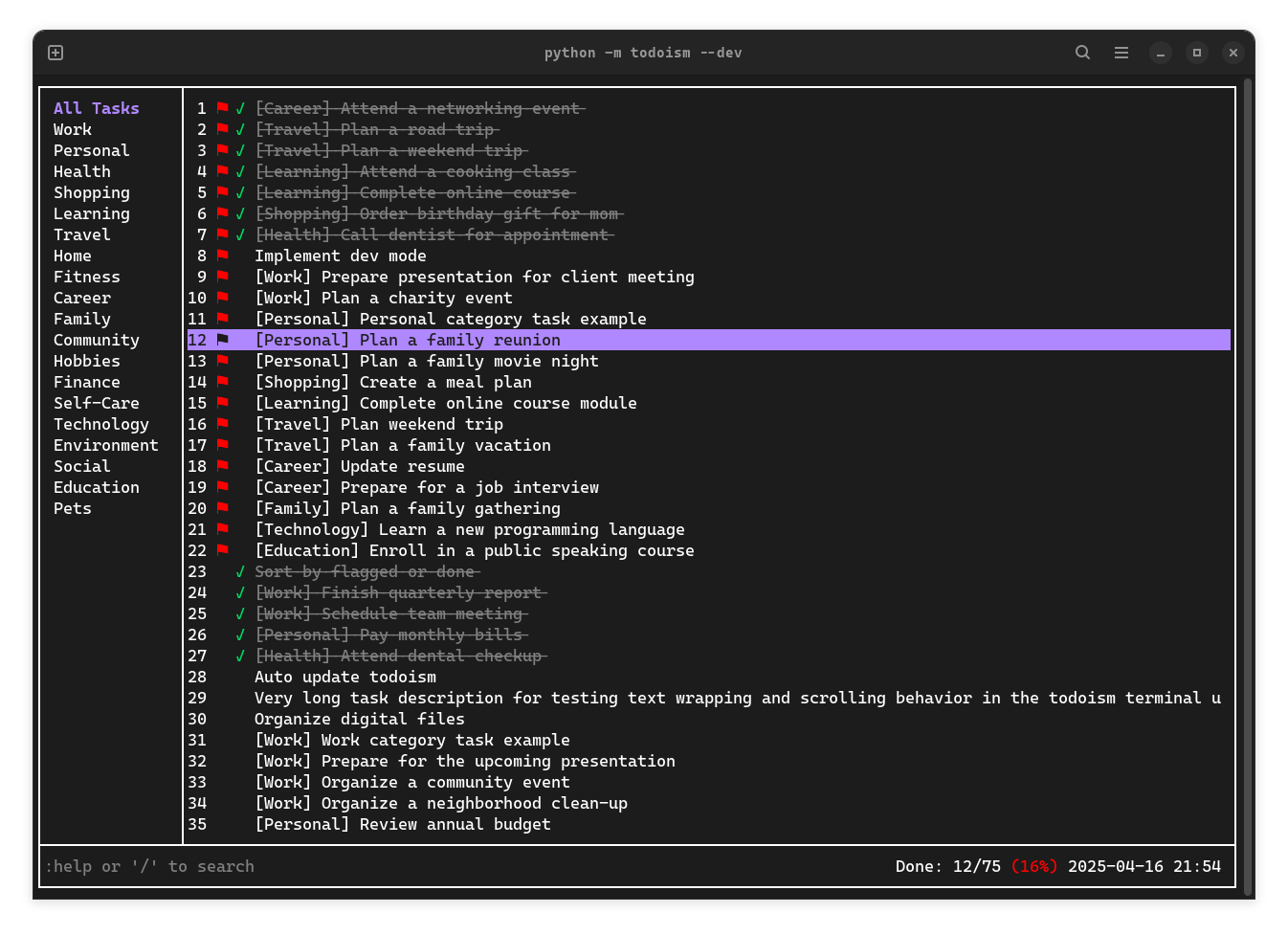
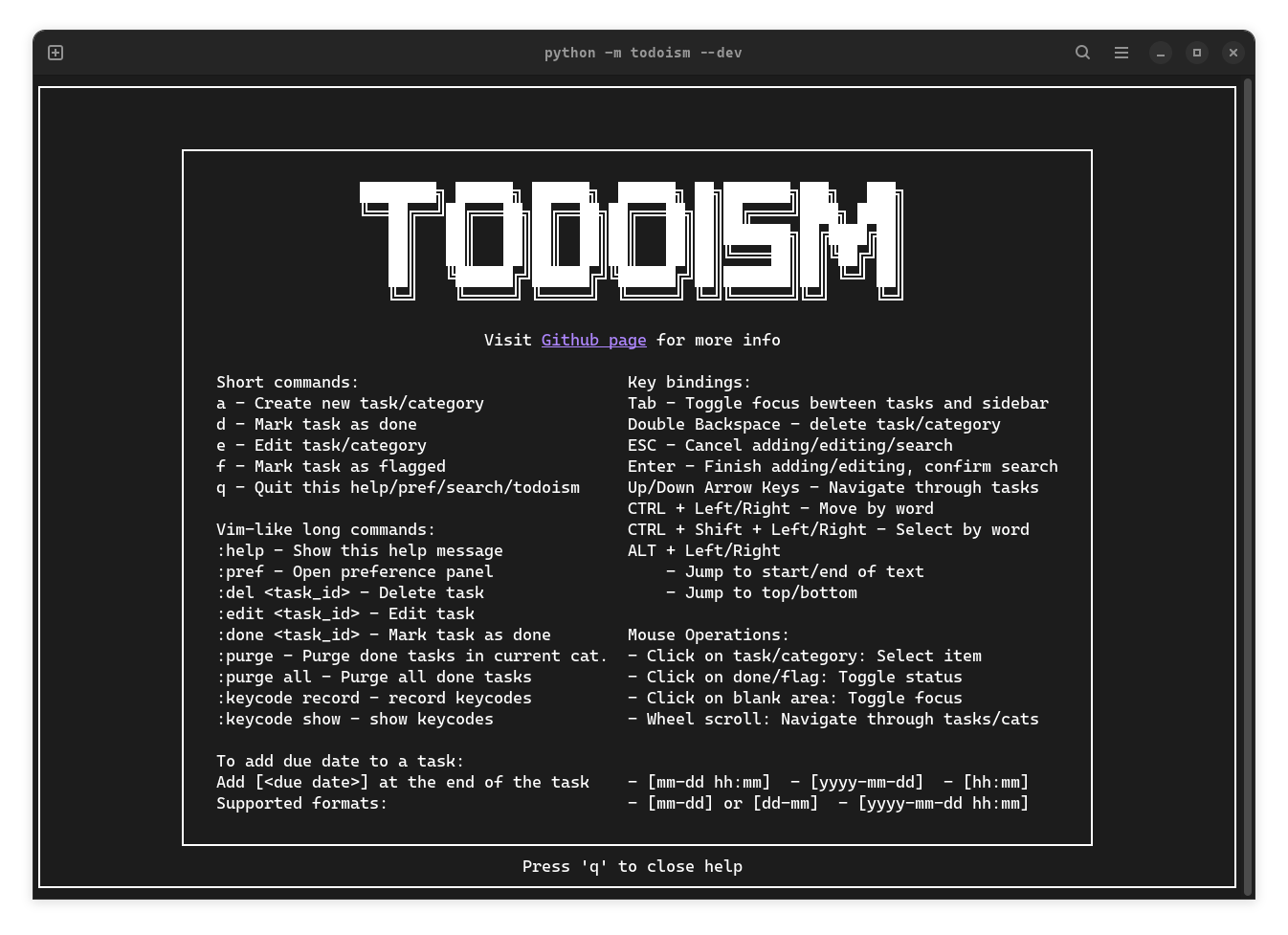
## Highlights
- Simple, intuitive interface
- Mouse support: click & scroll
- Easy task search
- Customizable: theme, sorting, and more
- Common Keyboard shortcuts support for editing
- Vim-like commands available for convenience
## Install and use
- Install: `pip install todoism`
- Run: `todoism` or `todo`
- Update: `pip install todoism --upgrade`
- Use: Invoke help message using command `:help` to see commonly used operations and commands
> [!NOTE]
> Some terminals does not support mouse click or strike through effect.
> **Ptyxis** (new default terminal for GNOME 47) does not fully support strikethrough effect. **Ghostty** does not has good support for bold text.
> You can turn them off in **preference panel** (open with `:pref` as specified in the help message)
### Keycode recording
When you first start todoism, you'll be prompted to record key combinations for text navigation.
- **CTRL + LEFT**: Move cursor one word left when editing text
- **CTRL + RIGHT**: Move cursor one word right when editing text
- **CTRL + SHIFT + LEFT**: Select text from cursor position to one word left
- **CTRL + SHIFT + RIGHT**: Select text from cursor position to one word right
- **ALT + LEFT**:
- Move cursor to the beginning of the text
- Jump to top task/category
- **ALT + RIGHT**:
- Move cursor to the end of the text
- Jump to bottom task/category
> [!NOTE]
> Some terminals like **Ghostty** and **kitty** may have built-in key bindings that conflict with the above. You need to disable them before recording.
## Develop
- Run with docker in dev mode with test files (run in **project root**):
1. Build docker image: `docker build -t ubuntu-todoism .`
2. Run `./test/todocker.sh`
- Add `--profile` to enable profiling
- Or run `python -m todoism --dev` directly (for using debugger)
- Add `--profile` to enable profiling
> Flag `--dev` and `--profile` are not available in PyPI installation
- Automated integration test (Experimental):
1. Install `wmctrl` with your package manager (for auto window focus)
2. Run `python test/integration.py` in **project root**
- Add `--profile` to enable profiling
3. Read the instructions printed in the terminal carefully
- Normal Configuration and data files are located in `~/.todoism/`. Test ones are in `test/.todoism`
> [!CAUTION]
> Todoism is currently under active development and backwards compatibility is not guaranteed as I refine features and data structures. Automatic data migration (tasks, categories, settings) between versions may not be fully supported. Please backup your data when needed. **v1.21 and lower versions are perticularly deprecated!**
## Contribute
Issues and PRs are welcome! Todoism is built from scratch with curses library. Please refer to the curses [docs](https://docs.python.org/3/library/curses.html#module-curses) and [how-to](https://docs.python.org/3/howto/curses.html) to get started.