https://github.com/qgrain/scholar-watcher
A web app for watching the authors' google scholar, which is based on scholarly and streamlit.
https://github.com/qgrain/scholar-watcher
google-scholar scholarly streamlit webapp
Last synced: 24 days ago
JSON representation
A web app for watching the authors' google scholar, which is based on scholarly and streamlit.
- Host: GitHub
- URL: https://github.com/qgrain/scholar-watcher
- Owner: QGrain
- License: apache-2.0
- Created: 2022-08-06T12:52:02.000Z (almost 4 years ago)
- Default Branch: main
- Last Pushed: 2023-03-01T02:21:03.000Z (over 3 years ago)
- Last Synced: 2025-09-05T10:47:00.310Z (10 months ago)
- Topics: google-scholar, scholarly, streamlit, webapp
- Language: Python
- Homepage: https://qgrain-scholar-watcher-1--scholar-watcher-holt9c.streamlitapp.com/
- Size: 108 KB
- Stars: 8
- Watchers: 1
- Forks: 0
- Open Issues: 2
-
Metadata Files:
- Readme: README.md
- License: LICENSE
- Citation: citation.json
Awesome Lists containing this project
README
Scholar-Watcher
A web app for watching the authors' google scholar, which is based on scholarly and streamlit.



## Features
- Fetch the **citations and changes** of the registered authors. (Support default daily update and force update)
- Display details and Chart Analysis of **Focus Authors**.
- Support add/modify **the registered authors**. (Now disabled for the security concern)
- Display the **latest K publications** of **Focus Authors**.
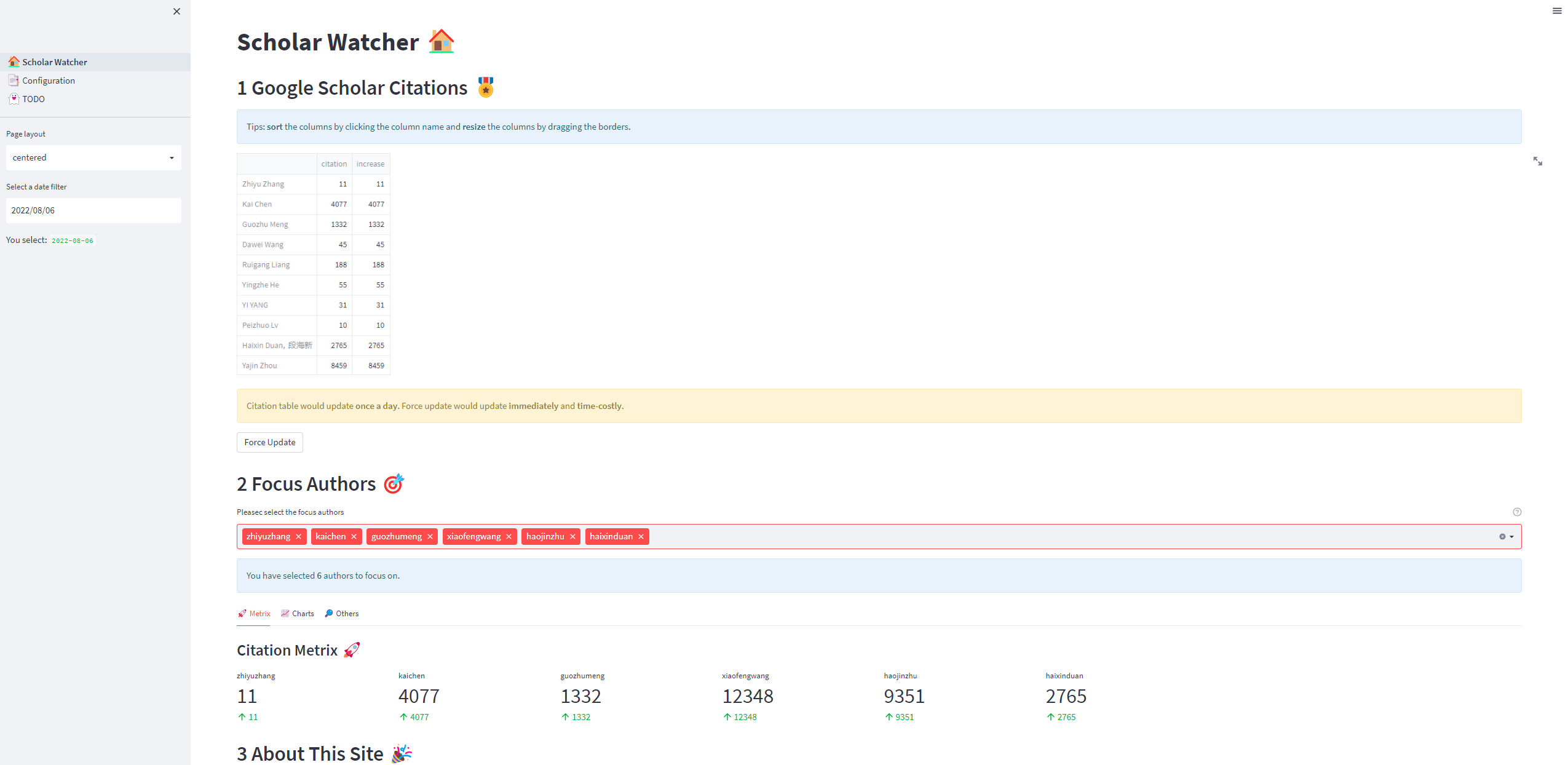
## Demo
- View demo through this [demo-link](https://qgrain-scholar-watcher-1--scholar-watcher-holt9c.streamlitapp.com/):
## Self-Host
Generally, there is only one hosted Scholar-Watch needed for each group, as they can customize their own registered authors in their fields. So here is the way for self-host.
```bash
# (recommended)create a conda env, you should install conda/miniconda first
conda create -n streamlit python=3.7
conda activate streamlit
# install dependencies
pip install -r requirements.txt
# config the config.ini
# make sure your host could visit Google Scholar. maybe https_proxy needed.
## (1) if host server could, then set mode = server
## (2) if host server could not, then set https_proxy and set mode = local
# run Scholar-Watcher app
streamlit run 1_🏠_Scholar_Watcher.py # which is the home page
```
## Change-Log
- v0.1.0 (2022-08-06)
- Basic framework done with streamlit
- Could debug locally
- v0.1.1 (2022-08-13)
- Deploy on streamlit cloud, now it is open for access
- v0.1.2 (2022-08-14)
- Add a new feature mentioned in [#issue2](https://github.com/QGrain/Scholar-Watcher/issues/2)
- v0.1.3 alpha (2022-08-26)
- Support auto update at 00:00:01 on server's localtime (That is 08:00:01 of GMT+8)
- v0.1.3 beta (2022-08-28)
- Remove auto update for the sake of Streamlit cloud. Add Debug page to show info
## Development and Contribution
Any improvements (not only in [Todo](#Todo)) are welcome, in the form of PR.
## Todo
- [x] Add Chart Analysis for focus authors.
- [ ] Add daily auto update. **(Bug to fix)**
- [ ] Add database support.
- [ ] Add Authentication.
- [ ] Add Security Check.
- [x] Deploy on Server.
- [x] Add latest K publications.
- [x] Add show citation log in Debug page.
> Seems that the demo website is down... I should consider fixing the database problems.
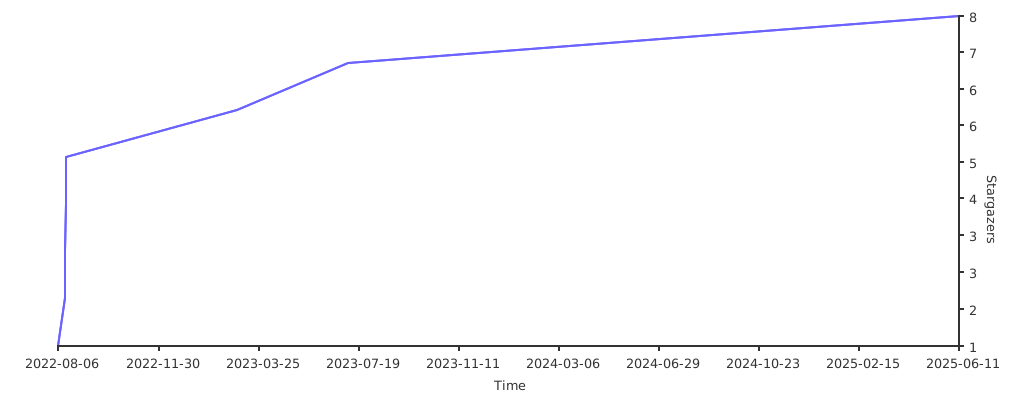
## Stargazers over time
[](https://starchart.cc/QGrain/Scholar-Watcher)