https://github.com/qinains/theme-hbuilderx-soft-green-light
The healthiest theme for your eyes!
https://github.com/qinains/theme-hbuilderx-soft-green-light
green h5builder hbuilderx light soft solarized vscode-theme
Last synced: 5 months ago
JSON representation
The healthiest theme for your eyes!
- Host: GitHub
- URL: https://github.com/qinains/theme-hbuilderx-soft-green-light
- Owner: qinains
- License: mit
- Created: 2019-12-30T14:20:46.000Z (over 6 years ago)
- Default Branch: main
- Last Pushed: 2025-06-20T08:13:39.000Z (about 1 year ago)
- Last Synced: 2025-11-01T04:07:00.510Z (9 months ago)
- Topics: green, h5builder, hbuilderx, light, soft, solarized, vscode-theme
- Homepage:
- Size: 1.15 MB
- Stars: 10
- Watchers: 1
- Forks: 2
- Open Issues: 0
-
Metadata Files:
- Readme: README.md
- Changelog: CHANGELOG.md
- License: LICENSE
Awesome Lists containing this project
README
# HBuilderX Soft Green Light Theme
The healthiest theme for your eyes!
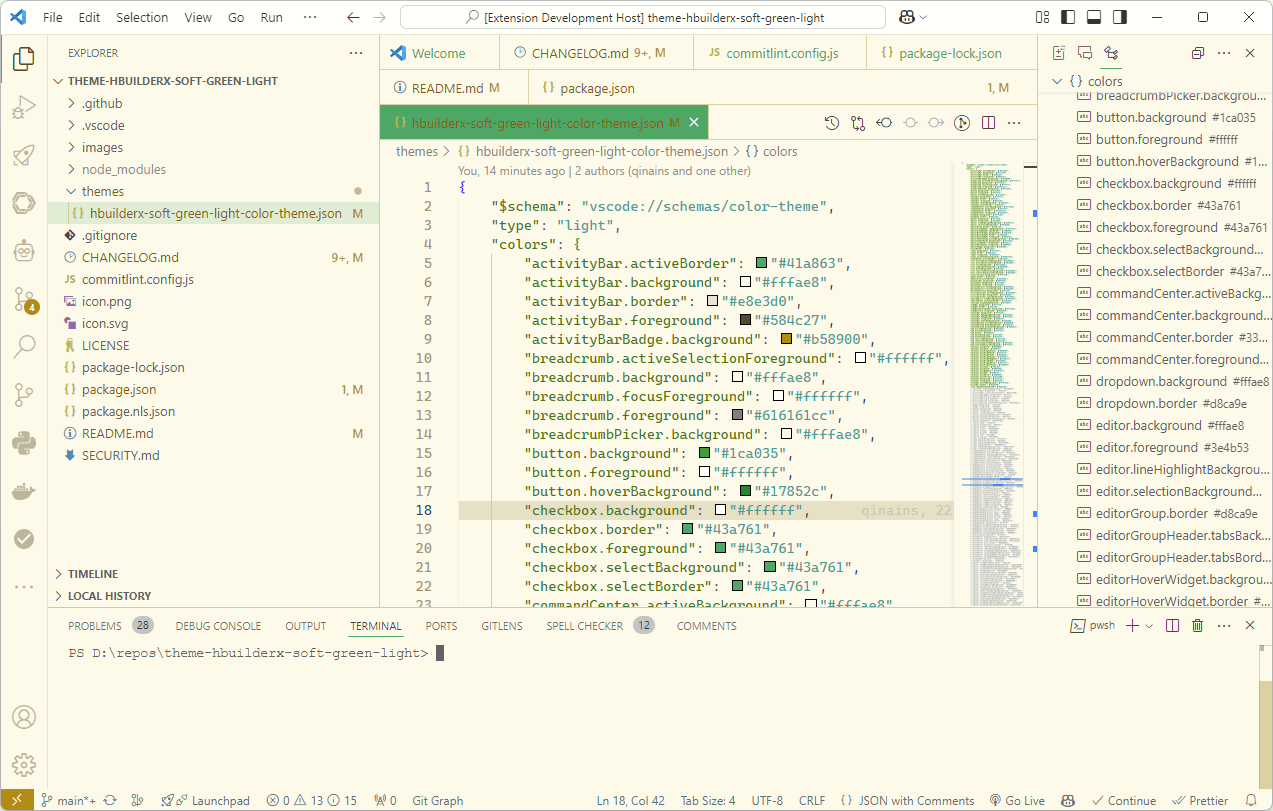
## SCREENSHOT
Preview
## Install
You can install this theme through the [Visual Studio Code Marketplace](https://marketplace.visualstudio.com/items?itemName=lninl.theme-hbuilderx-soft-green-light).
## Develop
### Find the color
Toggle on "Help -> Toggle Developer Tools".Use the "Select an element in the page to inspect it" tool to find a element, then copy the color value in "HEX" mode.
### Change the color
Search the color in the file "themes/hbuilderx-soft-green-light-color-theme.json" and replace a new color. Uncomment the line. Active "DEBUG AND RUN" toolbar, run the "Extension" to preview the theme.
### Save the theme
"View -> Command Palette...", then type "Developer: Generate Color Theme From Current Settings". Copy the code and paste the code in "themes/hbuilderx-soft-green-light-color-theme.json" file.
## Publish
```bash
npm install -g @vscode/vsce
vsce login ## paste "Personal Access Tokens"(https://dev.azure.com/ -> Users settings -> Personal access tokens -> New Token -> type Name -> Organization:All accessible organizations -> Scopes:Full access -> Create)
vsce package
vsce publish
```