https://github.com/quasarframework/quasar-codesandbox
A Codesandbox Template
https://github.com/quasarframework/quasar-codesandbox
Last synced: about 1 year ago
JSON representation
A Codesandbox Template
- Host: GitHub
- URL: https://github.com/quasarframework/quasar-codesandbox
- Owner: quasarframework
- Created: 2019-05-09T14:41:50.000Z (about 7 years ago)
- Default Branch: dev
- Last Pushed: 2024-12-10T12:13:13.000Z (over 1 year ago)
- Last Synced: 2025-04-02T00:35:38.878Z (over 1 year ago)
- Language: JavaScript
- Homepage: https://quasar.dev
- Size: 574 KB
- Stars: 11
- Watchers: 4
- Forks: 24
- Open Issues: 4
-
Metadata Files:
- Readme: README.md
- Contributing: .github/CONTRIBUTING.md
- Funding: .github/FUNDING.yml
- Code of conduct: .github/CODE_OF_CONDUCT.md
Awesome Lists containing this project
README

# Quasar App Codesandbox Template
> A Template for using Quasar on Codesandbox.io.
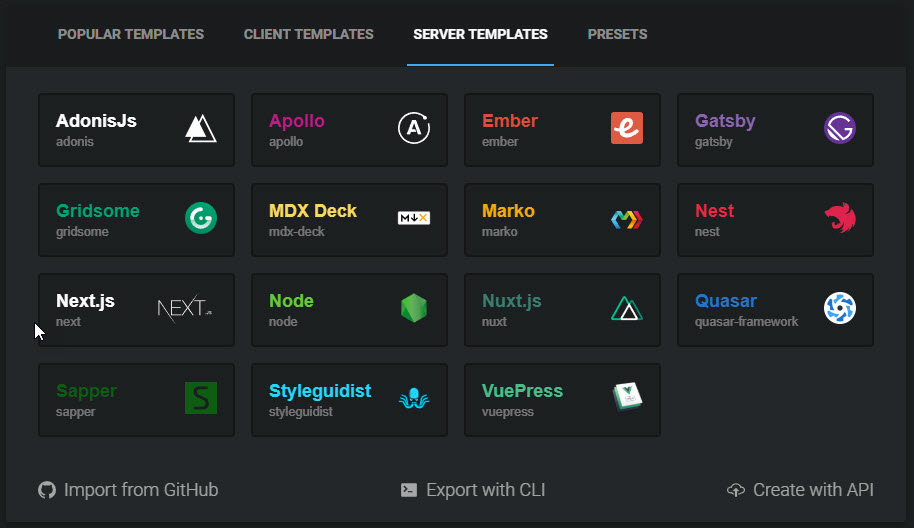
This is the template used for the server template found on [Codesandbox.io](https://codesandbox.io). The template builds a full application running in the development server mode. With the app running in Codesandbox, you can work with a FULL Quasar application and not just the UMD version, as is the case with Codepen and JSFiddle.
## Purpose
The purpose of this template on Codesandbox is so developers can create more intricate examples of their code. These examples can then be used for both the training and/ or teaching of other devs on using Quasar and also for troubleshooting problems with the core dev team of Quasar.
## Usage
Using this template will require you to register as a Codesandbox user. Registration only currently works over Github, so that is where you'll need an account.
Once you've registered to Codesandbox, to start the template, simply click on "Create Sandbox" at the top of the [Codesandbox.io index page](https://codesandbox.io).
Then click on `SERVER TEMPLATES` and then on the `Quasar` button.
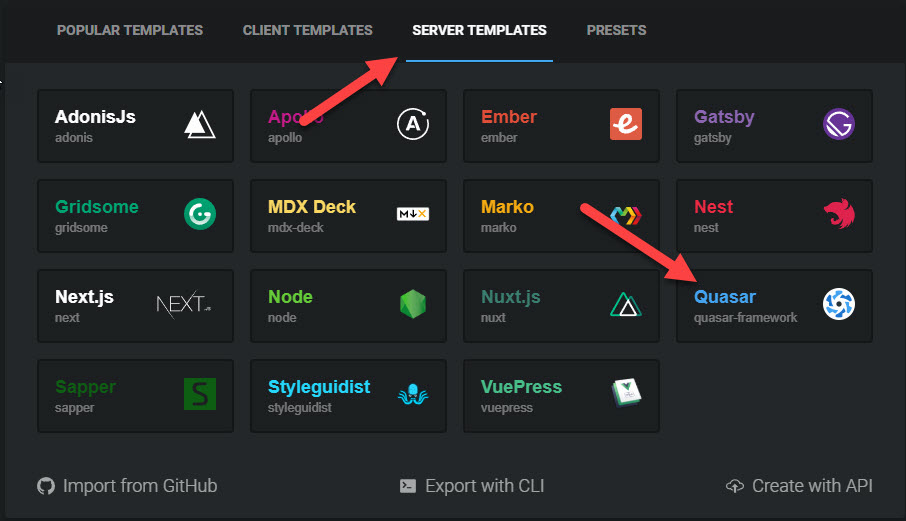
The server and container will start automatically. Once you make any change and save it, Codesandbox will automatically fork the sandbox for you.
## Different Modes
This template currently loads a _SPA_ application mode of Quasar.
If you would like to work with the PWA or SSR versions of Quasar, please make the following changes to the `start` script entries in the `package.json`.
#### PWA
```json
"scripts": {
"start": "quasar dev -m pwa",
```
#### SSR
```json
"scripts": {
"start": "quasar dev -m ssr",
```
Once you've changed the the `start` entry of `scripts` in the `package.json` file accordingly, you simply need to restart the container's server.
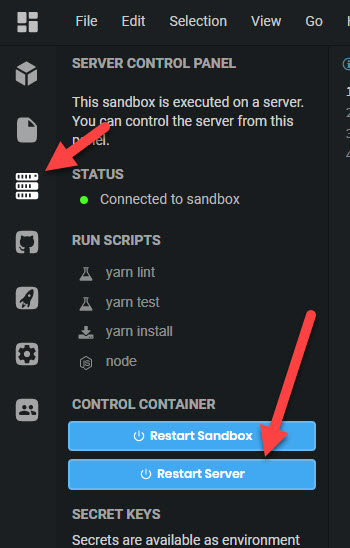
Once that is done, it should take a minute or so to reload the application in the new mode.
## Quasar Repositories
- [Quasar Framework](https://github.com/quasarframework/quasar)
## Contributing
We're excited if you want to contribute to Quasar under any form (report bugs, write a plugin, fix an issue, write a new feature, help with the documentation). Any help is much appreciated!
## License
Copyright (c) 2016-present Razvan Stoenescu
[MIT License](http://en.wikipedia.org/wiki/MIT_License)