https://github.com/quavo19/leaderboard
A leader board website where users can input their scores to see their possition as compared to other users
https://github.com/quavo19/leaderboard
api css html5 javascript linters webpack
Last synced: about 2 months ago
JSON representation
A leader board website where users can input their scores to see their possition as compared to other users
- Host: GitHub
- URL: https://github.com/quavo19/leaderboard
- Owner: quavo19
- License: mit
- Created: 2022-12-20T10:50:49.000Z (over 3 years ago)
- Default Branch: Development
- Last Pushed: 2023-02-28T21:12:58.000Z (over 3 years ago)
- Last Synced: 2025-03-29T10:26:51.014Z (over 1 year ago)
- Topics: api, css, html5, javascript, linters, webpack
- Language: CSS
- Homepage:
- Size: 915 KB
- Stars: 1
- Watchers: 1
- Forks: 0
- Open Issues: 0
-
Metadata Files:
- Readme: README.md
- License: LICENSE
Awesome Lists containing this project
README
# 📗 Table of Contents
- [📖 About the Project](#about-project)
- [🛠 Built With](#built-with)
- [Tech Stack](#tech-stack)
- [Key Features](#key-features)
- [🚀 Live Demo](#live-demo)
- [💻 Getting Started](#getting-started)
- [Setup](#setup)
- [Prerequisites](#prerequisites)
- [Install](#install)
- [Usage](#usage)
- [👥 Authors](#authors)
- [🔭 Future Features](#future-features)
- [🤝 Contributing](#contributing)
- [⭐️ Show your support](#support)
- [❓ FAQ](#faq)
- [📝 License](#license)
This project uses an API for user engagement to create a leaderboard that displays the names and scores of users in descending order, allowing for easy comparison and healthy competition.
Client
- HTML
- CSS
- JavaScript
- **[Gets data from API]**
- **[Uses asynchronous JavaScript]**
## 🚀 Live Demo
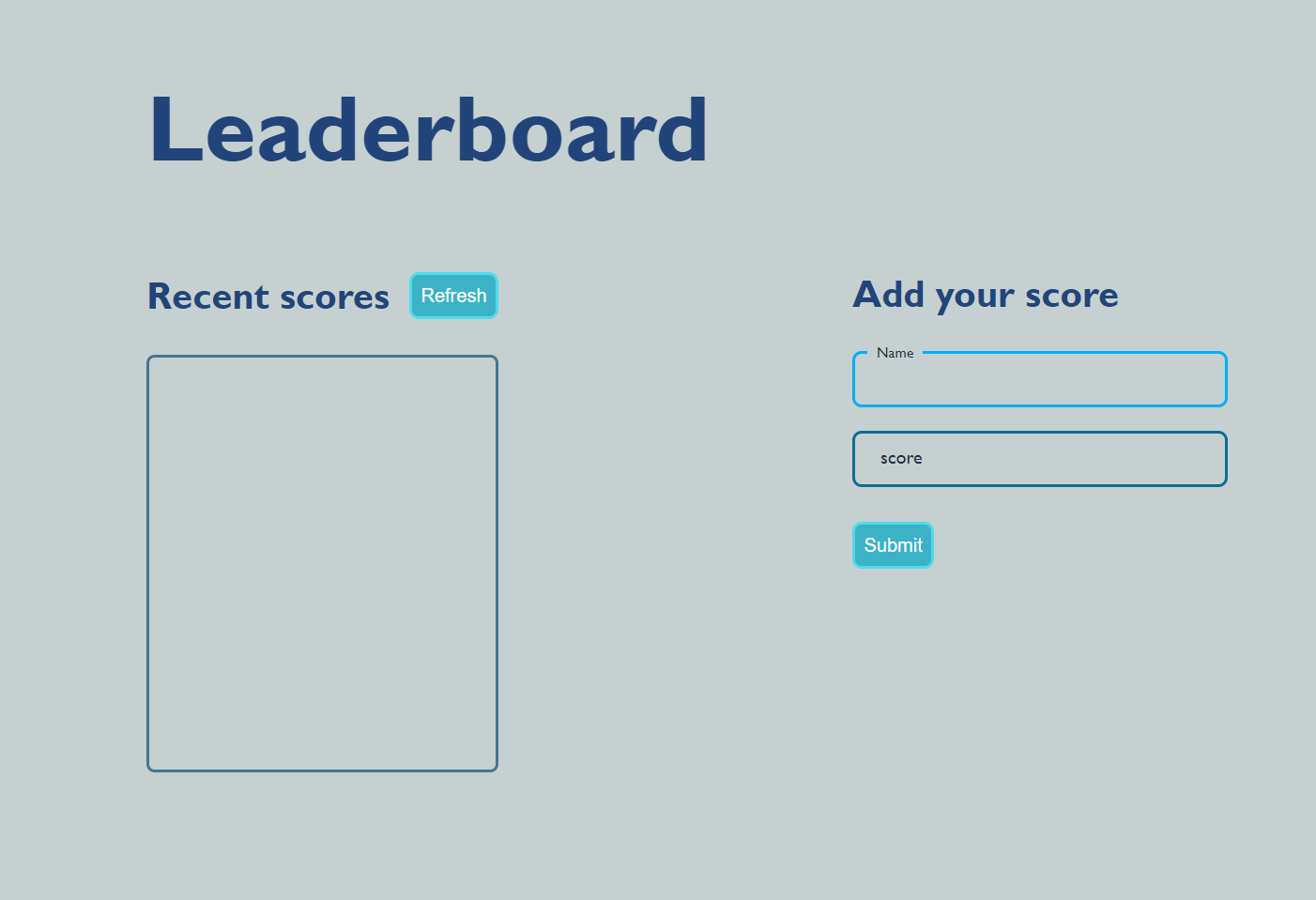
- [live demo](https://quavo19.github.io/Leaderboard/dist)
To get a local copy up and running follow these simple example steps.
### Step :
- You can clone your project by running the command below to clone this project to your local machine in the directory of the folder you want it to be cloned
```sh
git clone https://github.com/quavo19/Leaderboard.git
```
- Alternatively, you can download the zip file of your project by clicking on the `Code` button on the right side of your project page and clicking on `Download ZIP`
- Locate the folder where you cloned your project to and open it ;
### Install
Install this project with:
Example command:
```sh
npm install
```
## Prerequisites
you would need the following to be able to successfully Lunch this project
- Git. If you don't have git installed on your machine you can download it from [here ](https://git-scm.com/downloads).
- A browser(Chrome).
- Node. If you don't have node installed, you can download it from [here ](https://nodejs.org/en/download/).
### Usage
To run the project, execute the following command:
```sh
npm start
```
in a few seconds you should see your project live on your browser
👤 **Donald Akite**
- GitHub: [@githubhandle](https://github.com/quavo19)
- Twitter: [@twitterhandle](https://twitter.com/DonaldAkite)
- LinkedIn: [LinkedIn](https://www.linkedin.com/in/donald-akite-299a31222/)
- [ ] **[Add a background image to the home page.]**
- [ ] **[Add animations to buttons]**
- [ ] **[Load scores without refreshing]**
Contributions, issues, and feature requests are welcome!
Feel free to check the [issues page](../../issues/).
If you liked this project dont forget to leave a start
> Add at least 2 questions new developers would ask when they decide to use your project.
- **Does it use a database management system ?**
- NO, it gets data from an involvement API
This project is [MIT](./LICENSE) licensed.