https://github.com/queeniecplusplus/android_review_2_app
Bottom Navigation Bar
https://github.com/queeniecplusplus/android_review_2_app
android bottomnavigationview kotlin
Last synced: 2 months ago
JSON representation
Bottom Navigation Bar
- Host: GitHub
- URL: https://github.com/queeniecplusplus/android_review_2_app
- Owner: QueenieCplusplus
- Created: 2021-02-08T03:36:11.000Z (over 5 years ago)
- Default Branch: main
- Last Pushed: 2021-02-08T04:25:13.000Z (over 5 years ago)
- Last Synced: 2025-06-30T19:05:54.210Z (12 months ago)
- Topics: android, bottomnavigationview, kotlin
- Language: Kotlin
- Homepage: https://github.com/QueenieCplusplus/QuickGoThru/blob/master/README.md#google-android-kotlin-溫故安卓---計畫復甦
- Size: 1.77 MB
- Stars: 0
- Watchers: 1
- Forks: 0
- Open Issues: 0
-
Metadata Files:
- Readme: README.md
Awesome Lists containing this project
README
# Android_Review_2_app
Bottom Navigation Bar
1. add dependency
// BottomNaviationUI
implementation 'com.google.android.material:material:1.1.0'
implementation 'androidx.legacy:legacy-support-v4:1.0.0'
2. add menu item for click bars & drawable/vectorXML for buttom icon & Fragements to change view from Mainpage.
for Menu Items=>
for Fragments=>
wrapper in Framelayout, and inside view using RelativeLayout
3. add frameLayout for different fragements to be inflatered & BottomNavigation Component for User to click inside Activity_Main.xml.
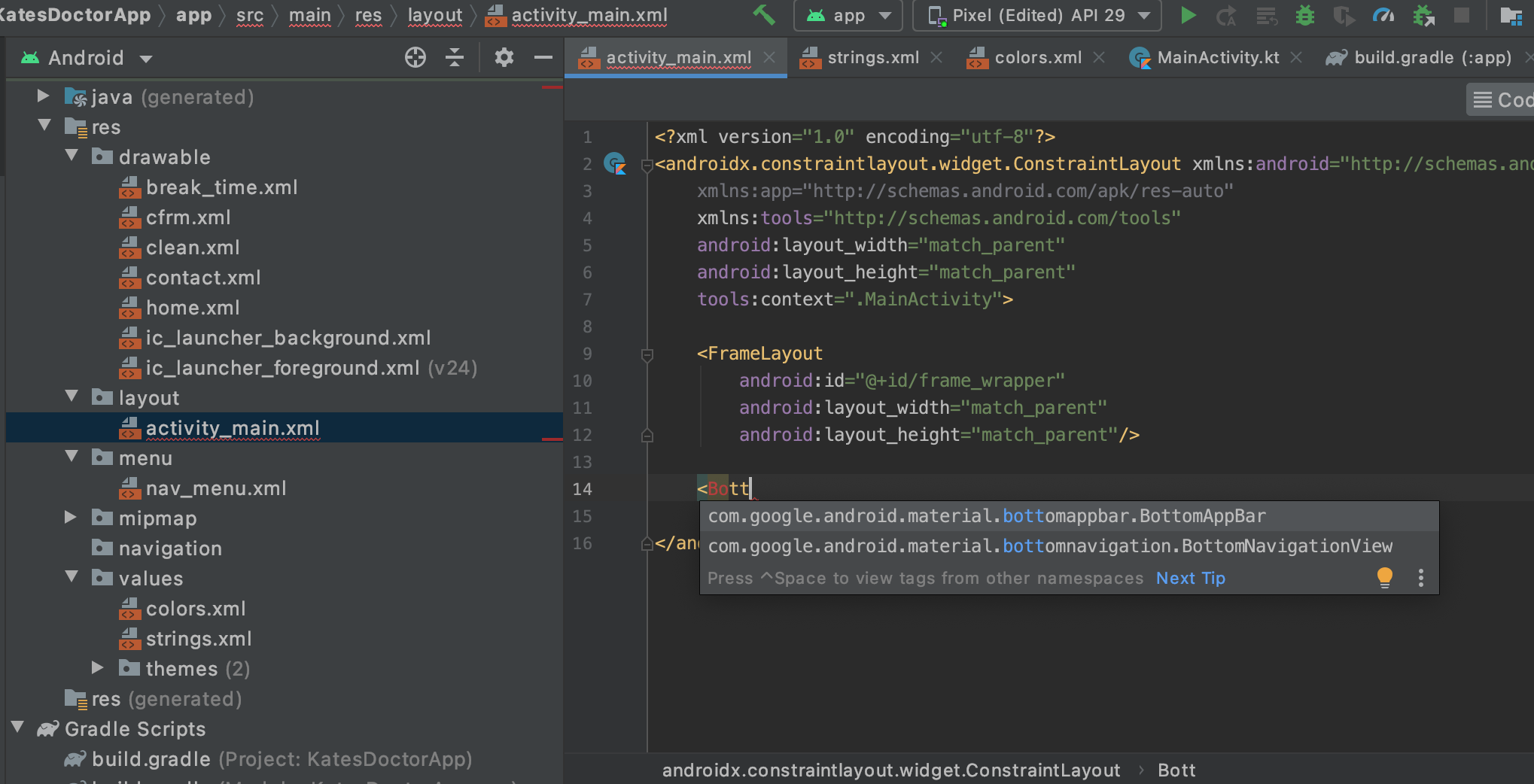
4. init instance from fragment inside MainActivity class.
val a = AFragment()
5. snippet hereby:
super.onCreate(savedInstanceState)
setContentView(R.layout.activity_main)
initFragment(h)
bottomNav.setOnNavigationItemReselectedListener {
when(it.itemId){
// see item id in menu
// not drawable id
R.id.home -> initFragment(h)
R.id.clean -> initFragment(a)
R.id.chat -> initFragment(i)
R.id.contact -> initFragment(c)
}
}
}
// 初始的碎片畫面
private fun initFragment(fragment: Fragment){
// to pass k/v pairs
//supportFragmentManager.getFragment()
supportFragmentManager.beginTransaction().apply {
replace(R.id.frame_wrapper, fragment)
commit()
}
}
6. be careful that if you add modules for safe args, then downgrade the Gradle version.
7. be attention to add on utf-8 encode tag on the top of your vectorized drawable, otherwise you got build error for String--toooooo-Loooooong ~
8. for Safe Args:
(1) at top level gradle
buildscript {
dependencies {
// 4.1.2 downgrade for safe-args to 3.6.4
classpath "com.android.tools.build:gradle:3.6.4"
classpath "org.jetbrains.kotlin:kotlin-gradle-plugin:$kotlin_version"
// for safe-args
classpath 'com.google.gms:google-services:4.3.4'
// safe-args => 2.3.3
classpath "androidx.navigation:navigation-safe-args-gradle-plugin:$nav_version"
(2) at app level gradle
plugins {
id 'androidx.navigation.safeargs.kotlin'
}

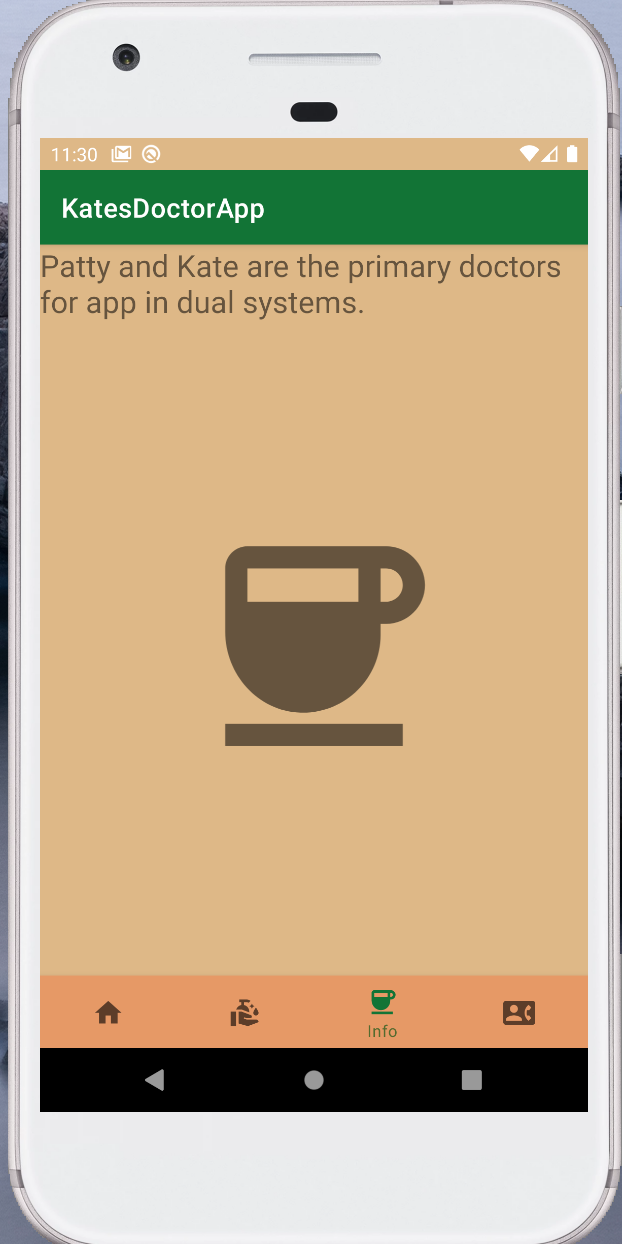
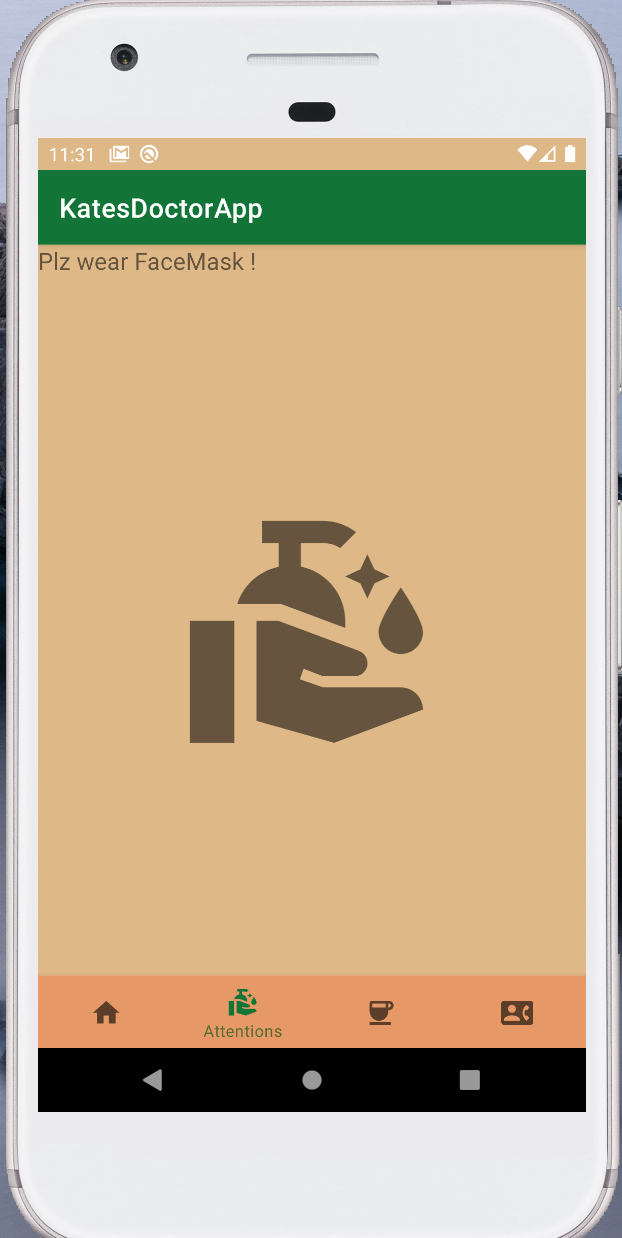
ref: https://www.youtube.com/watch?v=fODp1hZxfng
&
Material Design IO
https://material.io/components/bottom-navigation/android#bottom-navigation-bar