https://github.com/queeniecplusplus/cloudrun
An Easy way to deploy app (alternative of GKE)
https://github.com/queeniecplusplus/cloudrun
cloudrun docker-image serverless serverless-architectures serverless-examples
Last synced: 29 days ago
JSON representation
An Easy way to deploy app (alternative of GKE)
- Host: GitHub
- URL: https://github.com/queeniecplusplus/cloudrun
- Owner: QueenieCplusplus
- Created: 2020-11-07T01:03:53.000Z (over 5 years ago)
- Default Branch: main
- Last Pushed: 2020-11-08T06:56:29.000Z (over 5 years ago)
- Last Synced: 2025-11-15T05:47:00.292Z (8 months ago)
- Topics: cloudrun, docker-image, serverless, serverless-architectures, serverless-examples
- Homepage: https://github.com/QueenieCplusplus/QuickGoThru/blob/master/README.md#serverless-devops
- Size: 575 KB
- Stars: 0
- Watchers: 1
- Forks: 0
- Open Issues: 0
-
Metadata Files:
- Readme: README.md
Awesome Lists containing this project
README
# CloudRun
An Easy way to deploy app (alternative of GKE)
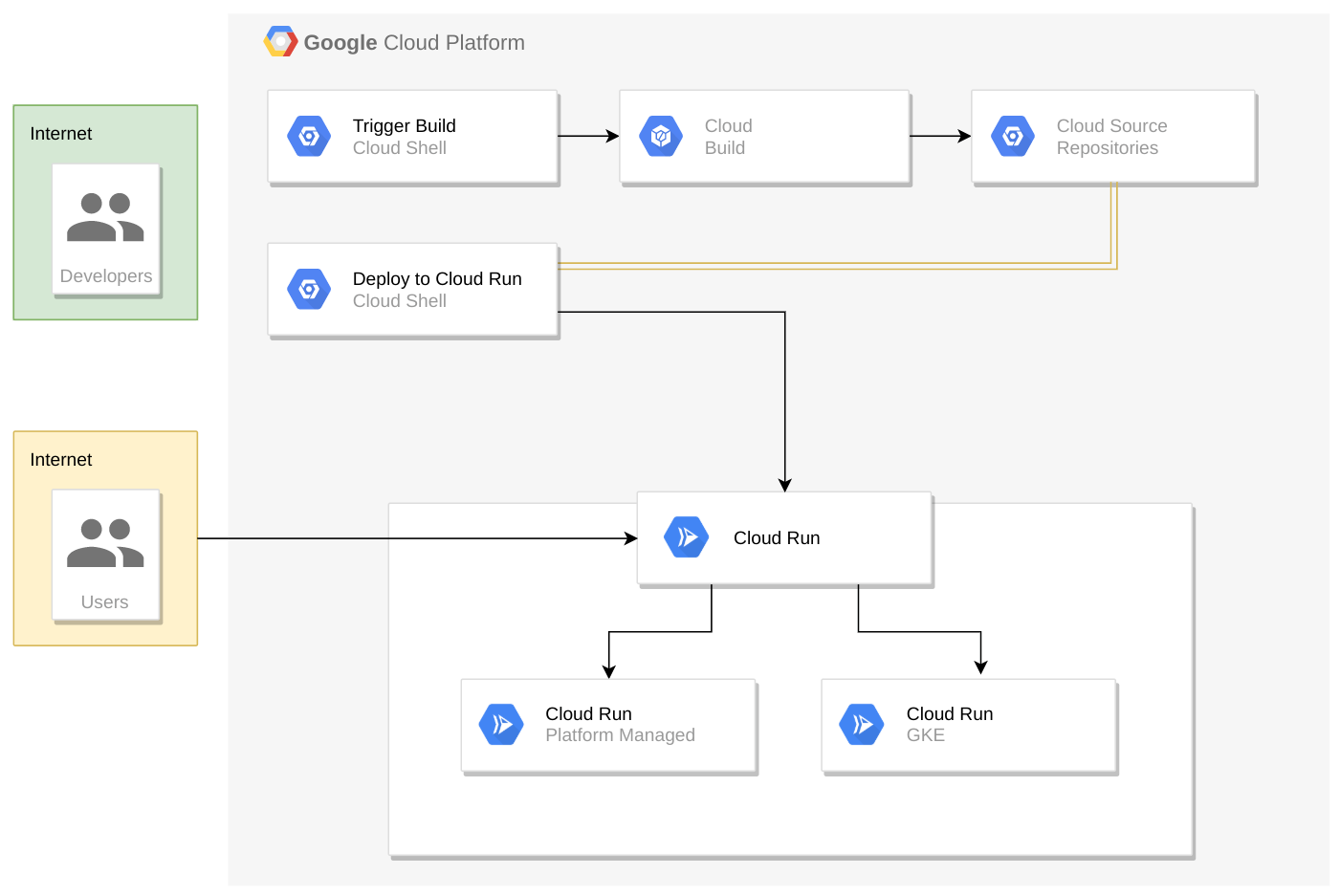
Cloud Run brings "serverless" development to containers and can be run either on your own Google Kubernetes Engine (GKE) clusters or on a fully managed PaaS solution provided by Cloud Run. You will be running the latter scenario in this lab.
GAE see https://github.com/QueenieCplusplus/GAE
# Core Steps
(1) create a Docker Image for App
(2) move the Image to Cloud Storage Bucket for Cloud Build.
(3) deploy/pull the container image to CloudRun
(4) update Website -> rebuild -> push again with new tag, and roll out new version of Website without Downtime (CI/CD)
(5) GKE
# Core Cmd Line
gcloud auth configure-docker
gcloud services enable []
gcloud builds submit --image=[] --plateform managed
gcloud run deploy --image=[] --plateform managed
ctrl+c
-----------
# Nodejs Web Server
from Step 0
* prework-1, clone a existing website code from Github
git clone https://github.com/googlecodelabs/monolith-to-microservices.git
cd monolith-to-microservices
cd ./setup.sh
* prework-2, test app by starting the web server
cd ~/monolith-to-microservices/monolith
npm start
[output]
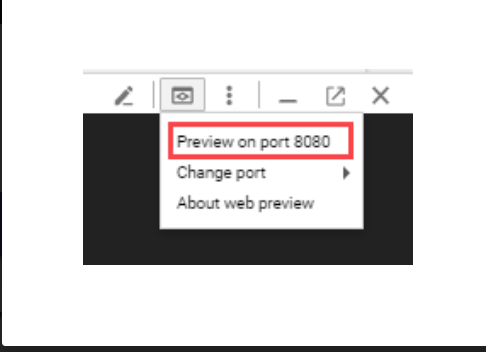
Monolith listening on port 8080!
[output in UI]
* prework-3, stop the Web server
pressing CTRL+C in Cloud Shell.
# Docker
> Dockerize App use Docker cmd line
* 1.1, in cloud shell, log in Docker
sudo usermod -a -G docker ${USER}
//If you're using a Linux-based operating system, such as Ubuntu or Debian, add your username to the docker group so that you can run Docker without using sudo.
// Caution: The docker group is equivalent to the root user. See Docker's documentation for details on how this affects the security of your system.
// Log out and log back in for group membership changes to take effect. If you are using a virtual machine, you may need to restart the virtual machine for membership changes to take effect.
* 1.2, test Docker run within output of Date
docker run busybox date
* 1.3, log in the repo
gcloud auth configure-docker
* 1.4, pull the docker image to repo
docker pull gcr.io/google-samples/hello-app:1.0
* 1.5, tag the docker image and push it to repo
docker tag gcr.io/google-samples/hello-app:1.0 gcr.io/PROJECT_ID/[tag name]
docker tag gcr.io/google-samples/hello-app:1.0 gcr.io/PROJECT_ID/quickstart-image:tag1
docker push gcr.io/PROJECT_ID/quickstart-image:tag1
* 1.6, on contrast, we pull back the app from remote to local.
docker pull gcr.io/PROJECT_ID/quickstart-image:tag1
* 1.7, delete docker image in repo
gcloud container images delete gcr.io/PROJECT_ID/quickstart-image:tag1 --force-delete-tags
// in project id includes : colons symbol, then check out the doc https://cloud.google.com/container-registry/docs/overview#domain-scoped_projects
* 1.8, sum up doc
https://cloud.google.com/container-registry/docs/quickstart
# Cloud Build
from step 3
> Dockerize App use Cloud Build
* 2.1, in cloud shell, compress and move docker file to Cloud Sorage Bucket.
* 2.2, enable google cloud api called cloudbuild
gcloud services enable cloudbuild.googleapis.com
* 2.3, use Cloud Build to create container, and push it to container registry.
gcloud builds submit --tag gcr.io/${GOOGLE_CLOUD_PROJECT}/monolith:1.0.0 .
[output]
----------------------------------------------------------------------------------------------------- ------------------------------------------------------------------------------------------------------
ID CREATE_TIME DURATION SOURCE IMAGES STATUS
1ae295d9-63cb-482c-959b-bc52e9644d53 2019-08-29T01:56:35+00:00 33S gs://_cloudbuild/source/1567043793.94-abfd382011724422bf49af1558b894aa.tgz gcr.io//monolith:1.0.0 SUCCESS
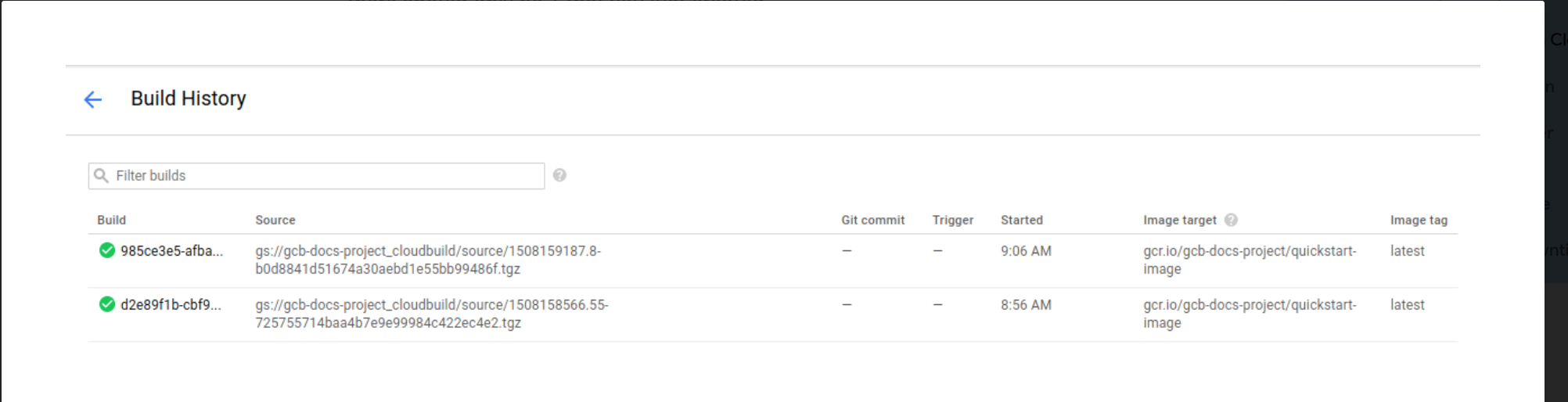
* 2.4, in cloud concole, navigation bar > Cloud Build > history
# Cloud Run
from step 3
> Deploy a Container
* 3.1, enalbe cloud run service
gcloud services enable run.googleapis.com
* 3.2, deploy it to Cloud Run PaaS
gcloud run deploy --image=gcr.io/${GOOGLE_CLOUD_PROJECT}/monolith:1.0.0 --platform managed
* 3.3, mgmt the Deployment
// 1. choose the managed version of Cloud Run by specifying --platform managed.
// 2. specify which region you'd like to run in. Type the number for the region closest to you.
// 3. accept the default suggested service name (it will be "monolith") by pressing Enter.
* 3.4, check the deployment
gcloud run services list
Type "1" to choose the first option: [1] Cloud Run (fully managed)
[the pod is running now]
SERVICE REGION URL LAST DEPLOYED BY LAST DEPLOYED AT
✔ monolith us-east1 [time]
* 3.5, setup Endpoint for App in Cloud Run
gcloud run deploy --image=gcr.io/${GOOGLE_CLOUD_PROJECT}/monolith:1.0.0 --platform managed --concurrency 1
// change the concurrency val as 1
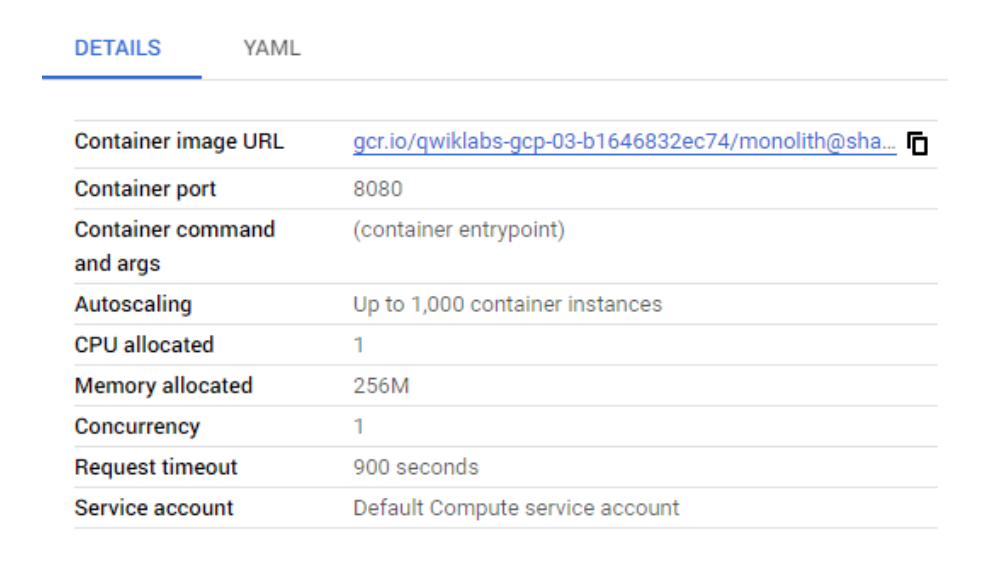
* 3.6, in cloud console, check the result by navigating to Cloud Run > [Service Name] > revsion tab.
* tips & attentions:
By default, a Cloud Run application will have a concurrency value of 80, meaning that each container instance will serve up to 80 requests at a time. This is a big departure from the Functions-as-a-Service model, where one instance handles one request at a time.
# CI/CD, Revision
from step 4
> Modify code of website, and deploy it again
prework,
cd ~/monolith-to-microservices/react-app/src/pages/Home
mv index.js.new index.js
cat ~/monolith-to-microservices/react-app/src/pages/Home/index.js
cd ~/monolith-to-microservices/react-app
npm run build:monolith
// copy it to monolith dir
* 4.1 rebuild the Docker container and publish it to Container Registry. You can use the same command as before, except this time you will update the version label.
cd ~/monolith-to-microservices/monolith
npm start // feel free to do this execution
gcloud builds submit --tag gcr.io/${GOOGLE_CLOUD_PROJECT}/monolith:2.0.0 .
// with new version name this time
* 4.2, deploy the new version of service.
gcloud run deploy --image=gcr.io/${GOOGLE_CLOUD_PROJECT}/monolith:2.0.0 --platform managed
# GKE
from step 5
since the docker image is saved in the private registry, GKE can pull from it to do GKE-style deployment.
see https://github.com/QueenieCplusplus/GKE
# Ref Code
66(container), 10445, 14743(go)