https://github.com/queeniecplusplus/ios_back_8
Multi-Threads using Timer
https://github.com/queeniecplusplus/ios_back_8
ios11 ios14 multithreading scheduler swift4 swift5 timer xcode11 xcode12
Last synced: 4 months ago
JSON representation
Multi-Threads using Timer
- Host: GitHub
- URL: https://github.com/queeniecplusplus/ios_back_8
- Owner: QueenieCplusplus
- Created: 2021-01-28T02:28:29.000Z (over 5 years ago)
- Default Branch: main
- Last Pushed: 2021-01-28T03:24:32.000Z (over 5 years ago)
- Last Synced: 2025-03-13T13:13:46.346Z (over 1 year ago)
- Topics: ios11, ios14, multithreading, scheduler, swift4, swift5, timer, xcode11, xcode12
- Language: Swift
- Homepage: https://github.com/QueenieCplusplus/QuickGoThru/blob/master/README.md#apple-ios-swift-溫故愛鳳---計畫復甦
- Size: 1.14 MB
- Stars: 0
- Watchers: 1
- Forks: 0
- Open Issues: 0
-
Metadata Files:
- Readme: README.md
Awesome Lists containing this project
README
# iOS_Back_8
Multi-Threads using Timer
1. code
//
// ViewController.swift
// KatesThreadsApp
//
// Created by KatesAndroid on 2021/1/28 AM 10:15
// multi-threads using Timer class
import UIKit
class ViewController: UIViewController {
override func viewDidLoad() {
super.viewDidLoad()
//Timer.scheduledTimer(timeInterval: <#T##TimeInterval#>, invocation: <#T##NSInvocation#>, repeats: <#T##Bool#>)
Timer.scheduledTimer(withTimeInterval: 5.0, repeats: true){
(t) in
self.timeCounter()
}
}
func timeCounter(){
let showTime = DateFormatter()
showTime.dateFormat = "hh:mm:ss"
let timeString = showTime.string(from: Date())
print(timeString)
}
}
2. output
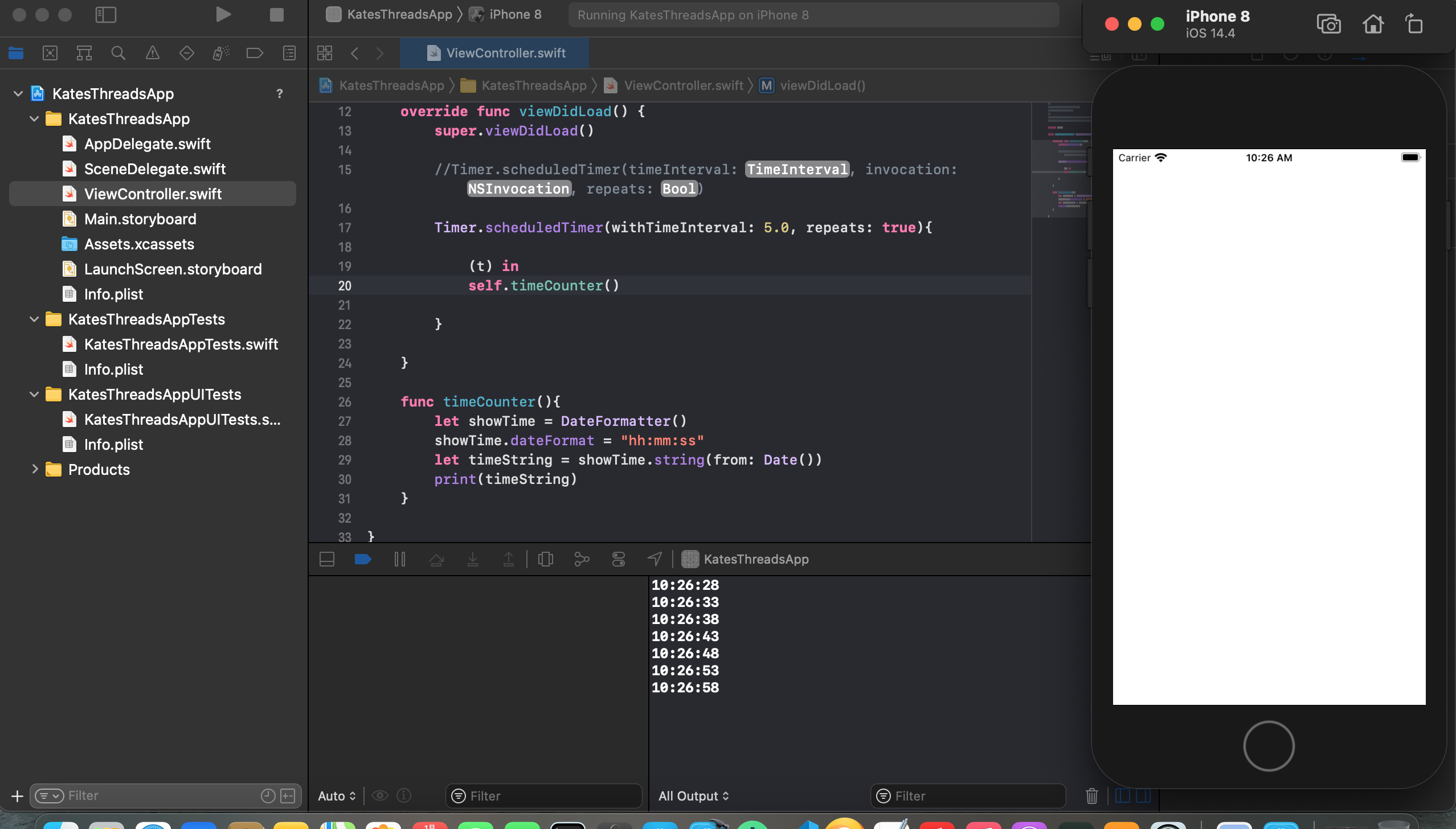
3. iOS' tip (log)
NSLog("")
sleep()