https://github.com/queeniecplusplus/ios_back_9
using Semaphore to show signal for controlling the same Thread
https://github.com/queeniecplusplus/ios_back_9
async dispatchqueue ios11 ios14 semaphore signal swift4 swift5 xcode11 xcode12
Last synced: 6 months ago
JSON representation
using Semaphore to show signal for controlling the same Thread
- Host: GitHub
- URL: https://github.com/queeniecplusplus/ios_back_9
- Owner: QueenieCplusplus
- Created: 2021-01-28T03:13:56.000Z (over 5 years ago)
- Default Branch: main
- Last Pushed: 2021-01-28T03:24:00.000Z (over 5 years ago)
- Last Synced: 2025-03-13T13:13:46.356Z (over 1 year ago)
- Topics: async, dispatchqueue, ios11, ios14, semaphore, signal, swift4, swift5, xcode11, xcode12
- Language: Swift
- Homepage: https://github.com/QueenieCplusplus/QuickGoThru/blob/master/README.md#apple-ios-swift-溫故愛鳳---計畫復甦
- Size: 1.12 MB
- Stars: 0
- Watchers: 1
- Forks: 0
- Open Issues: 0
-
Metadata Files:
- Readme: README.md
Awesome Lists containing this project
README
# iOS_Back_9
using Semaphore to show signal for controlling the same Thread
1. code.
//
// ViewController.swift
// KatesOnlyOneThreadApp
//
// Created by KatesAndroid on 2021/1/28 AM 10:40
//
// 目標:指定如下作業僅能由同一執行緒完成。
// control one thread using semaphore 號誌。
// semaphore 可產生 signal 信號。
import UIKit
class ViewController: UIViewController {
override func viewDidLoad() {
super.viewDidLoad()
// 產生多執行緒
// global 不放參處預設為 default
// 權限介於 UI 和 Backgound 之間
// 方法有非同步與同步兩種
DispatchQueue.global().async {
for i in 1 ... 20 {
// 號誌即信號燈
let s = DispatchSemaphore(value: 0)
if i == 5 {
DispatchQueue.main.async(execute:
{self.Alerter(ds: s)}
)
}else{
// 釋放信號
s.signal()
}
_ = s.wait(timeout: DispatchTime.distantFuture)
print(i)
sleep(1)
}
}
}
func Alerter(ds: DispatchSemaphore) {
// 提醒彈出
let showAlert = UIAlertController(title: "溫馨提醒", message: "您可點擊OK後繼續作業,完成任務。", preferredStyle: .alert)
// 提醒中的按鈕
let afterOK = UIAlertAction(title: "OK", style: .default){
(todo) in
ds.signal()
self.dismiss(animated: true, completion: nil)
}
// 為提醒加上按鈕
showAlert.addAction(afterOK)
// 彈出提醒
present(showAlert, animated: true)
}
}
2. output
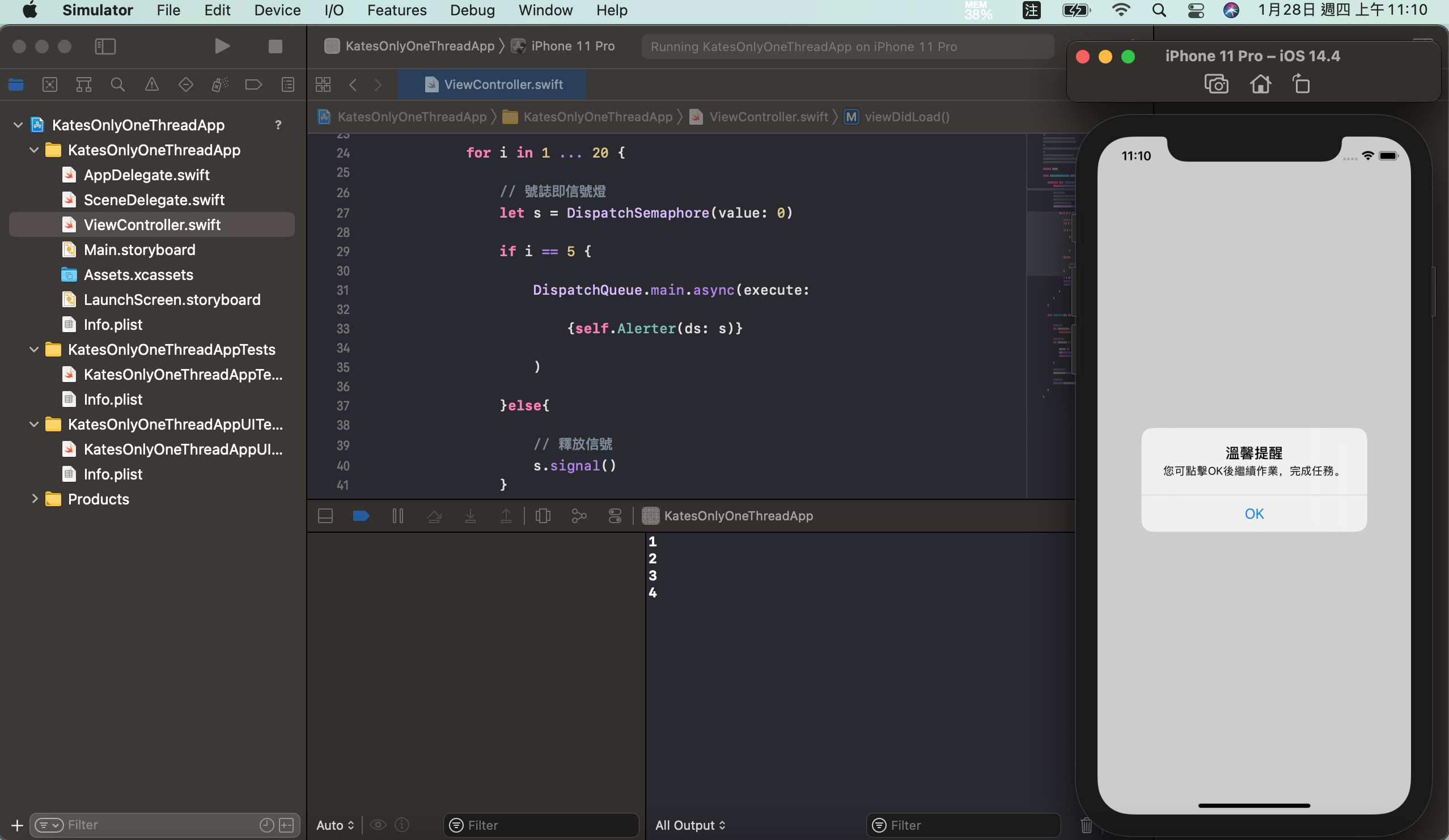
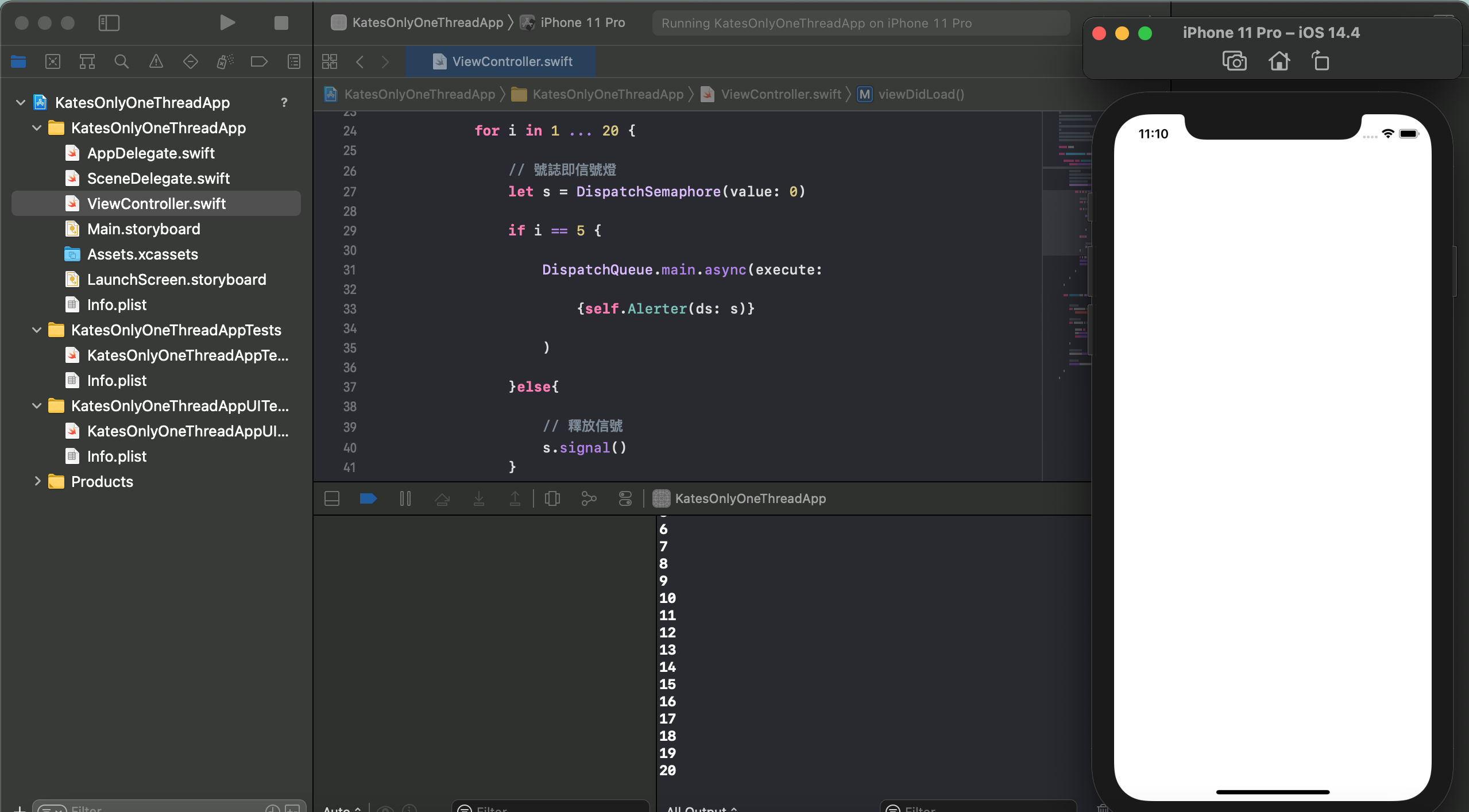
3. iOS' tip (log)
NSLog("")
sleep()