https://github.com/questdb/questdb-connect
SQLAchemy and Apache Superset extensions for QuestDB
https://github.com/questdb/questdb-connect
Last synced: 12 months ago
JSON representation
SQLAchemy and Apache Superset extensions for QuestDB
- Host: GitHub
- URL: https://github.com/questdb/questdb-connect
- Owner: questdb
- License: apache-2.0
- Created: 2023-04-19T08:08:13.000Z (about 3 years ago)
- Default Branch: main
- Last Pushed: 2025-05-12T14:17:37.000Z (about 1 year ago)
- Last Synced: 2025-06-27T02:38:37.071Z (about 1 year ago)
- Language: Python
- Homepage:
- Size: 469 KB
- Stars: 16
- Watchers: 3
- Forks: 8
- Open Issues: 6
-
Metadata Files:
- Readme: README.md
- License: LICENSE
Awesome Lists containing this project
README


## QuestDB Connect
This repository contains the official implementation of QuestDB's dialect for [SQLAlchemy](https://www.sqlalchemy.org/),
as well as an engine specification for [Apache Superset](https://github.com/apache/superset/), using
[psycopg2](https://www.psycopg.org/) for database connectivity.
The Python module is available here:

https://pypi.org/project/questdb-connect/
_Psycopg2_ is a widely used and trusted Python module for connecting to, and working with, QuestDB and other
PostgreSQL databases.
_SQLAlchemy_ is a SQL toolkit and ORM library for Python. It provides a high-level API for communicating with
relational databases, including schema creation and modification. The ORM layer abstracts away the complexities
of the database, allowing developers to work with Python objects instead of raw SQL statements.
_Apache Superset_ is an open-source business intelligence web application that enables users to visualize and
explore data through customizable dashboards and reports. It provides a rich set of data visualizations, including
charts, tables, and maps.
## Requirements
* **Python from 3.9 to 3.11** (superset itself use version _3.9.x_)
* **Psycopg2** `('psycopg2-binary~=2.9.6')`
* **SQLAlchemy** `('SQLAlchemy>=1.4')`
You need to install these packages because questdb-connect depends on them. Note that `questdb-connect` v1.1
is compatible with both `SQLAlchemy` v1.4 and v2.0 while `questdb-connect` v1.0 is compatible with `SQLAlchemy` v1.4 only.
## Versions 0.0.X
These are versions released for testing purposes.
## Installation
You can install this package using pip:
```shell
pip install questdb-connect
```
## SQLAlchemy Sample Usage
Use the QuestDB dialect by specifying it in your SQLAlchemy connection string:
```shell
questdb://admin:quest@localhost:8812/main
questdb://admin:quest@host.docker.internal:8812/main
```
From that point on use standard SQLAlchemy. Example with raw SQL API:
```python
import datetime
import time
import uuid
from sqlalchemy import create_engine, text
def main():
engine = create_engine('questdb://admin:quest@localhost:8812/main')
with engine.begin() as connection:
# Create the table
connection.execute(text("""
CREATE TABLE IF NOT EXISTS signal (
source SYMBOL,
value DOUBLE,
ts TIMESTAMP,
uuid UUID
) TIMESTAMP(ts) PARTITION BY HOUR WAL;
"""))
# Insert 2 rows
connection.execute(text("""
INSERT INTO signal (source, value, ts, uuid) VALUES
(:source1, :value1, :ts1, :uuid1),
(:source2, :value2, :ts2, :uuid2)
"""), {
'source1': 'coconut', 'value1': 16.88993244, 'ts1': datetime.datetime.utcnow(), 'uuid1': uuid.uuid4(),
'source2': 'banana', 'value2': 3.14159265, 'ts2': datetime.datetime.utcnow(), 'uuid2': uuid.uuid4()
})
# WAL is applied asynchronously, so we need to wait for it to be applied before querying
time.sleep(1)
# Start a new transaction
with engine.begin() as connection:
# Query the table for rows where value > 10
result = connection.execute(
text("SELECT source, value, ts, uuid FROM signal WHERE value > :value"),
{'value': 10}
)
for row in result:
print(row.source, row.value, row.ts, row.uuid)
if __name__ == '__main__':
main()
```
Alternatively, you can use the ORM API:
```python
import datetime
import uuid
import time
from questdb_connect import Symbol, PartitionBy, UUID, Double, Timestamp, QDBTableEngine
from sqlalchemy import Column, MetaData, create_engine, text
from sqlalchemy.orm import declarative_base, sessionmaker
Base = declarative_base(metadata=MetaData())
class Signal(Base):
# Stored in a QuestDB table 'signal'. The tables has WAL enabled, is partitioned by hour, designated timestamp is 'ts'
__tablename__ = 'signal'
__table_args__ = (QDBTableEngine(None, 'ts', PartitionBy.HOUR, is_wal=True),)
source = Column(Symbol)
value = Column(Double)
ts = Column(Timestamp)
uuid = Column(UUID, primary_key=True)
def __repr__(self):
return f"Signal(source={self.source}, value={self.value}, ts={self.ts}, uuid={self.uuid})"
def main():
engine = create_engine('questdb://admin:quest@localhost:8812/main')
# Create the table
Base.metadata.create_all(engine)
Session = sessionmaker(bind=engine)
session = Session()
# Insert 2 rows
session.add(Signal(
source='coconut',
value=16.88993244,
ts=datetime.datetime.utcnow(),
uuid=uuid.uuid4()
))
session.add(Signal(
source='banana',
value=3.14159265,
ts=datetime.datetime.utcnow(),
uuid=uuid.uuid4()
))
session.commit()
# WAL is applied asynchronously, so we need to wait for it to be applied before querying
time.sleep(1)
# Query the table for rows where value > 10
signals = session.query(Signal).filter(Signal.value > 10).all()
for signal in signals:
print(signal.source, signal.value, signal.ts, signal.uuid)
if __name__ == '__main__':
main()
```
ORM (Object-Relational Mapping) API is not recommended for QuestDB due to its fundamental
design differences from traditional transactional databases. While ORMs excel at managing
relationships and complex object mappings in systems like PostgreSQL or MySQL, QuestDB is
specifically optimized for time-series data operations and high-performance ingestion. It
intentionally omits certain SQL features that ORMs typically rely on, such as generated
columns, foreign keys, and complex joins, in favor of time-series-specific optimizations.
For optimal performance and to fully leverage QuestDB's capabilities, we strongly recommend
using the raw SQL API, which allows direct interaction with QuestDB's time-series-focused
query engine and provides better control over time-based operations.
## Primary Key Considerations
QuestDB differs from traditional relational databases in its handling of data uniqueness. While most databases enforce
primary keys to guarantee unique record identification, QuestDB operates differently due to its time-series optimized
architecture.
When using SQLAlchemy with QuestDB:
- You can define primary keys in your SQLAlchemy models, but QuestDB won't enforce uniqueness for individual columns
- Duplicate rows with identical primary key values can exist in the database
- Data integrity must be managed at the application level
- QuestDB support [deduplication](https://questdb.io/docs/concept/deduplication/) during ingestion to avoid data duplication, this can be enabled in the table creation
### Recommended Approaches
1. **Composite Keys + QuestDB Deduplication**
Composite keys can be used to define uniqueness based on multiple columns. This approach:
- Can combine timestamp with any number of additional columns
- Works with QuestDB's deduplication capabilities
- Useful for scenarios where uniqueness is defined by multiple attributes
- Common combinations might include:
* timestamp + device_id + metric_type
* timestamp + location + sensor_id
* timestamp + instrument_id + exchange + side
Deduplication is often enabled in QuestDB regardless of the primary key definition since
it's required to avoid data duplication during ingestion.
Example:
```python
from questdb_connect import QDBTableEngine, PartitionBy, Double, Timestamp, Symbol
class Measurement(Base):
__tablename__ = 'signal'
__table_args__ = (QDBTableEngine(None, 'timestamp', PartitionBy.HOUR, is_wal=True),)
timestamp = Column(Timestamp, primary_key=True)
sensor_id = Column(Symbol, primary_key=True)
location = Column(Symbol, primary_key=True)
value = Column(Double)
```
Choose your approach based on your data model and whether you need to leverage QuestDB's deduplication capabilities.
2. **UUID-based Identification**
UUIDs are ideal for QuestDB applications because they:
- Are globally unique across distributed systems
- Can be generated client-side without database coordination
- Work well with high-throughput data ingestion
Example:
```python
from questdb_connect import Symbol, PartitionBy, UUID, Double, Timestamp, QDBTableEngine
class Signal(Base):
__tablename__ = 'signal'
__table_args__ = (QDBTableEngine(None, 'ts', PartitionBy.HOUR, is_wal=True),)
source = Column(Symbol)
value = Column(Double)
ts = Column(Timestamp)
uuid = Column(UUID, primary_key=True)
# other columns...
```
## Superset Installation
This repository also contains an engine specification for Apache Superset, which allows you to connect
to QuestDB from within the Superset interface.
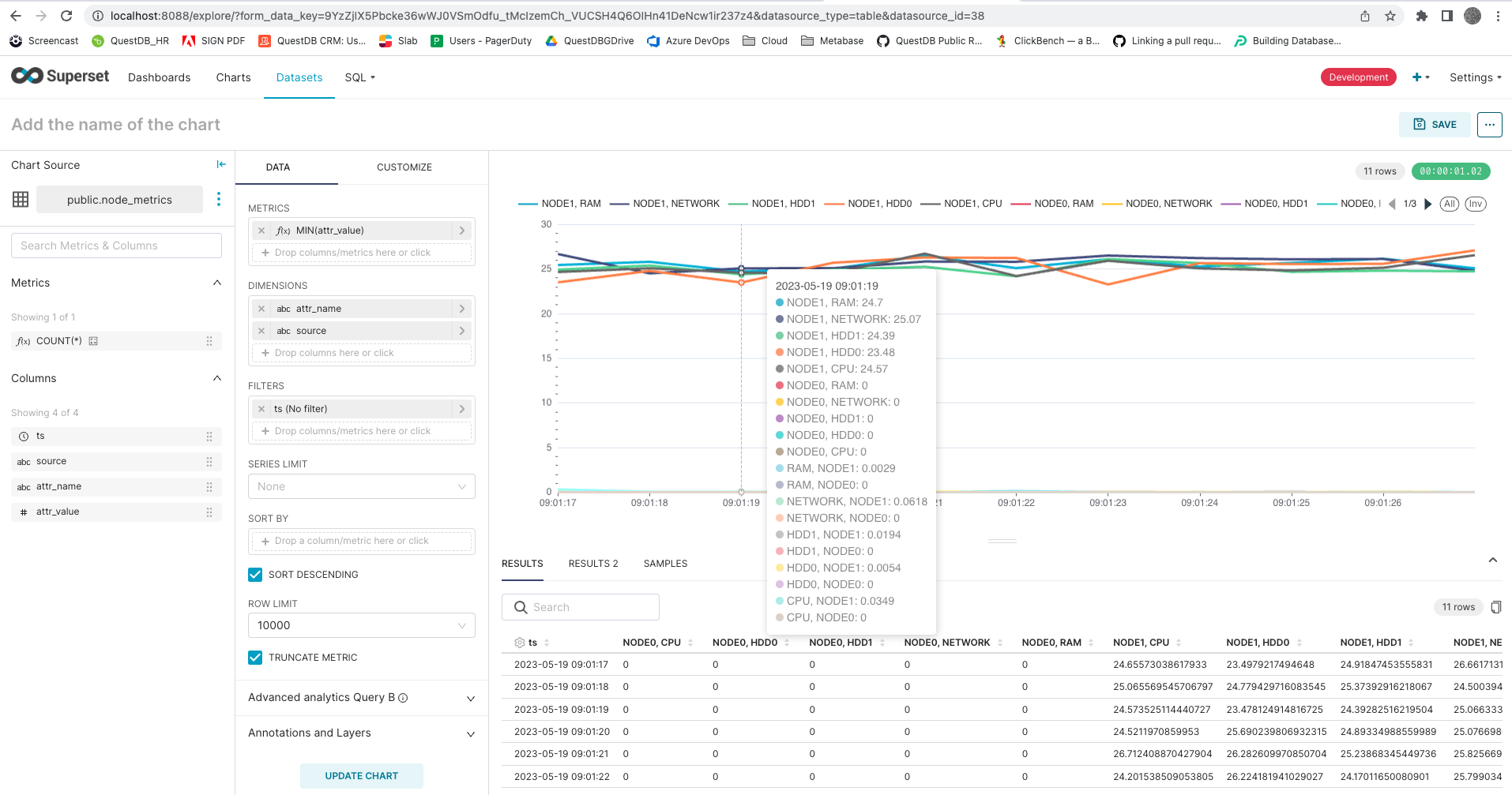
Follow the official [QuestDB Superset guide](https://questdb.io/docs/third-party-tools/superset/) available on the
QuestDB website to install and configure the QuestDB engine in Superset.
## Contributing
This package is open-source, contributions are welcome. If you find a bug or would like to request a feature,
please open an issue on the GitHub repository. Have a look at the instructions for [developers](DEVELOPERS.md)
if you would like to push a PR.