https://github.com/r4sky0/sphinx-lumina-theme
A modern Sphinx documentation theme built with Tailwind CSS and Alpine.js
https://github.com/r4sky0/sphinx-lumina-theme
alpinejs dark-mode documentation python sphinx sphinx-theme tailwindcss
Last synced: 3 months ago
JSON representation
A modern Sphinx documentation theme built with Tailwind CSS and Alpine.js
- Host: GitHub
- URL: https://github.com/r4sky0/sphinx-lumina-theme
- Owner: r4sky0
- License: apache-2.0
- Created: 2026-04-03T11:38:27.000Z (4 months ago)
- Default Branch: main
- Last Pushed: 2026-04-30T05:50:59.000Z (3 months ago)
- Last Synced: 2026-04-30T07:19:39.170Z (3 months ago)
- Topics: alpinejs, dark-mode, documentation, python, sphinx, sphinx-theme, tailwindcss
- Language: Python
- Homepage: https://r4sky0.github.io/sphinx-lumina-theme/
- Size: 23.1 MB
- Stars: 1
- Watchers: 0
- Forks: 0
- Open Issues: 0
-
Metadata Files:
- Readme: README.md
- Changelog: CHANGELOG.md
- Contributing: docs/contributing/architecture.md
- License: LICENSE
Awesome Lists containing this project
README
# Sphinx Lumina Theme
[](https://pypi.org/project/sphinx-lumina-theme/)
[](https://github.com/r4sky0/sphinx-lumina-theme/blob/main/LICENSE)
[](https://r4sky0.github.io/sphinx-lumina-theme/)
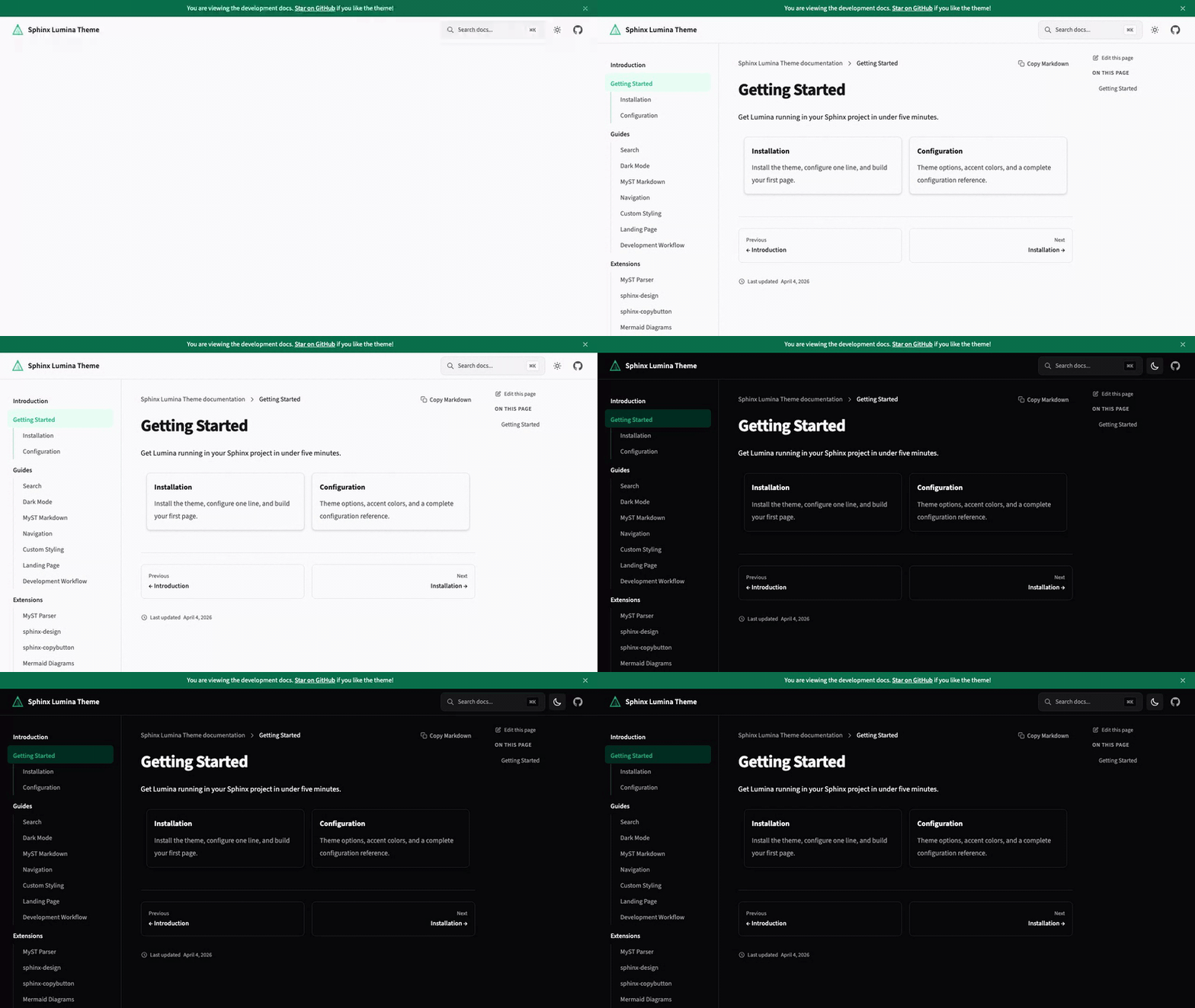
A modern Sphinx theme that treats documentation as a first-class product experience. Clean typography, responsive layout, dark mode, and instant search — out of the box.
## Features
- **Dark mode** — follows system preference with manual toggle, no flash of unstyled content
- **Instant search** — Pagefind-powered search with keyboard navigation (`⌘K`)
- **Responsive layout** — mobile-first with collapsible sidebar and sticky table of contents
- **MyST Markdown** — write docs in Markdown with full Sphinx directive support
- **Interactive HTTP API** — OpenAPI endpoint docs with live "Try it out" panels and curl copy buttons; no Swagger UI needed
- **Code blocks** — syntax highlighting with one-click copy
- **Self-hosted fonts** — Source Sans 3 and JetBrains Mono, no external CDN calls
- **Version switcher** — dropdown to navigate between documentation versions, loaded from a JSON URL
- **Customizable** — accent colors, navigation links, social links, and more via `conf.py`
## Quick Start
Requires **Python 3.12+** and **Sphinx 8.0+**.
```bash
pip install sphinx-lumina-theme
```
or with uv:
```bash
uv add sphinx-lumina-theme
```
Set the theme in your `conf.py`:
```python
html_theme = "lumina"
```
Build your docs:
```bash
uv run sphinx-build docs docs/_build/html
```
That's it. For MyST Markdown setup and configuration options, see the [Getting Started](https://r4sky0.github.io/sphinx-lumina-theme/getting-started/) guide.
## Configuration
All options go in `html_theme_options` in your `conf.py`. Every option has a sensible default — you only need to set what you want to change.
```python
html_theme_options = {
"accent_color": "#10b981",
"dark_mode_default": "auto", # "auto", "light", or "dark"
"nav_links": "Guide=/guide, API=/api",
"source_repository": "https://github.com/you/your-repo",
"social_links": "github=https://github.com/you",
"api_base_url": "https://api.example.com/v1", # enables interactive API features
}
```
See the full [Configuration](https://r4sky0.github.io/sphinx-lumina-theme/getting-started/configuration.html) reference for all available options.
## Development
```bash
git clone https://github.com/r4sky0/sphinx-lumina-theme.git
cd sphinx-lumina-theme
pnpm install # JS dependencies
uv sync --dev # Python dependencies
pnpm run build # Build CSS + JS assets
uv run pytest # Run tests
```
## License
[Apache-2.0](LICENSE)