https://github.com/ractive/air-combat
Classic shooter game
https://github.com/ractive/air-combat
arcade-game game makecode
Last synced: 2 months ago
JSON representation
Classic shooter game
- Host: GitHub
- URL: https://github.com/ractive/air-combat
- Owner: ractive
- Created: 2020-04-22T18:24:51.000Z (about 6 years ago)
- Default Branch: master
- Last Pushed: 2021-03-08T22:12:12.000Z (over 5 years ago)
- Last Synced: 2023-03-12T00:21:24.071Z (over 3 years ago)
- Topics: arcade-game, game, makecode
- Language: TypeScript
- Homepage: https://ractive.github.io/air-combat/
- Size: 3.74 MB
- Stars: 0
- Watchers: 2
- Forks: 2
- Open Issues: 1
-
Metadata Files:
- Readme: README.md
Awesome Lists containing this project
README
# Air Combat 
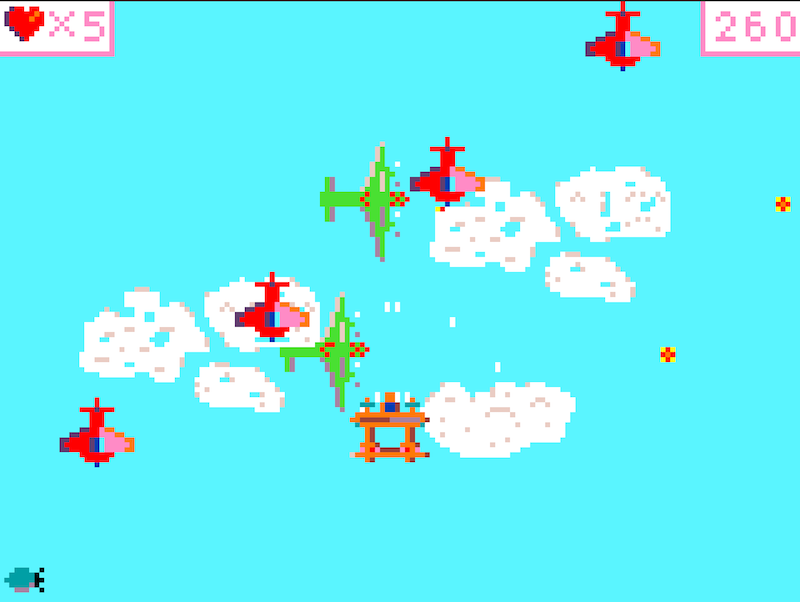
Air Combat is a classic arcade shooter game for arcade.makecode.com.
## How to play
Press and hold button B to shoot and drop bombs with A (if you collected any). In the browser, use key E or Enter for button B and Q or space for button A.
If you play with a second player (only available in the browser), the second player can be controlled with the keys J, K, L, I and U and O.
Collect the green powerups to upgrade your weapon and to get points.
The hearts will give you more lifes (max. 5). If you got shot or collide with an enemy, first the weapon upgrades are destroyed before you loose a life.
When playing in "hardcore" mode, the enemies take double as many hits as normal.
## Code
This game was developed for the arcade.makecode.com platform. When [opening it in arcade.makecode.com](https://arcade.makecode.com/#pub:github:ractive/air-combat) you can also download it to supported devices like the [PyGamer](https://www.adafruit.com/product/4242).
Contributions are welcome. Some nicer artwork, some better tuned levels and more types of enemies would always be nice.
This game is written in Typescript and cannot be developed in block mode.
The game is split in various files:
### main.ts
Contains all the classes that represent the enemies and helper classes to create them.
### player.ts
Hosts the `Player` class, which draws the player's plane, handles the shooting and picking up powerups.
### powerup.ts
`PowereUp` class that shows and hides powerups in random intervals.
### storybook.ts
Contains the level configurations. It can be defined, which enemy or element should appear when, where, with what velocity.
The exported `play` function then makes those elements and enemies appear at the right time.
### interval.ts
Allows to subscribe **and unsubscribe** callbacks to be called regularly with `game.onUpdate`. This allows using `game.onUpdate` with short lived objects like the enemy objects.