https://github.com/radanalyticsio/openshift-analytics-ansible
https://github.com/radanalyticsio/openshift-analytics-ansible
Last synced: over 1 year ago
JSON representation
- Host: GitHub
- URL: https://github.com/radanalyticsio/openshift-analytics-ansible
- Owner: radanalyticsio
- Created: 2017-01-20T21:42:03.000Z (over 9 years ago)
- Default Branch: master
- Last Pushed: 2017-03-07T17:44:40.000Z (over 9 years ago)
- Last Synced: 2025-02-15T20:53:11.004Z (over 1 year ago)
- Language: Shell
- Size: 216 KB
- Stars: 3
- Watchers: 2
- Forks: 0
- Open Issues: 1
-
Metadata Files:
- Readme: README.md
Awesome Lists containing this project
README
Oshinko-Spark-Ansible:
=========
This project is contains all in one vm using vagrant to allow you to try Oshinko
our spark cluster manager which allows you to create, delete and scale your
Apache Spark cluster.
Note: This playbook is not ready yet. Is subject to bugs and is work in progress
Using All in One VM:
-------------------
```bash
cd vagrant
vagrant up
```
Thats it then open your browser to
`https://192.168.33.10:8443`
Screenshot of what you will see if you choose to use the all in one vm:
## ScreenShots
On the left sidebar you will see a menu option for spark and you can create a cluster:
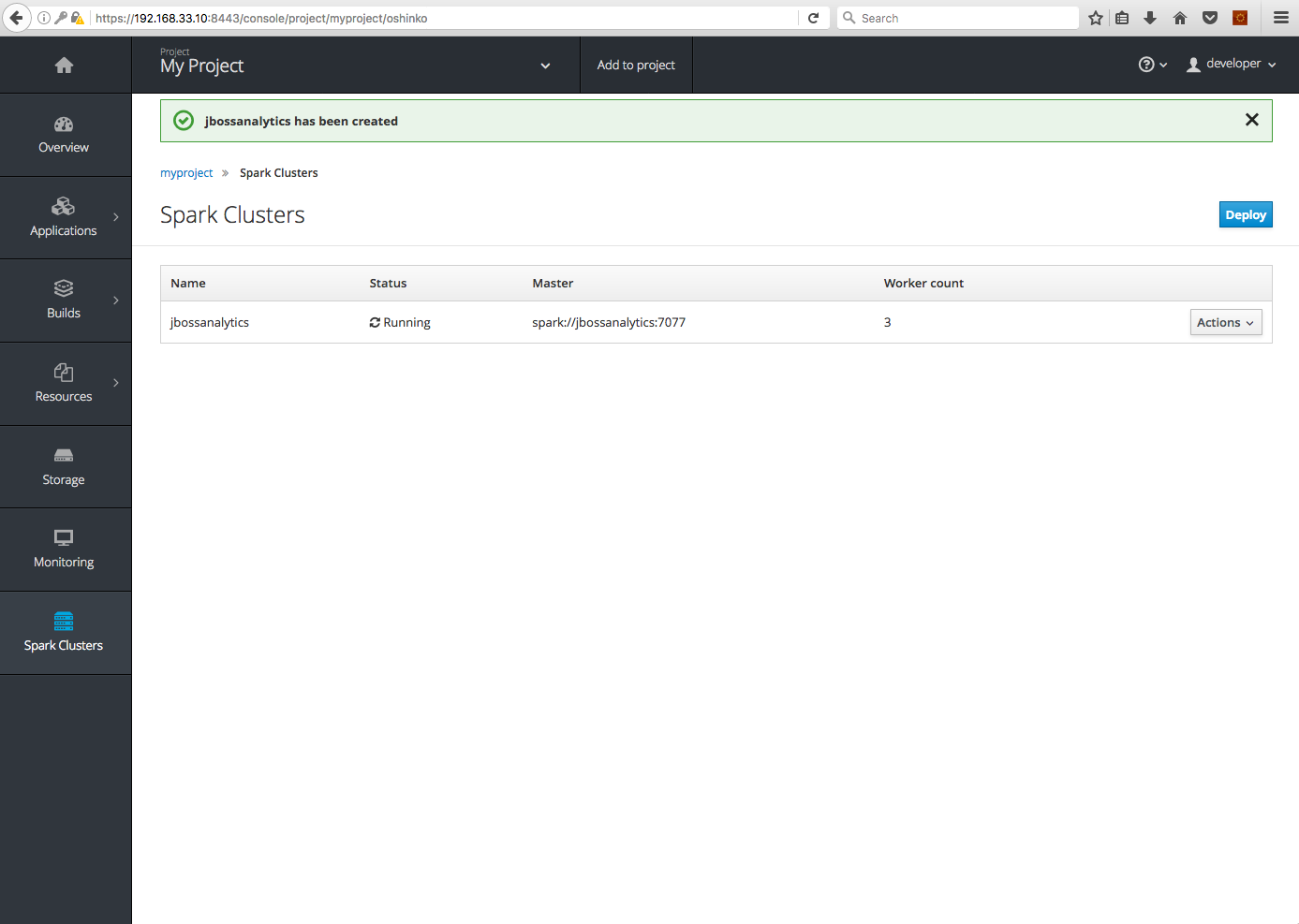
On the overview page you should see your cluster created and running.

Requirements
------------
If your not using the all in one vm then you may already have https://github.com/openshift/openshift-ansible already
installed on servers. Then you would run this playbook.
Role Variables
--------------
A description of the settable variables for this role should go here, including any variables that are in defaults/main.yml, vars/main.yml, and any variables that can/should be set via parameters to the role. Any variables that are read from other roles and/or the global scope (ie. hostvars, group vars, etc.) should be mentioned here as well.
Dependencies
------------
A list of other roles hosted on Galaxy should go here, plus any details in regards to parameters that may need to be set for other roles, or variables that are used from other roles.
Example Playbook
----------------
Including an example of how to use your role (for instance, with variables passed in as parameters) is always nice for users too:
- hosts: servers
roles:
- { role: username.rolename, x: 42 }
License
-------
Apache v2