https://github.com/raghul-m/github-jira_automation-flask-application
Github Issue Comments based JIra Issue Creation Automation
https://github.com/raghul-m/github-jira_automation-flask-application
aws-ec2 flask-application jira-rest-api python webhooks
Last synced: 9 months ago
JSON representation
Github Issue Comments based JIra Issue Creation Automation
- Host: GitHub
- URL: https://github.com/raghul-m/github-jira_automation-flask-application
- Owner: Raghul-M
- Created: 2023-12-14T16:20:03.000Z (about 2 years ago)
- Default Branch: main
- Last Pushed: 2023-12-15T20:03:54.000Z (about 2 years ago)
- Last Synced: 2025-01-19T23:24:29.007Z (11 months ago)
- Topics: aws-ec2, flask-application, jira-rest-api, python, webhooks
- Language: Python
- Homepage: http://ec2-13-49-145-23.eu-north-1.compute.amazonaws.com:5000
- Size: 14.6 KB
- Stars: 1
- Watchers: 1
- Forks: 2
- Open Issues: 0
-
Metadata Files:
- Readme: README.md
Awesome Lists containing this project
README
# GitHub-Jira Automation Flask Web Application

## Overview
This GitHub-Jira integration project involves a Flask web application hosted on an AWS EC2 instance. The application automates the creation of Jira issues based on GitHub issue comments. Specifically, when a user comments "/jira" on a GitHub issue, the web application triggers a process that utilizes GitHub webhooks, Jira API automation, and AWS EC2.
## How It Works
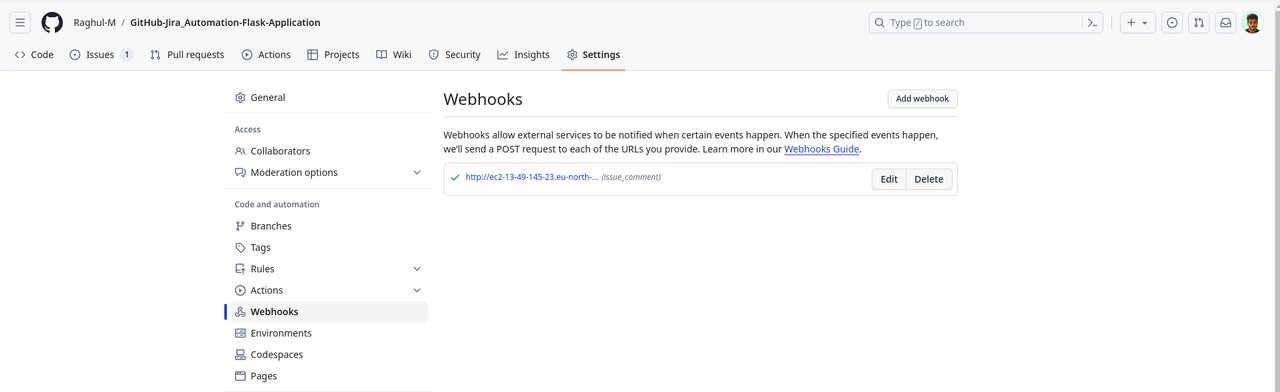
1. **GitHub Webhooks:**
[](https://postimg.cc/1fGT02T2)
- The Flask web application is configured to receive GitHub webhook events.
- GitHub issues trigger events that contain information about comments, which the application analyzes.
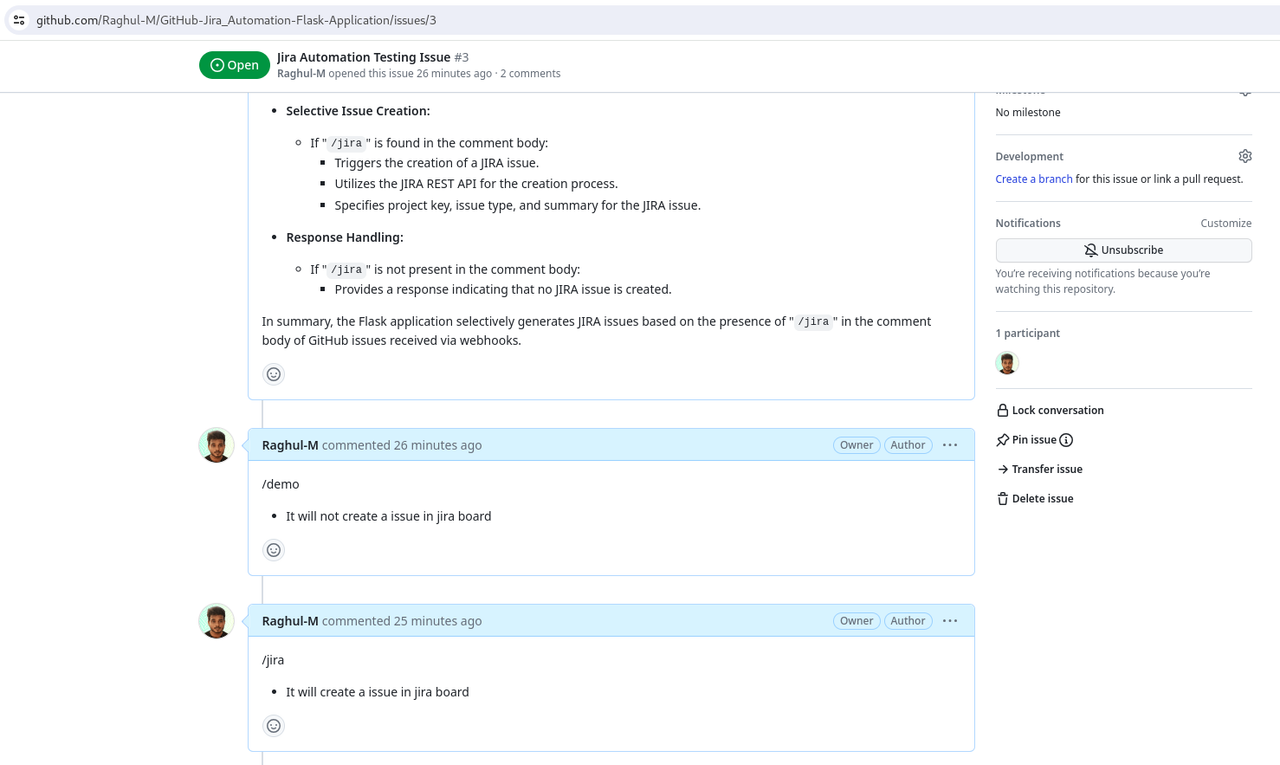
3. **GitHub Issue Comment Processing:**
[](https://postimg.cc/SJnP3jn0)
- When a comment is made on a GitHub issue, the application checks if it contains the "/jira" command.
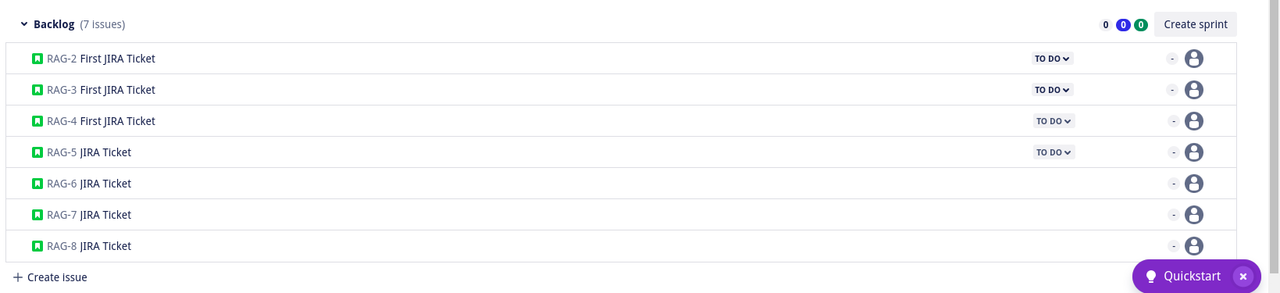
5. **Jira API Automation:**
[](https://postimg.cc/PLgzRrv4)
- If the "/jira" command is detected, the application uses the Jira REST API to create a new issue on the Jira board.
- Key details such as project, issue type, and summary are included in the API request payload.
6. **AWS EC2 Hosting:**
- The Flask web application is hosted on an AWS EC2 instance.
- Ensure you have launched an EC2 instance, and you can access it securely.
7. **Setup After Creating EC2 Instance:**
- Connect to your EC2 instance securely using SSH.
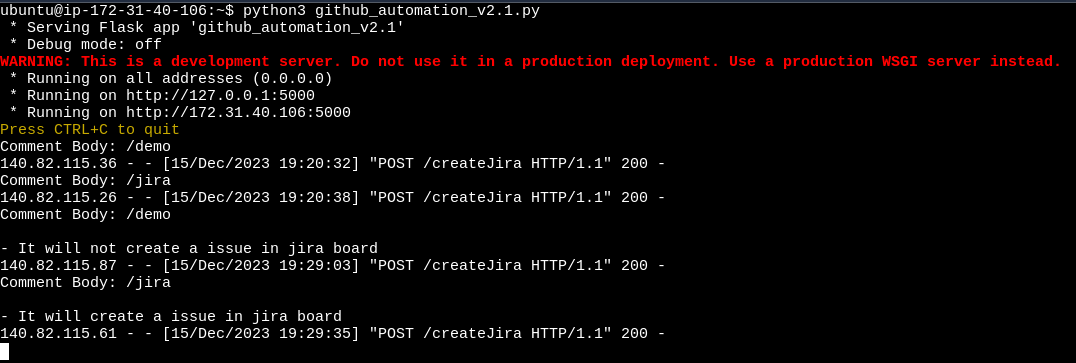
- Run these commands :
```bash
$ sudo apt-get update
$ sudo apt-get install python3
$ sudo apt-get install python3-pip
$ pip install flask
$ vim your-filename.py
$ python3 your-filename.py
```
[](https://postimg.cc/Wh7Vpd2d)
- It will initiate the Flask application
# Troubleshooting Guide
## Problem:
[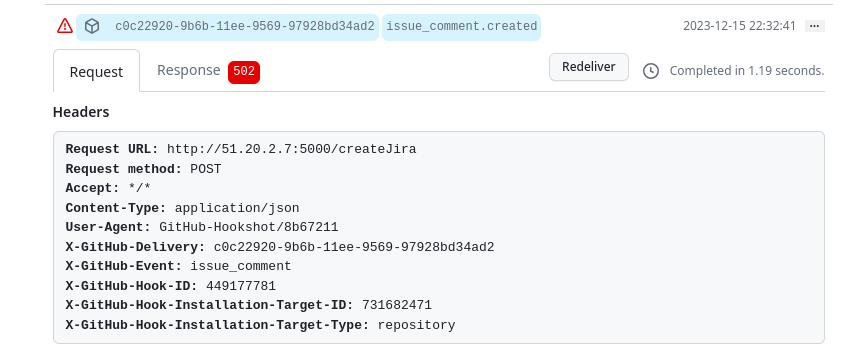](https://postimg.cc/Fkh8j2bj)
Webhooks are failing, or the Flask application returns a 500 error.
## Possible Causes and Solutions:
1. **Webhooks Configuration:**
- Verify GitHub webhook settings (payload URL, content type, and secret).
2. **Flask Application Logs:**
- Check application logs for errors (commonly in `/var/log` or the app directory).
3. **EC2 Security Groups:**
- Go to EC2 console > Security Groups.
- Ensure Inbound Rules allow necessary ports (e.g., 80, 443 , 5000) for GitHub IPs.
## Reference Screenshot:
[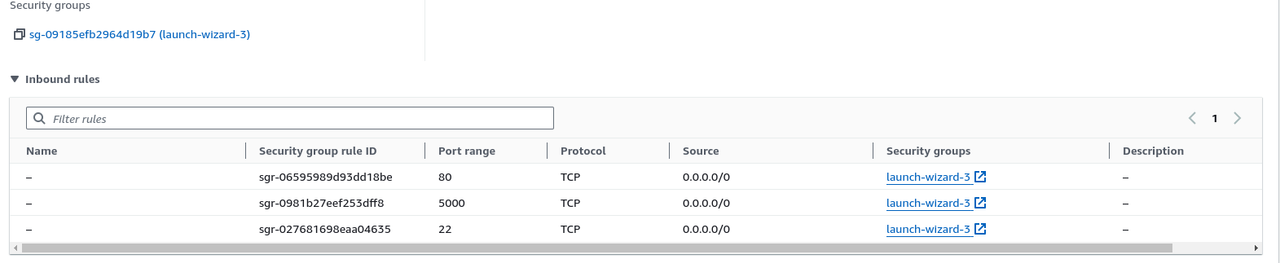](https://postimg.cc/s10RLkDL)
Feel free to explore, contribute, and adapt this project to suit your needs. If you encounter any issues or have suggestions for improvement, please raise them in the GitHub repository's issues section. Happy coding! 🚀