https://github.com/raghul-m/streamchatify
StreamChattify is an AI chat application built with Python, Streamlit, and the Google Palm API's Text Bison model.
https://github.com/raghul-m/streamchatify
ai palm-api python streamlit-webapp
Last synced: 11 days ago
JSON representation
StreamChattify is an AI chat application built with Python, Streamlit, and the Google Palm API's Text Bison model.
- Host: GitHub
- URL: https://github.com/raghul-m/streamchatify
- Owner: Raghul-M
- Created: 2023-12-18T18:42:15.000Z (over 2 years ago)
- Default Branch: main
- Last Pushed: 2024-02-12T15:00:55.000Z (over 2 years ago)
- Last Synced: 2025-01-19T23:24:22.846Z (over 1 year ago)
- Topics: ai, palm-api, python, streamlit-webapp
- Language: Python
- Homepage: https://streamchatify.streamlit.app/
- Size: 22.5 KB
- Stars: 0
- Watchers: 1
- Forks: 0
- Open Issues: 0
-
Metadata Files:
- Readme: README.md
Awesome Lists containing this project
README
# StreamChattify
[](https://postimg.cc/F7SV32gb)
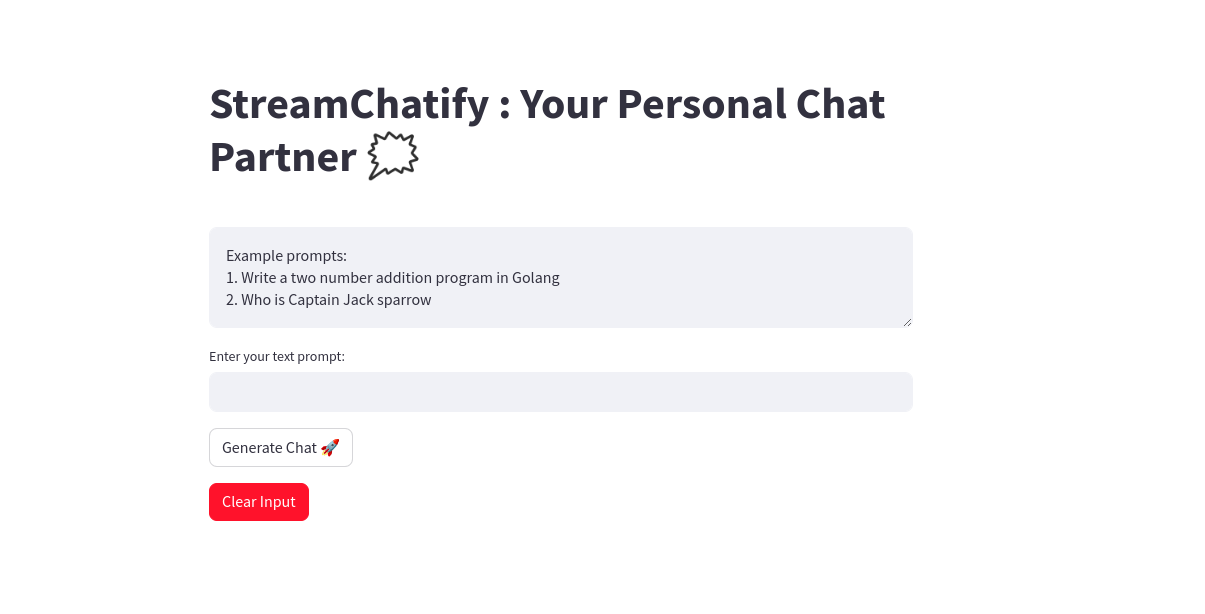
StreamChattify is an AI chat application built with Python, Streamlit, and the Google Palm API's Text Bison model. This application allows users to engage in conversations with an artificial intelligence-powered chatbot.
## Features
- **AI-Powered Chat**: Engage in dynamic and interactive conversations with the AI chatbot.
- **Google Palm API**: Utilizes the powerful Text Bison model from the Google Palm API for natural language processing.
- **Streamlit Hosting**: The application is hosted on Streamlit, providing a seamless and user-friendly interface.
- **Try It Out**: Visit [StreamChattify](https://streamchatify.streamlit.app/) to experience the chat application live.
## Getting Started
To run StreamChattify locally, follow these steps:
1. Clone the repository:
```bash
git clone https://github.com/Raghul-M/streamchattify.git
```
2. Navigate to the project directory:
```bash
cd streamchattify
```
3. Install the required dependencies:
```bash
pip install -r requirements.txt
```
4. Run the Streamlit app:
```bash
streamlit run app.py
```
5. Open your web browser and visit [http://localhost:8501](http://localhost:8501) to interact with StreamChattify locally.
## Usage
- Open the application in your web browser.
- Input your messages in the chatbox to engage with the AI chatbot.
- Experience dynamic responses generated by the Google Palm API's Text Bison model.
## Contributing
If you would like to contribute to StreamChattify, feel free to submit pull requests or open issues on the GitHub repository.
## Credits
- StreamChattify is powered by the Google Palm API's Text Bison model.
- Developed with [Streamlit](https://streamlit.io/), a powerful Python framework for creating web applications.
## Contributing
Contributions are welcome! If you have suggestions, bug reports, or want to add new features, feel free to submit a pull request.
Feel free to explore, contribute, and adapt this project to suit your needs. If you encounter any issues or have suggestions for improvement, please raise them in the GitHub repository's issues section. Happy coding! 🚀
Connect with me on linkedin: [Raghul M](https://www.linkedin.com/in/m-raghul/)