https://github.com/raihan2bd/image-gallery
This project is an Image Gallery built with React, JavaScript, HTML, and CSS. It allows users to view an image gallery on different devices, select and delete multiple images, and update the image order via drag and drop.
https://github.com/raihan2bd/image-gallery
css cssgrid drag-and-drop html react responsive-design
Last synced: about 1 month ago
JSON representation
This project is an Image Gallery built with React, JavaScript, HTML, and CSS. It allows users to view an image gallery on different devices, select and delete multiple images, and update the image order via drag and drop.
- Host: GitHub
- URL: https://github.com/raihan2bd/image-gallery
- Owner: raihan2bd
- License: mit
- Created: 2023-11-05T05:19:15.000Z (over 2 years ago)
- Default Branch: dev
- Last Pushed: 2023-11-06T07:32:44.000Z (over 2 years ago)
- Last Synced: 2025-01-15T13:11:03.391Z (over 1 year ago)
- Topics: css, cssgrid, drag-and-drop, html, react, responsive-design
- Language: JavaScript
- Homepage: https://image-gallery-one-ebon.vercel.app
- Size: 1.77 MB
- Stars: 0
- Watchers: 1
- Forks: 1
- Open Issues: 0
-
Metadata Files:
- Readme: README.md
- License: LICENSE
Awesome Lists containing this project
README
Image Gallery

# 📗 Table of Contents

- [📗 Table of Contents](#-table-of-contents)

- [ Image Gallery ](#-My-Blog-App-)

  - [🛠 Built With ](#-built-with-)

    - [Tech Stack ](#tech-stack-)

    - [Key Features ](#key-features-)

    - [🚀 Live Demo](#live-demo)

  - [💻 Getting Started ](#-getting-started-)

    - [Prerequisites](#prerequisites)

    - [Setup](#setup)

    - [Install](#install)

    - [Usage](#usage)

    - [Testing](#testing)

    - [Deployment](#deployment)

  - [👥 Authors ](#-authors-)

  - [🔭 Future Features ](#-future-features-)

  - [🤝 Contributing ](#-contributing-)

  - [⭐️ Show your support ](#️-show-your-support-)

  - [🙏 Acknowledgments ](#-acknowledgments-)

  - [📝 License ](#-license-)

# Image Gallery

This project is an Image Gallery built with React, JavaScript, HTML, and CSS. It allows users to view an image gallery on different devices, select and delete multiple images, and update the image order via drag and drop.

## 🛠 Built With

### Tech Stack

  Front End
- React
- JAVASCRIPT
- Html
- CSS
- Users can see the image gallery with their different devices
- Users can select and delete multiple images
- Users can update image order by drag and drop
- [Live Demo Link](https://image-gallery-one-ebon.vercel.app/)
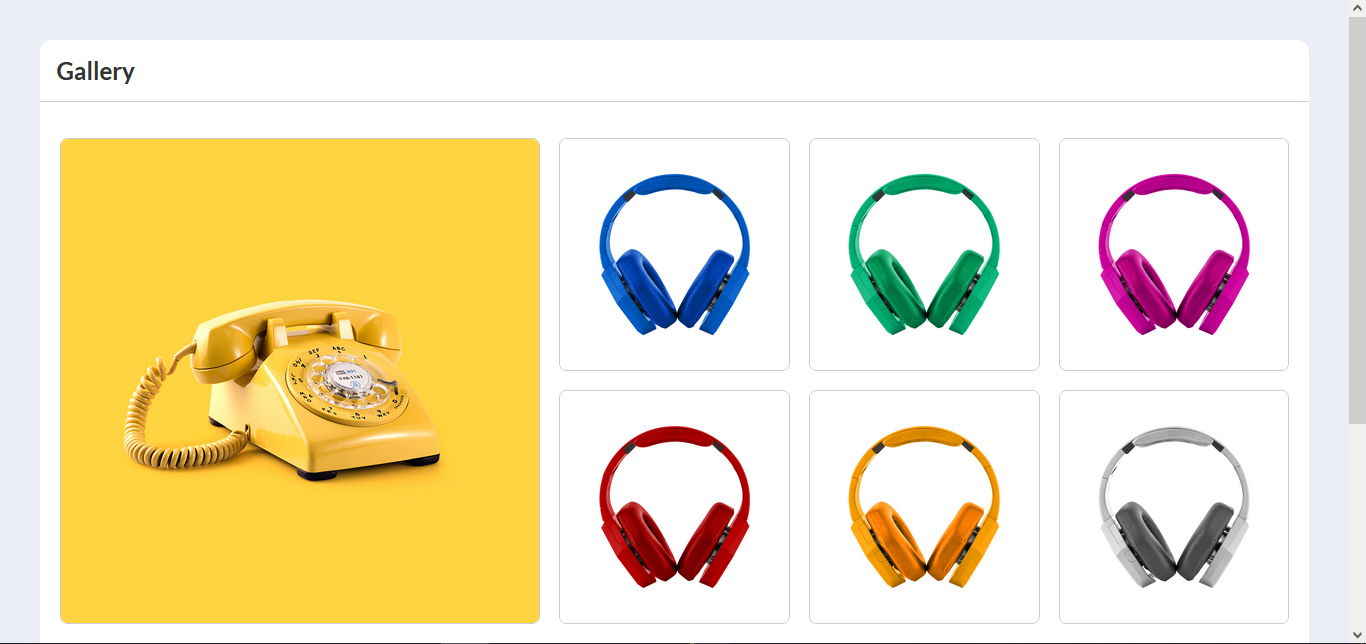
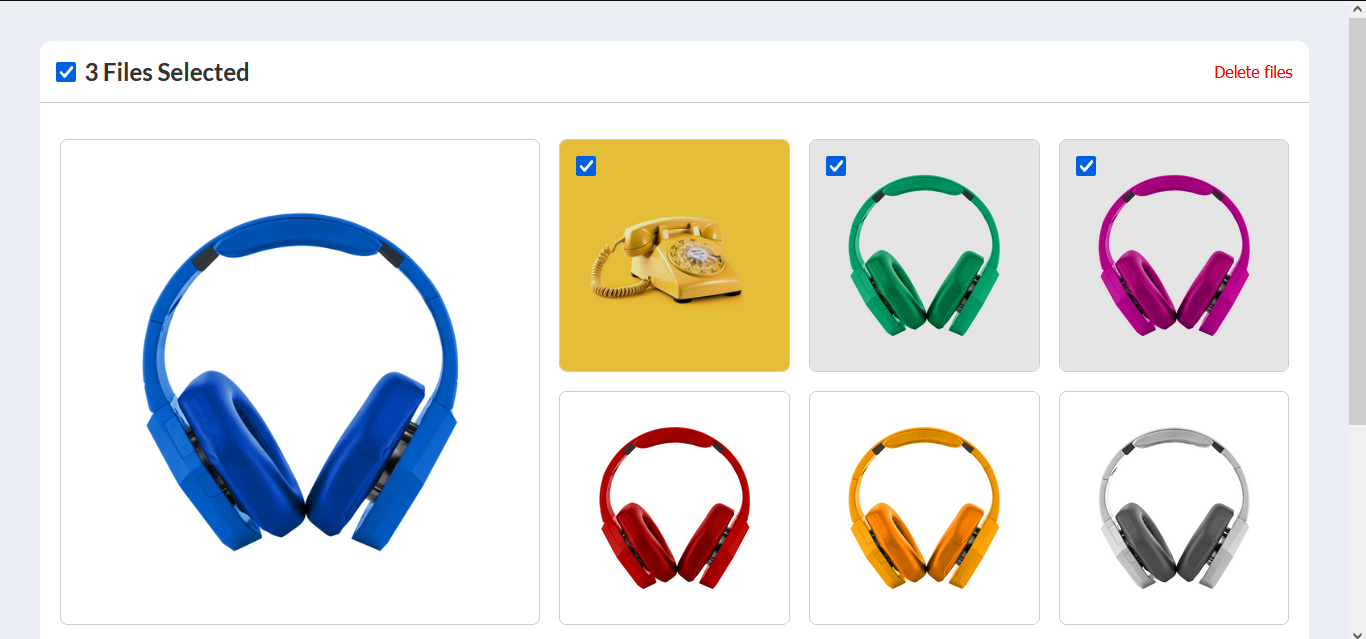
To get a local copy up and running, follow these steps.
### Prerequisites
To run this project you need:
- First of all, To run the front-end you need to run the [back-end](https://github.com/Thinus01/Resort_Booking_Back-end) on your local machine.
- First of all, To run the project on your local machine make sure you have installed [NodeJs](https://nodejs.org).
- Then make sure you have installed [React](https://reactjs.org/) on your local machine if you want to use this project locally.
### Setup
- Then you need to clone the project on your local machine⬇️
``` bash
git clone https://github.com/raihan2bd/image-gallery
```
### Install
- To install all the npm packages navigate to the folder address on your terminal and enter the below command ⬇️
``` bash
npm install
```
### Usage
To run the development server, execute the following command:
```sh
npm run dev
```
### Deployment
To build the project for deployment, execute the following command:
```sh
npm run build
```
👤 **Abu Raihan**
- GitHub: [@raihan2bd](https://github.com/raihan2bd)
- Twitter: [@raihan2bd](https://twitter.com/raihan2bd)
- LinkedIn: [raihan2bd](https://linkedin.com/in/raihan2bd)
- [ ] **I will update drag and drop functionality**
- [ ] **I will add more feature and integrate back-end instead of static data**
Contributions, issues, and feature requests are welcome!
Feel free to check the [issues page](https://github.com/raihan2bd/image-gallery/issues).
If you like this project, please leave a ⭐️
I want to give a big thanks to Microverse for giving us the chance to learn new technologies.
This project is [MIT](./LICENSE) licensed.