https://github.com/rails-designer/requestkit
Local HTTP request toolkit
https://github.com/rails-designer/requestkit
developer-tool developer-tools webhook-server webhooks
Last synced: 3 months ago
JSON representation
Local HTTP request toolkit
- Host: GitHub
- URL: https://github.com/rails-designer/requestkit
- Owner: Rails-Designer
- License: mit
- Created: 2025-10-22T05:19:58.000Z (8 months ago)
- Default Branch: main
- Last Pushed: 2025-12-10T08:03:19.000Z (7 months ago)
- Last Synced: 2025-12-10T10:04:44.268Z (7 months ago)
- Topics: developer-tool, developer-tools, webhook-server, webhooks
- Language: Ruby
- Homepage: https://railsdesigner.com/requestkit/
- Size: 412 KB
- Stars: 4
- Watchers: 1
- Forks: 0
- Open Issues: 4
-
Metadata Files:
- Readme: README.md
- License: LICENSE.txt
Awesome Lists containing this project
README
# Requestkit
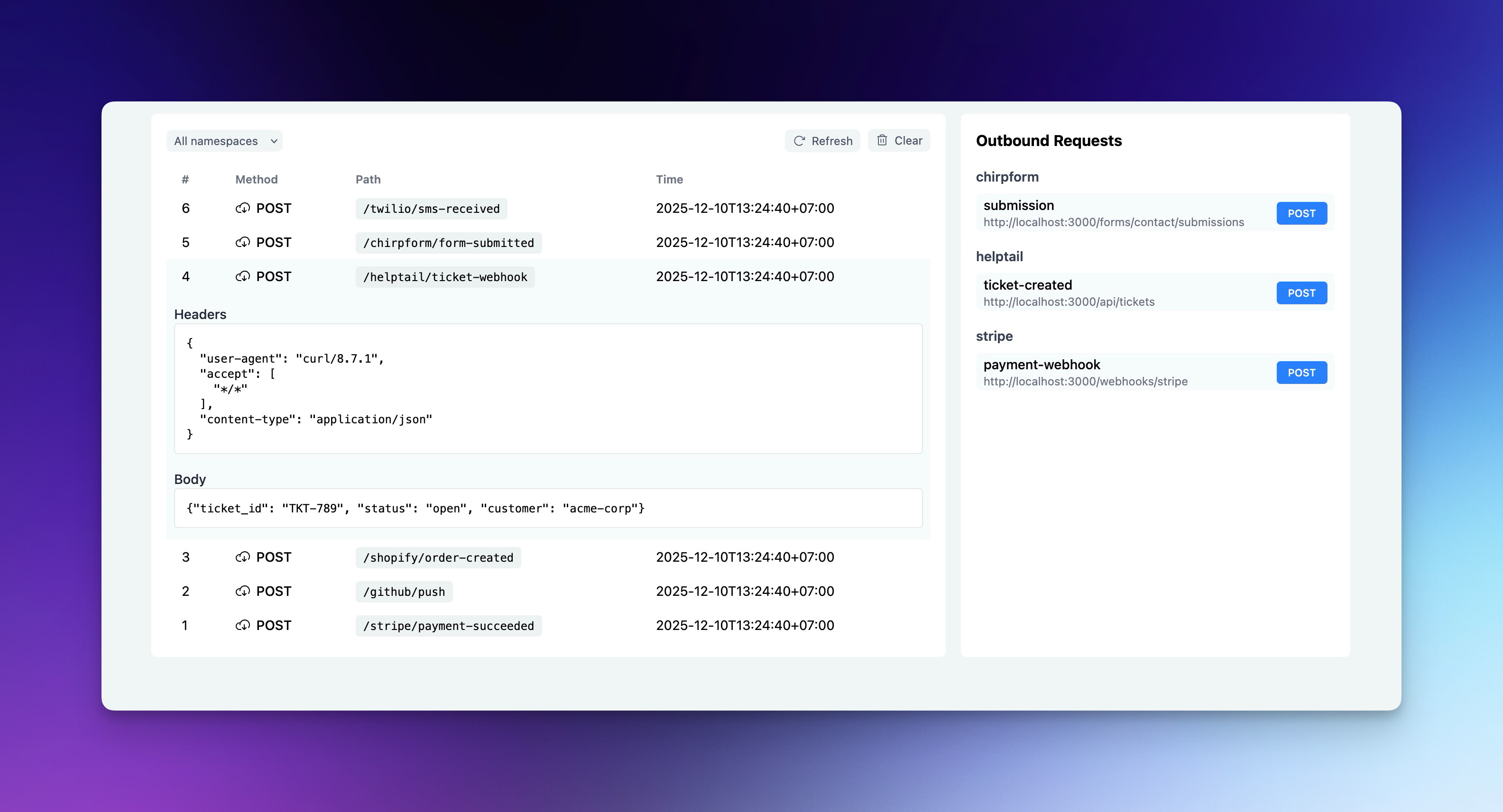
Local HTTP request toolkit for development. Test Stripe webhooks, GitHub hooks or any HTTP endpoint locally. Your data stays private, works offline and runs fast without network latency.
**Sponsored By [Rails Designer](https://railsdesigner.com/)**

## Installation
If you have a Ruby environment available, you can install Requestkit globally:
```bash
gem install requestkit
```
## Usage
Start the server:
```bash
requestkit
```
This starts Requestkit on `http://localhost:4000`. Send any HTTP request to test:
```bash
curl -X POST http://localhost:4000/stripe/webhook \
-H "Content-Type: application/json" \
-d '{"event": "payment.succeeded", "amount": 2500}'
```
Open `http://localhost:4000` in your browser to see all captured requests with headers and body.
### Custom port
```bash
requestkit --port 8080
```
### Persistent storage
By default, requests are stored in memory and cleared when you stop the server. Use file storage to persist across restarts:
```bash
requestkit --storage file
```
Requests are saved to `~/.config/requestkit/requestkit.db`.
### Custom database path
```bash
requestkit --storage file --database-path ./my-project.db
```
## Configuration
Create a configuration file to set defaults:
**User-wide settings** (`~/.config/requestkit/config.yml`):
```yaml
port: 5000
storage: file
```
**Project-specific settings** (`./.requestkit.yml`):
```yaml
storage: memory
default_namespace: my-rails-app
```
Configuration precedence: CLI flags > project config > user config > defaults
### Available options
| Option | Description | Default |
|--------|-------------|---------|
| `port` | Server port | `4000` |
| `storage` | Storage type: `memory` or `file` | `memory` |
| `database_path` | Database file location | `~/.config/requestkit/requestkit.db` |
| `default_namespace` | Default namespace for root requests | `default` |
## Namespaces
Requestkit automatically organizes requests by namespace using the first path segment:
```bash
# Namespace: stripe
curl http://localhost:4000/stripe/payment-webhook
# Namespace: github
curl http://localhost:4000/github/push-event
```
Filter by namespace in the web UI. Requests to `/` use the `default_namespace` from your config.
## Sending requests
Create JSON files to send HTTP requests and test your APIs. Requestkit loads request definitions from:
1. `./.requestkit/requests/:namespace/:name.json` (project-specific)
2. `~/.config/requestkit/requests/:namespace/name.json` (user-wide)
Example: (`.requestkit/requests/api/create-user.json`):
```json
{
"method": "POST",
"url": "http://localhost:3000/api/users",
"headers": {
"Content-Type": "application/json"
},
"body": "{\"name\": \"John Doe\", \"email\": \"john@example.com\"}"
}
```
## Help
```bash
requestkit help
```
## License
Requestkit is released under the [MIT License](https://opensource.org/licenses/MIT).