https://github.com/rails-designer/turbo-transition
A “minion” for Turbo-Frames and Streams. This custom element transitions elements as they enter or leave the DOM.
https://github.com/rails-designer/turbo-transition
Last synced: 4 months ago
JSON representation
A “minion” for Turbo-Frames and Streams. This custom element transitions elements as they enter or leave the DOM.
- Host: GitHub
- URL: https://github.com/rails-designer/turbo-transition
- Owner: Rails-Designer
- License: mit
- Created: 2025-06-02T13:49:25.000Z (about 1 year ago)
- Default Branch: main
- Last Pushed: 2025-06-09T13:21:46.000Z (about 1 year ago)
- Last Synced: 2025-06-12T05:09:44.537Z (about 1 year ago)
- Language: JavaScript
- Homepage: https://railsdesigner.com/turbo-transition/
- Size: 288 KB
- Stars: 7
- Watchers: 1
- Forks: 0
- Open Issues: 0
-
Metadata Files:
- Readme: README.md
- License: LICENSE.md
Awesome Lists containing this project
README
# Turbo Transition
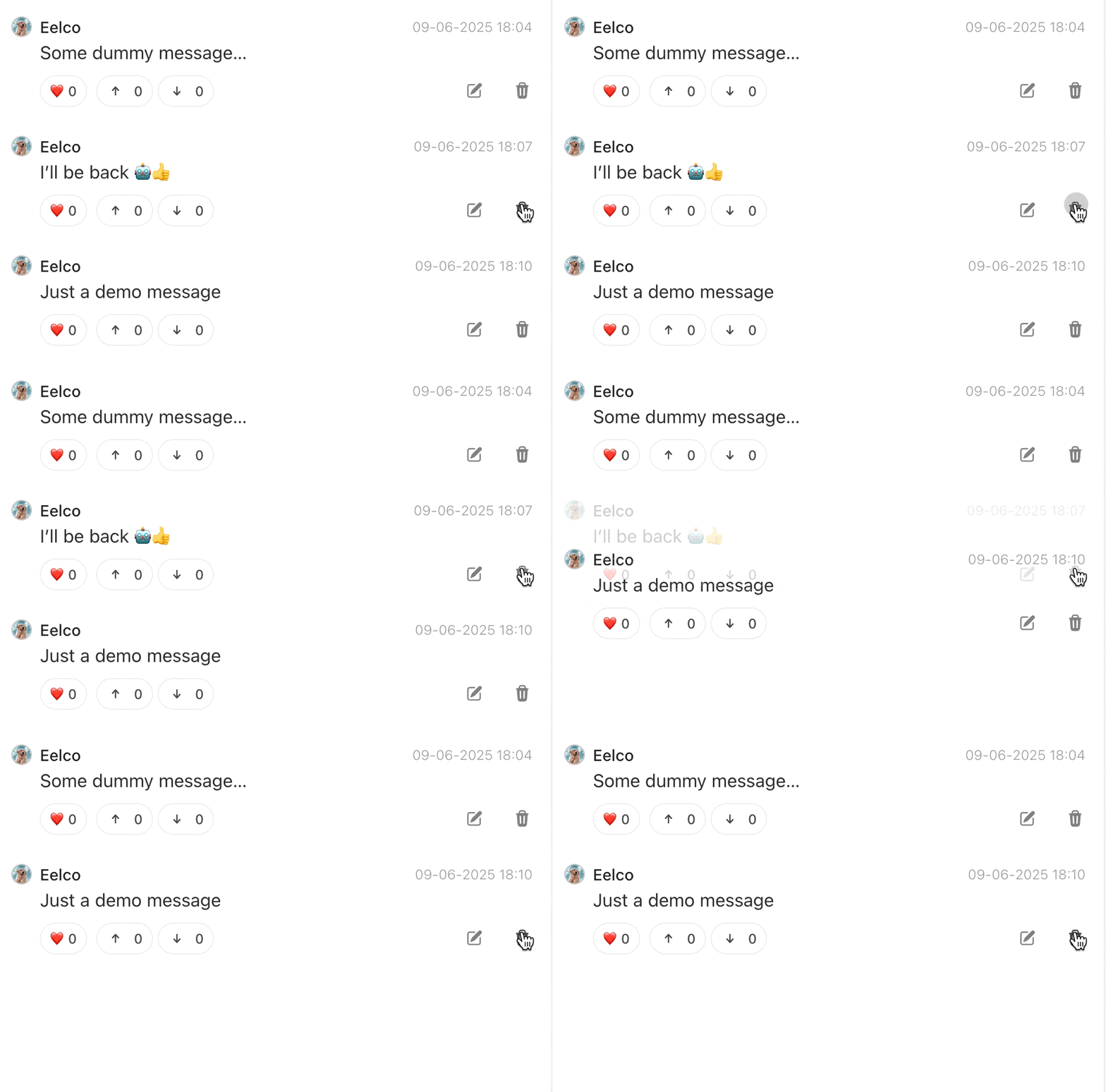
A “minion” for Turbo-Frames and Streams. This custom element transitions elements as they enter or leave the DOM.
**Sponsored By [Rails Designer](https://railsdesigner.com/)**

Want to be able to understand this JavaScript code? 😊 👉 [JavaScript for Rails Developers](https://javascriptforrails.com/)
## Installation
```bash
# Using importmap
bin/importmap pin turbo-transition
# Using npm
npm install turbo-transition
```
Then add to your JavaScript entrypoint (`app/javascript/application.js`):
```javascript
import "turbo-transition"
```
## Usage
Turbo Transition works by wrapping your elements in a `` element and applying CSS classes at the right moments. Use it to transition new items sliding into lists, fade out deleted content, or any other transition effect with CSS. Each `` element must contain exactly one child element.
The element watches for two lifecycle events:
- **enter**: when the element is added to the DOM;
- **leave**: when the element is removed from the DOM.
### Enter
```erb
<%# app/views/tasks/create.turbo_stream.erb %>
<%= turbo_stream.append "tasks" do %>
<%= render partial: "task", locals: {task: @task} %>
<% end %>
```
### Leave
```erb
<%# app/views/tasks/_task.html.erb %>
<%= task.title %>
<%= button_to "Delete", task, method: :delete %>
```
### Example CSS
```css
.fade-enter-active, .fade-leave-active { transition: opacity 300ms ease-out; }
.fade-enter-from, .fade-leave-to { opacity: 0; }
.fade-enter-to, .fade-leave-from { opacity: 1; }
```
For more transition examples, see [`examples/transitions.css`](examples/transitions.css). You can customize any transition using CSS properties:
```html
```
```css
.modal {
--transition-enter-y: -20px;
--transition-duration: 400ms;
}
@media (width > 640px) {
.modal {
--transition-enter-y: 100%;
--transition-enter-x: 0;
}
}
```
## Contributing
```bash
# Install dev dependencies
npm install
# Run basic test
npm test
# Release new version
npm version patch # or minor, or major
npm publish
git push
git push --tags
```
## License
Turbo Transition is released under the MIT License.