https://github.com/rajarakoto/gitvers-tool
A command-line interface leveraging Git to streamline repetitive tasks, featuring beneficial extensions for enhanced management. 🟠
https://github.com/rajarakoto/gitvers-tool
cli git github tools ungit version-control versioning
Last synced: 5 months ago
JSON representation
A command-line interface leveraging Git to streamline repetitive tasks, featuring beneficial extensions for enhanced management. 🟠
- Host: GitHub
- URL: https://github.com/rajarakoto/gitvers-tool
- Owner: RajaRakoto
- License: mit
- Created: 2021-04-25T09:30:56.000Z (about 5 years ago)
- Default Branch: master
- Last Pushed: 2024-10-12T09:41:48.000Z (over 1 year ago)
- Last Synced: 2025-04-02T11:22:28.708Z (over 1 year ago)
- Topics: cli, git, github, tools, ungit, version-control, versioning
- Language: Shell
- Homepage:
- Size: 13.4 MB
- Stars: 3
- Watchers: 1
- Forks: 0
- Open Issues: 0
-
Metadata Files:
- Readme: README.md
- License: LICENSE
Awesome Lists containing this project
README
# gitvers-tool 🟠
[](https://forthebadge.com) [](https://forthebadge.com) [](https://forthebadge.com) [](https://forthebadge.com) [](https://forthebadge.com)
 
**gitvers-tool** is a script designed for efficient `git` usage, saving time with single commands replacing multiple manual inputs, ideal for small projects. Prior understanding of git basics is essential to avoid issues. Git installation is necessary. A directory is generated for reference, usually in `~/Projects`, with files located outside this directory not being recognized by gitvers-tool.
---
### 📌 Usage
Run the following command to install gitvers-tool (Linux only):
```bash
curl https://raw.githubusercontent.com/RajaRakoto/gitvers-tool/master/setup > setup && chmod +x setup && ./setup
```
Uninstall gitvers-tool (Linux only):
```bash
sudo rm -r /usr/local/bin/gitvers-tool
```
---
### 📌 Guide
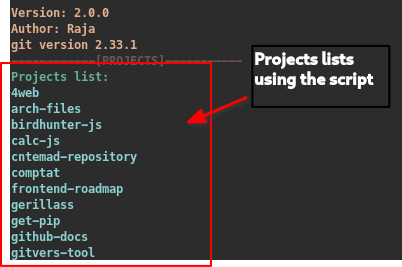
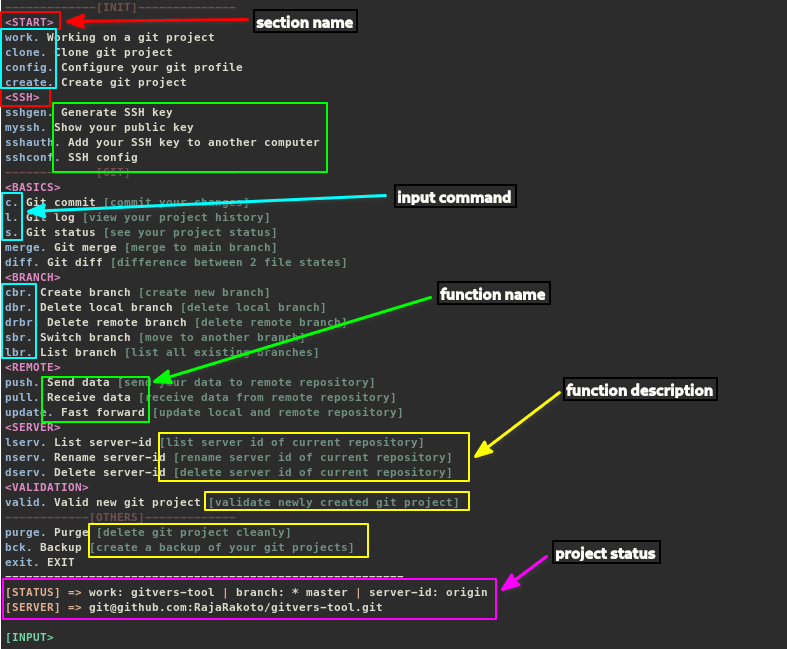



---
### 📌 Demo
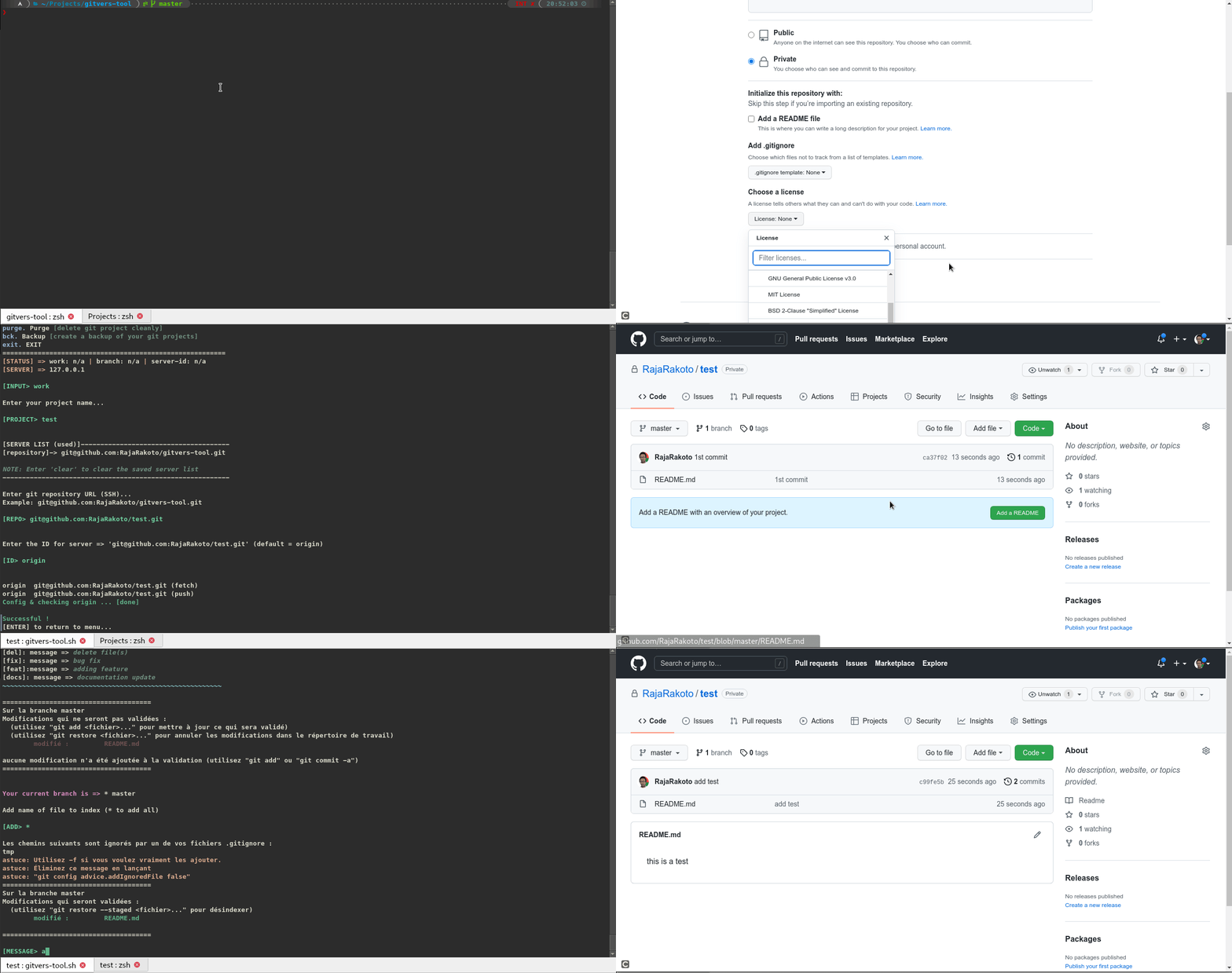
Here is a snippet of using gitvers-tool, you can also do other things like `pull`, `fast forward`, `merge branches`, `clone projects`, and many more ...
---
### 📌 Ungit
[Ungit](https://github.com/FredrikNoren/ungit) and `gitvers-tool` together create a powerful version control tool for managing `git` repositories with ease. `gitvers-tool` speeds up project initialization, while `ungit` provides enhanced project visibility. Combining both offers flexibility and efficiency in managing projects.
```bash
$ sudo -H npm install -g ungit
```
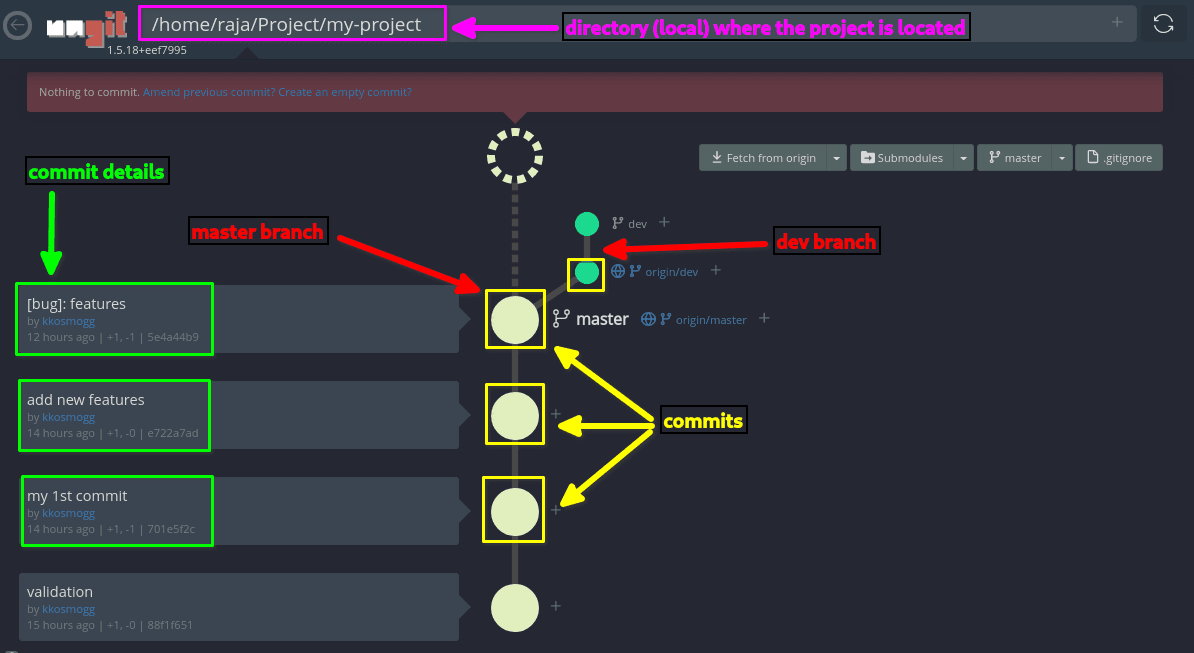
**Performing a commit, the advantage with ungit is that you can more easily select the file to commit**
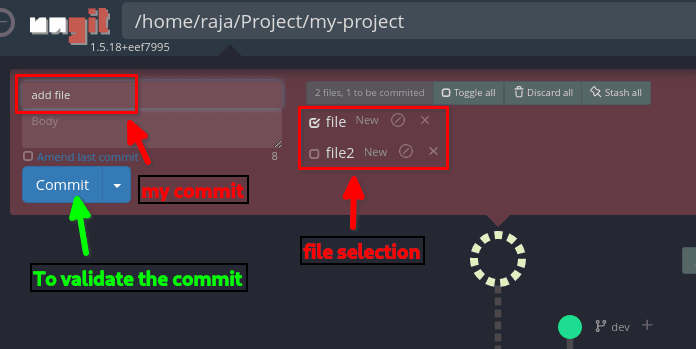
**To display the modification made to a file**
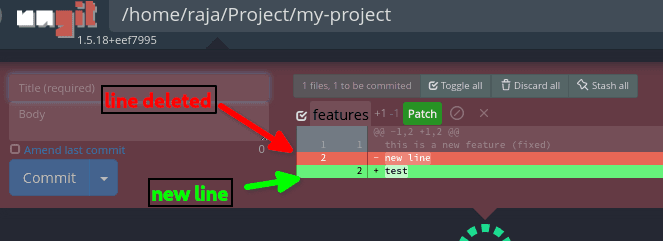
**To change branches and merge one branch to another**
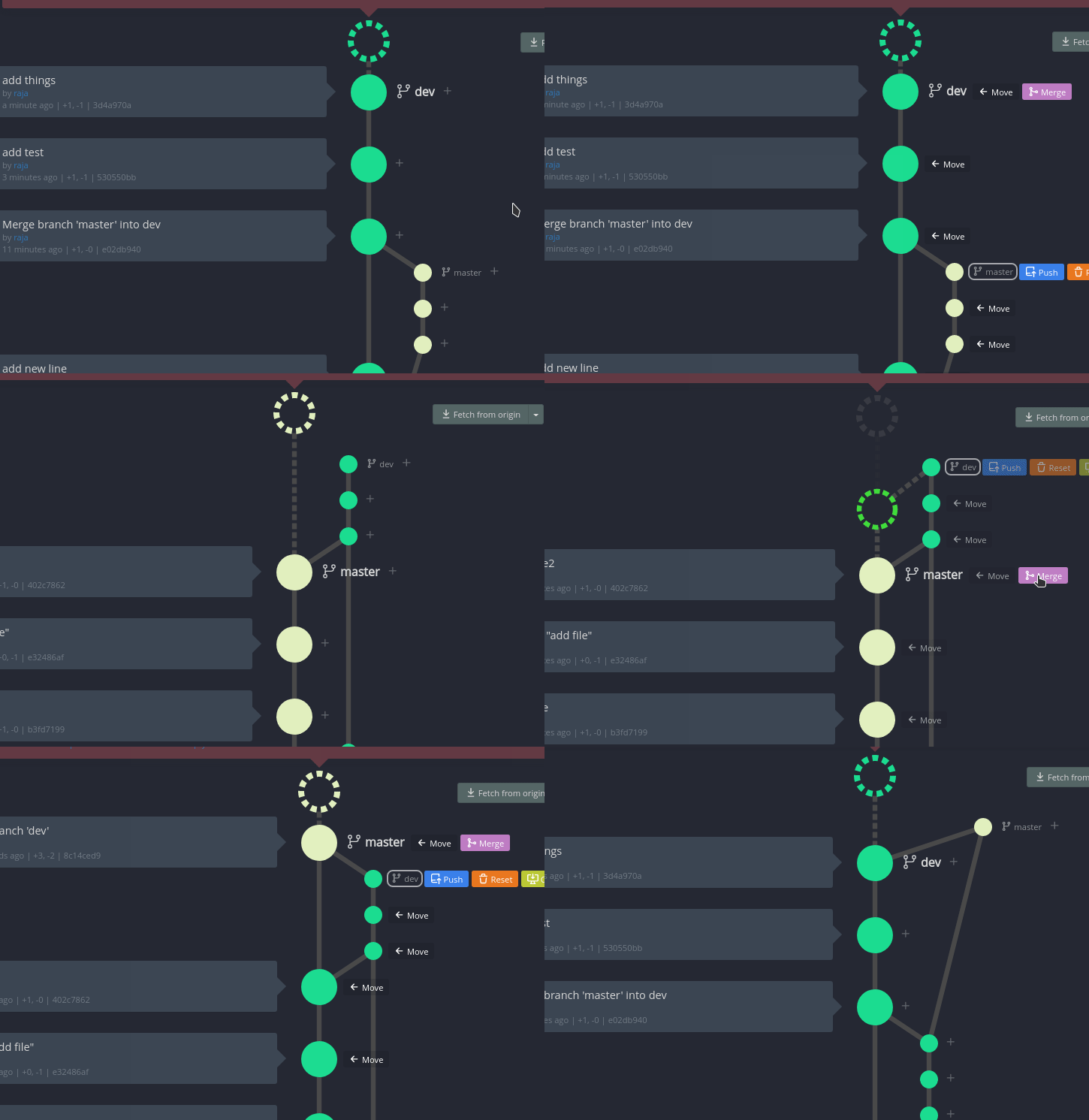
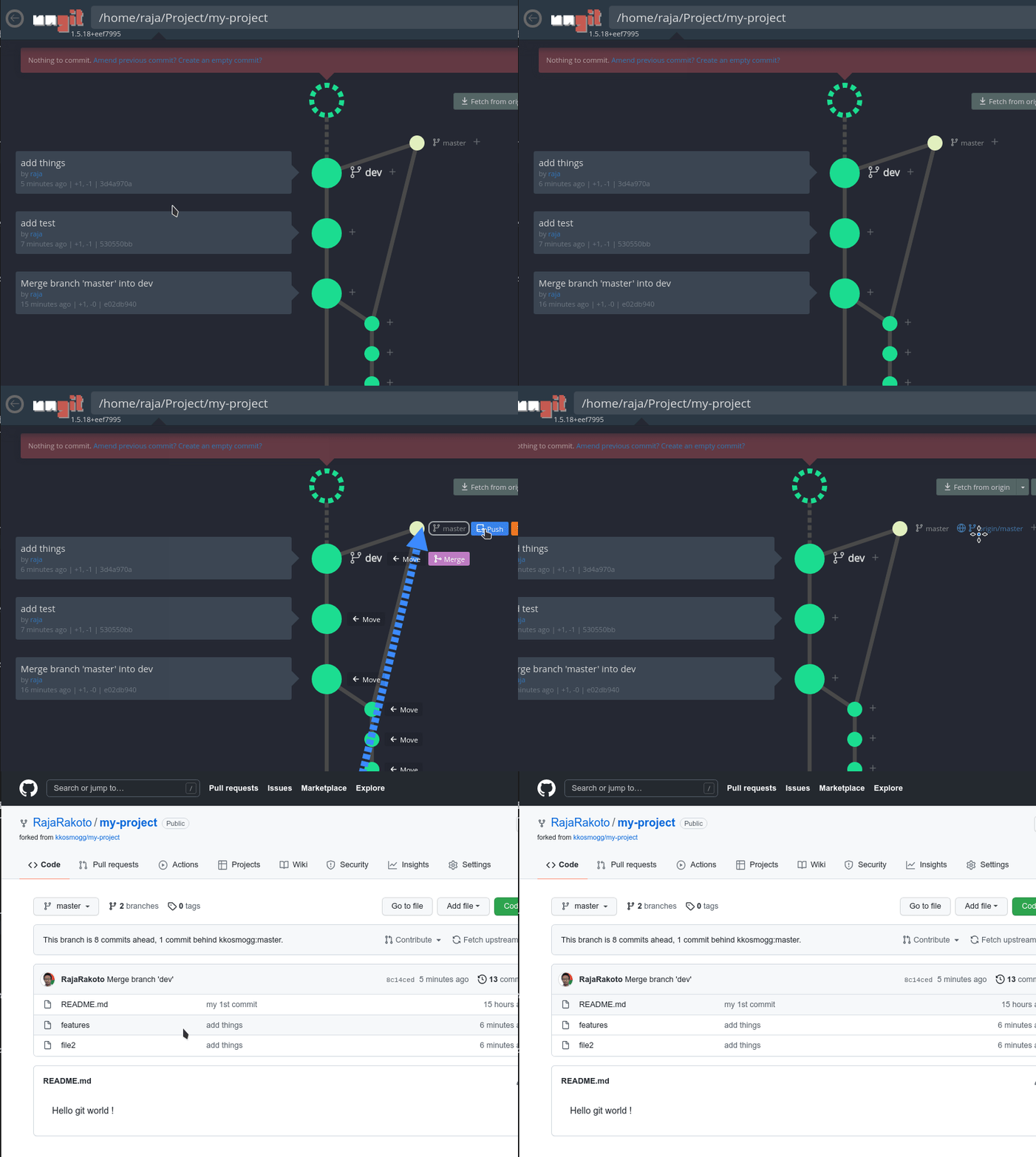
**To deploy a modification on the remote server (push)**
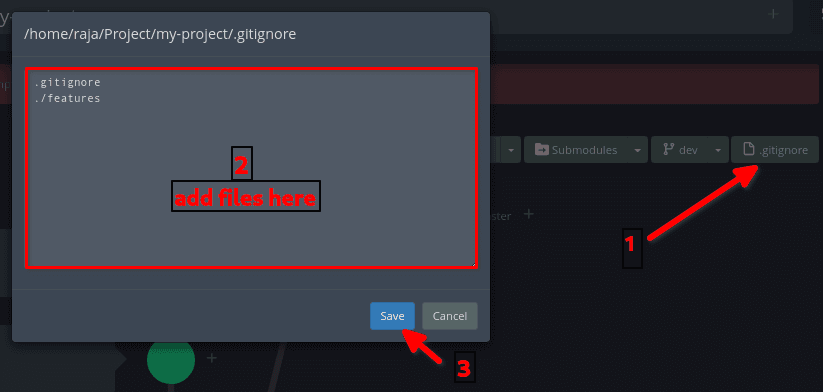
**To quickly edit the .gitignore file**