https://github.com/rajsinghtech/tailcar
Tailscale Sidecar Injector for Kubernetes
https://github.com/rajsinghtech/tailcar
kubernetes kubernetes-operator sidecar tailscale
Last synced: 2 months ago
JSON representation
Tailscale Sidecar Injector for Kubernetes
- Host: GitHub
- URL: https://github.com/rajsinghtech/tailcar
- Owner: rajsinghtech
- License: mit
- Created: 2025-10-03T00:18:49.000Z (9 months ago)
- Default Branch: main
- Last Pushed: 2025-10-23T02:39:50.000Z (8 months ago)
- Last Synced: 2025-10-23T04:24:50.086Z (8 months ago)
- Topics: kubernetes, kubernetes-operator, sidecar, tailscale
- Language: Go
- Homepage:
- Size: 134 KB
- Stars: 2
- Watchers: 0
- Forks: 0
- Open Issues: 0
-
Metadata Files:
- Readme: README.md
- License: LICENSE
Awesome Lists containing this project
README
# Tailcar

[](https://goreportcard.com/report/github.com/rajsinghtech/tailcar)
[](https://opensource.org/licenses/Apache-2.0)
[](https://kubernetes.io/)
**Kubernetes operator for automatic Tailscale sidecar injection**
Seamlessly integrate Tailscale into your Kubernetes pods with zero-touch sidecar injection.
---
## Quick Start
### Prerequisites
- Kubernetes cluster (v1.20+)
- `kubectl` configured
- Helm 3.x (recommended)
- [cert-manager](https://cert-manager.io/) installed (for webhook TLS)
- Tailscale account with OAuth client
### Install cert-manager
```bash
kubectl apply -f https://github.com/cert-manager/cert-manager/releases/download/v1.14.0/cert-manager.yaml
```
### Install with Helm (Recommended)
```bash
# Create namespace and install latest stable release
kubectl create namespace tailcar-system
helm install tailcar oci://ghcr.io/rajsinghtech/tailcar-helm \
--namespace tailcar-system
```
### Create Tailscale OAuth Secret
```bash
kubectl create secret generic my-tailnet-oauth \
--from-literal=client-id='' \
--from-literal=client-secret='' \
-n default
```
### Create Your First Tailnet
```yaml
apiVersion: tailcar.rajsingh.info/v1alpha1
kind: Tailnet
metadata:
name: my-tailnet
spec:
tailnetName: "-" # Use "-" for default tailnet
oauthSecretRef:
name: my-tailnet-oauth
namespace: default
tailscale:
tags:
- "tag:k8s"
```
```bash
kubectl apply -f tailnet.yaml
```
### Enable Sidecar Injection
#### Option 1: Per-Pod Injection
```yaml
apiVersion: v1
kind: Pod
metadata:
name: my-app
annotations:
tailcar.rajsingh.info/inject: "true"
tailcar.rajsingh.info/tailnet: "my-tailnet"
spec:
containers:
- name: app
image: nginx
```
#### Option 2: Namespace-Level Injection
Enable automatic injection for all pods in a namespace:
```yaml
apiVersion: v1
kind: Namespace
metadata:
name: production
labels:
tailcar.rajsingh.info/injection: "enabled"
tailcar.rajsingh.info/default-tailnet: "my-tailnet"
```
All pods created in this namespace will automatically get the Tailscale sidecar injected. Individual pods can override the tailnet by setting the `tailcar.rajsingh.info/tailnet` annotation.
```bash
kubectl apply -f pod.yaml
```
---
### OAuth Client Setup
Create an OAuth client in the [Tailscale admin console](https://login.tailscale.com/admin/settings/oauth):
1. Navigate to **Settings** → **OAuth clients**
2. Generate a new OAuth client
3. Grant required scopes:
- `all:write` (recommended for operator)
- Or: `devices:write` + `keys:write`
4. Add tags that the client can create (e.g., `tag:k8s`)
**Scopes Explained:**
- `all:write` - Full access to manage devices and keys
- `devices:write` - Create and modify devices
- `keys:write` - Create and manage authentication keys
---
## License
This project is licensed under the [Apache License 2.0](LICENSE).
---
## Star History
[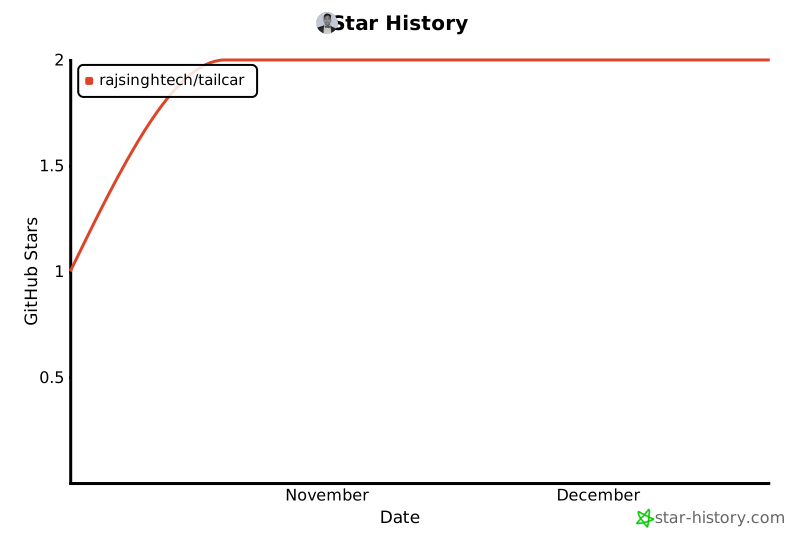](https://star-history.com/#rajsinghtech/tailcar&Date)
---
*Built with [Kubebuilder](https://kubebuilder.io/) and <3 from the [Tailscale](https://tailscale.com) community*