https://github.com/rana-arju/dev-dictionary
https://github.com/rana-arju/dev-dictionary
answer-question blog clone dev-dictionary mern-stack nextjs nextjs14-typescript rana-arju social-network stackoverflow tailwindcss
Last synced: 2 months ago
JSON representation
- Host: GitHub
- URL: https://github.com/rana-arju/dev-dictionary
- Owner: rana-arju
- Created: 2023-11-15T04:38:08.000Z (over 2 years ago)
- Default Branch: main
- Last Pushed: 2023-12-12T06:16:49.000Z (over 2 years ago)
- Last Synced: 2023-12-12T07:26:33.483Z (over 2 years ago)
- Topics: answer-question, blog, clone, dev-dictionary, mern-stack, nextjs, nextjs14-typescript, rana-arju, social-network, stackoverflow, tailwindcss
- Language: TypeScript
- Homepage: https://devdictionary.vercel.app
- Size: 3.11 MB
- Stars: 0
- Watchers: 1
- Forks: 0
- Open Issues: 0
-
Metadata Files:
- Readme: README.md
Awesome Lists containing this project
README
# Dev Dictionary - Answer-questions application
Dev Dictionary is knowladge sharing application. This is an app similar to stack overflow. It is build using Next js. Its features are authentication system, question post, answer any question,community page, saved question, badges system etc
## Project Screenshots
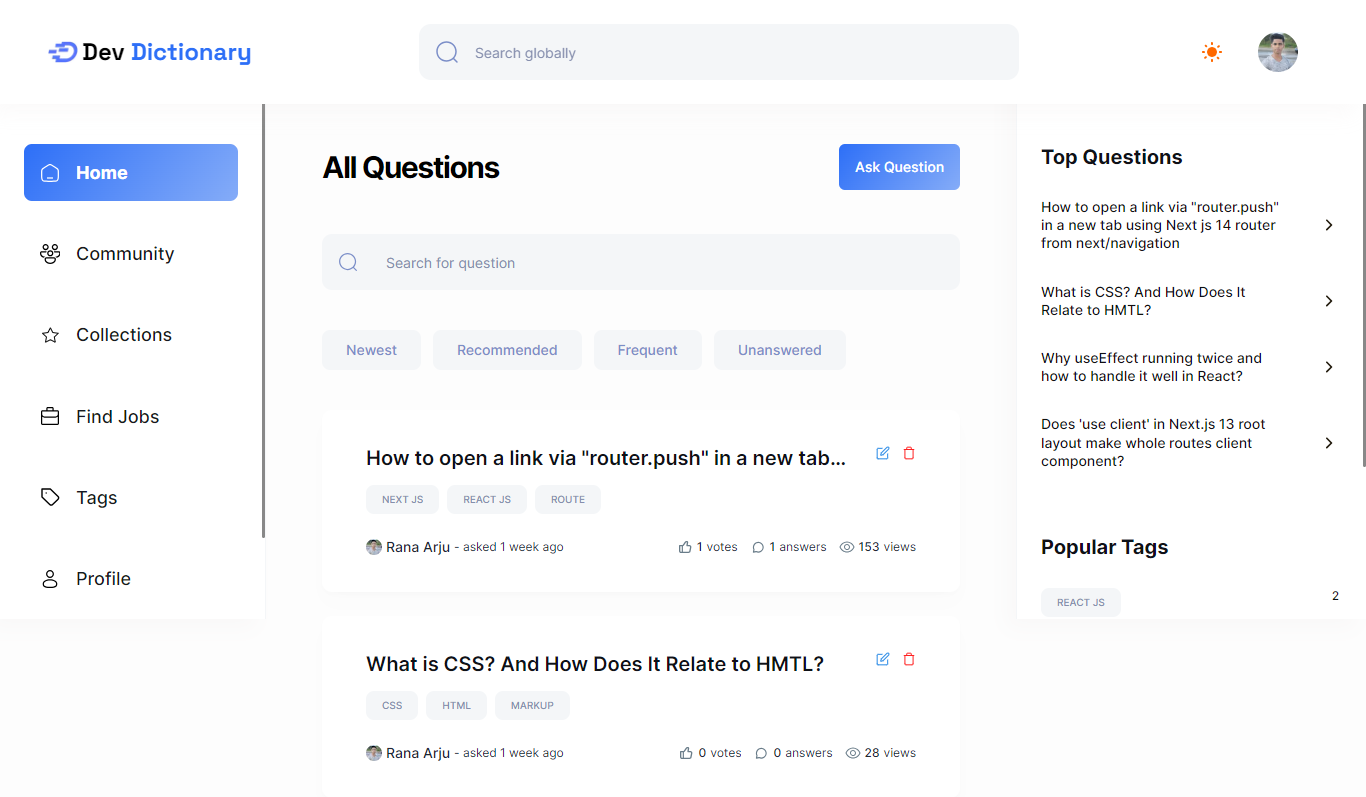
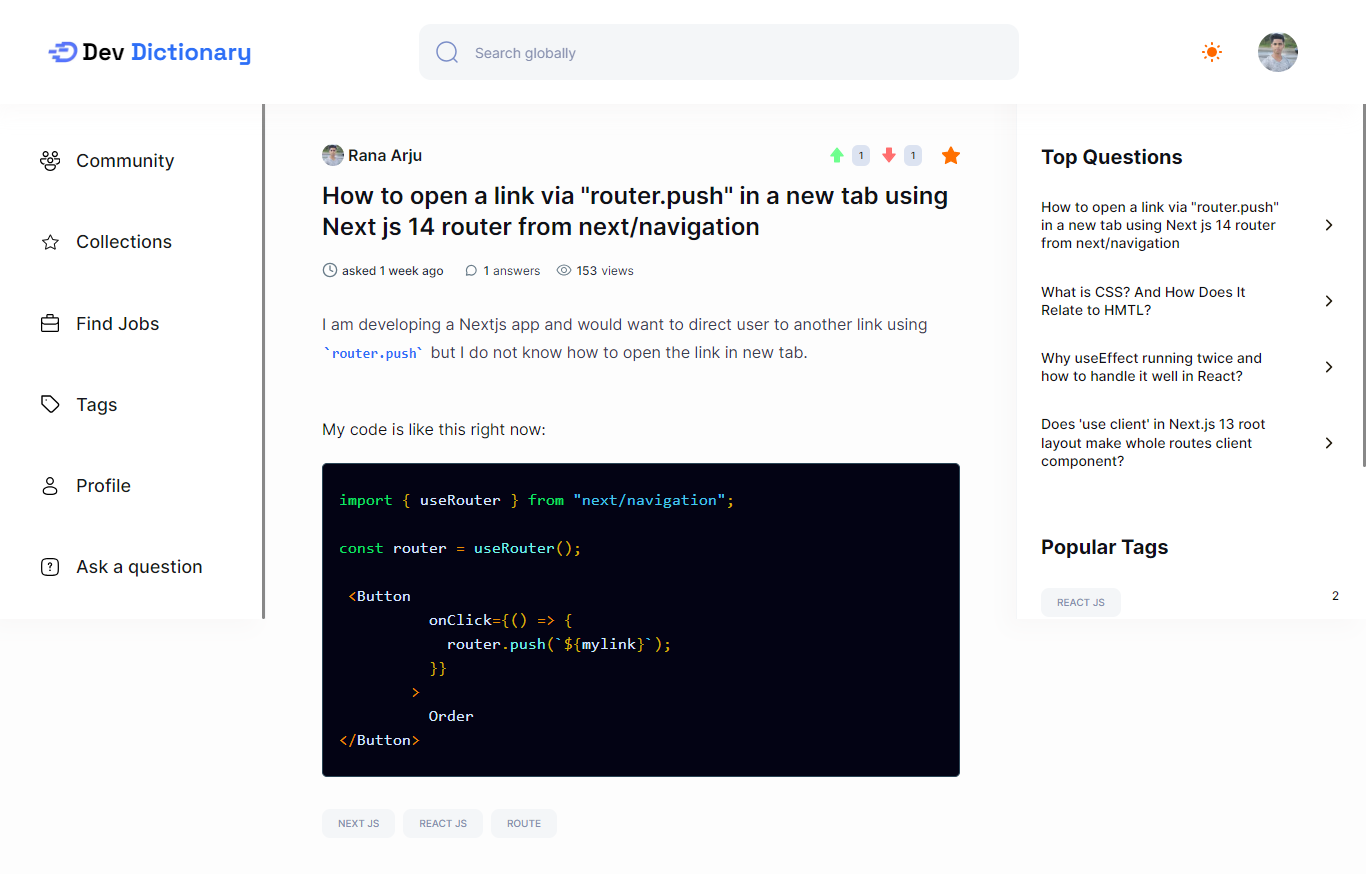

## Demo
Live Preview: https://devdictionary.vercel.app
## ✨ Technologies Used
### Dev Dictionary's built using the following technologies:
- [TypeScript](https://www.typescriptlang.org/): TypeScript is a typed superset of JavaScript that compiles to plain JavaScript.
- [Next.js](https://nextjs.org/): Next.js is a React framework for building server-side rendered and statically generated web applications.
- [Tailwind CSS](https://tailwindcss.com/): Tailwind CSS is a utility-first CSS framework for rapidly building custom user interfaces.
- [ESLint](https://eslint.org/): ESLint is a static code analysis tool for identifying problematic patterns found in JavaScript code.
- [Prettier](https://prettier.io/): Prettier is an opinionated code formatter.
- [Clerk](https://clerk.dev/): Clerk is a developer-first authentication API that handles all the logic for user sign up, sign in, and more.
- [Shadcn-UI](https://ui.shadcn.com/): Shadcn UI is a React UI library that helps developers rapidly build modern web applications.
- [TinyMCE](https://www.tiny.cloud/): TinyMCE is the world's most popular JavaScript library for rich text editing.
- [MongoDB](https://www.mongodb.com/): MongoDB is a general purpose, document-based, distributed database built for modern application developers and for the cloud era.
- [Mongoose](https://mongoosejs.com/): Mongoose is a MongoDB object modeling tool designed to work in an asynchronous environment.
- [Prism.js](https://prismjs.com/): Prism is a lightweight, extensible syntax highlighter, built with modern web standards in mind.
- [Query String](https://www.npmjs.com/package/query-string): Parse and stringify URL query strings.
- [Svix](https://svix.com/): Svix is a webhook proxy that allows you to receive webhooks locally.
- [Zod](https://zod.dev/): Zod is a TypeScript-first schema declaration and validation library.
- [Vercel](https://vercel.com/): Vercel is a cloud platform for frontend developers, providing the frameworks, workflows, and infrastructure to build a faster, more personalized Web.
[](https://skillicons.dev)
### ⚙️ Installation and Run Locally
**Step 0:**
Note :bangbang: the application uses Clerk for Authentication and User Management, therefore, you need to create Clerk account [here](https://clerk.dev/) and sets the `CLERK_PUBLISHABLE_KEY` and `CLERK_SECRET_KEY` environment variables in `.env` file. Also, the different URLs for the Clerk sign-in, sign-up, after sign-in and after sign-up pages.
Note :bangbang: the application uses a MongoDB database, therefore, you need to create a database and connect it to the application, for this, change the `MONGODB_URL` environment variable in `.env` file located in `server` folder.
Note :bangbang: the application uses TinyMCE, therefore, you need to create TinyMCE account [here](https://www.tiny.cloud/) and sets the `NEXT_PUBLIC_TINYMCE_API_KEY` environment variable in `.env` file.
Note :bangbang: the application uses OpenAI API, therefore, you need to create OpenAI account [here](https://openai.com/) and sets the `OPENAI_API_KEY` environment variable in `.env` file.
Note :bangbang: the application uses RapidAPI, therefore, you need to create RapidAPI account [here](https://rapidapi.com/), subscribe to the [JSearch API](https://rapidapi.com/letscrape-6bRBa3QguO5/api/jsearch/) and sets the `RAPIDAPI_API_KEY` environment variable in `.env` file.
After following all the instructions above, we'll want to create a new webhook on Clerk. To do this, go to the [Clerk Dashboard](https://dashboard.clerk.dev/), click on the "Webhooks" tab, and then click "Add Endpoint". For the Endpoint URL, enter `http:///api/webhook/clerk`. For the events, select the "user". Then click "Create" to create the webhook. get the signing secret and set it as `CLERK_WEBHOOK_SECRET` environment variable in `.env` file.
**Step 1:**
Download or clone this repo by using the link below:
```bash
git clone https://github.com/rana-arju/dev-dictionary.git
```
**Step 2:**
Execute the following command in the root directory of the downloaded repo in order to install dependencies:
```bash
npm install
```
**Step 3:**
Execute the following command in order to run the development server locally:
```bash
npm run dev
```
**Step 4:**
Open [http://localhost:3000](http://localhost:3000) with your browser to see the result.
### 📜 Scripts
All scripts are defined in the `package.json` file. Here is a list of all scripts:
| Script | Action |
| :-------------- | :------------------------------------------ |
| `npm install` | Installs dependencies |
| `npm run dev` | Starts local dev server at `localhost:3000` |
| `npm run build` | Build your production site to `./dist/` |
| `npm run start` | Start your production site locally |
| `npm run lint` | Run ESLint |
## Authors
- [@Rana Arju](https://www.github.com/rana-arju)
## 🔒 Environment Variables
Environment variables[^12] can be used for configuration. They must be set before running the app.
> [Environment variables](https://en.wikipedia.org/wiki/Environment_variable) are variables that are set in the operating system or shell, typically used to configure programs.
**DevOverflow** uses [Clerk](https://clerk.com), [TinyMCE](https://uploadthing.com/), [RapidAPI](https://rapidapi.com), [OpenAI API](https://openai.com/blog/openai-api) and [MongoDB](https://mongodb.com) as external services. You need to create an account on each of these services and get the required credentials to run the app.
Create a `.env` file in the root directory of the project and add the following environment variables:
```env
NEXT_PUBLIC_CLERK_PUBLISHABLE_KEY=
CLERK_SECRET_KEY=
NEXT_CLERK_WEBHOOK_SECRET=
NEXT_PUBLIC_CLERK_SIGN_IN_URL=/sign-in
NEXT_PUBLIC_CLERK_SIGN_UP_URL=/sign-up
NEXT_PUBLIC_CLERK_AFTER_SIGN_IN_URL=/
NEXT_PUBLIC_CLERK_AFTER_SIGN_UP_URL=/onboarding
NEXT_PUBLIC_TINY_MCE_API_KEY=
MONGODB_URL=
NEXT_PUBLIC_SERVER_URL=
OPENAI_API_KEY=