https://github.com/randaller/cnn-rtlsdr
Deep learning signal classification using rtl-sdr dongle
https://github.com/randaller/cnn-rtlsdr
Last synced: about 1 year ago
JSON representation
Deep learning signal classification using rtl-sdr dongle
- Host: GitHub
- URL: https://github.com/randaller/cnn-rtlsdr
- Owner: randaller
- Created: 2017-12-18T10:30:32.000Z (over 8 years ago)
- Default Branch: master
- Last Pushed: 2022-12-08T00:43:58.000Z (over 3 years ago)
- Last Synced: 2024-01-24T03:42:59.441Z (about 2 years ago)
- Language: Python
- Size: 27.9 MB
- Stars: 282
- Watchers: 26
- Forks: 75
- Open Issues: 27
-
Metadata Files:
- Readme: README.md
Awesome Lists containing this project
- awesome-gnuradio - cnn-rtlsdr - Deep learning signal classification using rtl-sdr dongle (Other SDR Software)
README
# CNN-rtlsdr
Deep learning signal classification using rtl-sdr dongle.
Current pre-trained model is able to classify 4 kinds of signals: WFM, TV Secam carrier, DMR signal and "Others".
### TEST WITH PRETRAINED MODEL
Unpack software archive into some folder, e.g. C:\rtlsdr
Go to https://www.anaconda.com/download/ and choose Python 3.6 version, 64-Bit Graphical Installer
or download directly: https://repo.continuum.io/archive/Anaconda3-5.0.1-Windows-x86_64.exe
If you do not have modern NVIDIA graphics card, to install CPU version, just remove the following line in requirements.txt:
```
tensorflow-gpu==1.4.0
```
Run anaconda prompt, change dir to C:\rtlsdr, then run:
```
conda install pip
pip install -r requirements.txt
```
Only for CUDA version of Tensorflow, if you have installed CPU version, skip these steps:
- Download and install CUDA 8 Toolkit: https://developer.nvidia.com/cuda-80-ga2-download-archive
- Download CUDNN for Toolkit 8. https://developer.nvidia.com/cudnn
- Extract file [bin\cudnn64_6.dll] from zip into C:\Windows folder.
Last step is to copy 2 files from x64!!! osmocom rtl-sdr drivers: https://osmocom.org/attachments/download/2242/RelWithDebInfo.zip
Copy these [rtl-sdr-release/x64/]: rtlsdr.dll & libusb-1.0.dll into C:\Windows folder.
Reboot your system.
Now open your anaconda prompt again, change folder to C:\rtlsdr and run:
```
python predict_scan.py
```
to scan entire band and predict signal types , or the full version scan:
```
python predict_scan.py --start 85000000 --stop 108000000 --step 50000 --gain 20 --ppm 56 --threshold 0.9955
```
Watch CNN-rtlsdr in action on YouTube:
[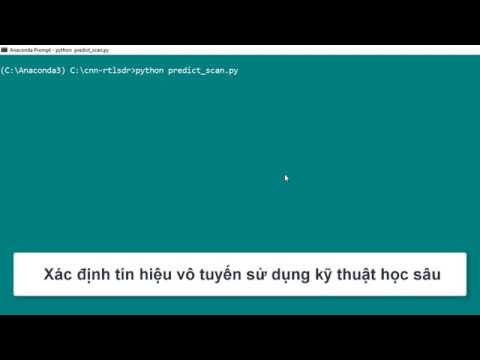](https://www.youtube.com/watch?v=OrSL9dgzlcA)
Some help also available:
```
python predict_scan.py --help
```
### LINUX INSTALLATION
Linux installation issues discussed here: https://github.com/randaller/cnn-rtlsdr/issues/1
### TRAIN YOUR OWN DATA
To train your own model, edit the settings in file [prepare_data.py] to set own frequencies of local stations and ppm error.
```
sdr.err_ppm = 56 # change it to yours
collect_samples(104000000, "wfm")
collect_samples(942200000, "gsm")
```
Then to obtain some samples run:
```
python prepare_data.py
```
Delete unnecessary folders under [/testing_data] and [/training_data] as they are responsible for classificator.
E.g., if you want to train only WFM and OTHER classes, delete everything, except of:
- /training_data/wfm/
- /training_data/other/
- /testing_data/wfm/
- /testing_data/other/
Cleanup previous model checkpoint before starting a new train (otherwise it will continue training old model).
```
cleanup.cmd
```
Finally, we may now run training (of course, we are still inside anaconda prompt):
```
python train.py
```
Best decision is to stop the training [ctrl+c], when validation loss becomes 0.1 - 0.01 or below. Lowest values shows better performance.
Really, you may terminate training even after a few (20-30) epochs with values about 0.4 - 0.3 and evaluate the model.
Also, it is better to obtain different samples of signals at different frequencies, gain levels. Edit [prepare_data.py] and run it again.
Then train the classifier again to see the difference. Feel free to sample your own signal classes to train a bigger model.
### SOME TECH FOR GEEKS
First version of this project was built using adaptation of image classification network, as the RF signal is representating also in 2D .
I fed network with raw IQ samples, formed in a square as image, and even this gave me the model, doing it's job! This CNN graph was:
```
Conv2D (32*3*3) -> Conv2D (32*3*3) -> Conv2D (64*3*3) -> Dense (128) -> Dense (output)
```
Inspired of success, I began to try different preprocessing methods before feeding the network with complex. Neural networks generally has
no idea, which input they serves, so I have tried to form into image shape the following:
FFT data
```
iq_samples = np.fft.fft(iq_samples)
```
AM demodulation data
```
iq_samples = np.sqrt(np.real(iq_samples) ** 2 + np.imag(iq_samples) ** 2)
```
FM demodulation data
```
iq_samples = np.unwrap(np.angle(iq_samples))
iq_samples = np.diff(iq_samples)
```
and all of those gave me some results. FFT version converged very fast, in a 3-5 epochs, while AM demod version showed worst performance. Finally,
I've started googling to get more info and found the paper https://arxiv.org/pdf/1602.04105.pdf with all the CNN math great explanation. Then
I have adapted network to match paper one, and graph now becomes:
```
Conv2D (64*1*3) -> Conv2D (16*2*3) -> Dense (128) -> Dense (output)
```
Feeding it with 1/4 sec raw IQ samples, sampled at 2.4 MSPS, and then decimated to a constant value of 48, left 12500 Hz bandwidth for classification.
### KERAS VERSION
This is an optimized version of network, that reaches 99% accuracy while training.
```
python prepare_data.py
python train_keras.py
```
