https://github.com/randomfractals/vscode-snippets-viewer
Snippets viewer for VSCode
https://github.com/randomfractals/vscode-snippets-viewer
snippets viewer vscode
Last synced: over 1 year ago
JSON representation
Snippets viewer for VSCode
- Host: GitHub
- URL: https://github.com/randomfractals/vscode-snippets-viewer
- Owner: RandomFractals
- License: gpl-3.0
- Created: 2021-03-18T16:17:12.000Z (over 5 years ago)
- Default Branch: main
- Last Pushed: 2023-04-16T14:08:30.000Z (about 3 years ago)
- Last Synced: 2025-03-25T18:08:22.787Z (over 1 year ago)
- Topics: snippets, viewer, vscode
- Language: TypeScript
- Homepage: https://marketplace.visualstudio.com/items?itemName=RandomFractalsInc.snippets-viewer
- Size: 4.62 MB
- Stars: 9
- Watchers: 2
- Forks: 1
- Open Issues: 9
-
Metadata Files:
- Readme: README.md
- Changelog: CHANGELOG.md
- Funding: .github/FUNDING.yml
- License: LICENSE
Awesome Lists containing this project
README
# vscode-snippets-viewer
[](http://opensource.org/licenses/GPL-3.0)
[](https://marketplace.visualstudio.com/items?itemName=RandomFractalsInc.snippets-viewer)
[](https://marketplace.visualstudio.com/items?itemName=RandomFractalsInc.snippets-viewer)
[](https://marketplace.visualstudio.com/items?itemName=RandomFractalsInc.snippets-viewer)


Snippets Viewer ⇥ for VSCode
# Support
[Snippets Viewer](https://github.com/RandomFractals/vscode-snippets-viewer) ⇥ was created to simplify navigation and preview of [code snippets](https://code.visualstudio.com/docs/editor/userdefinedsnippets#_install-snippets-from-the-marketplace) from built-in [languages](https://marketplace.visualstudio.com/search?target=VSCode&category=Programming%20Languages&sortBy=Installs) and [extension snippets](https://marketplace.visualstudio.com/search?target=VSCode&category=Snippets&sortBy=Installs).
Please consider becoming a [Fan](https://github.com/sponsors/RandomFractals/sponsorships?tier_id=18883&preview=false) and sponsoring our dev efforts on this and other [Random Fractals, Inc.](https://twitter.com/search?q=%23RandomFractalsInc&src=typed_query&f=live) code and [data viz extensions](https://marketplace.visualstudio.com/publishers/RandomFractalsInc) if you find them useful, educational, or enhancing your daily dataViz/dev code workflows:
☕️ https://ko-fi.com/dataPixy
💖 https://github.com/sponsors/RandomFractals
# Snippets Viewer
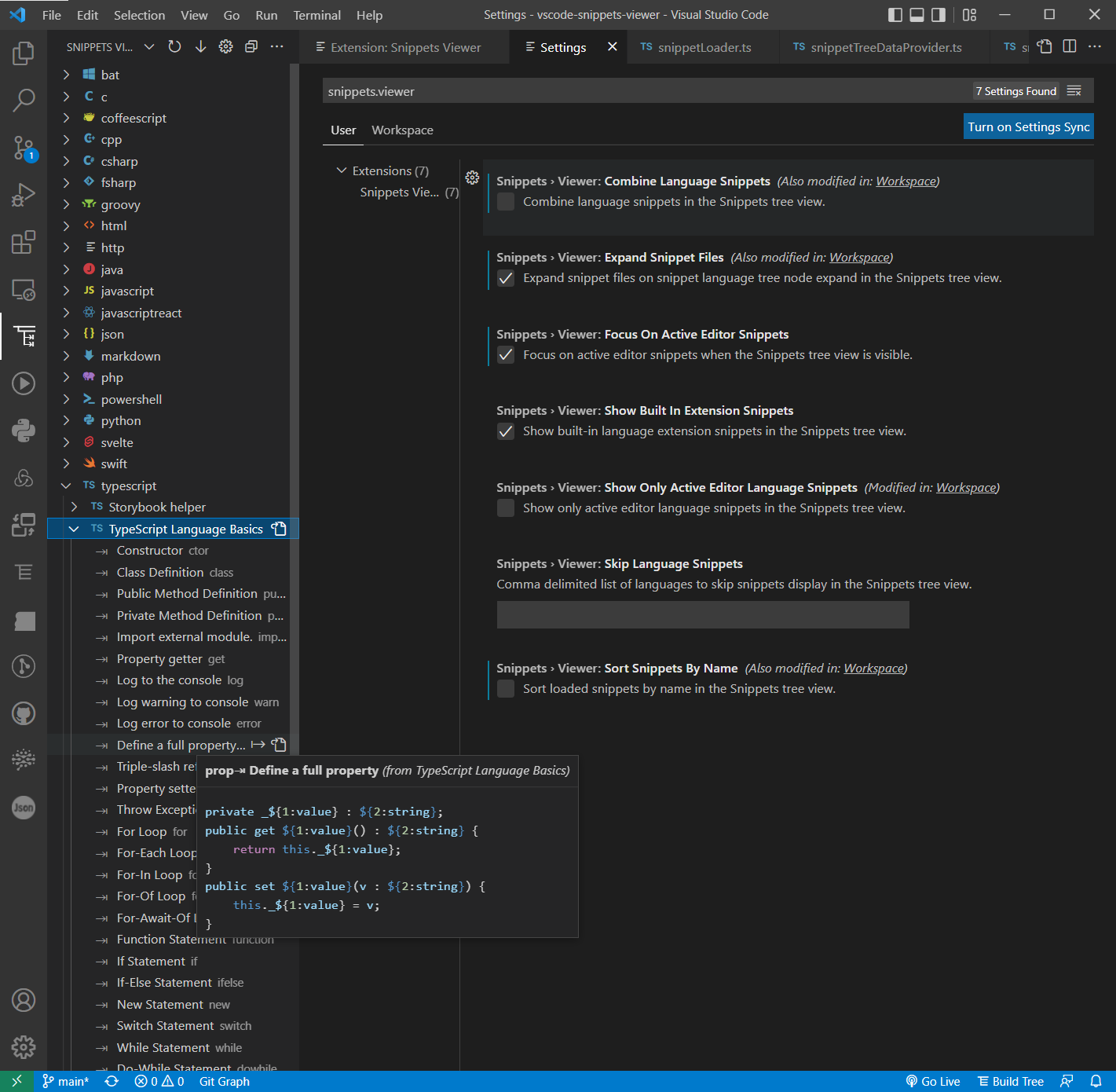
# Features
- View [built-in](https://code.visualstudio.com/docs/editor/userdefinedsnippets#_builtin-snippets) and [extension snippets](https://code.visualstudio.com/docs/editor/userdefinedsnippets#_install-snippets-from-the-marketplace) grouped by language in the Snippets Tree View ⎇
- View [user-defined](https://code.visualstudio.com/docs/editor/userdefinedsnippets#_create-your-own-snippets) language snippets
- View [project-scoped](https://code.visualstudio.com/docs/editor/userdefinedsnippets#_snippet-scope) language snippets for workspaces with multiple folders
- Combine language snippets without snippets file grouping display in the Snippets Tree View ⎇
- Toggle [built-in](https://code.visualstudio.com/docs/editor/userdefinedsnippets#_builtin-snippets) language extension snippets display
- Skip language snippets option for the specified languages in extension settings
- Expand snippet files on snippet language tree node expand
- Auto-select and expand language snippets on active text editor change
- Show only snippets for the active text editor language
- See snippet prefix and shortcut keystrokes in the Snippets Tree View ⎇
- View snippet description and preview snippet body in the Snippets Tree View ⎇ markdown tooltip
- Insert a snippet from the Snippets Tree View ⎇ into the active code text editor
- Open snippets file to view snippets JSON config
- Go to the snippet definition in a snippet file
- Sort snippets by definition order in a snippet file
- Sort snippets by name
- View Snippets Viewer settings
# VSCode Contributions
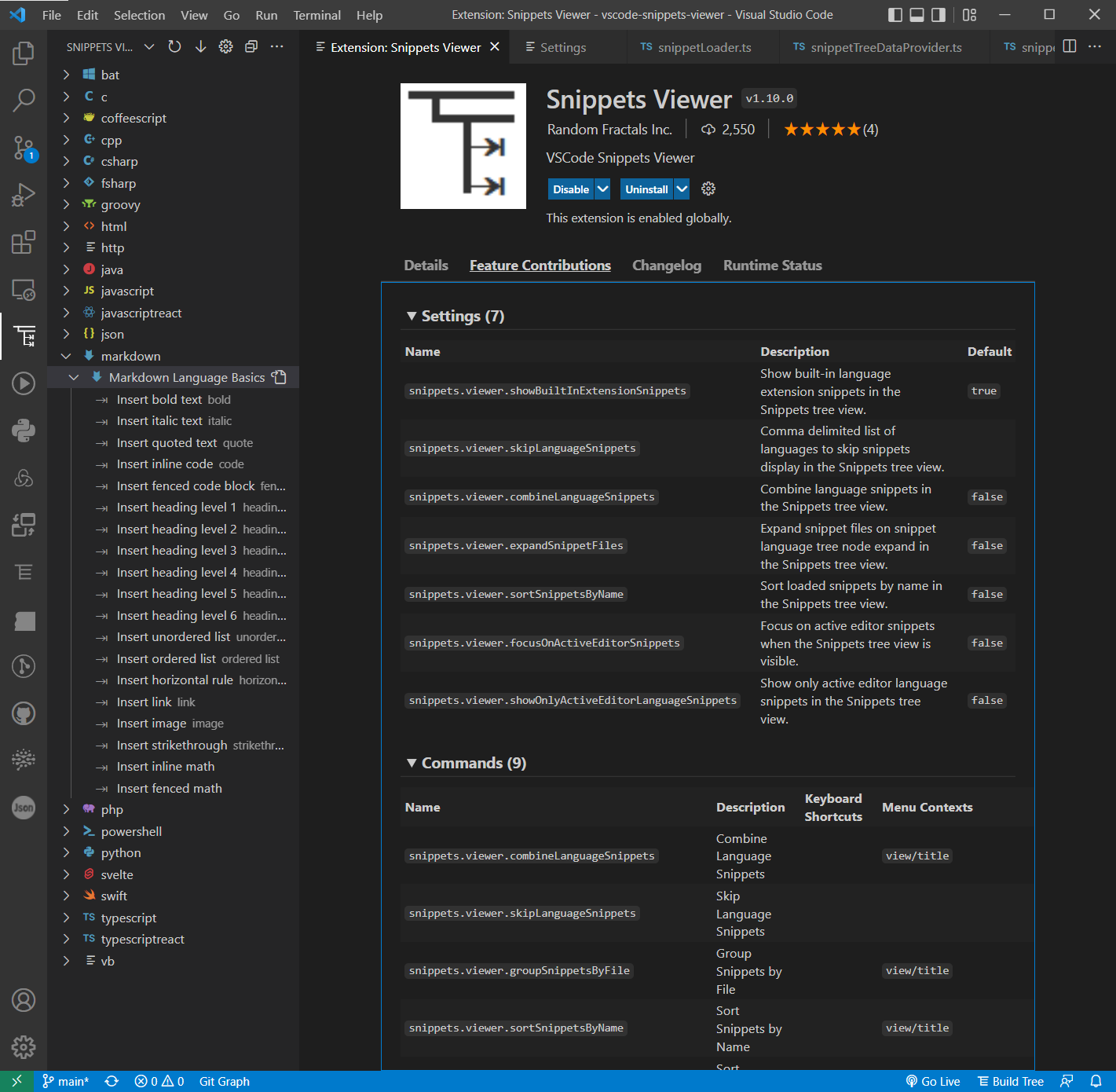
Snippets Viewer ⇥ extension Settings, Commands, and VSCode Views:
# Installation
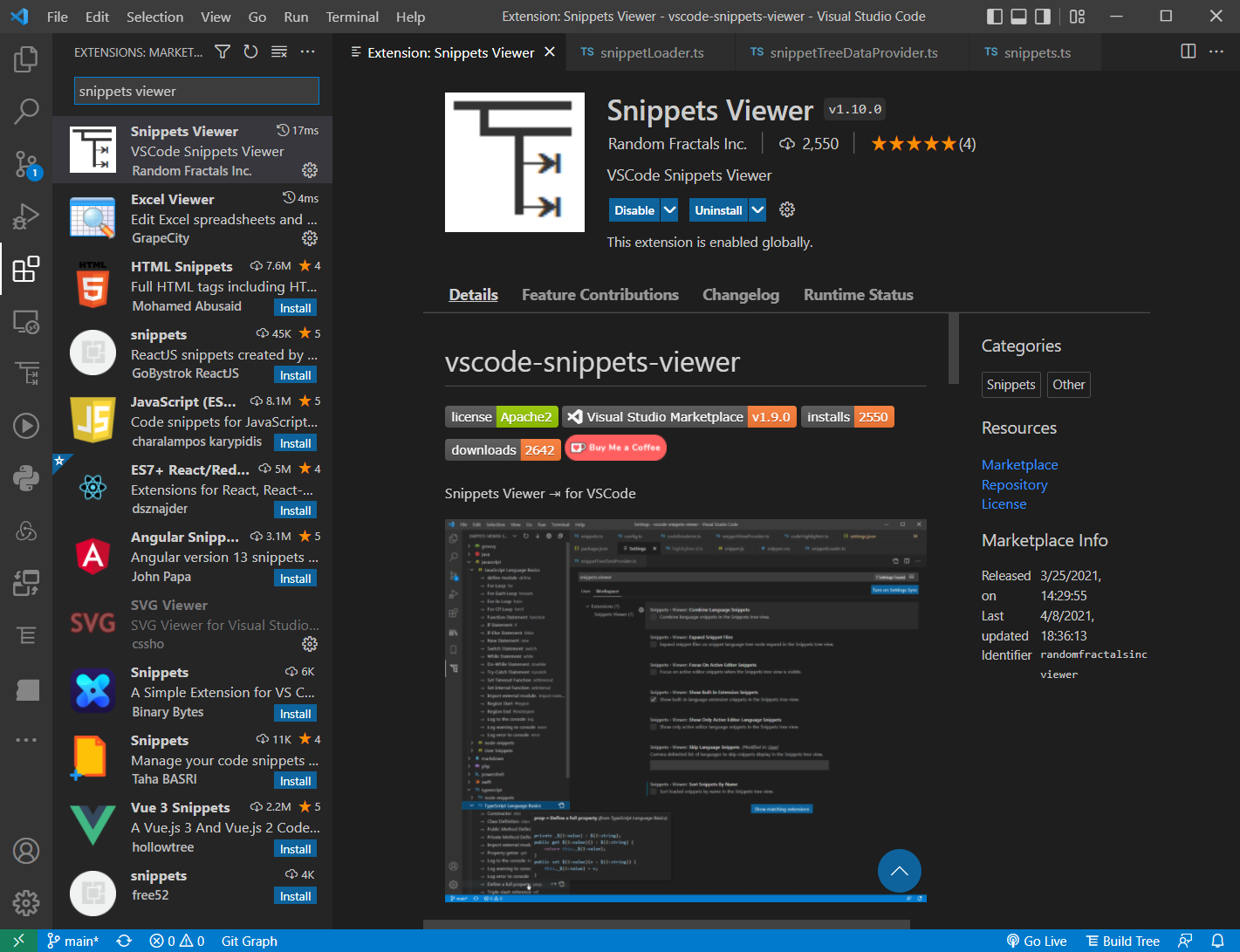
Install [Snippets Viewer ⇥](https://marketplace.visualstudio.com/items?itemName=RandomFractalsInc.snippets-viewer) via VSCode Extensions tab (`Ctrl+Shift+X`) by searching for `snippets viewer` || via [VSCode marketplace search results](https://marketplace.visualstudio.com/search?term=snippets%20viewer&target=VSCode&category=All%20categories&sortBy=Relevance).
# Configuration
[Create User or Workspace Settings in VSCode](http://code.visualstudio.com/docs/customization/userandworkspace#_creating-user-and-workspace-settings) to change default Snippets Viewer ⇥ extension Settings:
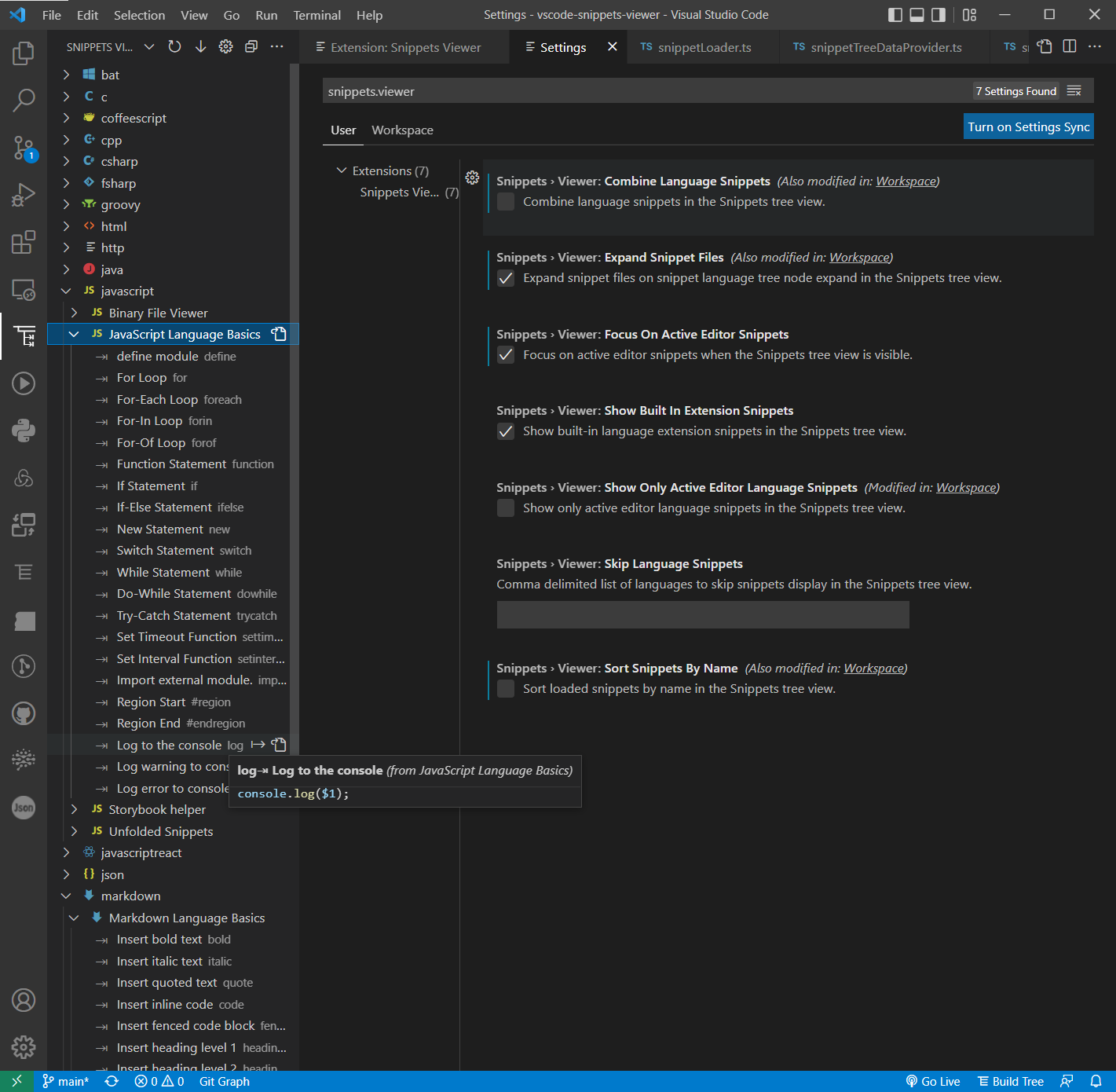
**Note**: All Snippets Viewer ⎇ Settings start with `snippets.viewer.` prefix.
Example of [`.vscode/settings.json`](https://github.com/RandomFractals/vscode-snippets-viewer/blob/main/.vscode/settings.json) you can use to specify Snippets Viewer ⎇ Settings in open project Workspace to overwrite global User [settings](https://code.visualstudio.com/docs/getstarted/settings#_settingsjson) and toggle Snippets tree view display options listed below:
```
{
// Local Snippets viewer settings
"snippets.viewer.sortSnippetsByName": false,
"snippets.viewer.combineLanguageSnippets": true,
"snippets.viewer.expandSnippetFiles": true
}
```
| Setting Name | Type | Default Value | Description |
| ------- | ---- | ------------- | ----------- |
| `combineLanguageSnippets` | boolean | `false` | Combine language snippets in the Snippets tree view.|
| `expandSnippetFiles` | boolean | `false` | Expand snippet files on snippet language tree node expand in the Snippets tree view.|
| `focusOnActiveEditorSnippets` | boolean | `false` | Focus on active editor snippets when Snippets tree view is visible. |
| `showBuiltInExtensionSnippets` | boolean | `true` | Show built-in language extension snippets in the Snippets tree view. |
| `showOnlyActiveEditorLanguageSnippets` | boolean | `false` | Show only active editor language snippets in the Snippets tree view. |
| `skipLanguageSnippets` | string | | Comma delimited list of languages to skip snippets display in the Snippets tree view. |
| `sortSnippetsByName` | boolean | `false` | Sort loaded snippets by name in Snippets tree view. |
# Dev Build
Use the following commands to build this Snippets Viewer VSCcode extension locally for debugging and submitting pull requests (PRs):
```
$ git clone https://github.com/RandomFractals/vscode-snippets-viewer
$ cd vscode-snippets-viewer
$ npm install
$ code .
```
Watch for changes:
```
$ npm run-script watch
```
Press `F5` in VSCode to start Snippets Viewer extension debug session.
# Contributions
Any & all test, code || feedback contributions are welcome.
Open an issue || create a pull request to make this Snippets Viewer VSCode extension work better for all. 🤗