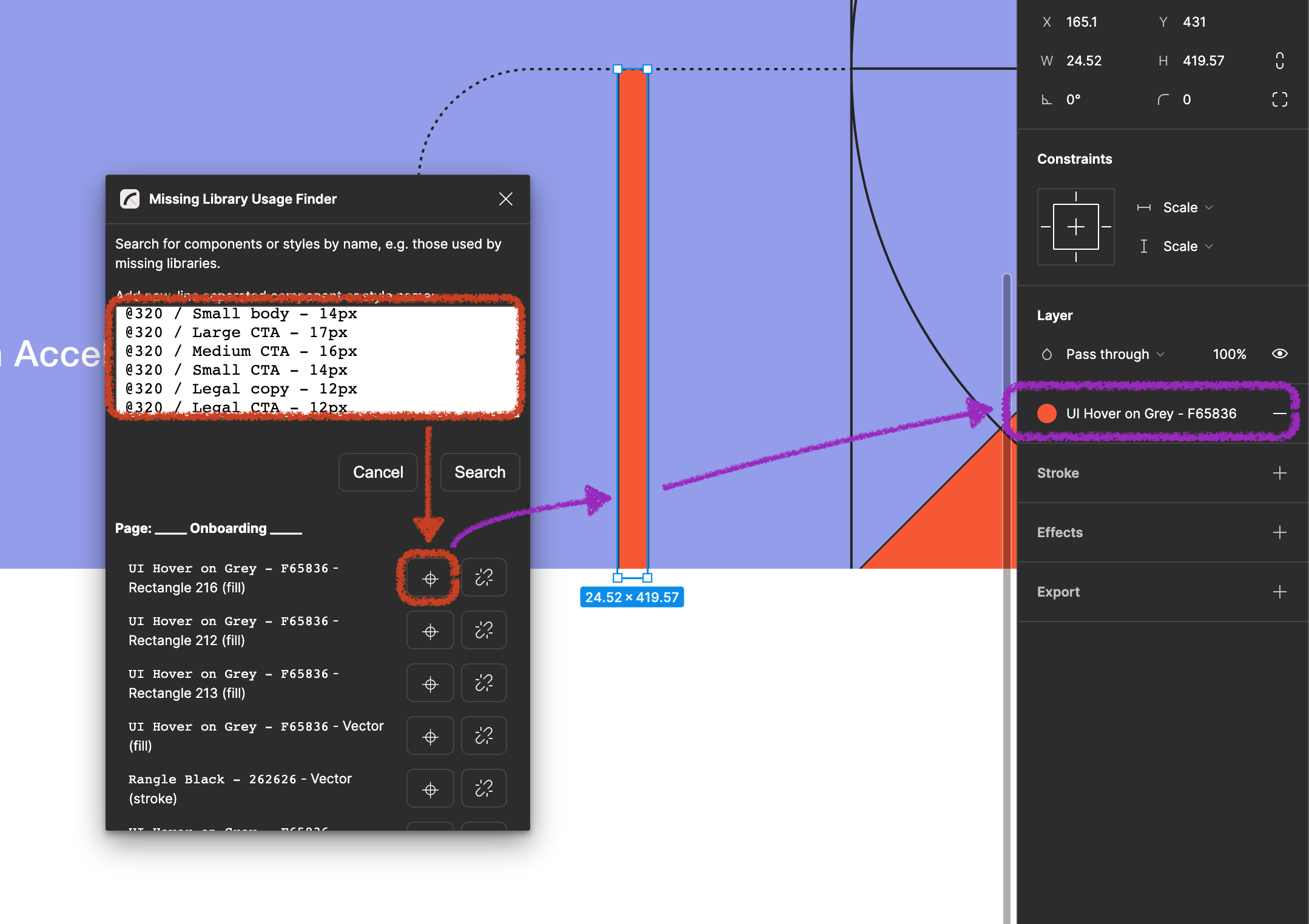
https://github.com/rangle/figma-plugin-missing-library-usage-finder
Figma Plugin to find instances or styles by name, e.g. to find missing library usage
https://github.com/rangle/figma-plugin-missing-library-usage-finder
Last synced: about 1 year ago
JSON representation
Figma Plugin to find instances or styles by name, e.g. to find missing library usage
- Host: GitHub
- URL: https://github.com/rangle/figma-plugin-missing-library-usage-finder
- Owner: rangle
- Created: 2023-07-05T22:00:30.000Z (about 3 years ago)
- Default Branch: main
- Last Pushed: 2023-08-10T20:04:53.000Z (almost 3 years ago)
- Last Synced: 2025-04-10T16:50:05.169Z (over 1 year ago)
- Language: TypeScript
- Homepage: https://www.figma.com/community/plugin/1258167373955403979/missing-library-usage-finder
- Size: 2.11 MB
- Stars: 5
- Watchers: 6
- Forks: 0
- Open Issues: 0
-
Metadata Files:
- Readme: README.md
Awesome Lists containing this project
README
# Figma Plugin: Missing Library Usage Finder
Figma Plugin to find instances or styles by name, e.g. to find missing library usage.
[View Figma Plugin Page](https://www.figma.com/community/plugin/1258167373955403979/Missing-Library-Usage-Finder)
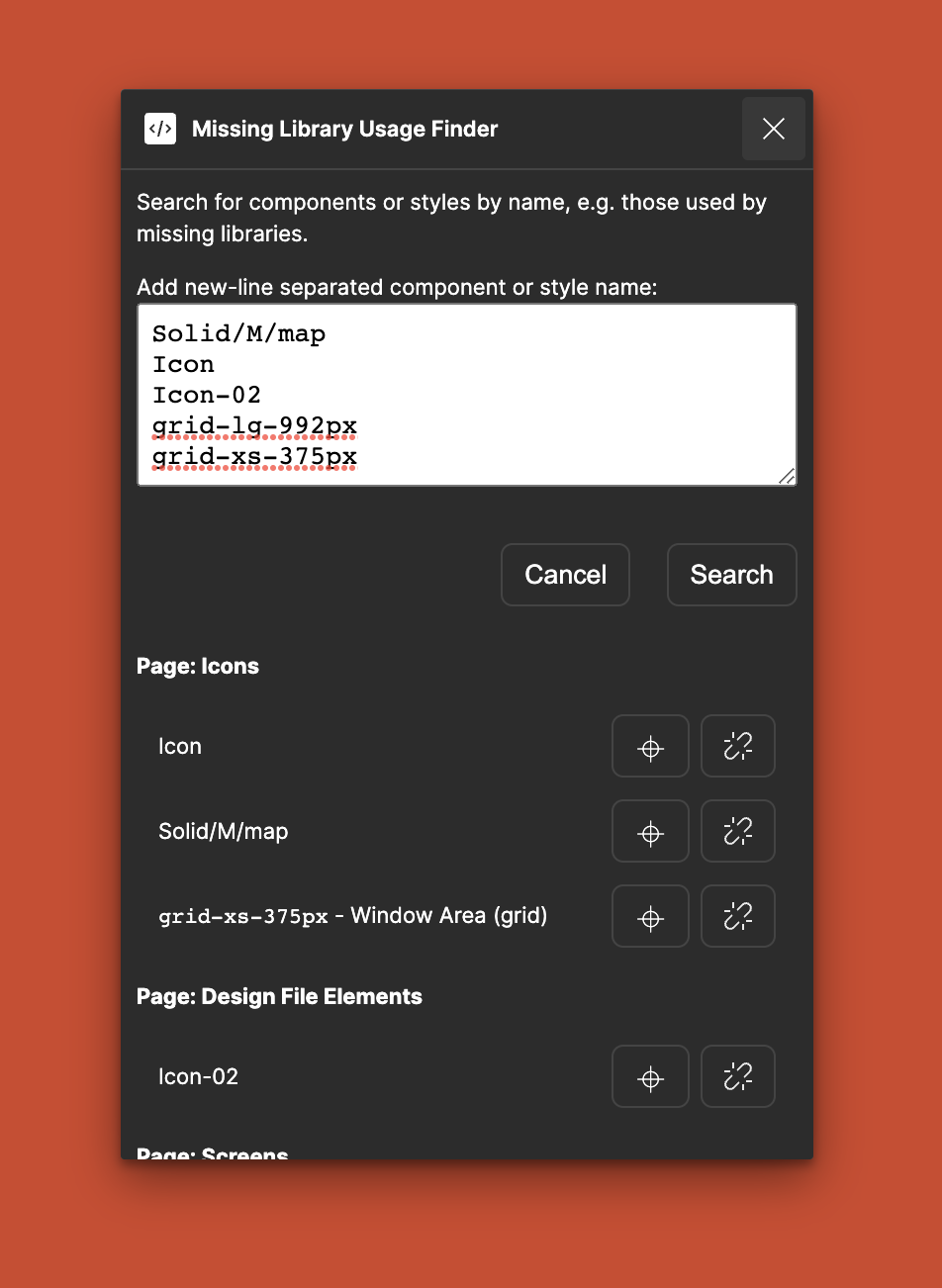
## Example Usage
### Use Case 1: Remove missing libraries
- View missing libraries via _Assets_ > _Library_ (Book Icon). You'll see _Includes X missing libraries_ at the bottom when you have missing libraries,
click it to view the components and styles in use from missing libraries.
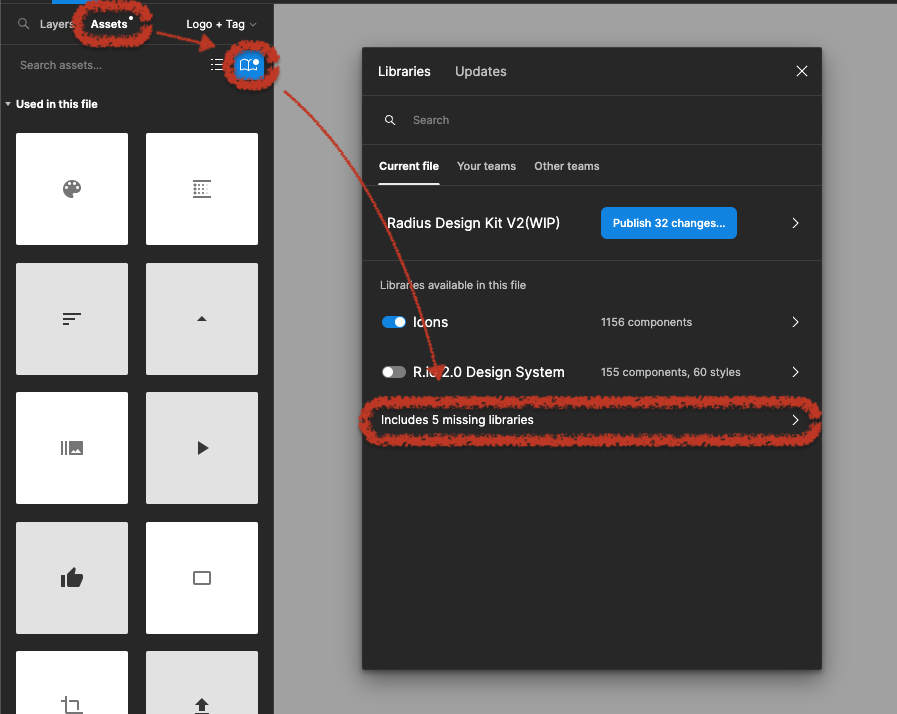
- Open the _Missing Library Usage Finder_ plugin, enter the names of the styles you want to search for, separated by line-breaks.
- Press _Search_, note that this might take a while for larger design files.
- If the plugin finds uses of the styles or components they get listed below and you can navigate to the find and/or unlink/detach it directly.
### Use Case 2: Unlink unwanted library
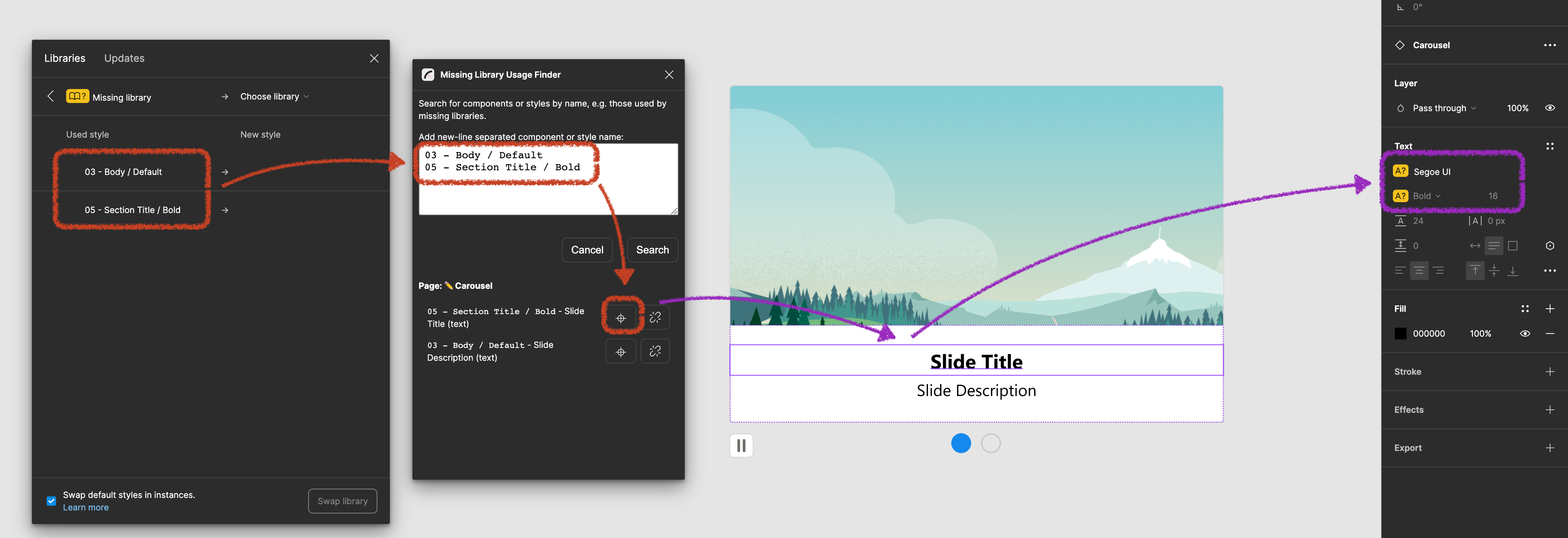
- Open unwanted library, e.g. via _Assets_ > _Library_ (Book Icon), then hover over the library name and click _Open File_.
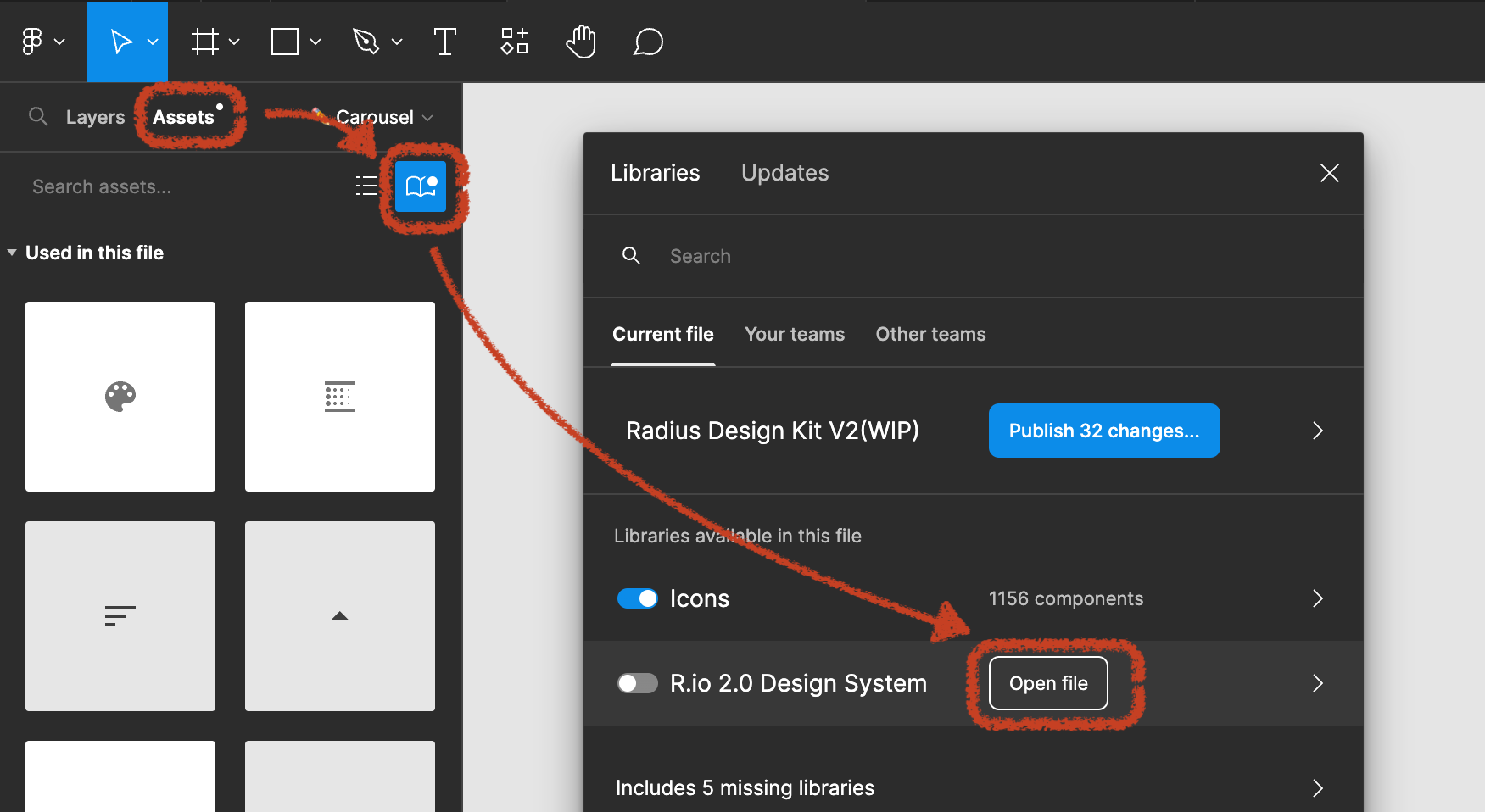
- Once in the unwanted library open the [_Library Style Detail Extractor_](https://github.com/rangle/figma-plugin-library-style-detail-extractor) plugin and click _Extract Names_, and then _Copy Names to Clipboard_.
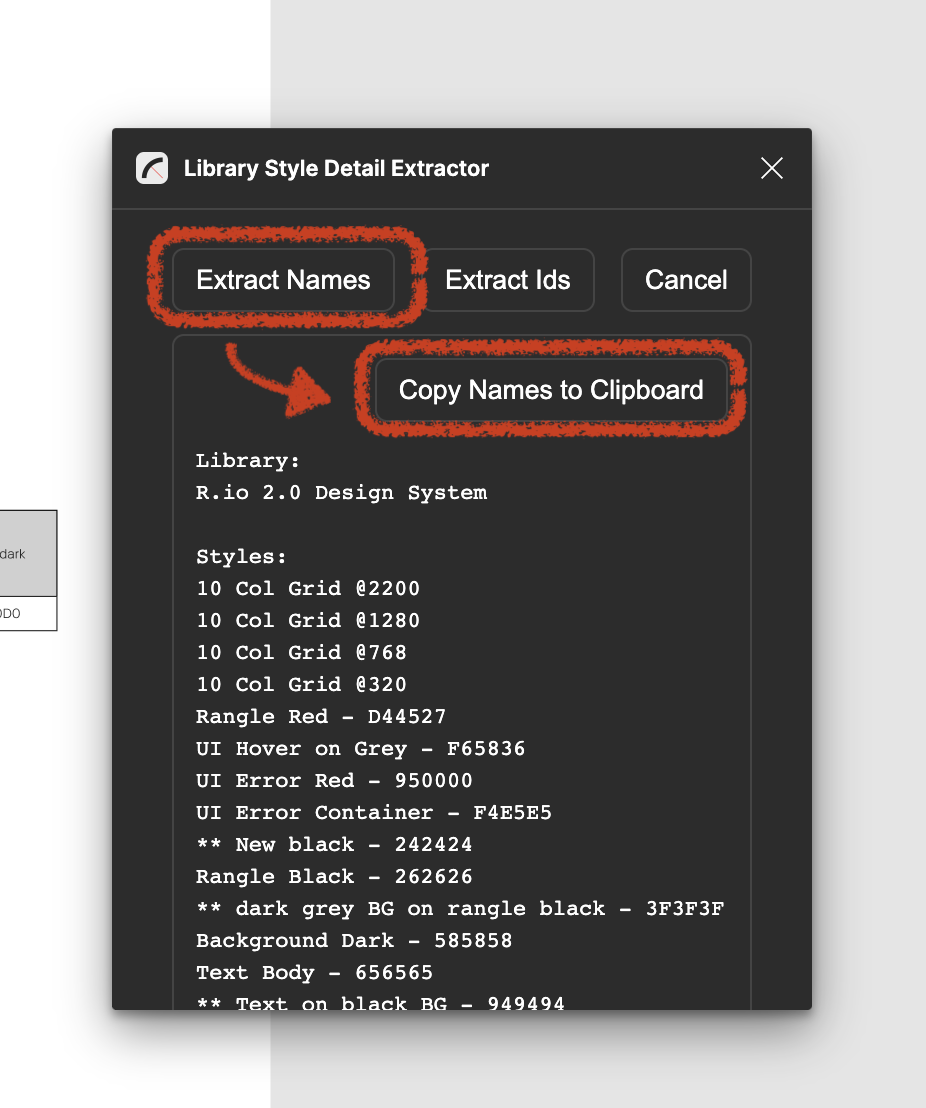
- Go back to the initial design file, open the _Missing Library Usage Finder_ plugin
- Paste the copied names and click _Search_. Note that this might take a while for larger design files.
- If the plugin finds uses of the styles or components they get listed below and you can navigate to the find and/or unlink/detach it directly.