https://github.com/raselshikdar/rsweb
https://github.com/raselshikdar/rsweb
Last synced: 15 days ago
JSON representation
- Host: GitHub
- URL: https://github.com/raselshikdar/rsweb
- Owner: raselshikdar
- Created: 2024-05-14T06:43:49.000Z (over 1 year ago)
- Default Branch: main
- Last Pushed: 2024-05-14T13:11:55.000Z (over 1 year ago)
- Last Synced: 2025-01-18T05:42:46.283Z (12 months ago)
- Language: Astro
- Homepage: https://rsweb.vercel.app
- Size: 200 KB
- Stars: 1
- Watchers: 1
- Forks: 0
- Open Issues: 0
-
Metadata Files:
- Readme: README.md
Awesome Lists containing this project
README
# Simple Astro Blog built with Astro and Cosmic
To build this app, we’re going to use the following technologies:
- [Astro](https://astro.build/) - A React framework for production that makes it easy to spin up a full-stack application.
- [Cosmic](https://www.cosmicjs.com/) - A Headless CMS enables the independence of the data (content) layer and gives us the ability to quickly manage template content.
- [Tailwind CSS](https://tailwindcss.com/) - A performant utility-first CSS framework that can be composed directly in your markup.
### Links
- [Install the template](https://www.cosmicjs.com/marketplace/templates/simple-astro-blog)
- [View the live demo](https://simple-astro-blog.vercel.app/)
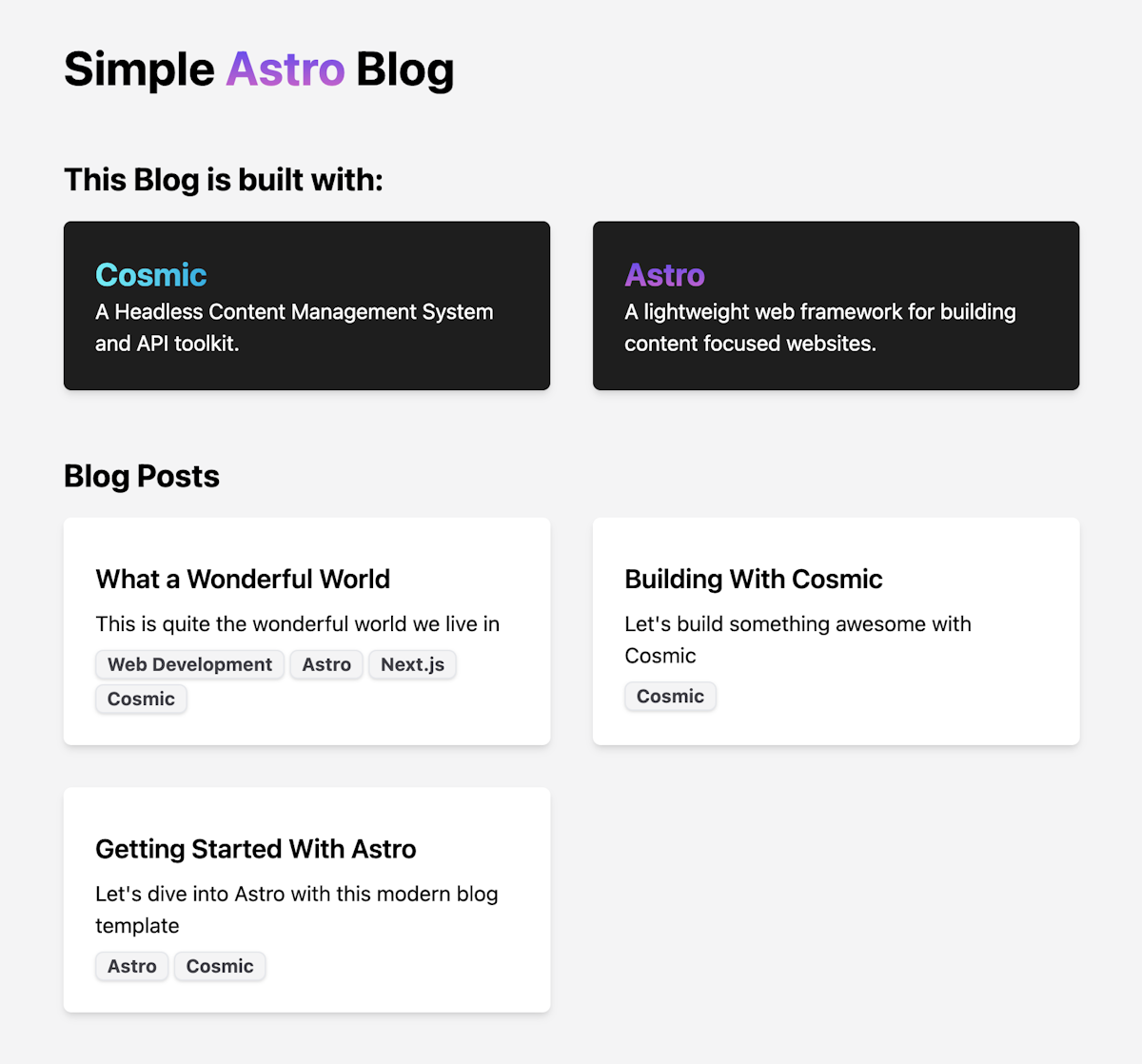
## Screenshots

## Getting started
### Environment Variables
You'll need to create an .env file in the root of the project. Log in to Cosmic and from Bucket Settings > API Access take the following values:
```
//.env
PUBLIC_COSMIC_BUCKET_SLUG=your_cosmic_slug
PUBLIC_COSMIC_READ_KEY=your_cosmic_read_key
```
Install the dependencies with
```
pnpm install
# or
yarn install
# or
npm install
```
Then run the development server:
```
pnpm run dev
# or
yarn dev
# or
npm run dev
```
Open [http://localhost:3000](http://localhost:3000/) with your browser to see the result.
You can start editing the page by modifying `src/pages/index.astro`. The page auto-updates as you edit the file.
## Deploy on Vercel
Use the following button to deploy to Vercel. You will need to add API accesss keys as environment variables. Find these in Bucket Settings > API Access.

Check out our [Next.js deployment documentation](https://nextjs.org/docs/deployment) for more details.
Your feedback and contributions are welcome!