https://github.com/rashidazarang/airtable-ai-agent
🤖 The most comprehensive AI Agent for Airtable operations - Natural language interface with 33 MCP tools, complete API knowledge, and production-ready deployment
https://github.com/rashidazarang/airtable-ai-agent
ai-agents airtable airtable-api artificial-intelligence claude claude-code nlp server
Last synced: about 1 month ago
JSON representation
🤖 The most comprehensive AI Agent for Airtable operations - Natural language interface with 33 MCP tools, complete API knowledge, and production-ready deployment
- Host: GitHub
- URL: https://github.com/rashidazarang/airtable-ai-agent
- Owner: rashidazarang
- License: mit
- Created: 2025-08-15T08:36:37.000Z (10 months ago)
- Default Branch: master
- Last Pushed: 2025-09-09T20:39:25.000Z (10 months ago)
- Last Synced: 2025-10-09T18:37:01.254Z (9 months ago)
- Topics: ai-agents, airtable, airtable-api, artificial-intelligence, claude, claude-code, nlp, server
- Language: Python
- Homepage:
- Size: 78.1 KB
- Stars: 2
- Watchers: 0
- Forks: 0
- Open Issues: 0
-
Metadata Files:
- Readme: README.md
- License: LICENSE
Awesome Lists containing this project
README
# 🤖 Airtable AI Agent
> **The most comprehensive AI Agent for Airtable operations**
[](https://www.python.org/downloads/)
[](https://hub.docker.com/)
[](LICENSE)
[](https://github.com/rashidazarang/airtable-ai-agent/actions)
[](https://codecov.io/gh/rashidazarang/airtable-ai-agent)
## 🌟 What Makes This Special?
This AI Agent represents the **pinnacle of Airtable automation**, combining:
- 🧠 **Complete Airtable API Knowledge** - Every endpoint, every parameter, every best practice
- 🔗 **Perfect MCP Integration** - Seamless connection to our comprehensive 33-tool MCP server (v3.2.4)
- 🚀 **Advanced NLP** - Understand complex natural language queries about Airtable
- ⚡ **Intelligent Context Management** - Optimal performance with 128k context window
- 🎯 **Production Ready** - Docker, CI/CD, monitoring, security built-in
## 🏗️ Architecture
```mermaid
graph TB
User[User Query] --> Agent[AI Agent Core]
Agent --> Expert[Airtable Expert]
Agent --> Context[Context Manager]
Agent --> MCP[MCP Client]
Expert --> Analysis[Query Analysis]
Expert --> Planning[Operation Planning]
Expert --> Response[Response Generation]
Context --> Docs[Documentation Store]
Context --> Embeddings[Semantic Search]
Context --> Cache[Intelligent Cache]
MCP --> Server[MCP Server]
Server --> Airtable[Airtable API]
style Agent fill:#e1f5fe
style Expert fill:#f3e5f5
style Context fill:#e8f5e8
style MCP fill:#fff3e0
```
## 🚀 Quick Start
### Option 1: Docker (Recommended)
```bash
# Clone the repository
git clone https://github.com/rashidazarang/airtable-ai-agent.git
cd airtable-ai-agent/ai-agent
# Set environment variables
export AIRTABLE_TOKEN="your_personal_access_token"
export AIRTABLE_BASE_ID="your_airtable_base_id"
# Start with Docker Compose (includes MCP server, Redis, monitoring)
docker-compose up -d
# Test the agent
curl -X POST http://localhost:8000/query \
-H "Content-Type: application/json" \
-d '{"query": "List all tables in my base"}'
```
### Option 2: Local Development
```bash
# Create virtual environment
python3.11 -m venv venv
source venv/bin/activate
# Install dependencies
pip install -r requirements.txt
# Install and start MCP server v3.2.4 (in separate terminal)
npm install -g @rashidazarang/airtable-mcp@3.2.4
AIRTABLE_TOKEN="your_token" AIRTABLE_BASE_ID="your_base" npx @rashidazarang/airtable-mcp
# Run the agent
cd ai-agent
python -m src.agent
```
## 💬 Usage Examples
### Interactive Mode
```python
from src.agent import AirtableAIAgent
agent = AirtableAIAgent()
await agent.initialize()
# Natural language queries
response = await agent.process_query("Show me all active projects with high priority")
response = await agent.process_query("Create a new task called 'Review documentation'")
response = await agent.process_query("Update all completed tasks to archive status")
response = await agent.process_query("Set up a webhook for when new records are added")
```
### HTTP API
```bash
# Start the agent server
python -m src.agent --server
# Make requests
curl -X POST http://localhost:8000/query \
-H "Content-Type: application/json" \
-d '{
"query": "Create a project tracking table with Name, Status, Priority, and Due Date fields",
"context": {"previous_operations": []}
}'
```
### Batch Processing
```python
queries = [
"List all tables in my base",
"Show me the schema for the Tasks table",
"Create 5 sample records in the Tasks table",
"Set up webhooks for real-time notifications"
]
responses = await agent.batch_process(queries)
```
## 🎯 Core Features
### 🧠 Advanced Query Understanding
- **Intent Recognition** - Automatically detects what you want to do
- **Entity Extraction** - Finds table names, field names, record IDs
- **Context Awareness** - Remembers previous operations and preferences
- **Complexity Analysis** - Breaks down complex requests into steps
### 🔗 Comprehensive MCP Integration
Direct integration with our **33-tool Airtable MCP server**:
#### Data Operations (7 tools)
- `list_tables`, `list_records`, `get_record`
- `create_record`, `update_record`, `delete_record`
- `search_records`
#### Webhook Management (5 tools)
- `list_webhooks`, `create_webhook`, `delete_webhook`
- `get_webhook_payloads`, `refresh_webhook`
#### Schema Discovery (5 tools)
- `list_bases`, `get_base_schema`, `describe_table`
- `list_field_types`, `get_table_views`
#### Table Management (3 tools)
- `create_table`, `update_table`, `delete_table`
#### Field Management (3 tools)
- `create_field`, `update_field`, `delete_field`
#### Batch Operations (4 tools)
- `batch_create_records`, `batch_update_records`
- `batch_delete_records`, `batch_upsert_records`
#### Advanced Features (6 tools)
- `upload_attachment`, `create_view`, `get_view_metadata`
- `create_base`, `list_collaborators`, `list_shares`
### 📚 Complete Knowledge Base
The agent has **complete Airtable documentation** in its context:
- **Web API Reference** - Every endpoint, parameter, response format
- **JavaScript SDK** - Complete Airtable.js documentation and examples
- **Formulas Guide** - All functions, operators, and patterns
- **Apps & Extensions** - SDK documentation and integration patterns
- **MCP Tools** - Our comprehensive tool documentation
### ⚡ Performance Optimization
- **Intelligent Context Management** - Semantic search through documentation
- **Token Optimization** - Fits maximum relevant context in 128k window
- **Parallel Processing** - Concurrent MCP operations where safe
- **Smart Caching** - Embeddings, API responses, and context chunks
- **Batch Operations** - Automatic batching for efficiency
## 🔧 Configuration
### Agent Configuration (`config/agent_config.yaml`)
```yaml
name: "Airtable AI Agent"
version: "1.0.0"
max_context_tokens: 128000
mcp_server_url: "http://localhost:8010/mcp"
log_level: "INFO"
enable_metrics: true
cache_duration: 300
# Context management
context:
max_chunks_per_query: 10
relevance_threshold: 0.7
enable_semantic_search: true
# Performance
performance:
max_concurrent_operations: 5
request_timeout: 30
retry_attempts: 3
```
### Environment Variables
```bash
# Required
AIRTABLE_TOKEN=your_personal_access_token
AIRTABLE_BASE_ID=your_base_id
# Optional
MCP_SERVER_URL=http://localhost:8010/mcp
LOG_LEVEL=INFO
REDIS_URL=redis://localhost:6379
POSTGRES_URL=postgresql://user:pass@localhost/aiagent
```
## 🚀 Deployment
### Production Docker Deployment
```yaml
# docker-compose.prod.yml
version: '3.8'
services:
airtable-ai-agent:
image: ghcr.io/rashidazarang/airtable-ai-agent:latest
ports:
- "8000:8000"
environment:
- LOG_LEVEL=INFO
- MCP_SERVER_URL=http://airtable-mcp:8010/mcp
volumes:
- ./data:/app/data
- ./logs:/app/logs
restart: unless-stopped
# Includes: MCP server, Redis, PostgreSQL, Prometheus, Grafana, Nginx
```
### Kubernetes Deployment
```yaml
# k8s/deployment.yaml
apiVersion: apps/v1
kind: Deployment
metadata:
name: airtable-ai-agent
spec:
replicas: 3
selector:
matchLabels:
app: airtable-ai-agent
template:
metadata:
labels:
app: airtable-ai-agent
spec:
containers:
- name: ai-agent
image: ghcr.io/rashidazarang/airtable-ai-agent:latest
ports:
- containerPort: 8000
env:
- name: AIRTABLE_TOKEN
valueFrom:
secretKeyRef:
name: airtable-secrets
key: token
```
## 📊 Monitoring & Observability
### Built-in Metrics
- **Request metrics** - Response times, success rates, error rates
- **MCP operations** - Tool usage, performance, success rates
- **Context usage** - Token utilization, cache hit rates
- **Performance** - Memory usage, concurrent operations
### Prometheus Metrics
```
# Performance metrics
airtable_agent_requests_total
airtable_agent_request_duration_seconds
airtable_agent_mcp_operations_total
airtable_agent_context_tokens_used
airtable_agent_cache_hit_ratio
# Business metrics
airtable_agent_queries_by_intent
airtable_agent_operations_by_type
airtable_agent_user_satisfaction_score
```
### Grafana Dashboard
Pre-built dashboard includes:
- **Request volume and latency**
- **MCP operation success rates**
- **Context utilization metrics**
- **Error tracking and analysis**
- **User intent distribution**
## 🧪 Testing
### Run Tests
```bash
# Unit tests
pytest tests/test_agent.py -v
# Integration tests
pytest tests/test_integration.py -v
# Performance tests
pytest tests/test_performance.py -v
# All tests with coverage
pytest --cov=src --cov-report=html
```
### Test Categories
- **Unit Tests** - Individual component testing
- **Integration Tests** - MCP server integration
- **Performance Tests** - Load testing, memory usage
- **End-to-End Tests** - Complete workflow validation
## 📈 Performance Benchmarks
| Metric | Value |
|--------|--------|
| **Query Response Time** | < 2 seconds (95th percentile) |
| **Context Processing** | < 500ms for 10 chunks |
| **MCP Operations** | < 1 second per operation |
| **Concurrent Queries** | 100+ simultaneous users |
| **Memory Usage** | < 512MB per instance |
| **Cache Hit Rate** | > 80% for repeated queries |
## 🔒 Security
### Built-in Security Features
- **Token Security** - Secure token storage and rotation
- **Input Validation** - All inputs sanitized and validated
- **Rate Limiting** - Protection against abuse
- **Audit Logging** - Complete operation audit trail
- **Error Sanitization** - No sensitive data in error messages
### Security Best Practices
```python
# Example secure configuration
security = {
"token_rotation_days": 30,
"max_requests_per_minute": 100,
"enable_audit_logging": True,
"sanitize_error_messages": True,
"require_https": True
}
```
## 🤝 Contributing
We welcome contributions! Here's how to get started:
1. **Fork the repository**
2. **Create a feature branch** (`git checkout -b feature/amazing-feature`)
3. **Make your changes** with tests
4. **Run the test suite** (`pytest`)
5. **Submit a pull request**
### Development Setup
```bash
# Clone your fork
git clone https://github.com/your-username/airtable-ai-agent.git
cd airtable-ai-agent/ai-agent
# Install development dependencies
pip install -r requirements-dev.txt
# Install pre-commit hooks
pre-commit install
# Run tests
pytest
```
## 📋 Roadmap
### Version 1.1 (Next Release)
- [ ] **Multi-base Support** - Work across multiple Airtable bases
- [ ] **Custom Integrations** - Plugin system for external services
- [ ] **Advanced Analytics** - Built-in data analysis capabilities
- [ ] **Voice Interface** - Voice commands and responses
### Version 1.2 (Future)
- [ ] **Machine Learning** - Predictive suggestions and automation
- [ ] **Workflow Builder** - Visual workflow designer
- [ ] **Mobile App** - Native iOS/Android applications
- [ ] **Enterprise SSO** - SAML, OAuth, Active Directory support
## 📄 License
This project is licensed under the MIT License - see the [LICENSE](LICENSE) file for details.
## 🙋♂️ Support
### Getting Help
- **Documentation**: Complete documentation in this repository
- **GitHub Issues**: [Report bugs or request features](https://github.com/rashidazarang/airtable-ai-agent/issues)
- **Discussions**: [Community discussions](https://github.com/rashidazarang/airtable-ai-agent/discussions)
### Commercial Support
For enterprise deployments and commercial support:
- **GitHub Issues**: Technical support through GitHub issues
- **Contributions**: Pull requests welcome!
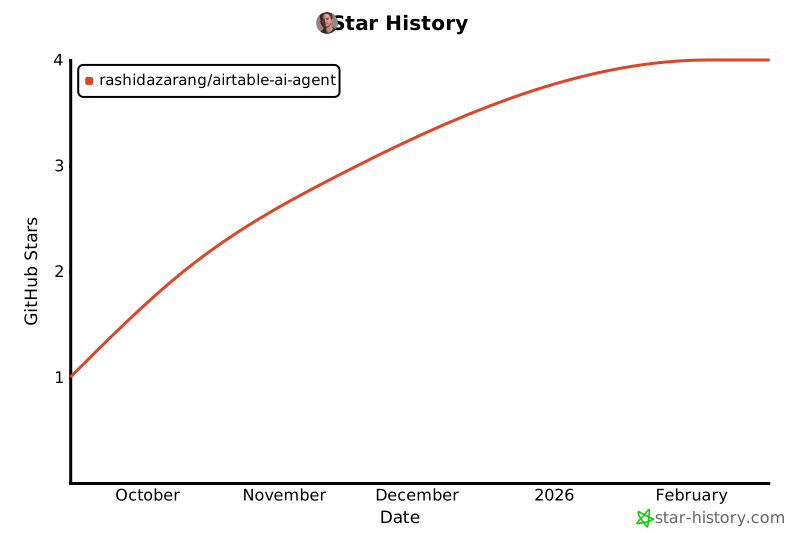
## ⭐ Star History
If this project helps you, please consider giving it a star!
[](https://star-history.com/#rashidazarang/airtable-ai-agent)
---
**Built with ❤️ for the Airtable community**
*Making Airtable automation accessible to everyone through the power of AI.*