https://github.com/ravikovind/adaptive_screen_utils
Flutter Package for creating adaptive UIs for different screen sizes.
https://github.com/ravikovind/adaptive_screen_utils
adaptive adaptive-layouts adaptive-screen-utils flutter flutter-package flutter-ui responsive ui
Last synced: 4 months ago
JSON representation
Flutter Package for creating adaptive UIs for different screen sizes.
- Host: GitHub
- URL: https://github.com/ravikovind/adaptive_screen_utils
- Owner: ravikovind
- License: mit
- Created: 2024-02-10T14:08:50.000Z (over 2 years ago)
- Default Branch: main
- Last Pushed: 2025-02-15T07:32:47.000Z (over 1 year ago)
- Last Synced: 2025-04-22T19:57:12.878Z (about 1 year ago)
- Topics: adaptive, adaptive-layouts, adaptive-screen-utils, flutter, flutter-package, flutter-ui, responsive, ui
- Language: C++
- Homepage: https://pub.dev/packages/adaptive_screen_utils
- Size: 286 KB
- Stars: 2
- Watchers: 1
- Forks: 0
- Open Issues: 0
-
Metadata Files:
- Readme: README.md
- Changelog: CHANGELOG.md
- License: LICENSE
Awesome Lists containing this project
README
# adaptive_screen_utils
[](https://pub.dartlang.org/packages/adaptive_screen_utils)
[](https://pub.dartlang.org/packages/adaptive_screen_utils/score)
[](https://opensource.org/licenses/MIT)
[](https://pub.dartlang.org/packages/adaptive_screen_utils)





A Flutter package to provide Adaptive Screen Utils for creating responsive UI for different screen sizes. Make your UI look great on any device. Easy to manage different screen sizes.
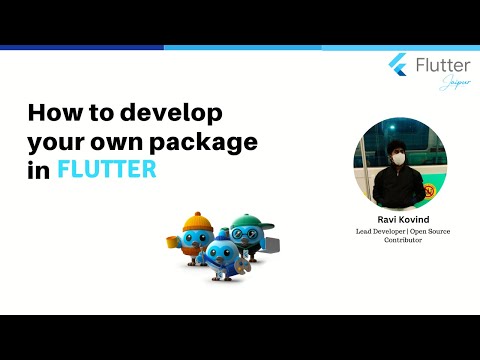
This package is created for educational purposes in Flutter Jaipur Meetup: [ Make your own package publish on pub.dev](https://www.meetup.com/flutterjaipur/events/299009464/).
You can use it in production as well. It is a simple package that provides a few methods to check the screen size and create a responsive UI based on the screen width, height, and orientation.
### Flutter Jaipur Social Handles
[](https://www.linkedin.com/company/flutter-jaipur)
[](https://twitter.com/Flutter_Jaipur)
[](https://www.meetup.com/meetup-group-flutterjaipur/)
[](https://www.youtube.com/@FlutterJaipur)
## Usage
To use this package, add `adaptive_screen_utils` as a [dependency in your pubspec.yaml file](https://flutter.io/platform-plugins/).
```yaml
dependencies:
adaptive_screen_utils: ^2.4.0
```
## Example
Import the file to your project
```dart
import 'package:adaptive_screen_utils/adaptive_screen_utils.dart';
```
```dart
class MyWidget extends StatelessWidget {
@override
Widget build(BuildContext context) {
final desktop = expanded(context);
final tablet = medium(context);
return Scaffold(
appBar: AppBar(
title: Text('Adaptive Screen Utils'),
),
body: Builder(
builder: (context) {
if (desktop) {
return Center(
child: Text(
'Desktop',
style: Theme.of(context).textTheme.headline4,
),
);
} else if (tablet) {
return Center(
child: Text(
'Tablet',
style: Theme.of(context).textTheme.headline4,
),
);
}
return Center(
child: Text(
'Mobile',
style: Theme.of(context).textTheme.headline4,
),
);
},
),
);
}
}
```
## Methods
| Method | Orientation | Height | Width | DeviceType | Result |
| ---------- | ----------- | ------ | ----- | ---------- | ------------ |
| `wearable` | Portrait | 450.0 | 450.0 | Watch | `true` |
| `wearable` | Landscape | 450.0 | 450.0 | Watch | `true` |
| `compact` | Portrait | 480.0 | 600.0 | Mobile | `true` |
| `compact` | Landscape | 600.0 | 480.0 | Mobile | `true` |
| `medium` | Portrait | 900.0 | 840.0 | Tablet | `true` |
| `medium` | Landscape | 840.0 | 900.0 | Tablet | `true` |
| `expanded` | Portrait | 960.0 | 840.0 | Desktop | `true` |
| `expanded` | Landscape | 840.0 | 960.0 | Desktop | `true` |
| `Type` | ----------- | ------ | ----- | ---------- | `DeviceType` |
## Disclaimer
The current approach to determining device types (wearable, compact, medium, and expanded) based on width, height, and orientation is a simple approach. It may not be accurate for all devices.
[https://developer.android.com/develop/ui/views/layout/window-size-classes](https://developer.android.com/develop/ui/views/layout/window-size-classes) is a good reference for understanding the concept of screen size classes. this package is inspired by the above link & check wearables, compact, medium, and expanded based on width, height, and orientation.
## Issues & Feedback
If you wish to contribute to this repo, welcome to [Pull Requests](https://github.com/ravikovind/adaptive_screen_utils/pulls).
Star ⭐ the repo if you find it useful 🤩🤩. we are open to `enhancements`, `bug-fixes` & `suggestions`. feel free to open an [issue](https://github.com/ravikovind/adaptive_screen_utils/issues).
## License
```md
MIT License
```
## Maintainers & Collaborators
### [Ravi Kovind](https://ravikovind.github.io/)
### [Flutter Jaipur](https://www.meetup.com/meetup-group-flutterjaipur/)