https://github.com/raxephion/auragen-auraflow-webui
Lightweight 6GB VRAM Gradio web app with auto-installer for running AuraFlow locally — no cloud, no clutter.
https://github.com/raxephion/auragen-auraflow-webui
ai-image-generator auraflow diffusers generative-ai gradio image-generation local-inference low-vram open-source python stable-diffusion text-to-image webui
Last synced: 11 months ago
JSON representation
Lightweight 6GB VRAM Gradio web app with auto-installer for running AuraFlow locally — no cloud, no clutter.
- Host: GitHub
- URL: https://github.com/raxephion/auragen-auraflow-webui
- Owner: Raxephion
- License: mit
- Created: 2025-05-25T17:18:18.000Z (about 1 year ago)
- Default Branch: main
- Last Pushed: 2025-06-07T14:43:40.000Z (about 1 year ago)
- Last Synced: 2025-06-17T06:01:55.037Z (12 months ago)
- Topics: ai-image-generator, auraflow, diffusers, generative-ai, gradio, image-generation, local-inference, low-vram, open-source, python, stable-diffusion, text-to-image, webui
- Language: Python
- Homepage:
- Size: 6.12 MB
- Stars: 3
- Watchers: 2
- Forks: 0
- Open Issues: 0
-
Metadata Files:
- Readme: README.md
- License: LICENSE
Awesome Lists containing this project
README
# APP STATUS: (EARLY DEVELOPMENT) APP RUNS, BUT INCREDIBLY SLOW - BUSY FIXING
# AuraGen-AuraFlow-WebUI ⚡
*A 6GB VRAM-optimized, local AuraFlow Gradio web app with automatic installer — for the rest of us.*
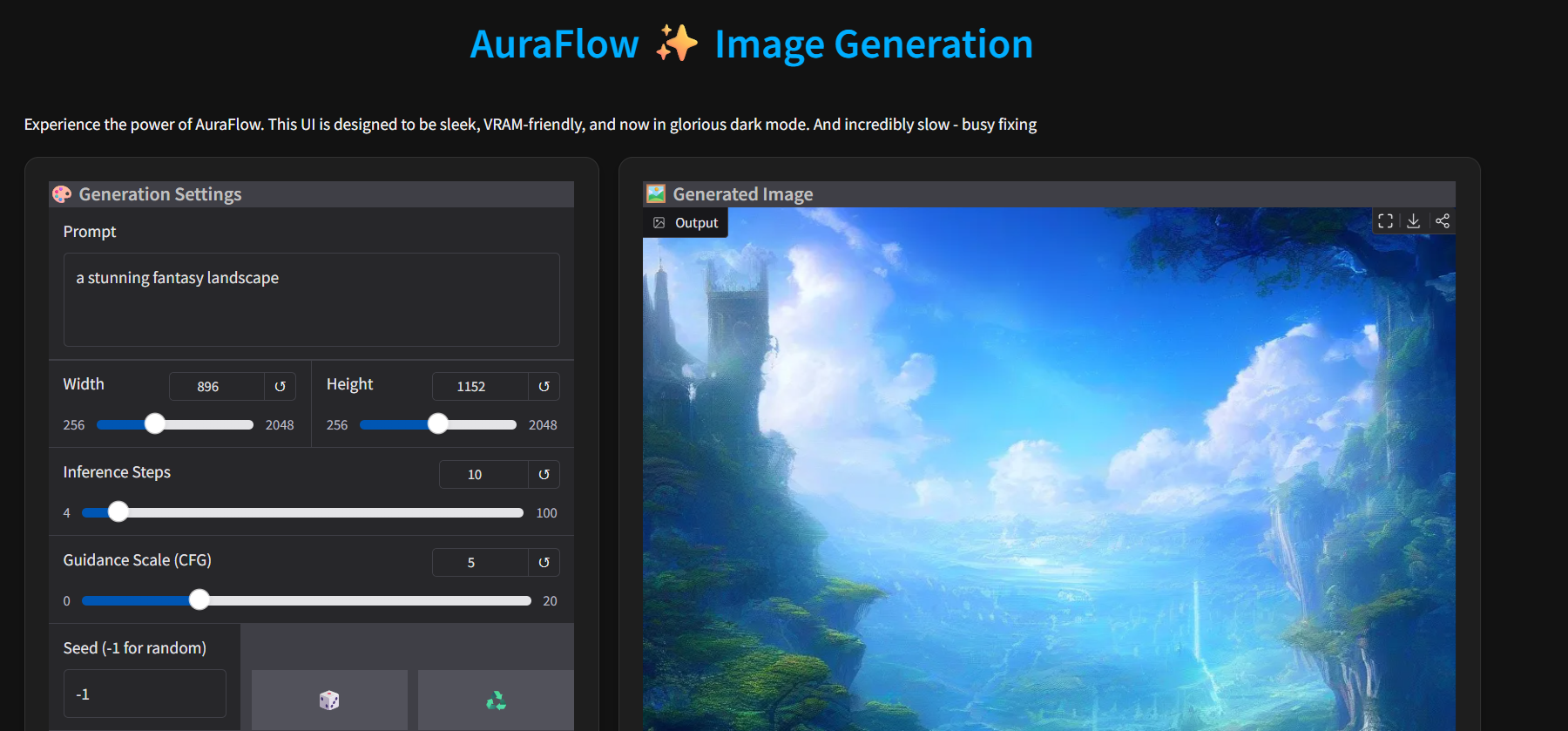
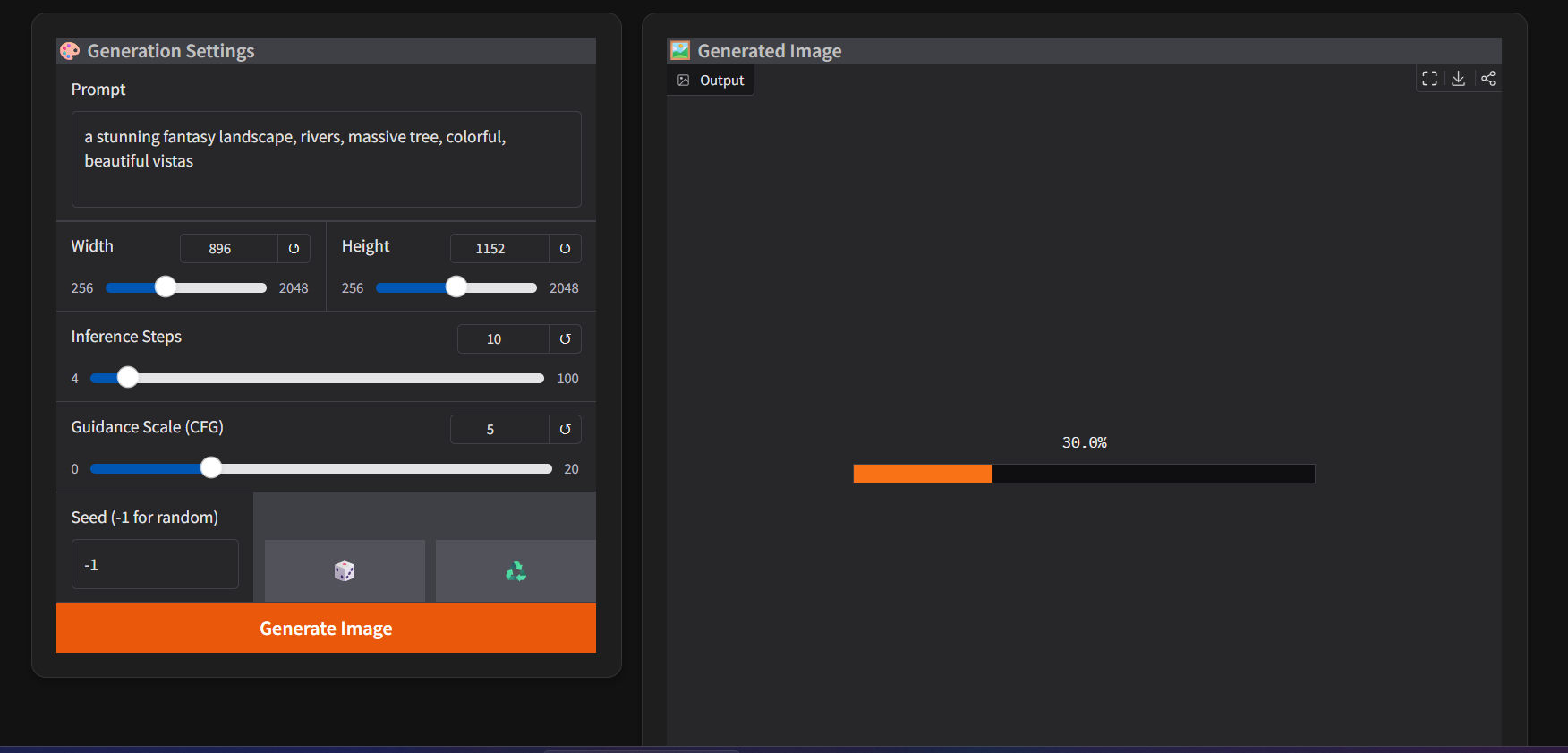
[](https://opensource.org/licenses/Apache-2.0)
Welcome to **AuraGen-AuraFlow-WebUI**, the low-VRAM, no-nonsense interface for generating images with [AuraFlow](https://huggingface.co/fal/AuraFlow-v0.3). It's for people who think *ComfyUI* is great but also mildly terrifying, and who’d rather click buttons than wrangle spaghetti.
This app runs locally, plays nice with ~6GB of VRAM, and doesn’t ask you to sign away your data to the cloud gods. You're welcome.
---
## 🌀 What Is This?
**AuraGen-AuraFlow-WebUI** is a lightweight, highly optimised Gradio app for running `fal/AuraFlow-v0.3` locally. It's designed for:
- **Modest hardware** (think: 6GB VRAM cards that aren't dreaming of becoming A100s).
- **Non-technical users** (no Python kung-fu or YAML deciphering required).
- **Quick setup** (with `install.bat` and `launch.bat`, no ritual sacrifices needed).
- **Offline privacy** (your cursed prompts stay on your machine).
---
## ✅ Features
- ✨ Generate images from text prompts using AuraFlow v0.3.
- 📏 Adjustable image dimensions (up to 1536x1536, if your VRAM permits).
- 🎛️ Control inference steps, guidance scale (CFG), and set seeds.
- 💾 Saves outputs to an `output` folder.
- 🎨 Clean, modern UI with sliders and buttons.
- 🧠 CPU offloading enabled via `diffusers` to make sure your GPU doesn't spontaneously combust.
---
## 🧰 Requirements
### Hardware:
- **NVIDIA GPU** with **~6GB VRAM** or more recommended.
- Will fall back to CPU mode if CUDA is unavailable (but expect glacial speeds). Do not try
- AMD GPUs are not officially supported (yet), but ROCm support is evolving.
### Software:
- **Windows** (currently tested), though Linux/Mac users can adapt the scripts.
- **Python 3.9+**
- **Git** (optional, but convenient)
---
## ⚙️ Installation & Setup (The Lazy-Friendly Way™)
Skip the manual venv setup — I've scripted the whole ordeal:
1. **Clone or download the repo**:
-Extract to a desired location
or
```bash
git clone https://github.com/Raxephion/AuraGen-AuraFlow-WebUI.git
cd AuraGen-AuraFlow-WebUI
```
3. **Run the installer script** (Windows):
- Double-click the install.bat file inside the extracted folder
or
```bash
install.bat
```
This:
- Creates a virtual environment
- Installs all dependencies
- Preps the app for launch
5. **Launch the app**:
- Double-click on launch.bat
or
```bash
launch.bat
```
7. First-time run? Grab a drink — the model (10–15GB) will download via `diffusers`. After that, it's cached.
---
## 🖼️ Using the App
Once launched, open the Gradio URL in your browser (e.g., `http://127.0.0.1:7860`) and:
- Type a prompt
- Adjust image size, steps, CFG, etc.
- Click **Generate**
- Admire or delete your creation
Images will be saved to the `output` folder, in case you accidentally make something good.
---
## 🧠 About AuraFlow
Powered by [`fal/AuraFlow-v0.3`](https://huggingface.co/fal/AuraFlow-v0.3), a state-of-the-art, open-source text-to-image model.
> "Fine-tuned on more aesthetic data. Now supports wider aspect ratios. SOTA results on GenEval. Fancy stuff." – *fal.ai*
Huge respect to @cloneofsimo, @isidentical, and the folks behind the scenes.
---
## 🛠 Troubleshooting
- **Out of Memory (OOM)?**
- Lower the resolution
- Reduce steps
- Close Chrome tabs full of cat videos
- **Stuck downloading?**
- Check your internet connection. Maybe even say something nice to it. Sacrifice a goat? Nah, just kidding, but check that connection
- **Gradio crashing or tooltip errors?**
- You’re probably on an older/newer version. I stripped tooltips for max compatibility. I may bring them back once I've recovered from this
- **Protobuf errors?**
- Make sure you ran `install.bat` in a clean environment. Reinstall dependencies if needed.
---
## 🔄 Switching Models
Want to use a different AuraFlow-based model (e.g. a finetuned fork)?
1. Open `app.py`
2. Change the `MODEL_NAME` at the top to your preferred Hugging Face repo
3. Make sure it's compatible with `AuraFlowPipeline`
---
## 📎 Disclaimer
- This tool is provided as-is. No warranties, no unicorns.
- AuraFlow is powerful. Use it ethically and responsibly.
- Results may vary depending on your prompt, GPU, or cosmic alignment.
---
## License
This project is licensed under the [MIT License](./LICENSE).
It uses the [AuraFlow model](https://huggingface.co/fal/AuraFlow-v0.3), which is licensed under the [Apache 2.0 License](https://www.apache.org/licenses/LICENSE-2.0). All rights and credit for AuraFlow go to its authors at [fal.ai](https://fal.ai/).
---
Happy generating, and may your VRAM survive the journey.
— *The CipherCore-AuraFlow-webUI Dev Team (There is an I in team after all! - Raxephion)*