https://github.com/raxjs/rax-materials
iceworks Rax materials
https://github.com/raxjs/rax-materials
Last synced: about 1 year ago
JSON representation
iceworks Rax materials
- Host: GitHub
- URL: https://github.com/raxjs/rax-materials
- Owner: raxjs
- Created: 2020-06-02T03:10:20.000Z (about 6 years ago)
- Default Branch: master
- Last Pushed: 2022-01-07T06:35:26.000Z (over 4 years ago)
- Last Synced: 2025-06-29T23:36:41.010Z (about 1 year ago)
- Language: TypeScript
- Size: 265 KB
- Stars: 7
- Watchers: 10
- Forks: 1
- Open Issues: 3
-
Metadata Files:
- Readme: README.md
Awesome Lists containing this project
README
# Materials
Materials for [Rax](https://rax.js.org/) Appactions based on [Rax Components](https://rax.js.org/docs/components/about).
## Setup
### Install Iceworks
```bash
$ npm i -g iceworks
$ iceworks --help
```
### Install dependencies
```bash
$ npm install
```
## Develop
```bash
# block
$ cd blocks/ExampleBlock
$ npm install
$ npm run start
# component
$ cd blocks/ExampleBlock
$ npm install
$ npm run start
# scaffolds (Please see ejsRender.config.ts first!)
$ npm run scaffolds:watch
$ cd scaffoldsTemps/ExampleScaffold
$ npm install
$ npm run start
```
PS:
* If you want to preview scaffold project, Please see [ejsRender.config.ts](./ejsRender.config.ts) first!
* Don't run npm install in scaffolds dir, it will slow down the process speed!
### Add New Material
```bash
$ iceworks add # select block|component|scaffold
```
## Publish
### Generate Materials Data
```bash
$ iceworks generate
```
### Publish materials data
```bash
# sync to fusion material center
$ iceworks sync
```
## Usage
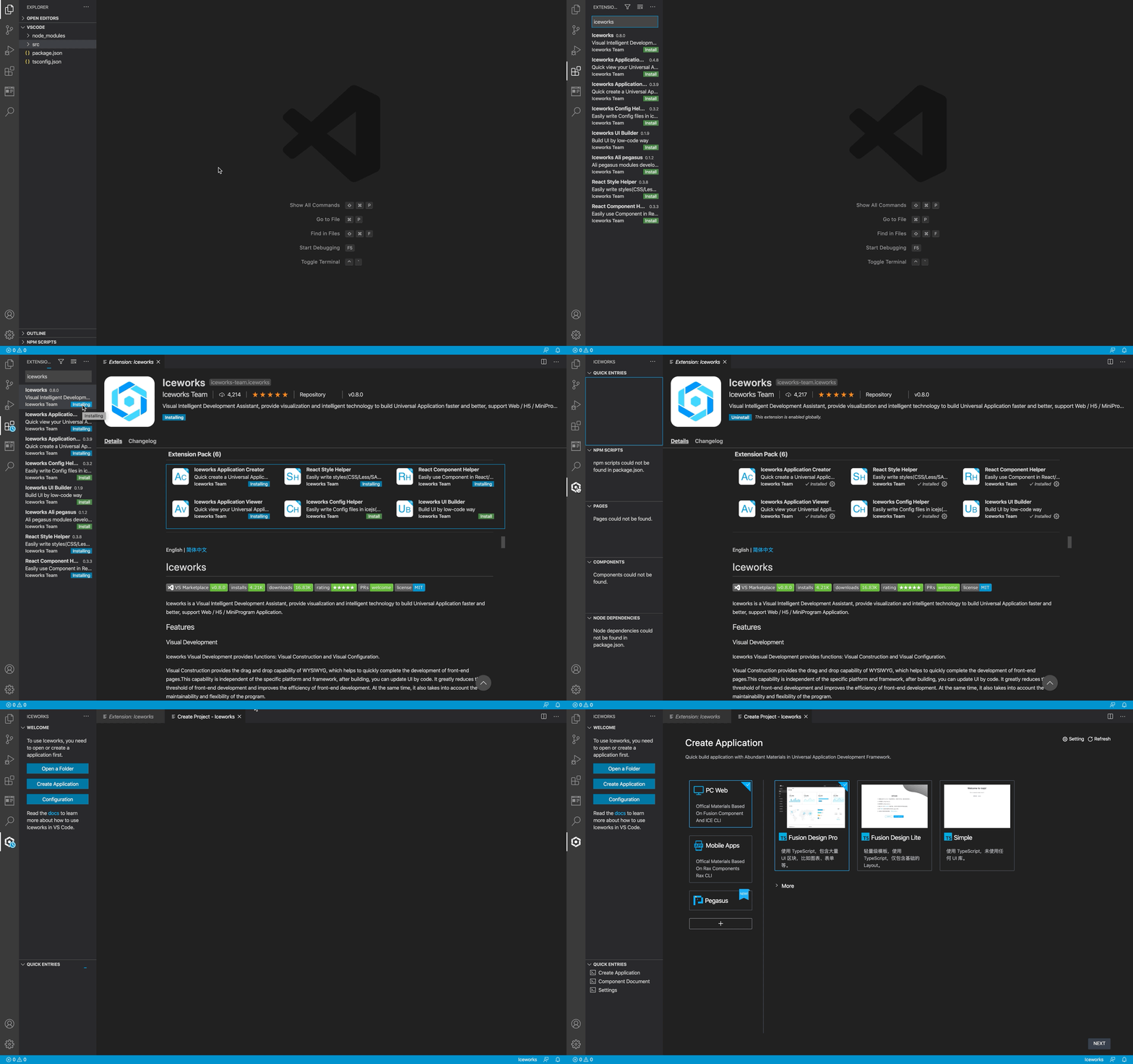
Install [Iceworks for VS Code](https://marketplace.visualstudio.com/items?itemName=iceworks-team.iceworks):
Add the materials data URL to Iceworks:
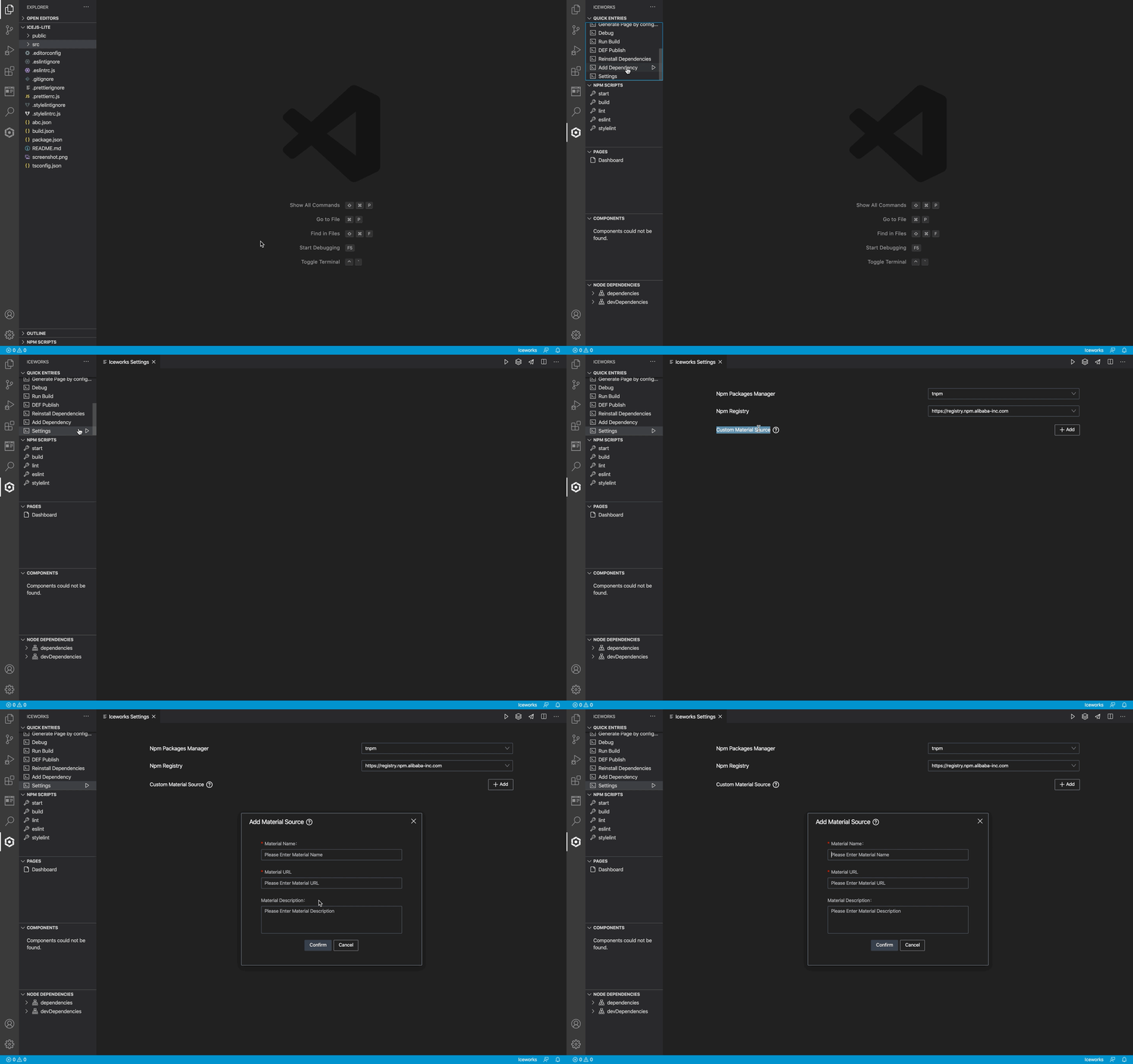
See [Custom Material](https://ice.work/docs/iceworks/guide/material) to learn more about how to use materials in Iceworks.