https://github.com/raynardj/langhuan
Light weight labeling engine
https://github.com/raynardj/langhuan
classification data-science labeling labeling-tool machine-learning named-entity-recognition ner nlp tagging-tool
Last synced: 9 months ago
JSON representation
Light weight labeling engine
- Host: GitHub
- URL: https://github.com/raynardj/langhuan
- Owner: raynardj
- Created: 2021-01-15T10:56:02.000Z (over 5 years ago)
- Default Branch: main
- Last Pushed: 2021-09-14T07:51:17.000Z (almost 5 years ago)
- Last Synced: 2024-04-23T01:01:40.455Z (about 2 years ago)
- Topics: classification, data-science, labeling, labeling-tool, machine-learning, named-entity-recognition, ner, nlp, tagging-tool
- Language: Jupyter Notebook
- Homepage:
- Size: 1.06 MB
- Stars: 12
- Watchers: 3
- Forks: 0
- Open Issues: 2
-
Metadata Files:
- Readme: README.md
Awesome Lists containing this project
README
# LangHuAn
> **Lang**uage **Hu**man **An**notations, a frontend for tagging AI project labels, drived by pandas dataframe data.
> From Chinese word **琅嬛[langhuan]** (Legendary realm where god curates books)
Here's a [5 minutes youtube video](https://www.youtube.com/watch?v=Nwh6roiX_9I) explaining how langhuan works
[](https://www.youtube.com/watch?v=Nwh6roiX_9I)
## Installation
```shell
pip install langhuan
```
## Minimun configuration walk through
> langhuan start a flask application from **pandas dataframe** 🐼 !
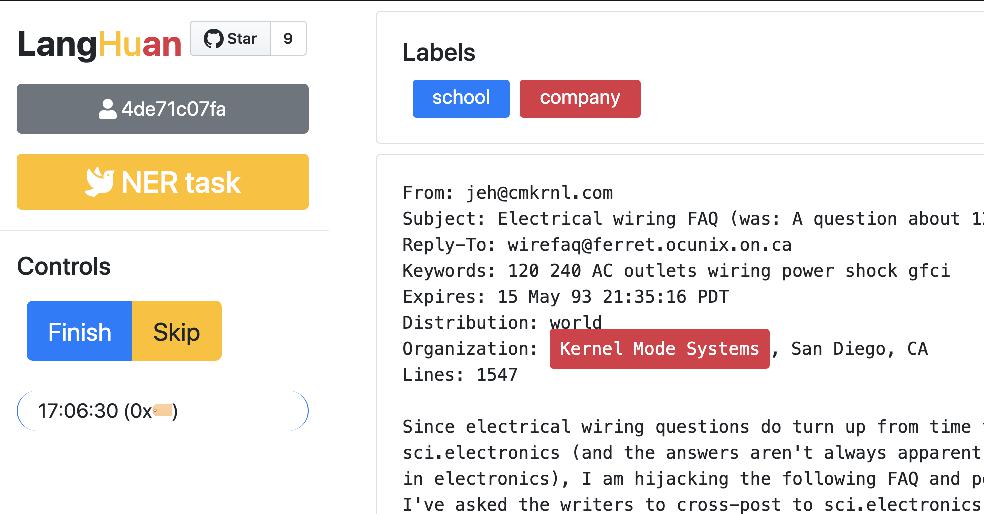
### Simplest configuration for **NER** task 🚀
```python
from langhuan import NERTask
app = NERTask.from_df(
df, text_col="description",
options=["institution", "company", "name"])
app.run("0.0.0.0", port=5000)
```
### Simplest configuration for **Classify** task 🚀
```python
from langhuan import ClassifyTask
app = ClassifyTask.from_df(
df, text_col="comment",
options=["positive", "negative", "unbiased", "not sure"])
app.run("0.0.0.0", port=5000)
```
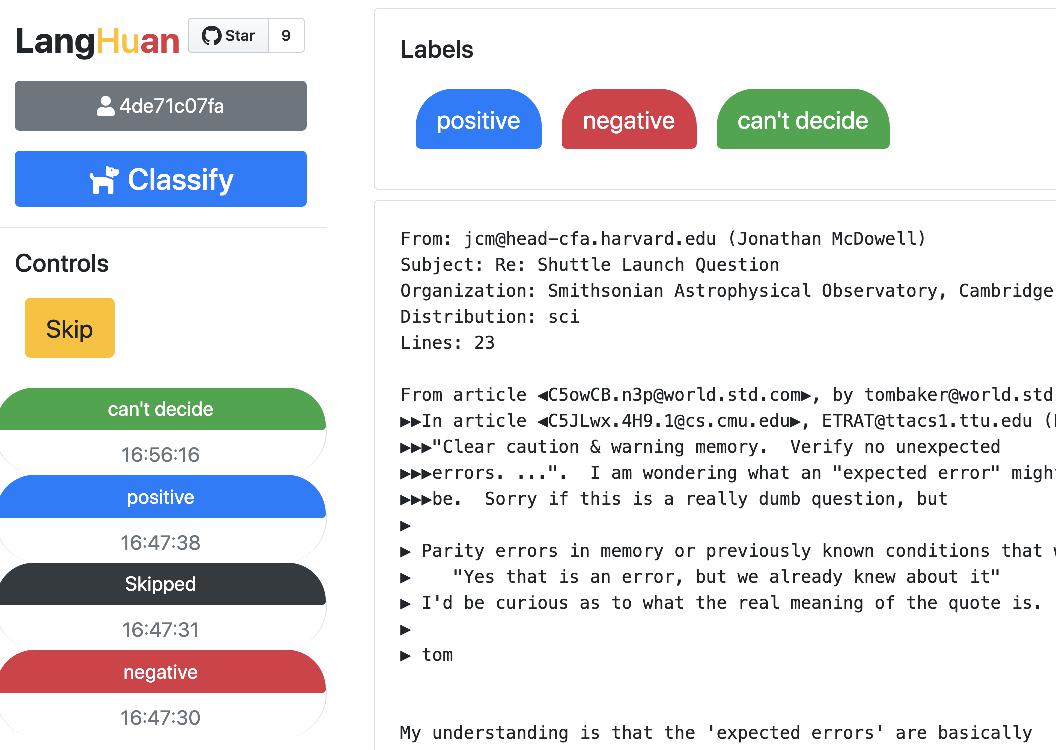
## Frontend
> You can visit following pages for this app.
### Tagging
```http://[ip]:[port]/``` is for our hard working taggers to visit.
### Admin
```http://[ip]:[port]/admin``` is a page where you can 👮🏽♂️:
* See the progress of each user.
* Force save the progress, (or it will only save according to ```save_frequency```, default 42 entries)
* Download the tagged entries
## Advanced settings
#### Validation
You can set minimun verification number: ```cross_verify_num```, aka, how each entry will be validated, default is 1
If you set ```cross_verify_num``` to 2, and you have 5 taggers, each entry will be seen by 2 taggers
```python
app = ClassifyTask.from_df(
df, text_col="comment",
options=["positive", "negative", "unbiased", "not sure"],
cross_verify_num=2,)
```
#### Preset the tagging
You can set a column in dataframe, eg. called ```guessed_tags```, to preset the tagging result.
Each cell can contain the format of tagging result, eg.
```json
{"tags":[
{"text": "Genomicare Bio Tech", "offset":32, "label":"company"},
{"text": "East China University of Politic Science & Law", "offset":96, "label":"company"},
]}
```
Then you can run the app with preset tag column
```python
app = NERTask.from_df(
df, text_col="description",
options=["institution", "company", "name"],
preset_tag_col="guessed_tags")
app.run("0.0.0.0", port=5000)
```
#### Order strategy
The order of which text got tagged first is according to order_strategy.
Default is set to ```"forward_match"```, you can try ```pincer``` or ```trident```
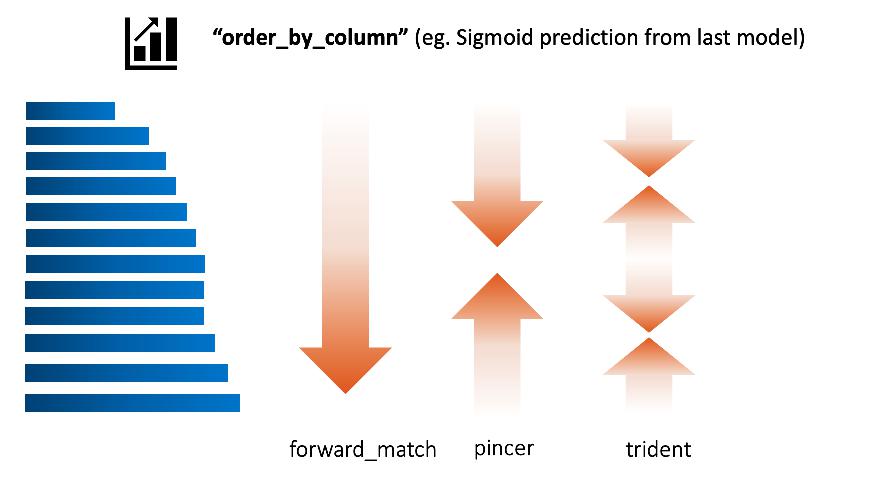
Assume the order_by_column is set to the prediction of last batch of deep learning model:
- trident means the taggers tag the most confident positive, most confident negative, most unsure ones first.
#### Load History
If your service stopped, you can recover the progress from cache.
Previous cache will be at ```$HOME/.cache/langhuan/{task_name}```
You can change the save_frequency to suit your task, default is 42 entries.
```python
app = NERTask.from_df(
df, text_col="description",
options=["institution", "company", "name"],
save_frequency=128,
load_history=True,
task_name="task_NER_210123_110327"
)
```
#### Admin Control
> This application assumes internal use within organization, hence the mininum security. If you set admin_control, all the admin related page will require ```adminkey```, the key will appear in the console prompt
```python
app = NERTask.from_df(
df, text_col="description",
options=["institution", "company", "name"],
admin_control=True,
)
```
#### From downloaded data => pytorch dataset
> For downloaded NER data tags, you can create a dataloader with the json file automatically:
* [pytorch + huggingface tokenizer](https://raynardj.github.io/langhuan/docs/loader)
* tensorflow + huggingface tokenizer, development pending
#### Gunicorn support
This is a **light weight** solution. When move things to gunicorn, multithreads is acceptable, but multiworkers will cause chaos.
```shell
gunicorn --workers=1 --threads=5 app:app
```
## Compatibility 💍
Well, this library hasn't been tested vigorously against many browsers with many versions, so far
* compatible with chrome, firefox, safari if version not too old.