https://github.com/razorrun/react-native-floating-labels-smartlife
React native floating labels with material outlook
https://github.com/razorrun/react-native-floating-labels-smartlife
android floating-action-button floating-labels ios matieral-design react-native
Last synced: 3 months ago
JSON representation
React native floating labels with material outlook
- Host: GitHub
- URL: https://github.com/razorrun/react-native-floating-labels-smartlife
- Owner: razorRun
- License: mit
- Created: 2020-09-21T21:09:03.000Z (almost 6 years ago)
- Default Branch: master
- Last Pushed: 2020-09-21T23:39:47.000Z (almost 6 years ago)
- Last Synced: 2025-02-12T02:46:32.869Z (over 1 year ago)
- Topics: android, floating-action-button, floating-labels, ios, matieral-design, react-native
- Language: JavaScript
- Homepage: https://roshan.digital/
- Size: 1.09 MB
- Stars: 0
- Watchers: 1
- Forks: 0
- Open Issues: 0
-
Metadata Files:
- Readme: README.md
- License: license.md
Awesome Lists containing this project
README
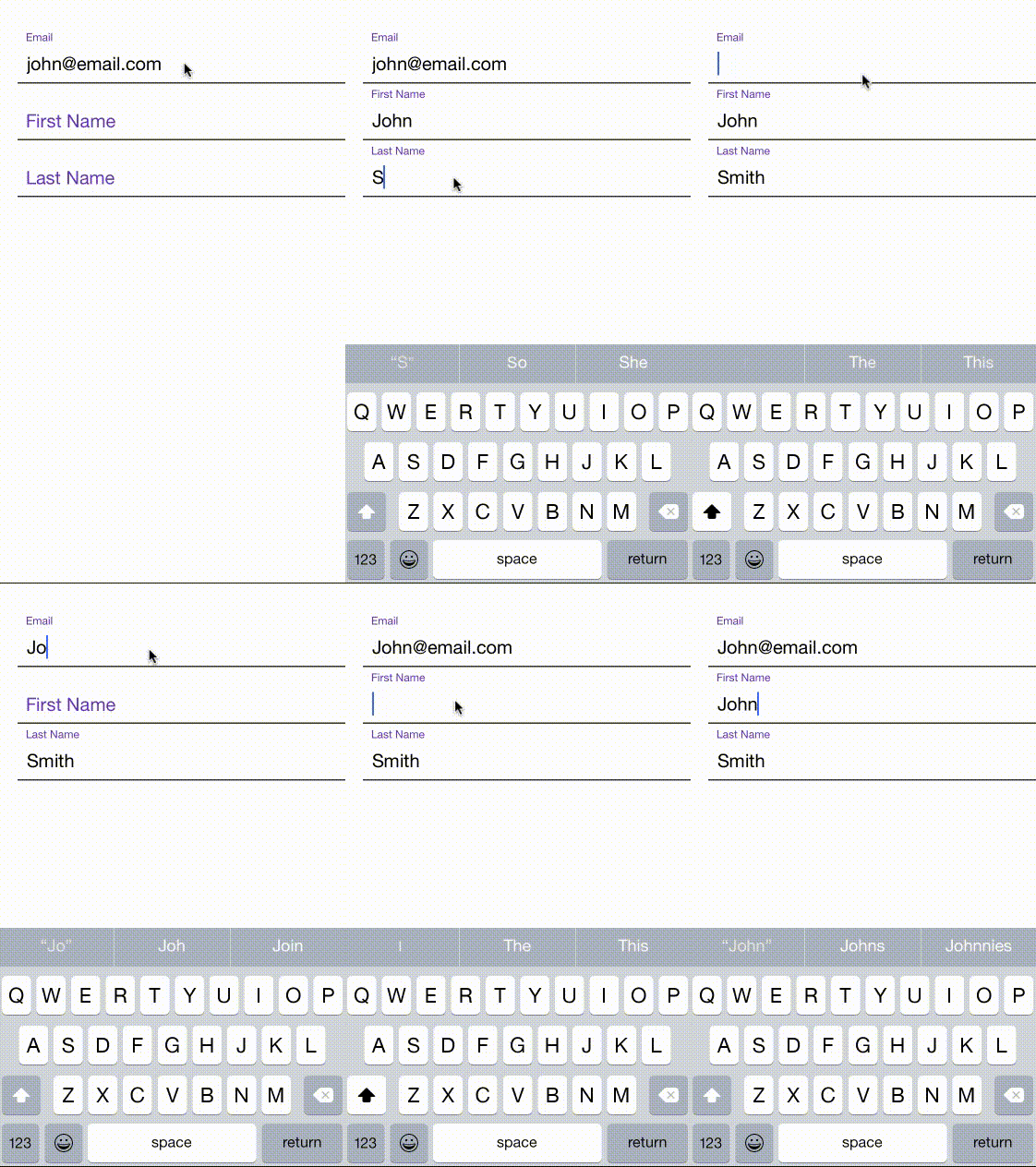
A `` component for react-native projects was initially cloned from [`react-native-floating-labels`](https://github.com/mayank-patel/react-native-floating-labels#readme) And been actively maintaining it as we wanted to avoid any future changes to original repo that effects our existing applications.
## react-native-floating-labels
## Add it to your project
1. Run `npm install react-native-floating-labels-smartlife --save`
2. `var FloatingLabel = require('react-native-floating-labels-smartlife');`
## Usage
```javascript
'use strict';
var React = require('react-native');
var FloatingLabel = require('react-native-floating-labels-smartlife');
var {
AppRegistry,
StyleSheet,
View,
} = React;
class form extends React.Component {
constructor(props, context) {
super(props, context);
this.state = {
dirty: false,
};
}
onBlur() {
console.log('#####: onBlur');
}
render() {
return (
Email
First Name
Last Name
);
}
};
var styles = StyleSheet.create({
container: {
flex: 1,
paddingTop: 65,
backgroundColor: 'white',
},
labelInput: {
color: '#673AB7',
},
formInput: {
borderBottomWidth: 1.5,
marginLeft: 20,
borderColor: '#333',
},
input: {
borderWidth: 0
}
});
AppRegistry.registerComponent('form', () => form);
```
Additional Props:
FloatingLabel is just like any TextInput. It supports the below mentioned events handlers:
```
Following properties of TextInput are supported:
- autoCapitalize
- autoCorrect
- autoFocus
- bufferDelay
- clearButtonMode
- clearTextOnFocus
- controlled
- editable
- enablesReturnKeyAutomatically
- keyboardType
- multiline
- password
- returnKeyType
- selectTextOnFocus
- selectionState
- style
- testID
- value
Following events are supported:
- onBlur
- onChange
- onChangeText
- onEndEditing
- onFocus
- onSubmitEditing
```
**MIT Licensed**
### credits
[mayank-patel](https://github.com/mayank-patel/react-native-floating-labels#readme)