https://github.com/rbanffy/selectric-mode
⌨ Make your Emacs sound like a proper typewriter.
https://github.com/rbanffy/selectric-mode
emacs-sound melpa sound typewriter
Last synced: 10 months ago
JSON representation
⌨ Make your Emacs sound like a proper typewriter.
- Host: GitHub
- URL: https://github.com/rbanffy/selectric-mode
- Owner: rbanffy
- License: lgpl-3.0
- Created: 2015-11-28T13:30:49.000Z (over 10 years ago)
- Default Branch: master
- Last Pushed: 2020-10-21T14:54:07.000Z (over 5 years ago)
- Last Synced: 2025-01-19T06:42:59.594Z (over 1 year ago)
- Topics: emacs-sound, melpa, sound, typewriter
- Language: Emacs Lisp
- Homepage:
- Size: 248 KB
- Stars: 160
- Watchers: 5
- Forks: 13
- Open Issues: 14
-
Metadata Files:
- Readme: README.md
- License: LICENSE
Awesome Lists containing this project
README
# selectric-mode


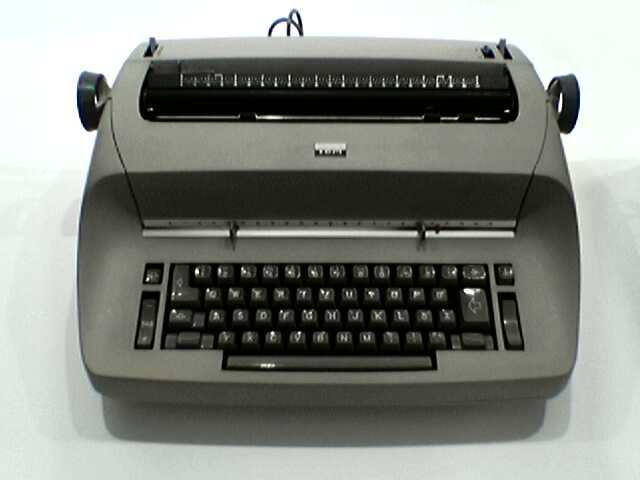
*Photo By Oliver Kurmis - Self-photographed, CC BY 2.5,
https://commons.wikimedia.org/w/index.php?curid=104015*
Make your Emacs sound like a proper typewriter. Extremely useful if you
have a puny, silent, rubberish, non-clicky keyboard.
"I noticed this in the Spacemacs config and have it set up for occasional use.
Makes writing documentation feel more important." -- mcguire on Hacker News
The sound of the typewriter moving and typing was recorded by a person
nicknamed "secretmojo" and is available on
https://www.freesound.org/people/secretmojo/sounds/224012/ and the bell
was extracted from https://freesound.org/people/knufds/sounds/345955/,
recorded by "knufds", both available under a Creative Commons
license. The sound of the margin bell, was extracted from
https://www.youtube.com/watch?v=vOIPN70f_-I by Joe Heyming.
To install it, simply add it to your load-path, require it:
```elisp
(add-to-list 'load-path "~/.emacs.d/plugins/selectric-mode")
(require 'selectric-mode)
```
And then activate/deactivate with M-x `selectric-mode`. When it's
activated, you'll hear a typing sound for confirmation. When it
deactivates, you'll hear a carriage movement sound instead.
Alternatively, you can install it from [MELPA](https://melpa.org).To
install it, type M-x package-install [ret] selectric-mode
