https://github.com/rc-chuah/hyper-v-switch
This Program Enables And Disables Hyper-V Hypervisor So You Can Use Other Virtualisation Tools Such As (VMware, VirtualBox) Simultaneously.
https://github.com/rc-chuah/hyper-v-switch
c hyper-v hypervisor virtual-machine virtualbox virtualization vm vmware windows windows-10 windows-11 wsl wsl2
Last synced: 8 months ago
JSON representation
This Program Enables And Disables Hyper-V Hypervisor So You Can Use Other Virtualisation Tools Such As (VMware, VirtualBox) Simultaneously.
- Host: GitHub
- URL: https://github.com/rc-chuah/hyper-v-switch
- Owner: rc-chuah
- License: gpl-3.0
- Created: 2021-08-20T12:12:09.000Z (almost 5 years ago)
- Default Branch: main
- Last Pushed: 2025-02-02T14:53:41.000Z (over 1 year ago)
- Last Synced: 2025-02-02T15:32:33.681Z (over 1 year ago)
- Topics: c, hyper-v, hypervisor, virtual-machine, virtualbox, virtualization, vm, vmware, windows, windows-10, windows-11, wsl, wsl2
- Language: C
- Homepage: https://rc-chuah.github.io/Hyper-V-Switch
- Size: 167 KB
- Stars: 9
- Watchers: 1
- Forks: 4
- Open Issues: 0
-
Metadata Files:
- Readme: README.md
- License: LICENSE
Awesome Lists containing this project
README
# Hyper-V-Switch
This Program Enables And Disables Hyper-V Hypervisor So You Can Use Other Virtualisation Tools Such As (VMware, VirtualBox) Simultaneously.
## Download
[](https://github.com/rc-chuah/Hyper-V-Switch/releases/latest)
[](https://github.com/RaynerSec/Hyper-V-Switch/releases/latest)
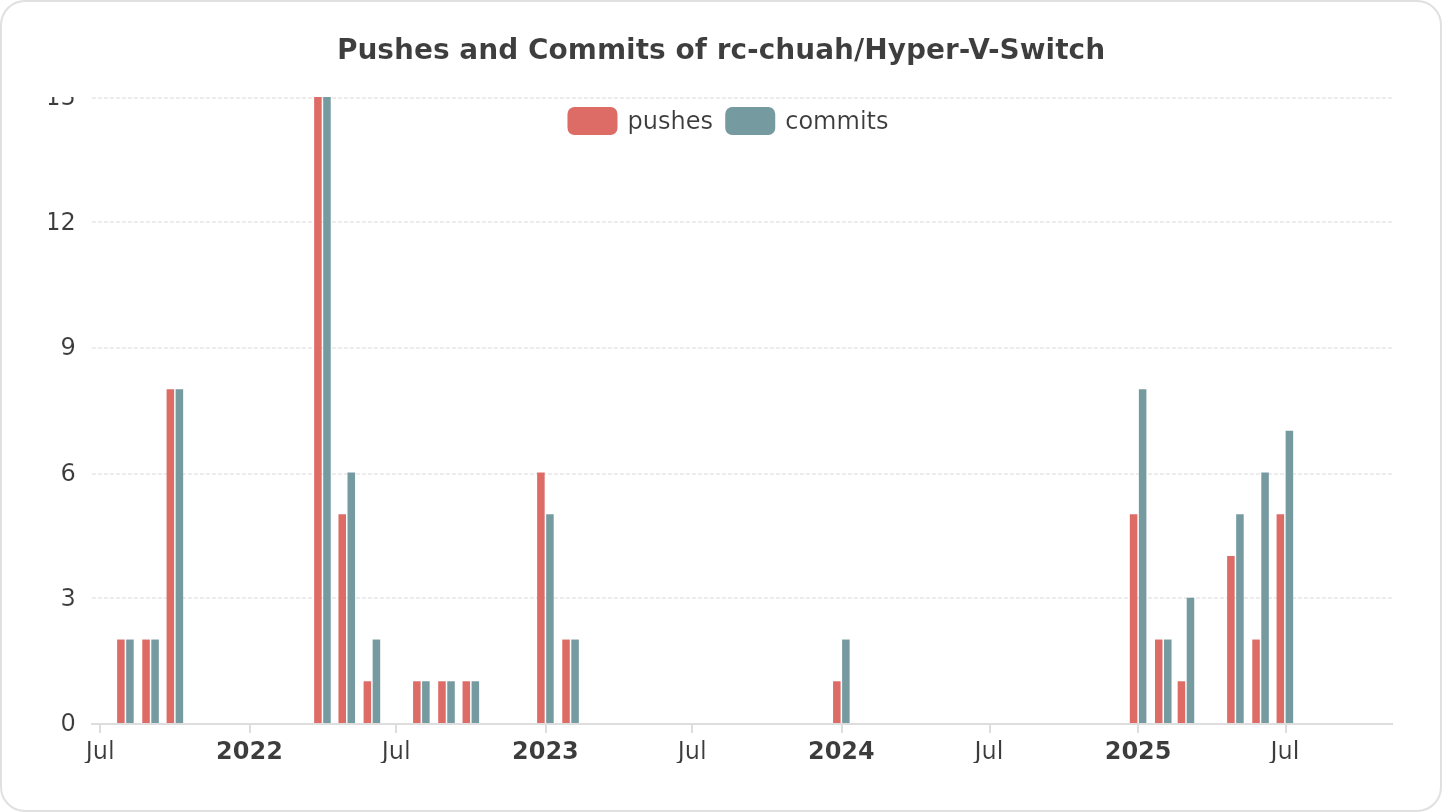
## Pushes And Commits Of Repository (Mirror 1)
## Pushes And Commits Of Repository (Mirror 2)
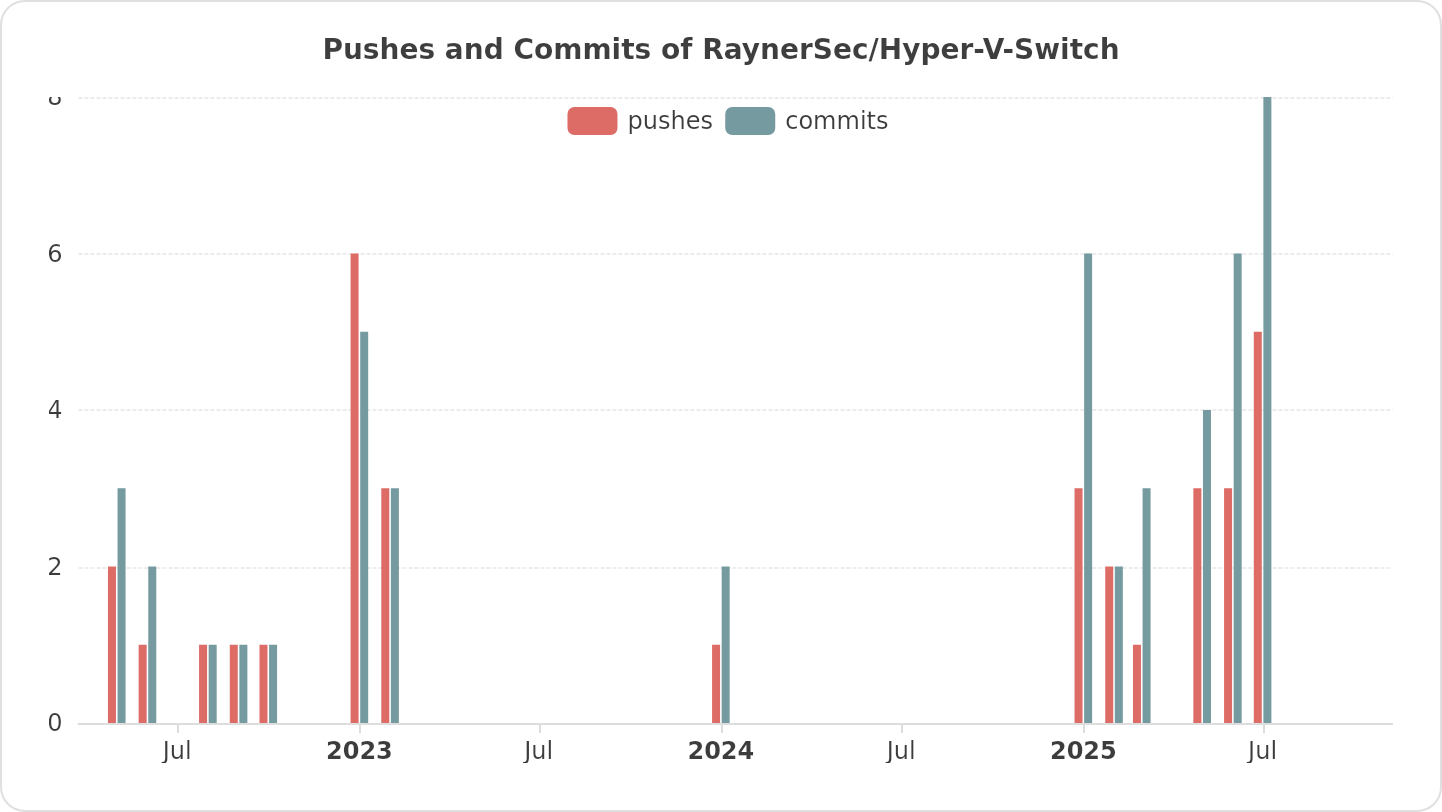
## Building
### Building Perquisites
#### Visual Studio
- Visual Studio 2022 Or Later
### Building Hyper-V-Switch
#### Get The Source Code
- Get The Source Code Either By Downloading Zip From Mirror 1 [Download Zip](https://github.com/rc-chuah/Hyper-V-Switch/archive/main.zip) Or Do `git clone https://github.com/rc-chuah/Hyper-V-Switch`
- Get The Source Code Either By Downloading Zip From Mirror 2 [Download Zip](https://github.com/RaynerSec/Hyper-V-Switch/archive/main.zip) Or Do `git clone https://github.com/RaynerSec/Hyper-V-Switch`
#### Compile The Source Code
- Compile It In Visual Studio
## Features
### This Tool Was Made For:
- Allow Usage Of Virtualization Software Such As (VMware, VirtualBox) While Hyper-V Is Installed (By Disabling It).
- Disable Hyper-V Without Uninstalling Features Or Changing The Installation In Windows.
- Do All Of The Above Quickly And Automatically.
## Usage
### How To Use Hyper-V-Switch
#### How To Use Hyper-V-Switch Using WinGet (Windows Package Manager)
#### Install Hyper-V-Switch
```powershell
winget install --id RaynerSec.Hyper-V-Switch -e
```
#### Update Hyper-V-Switch
```powershell
winget upgrade --id RaynerSec.Hyper-V-Switch -e
```
#### How To Use Hyper-V-Switch 32 Bit (x86) Installer
- Download Hyper-V-Switch 32 Bit (x86) Installer
- [Download Mirror 1](https://github.com/rc-chuah/Hyper-V-Switch/releases/latest) | [Download Mirror 2](https://github.com/RaynerSec/Hyper-V-Switch/releases/latest)
- Run Hyper-V-Switch 32 Bit (x86) Installer
- Accept The UAC Prompt
- Follow On Screen Instructions And You're Done
#### How To Use Hyper-V-Switch 64 Bit (x64) Installer
- Download Hyper-V-Switch 64 Bit (x64) Installer
- [Download Mirror 1](https://github.com/rc-chuah/Hyper-V-Switch/releases/latest) | [Download Mirror 2](https://github.com/RaynerSec/Hyper-V-Switch/releases/latest)
- Run Hyper-V-Switch 64 Bit (x64) Installer
- Accept The UAC Prompt
- Follow On Screen Instructions And You're Done
#### How To Use Hyper-V-Switch Portable Version
- Download And Install The Latest Microsoft Visual C/C++ Redistributable 2015-2022 (x86/x64) (Required)
- [Download 32 Bit (x86)](https://aka.ms/vs/17/release/vc_redist.x86.exe) | [Download 64 Bit (x64)](https://aka.ms/vs/17/release/vc_redist.x64.exe)
- Download Hyper-V-Switch Portable Zip File
- [Download Mirror 1](https://github.com/rc-chuah/Hyper-V-Switch/releases/latest) | [Download Mirror 2](https://github.com/RaynerSec/Hyper-V-Switch/releases/latest)
- Unzip Hyper-V-Switch Portable Zip File
- If Your Machine Architecture Is 32 Bit (x86) Then Run Hyper-V-Switch-x86.exe
- If Your Machine Architecture Is 64 Bit (x64) Then Run Hyper-V-Switch-x64.exe
- If Your Machine Architecture Is 64 Bit (Arm64) Then Run Hyper-V-Switch-Arm64.exe
- If Your Machine Architecture Is 64 Bit (Arm64) That Supports (Arm64EC And/Or Arm64X) Then Run Hyper-V-Switch-Arm64EC-Arm64X.exe
- Accept The UAC Prompt
- Follow On Screen Usage And You're Done
## How Can I Support Hyper-V-Switch? ❤️
- ⭐ Star This Project! :)
- 🤝 Sponsor This Project Through [GitHub Sponsors (Mirror 1)](https://github.com/sponsors/rc-chuah)
- 🤝 Sponsor This Project Through [GitHub Sponsors (Mirror 2)](https://github.com/sponsors/raynersec)
- 🧑💻 Use Hyper-V-Switch And [Create An Issue (Mirror 1)](https://github.com/rc-chuah/Hyper-V-Switch/issues/new) For Feature Requests Or Bugs.
- 🧑💻 Use Hyper-V-Switch And [Create An Issue (Mirror 2)](https://github.com/RaynerSec/Hyper-V-Switch/issues/new) For Feature Requests Or Bugs.
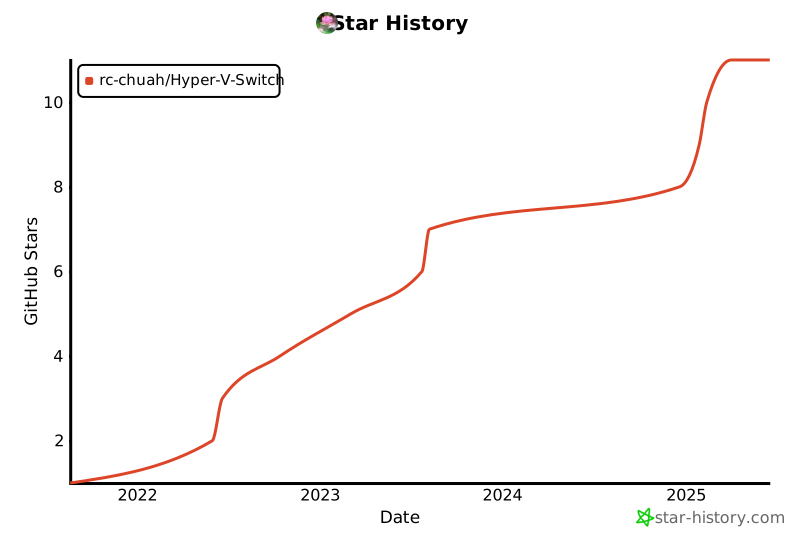
## Star History (Mirror 1) ⭐
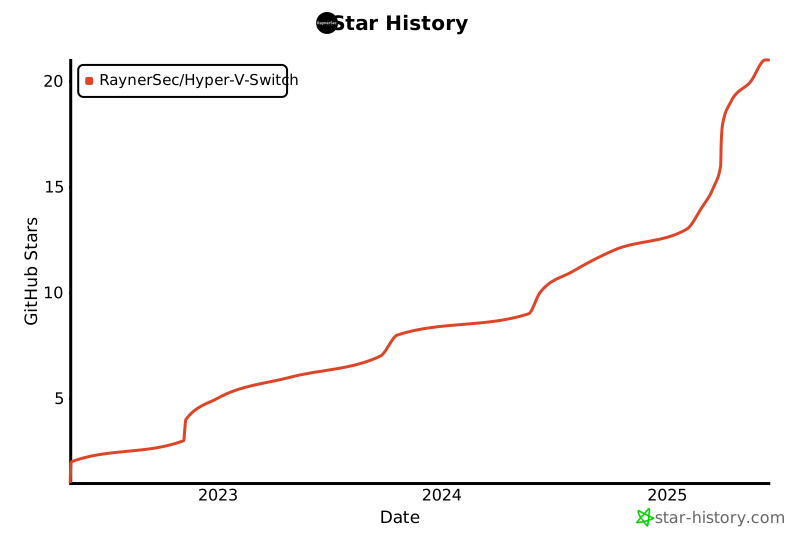
## Star History (Mirror 2) ⭐
## 🌟 Stargazers Over Time (Mirror 1) 👀
[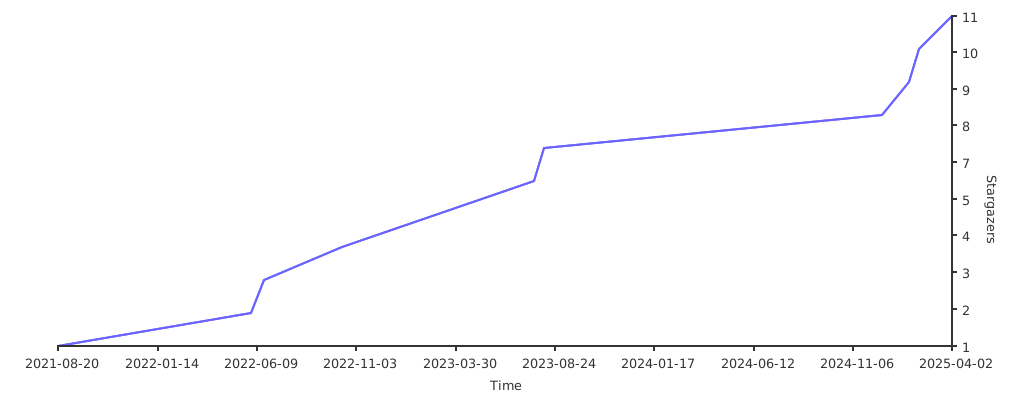](https://starchart.cc/rc-chuah/Hyper-V-Switch)
## 🌟 Stargazers Over Time (Mirror 2) 👀
[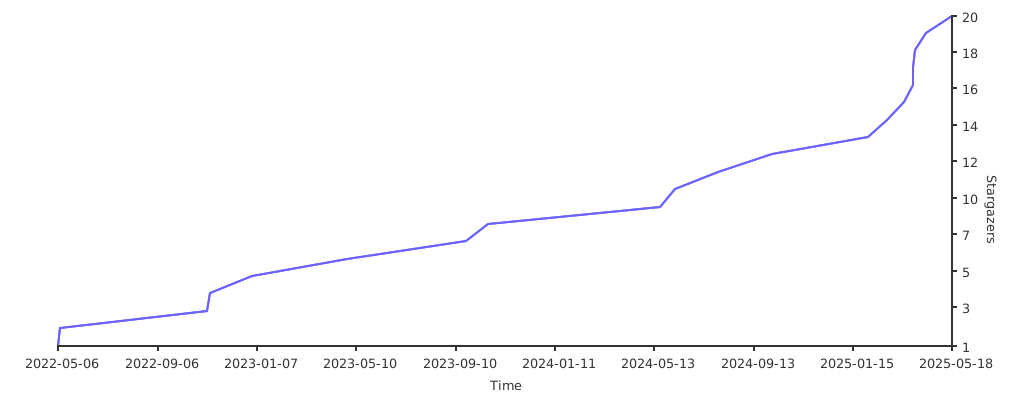](https://starchart.cc/RaynerSec/Hyper-V-Switch)
## 🌟 Star Chart / Star Graph (Mirror 1) ⭐
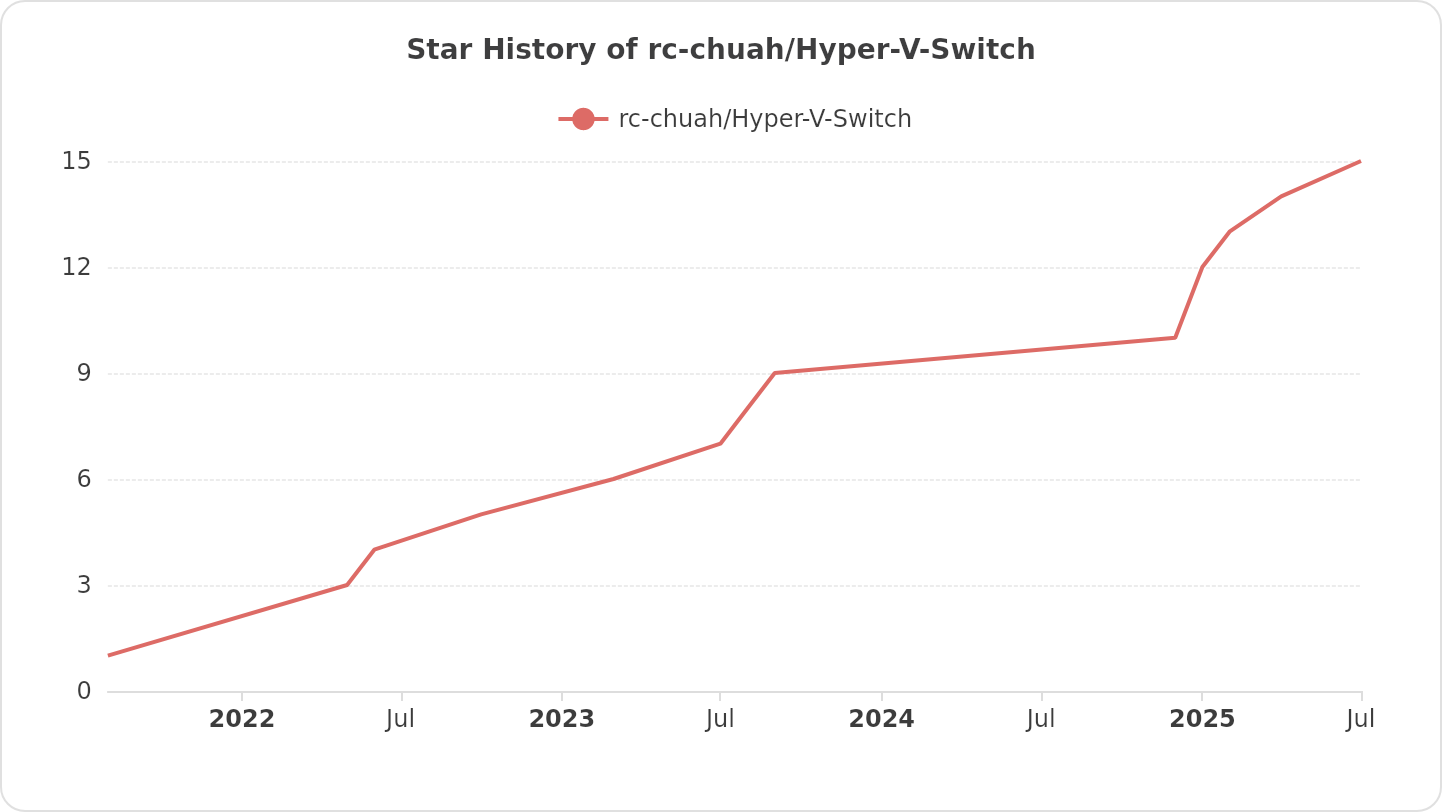
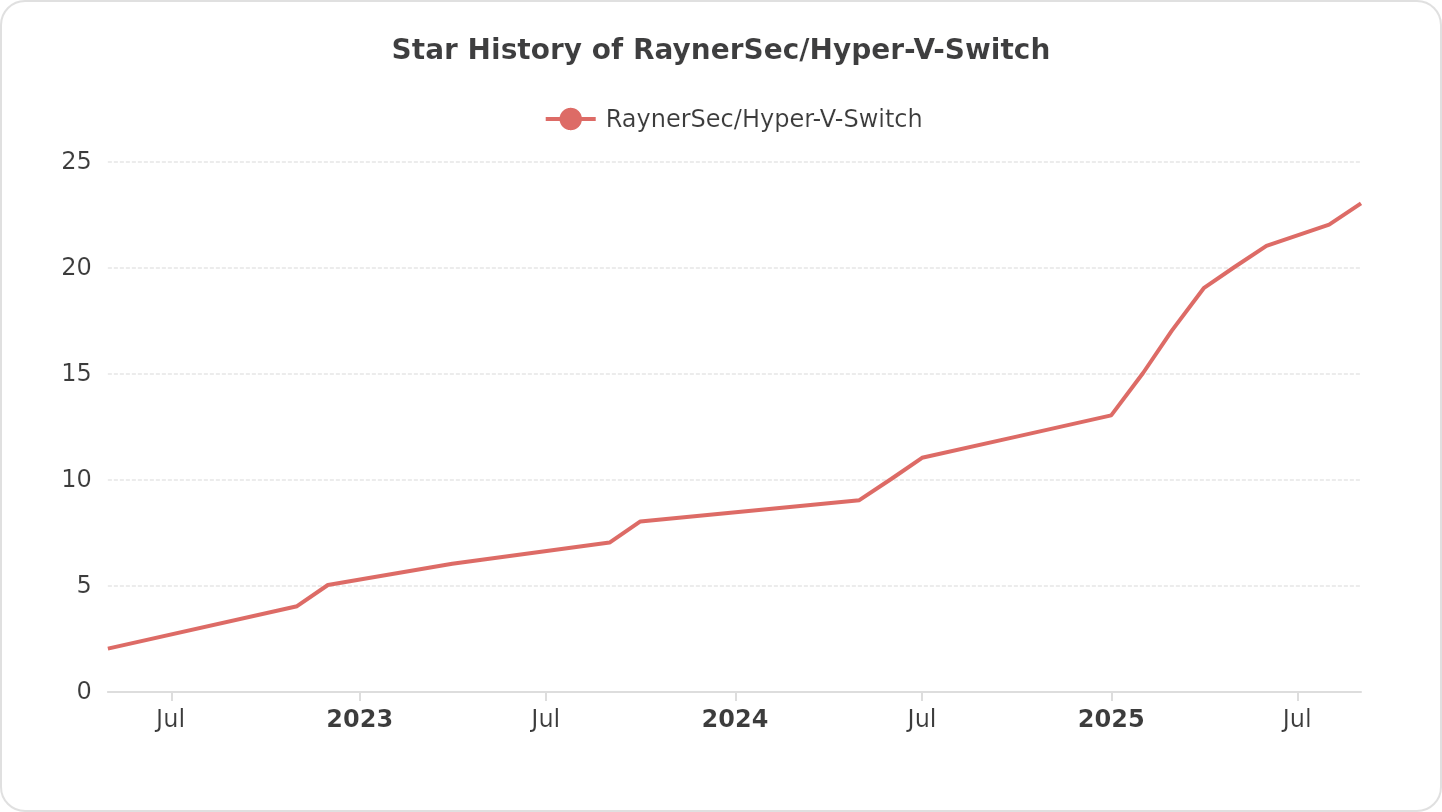
## 🌟 Star Chart / Star Graph (Mirror 2) ⭐
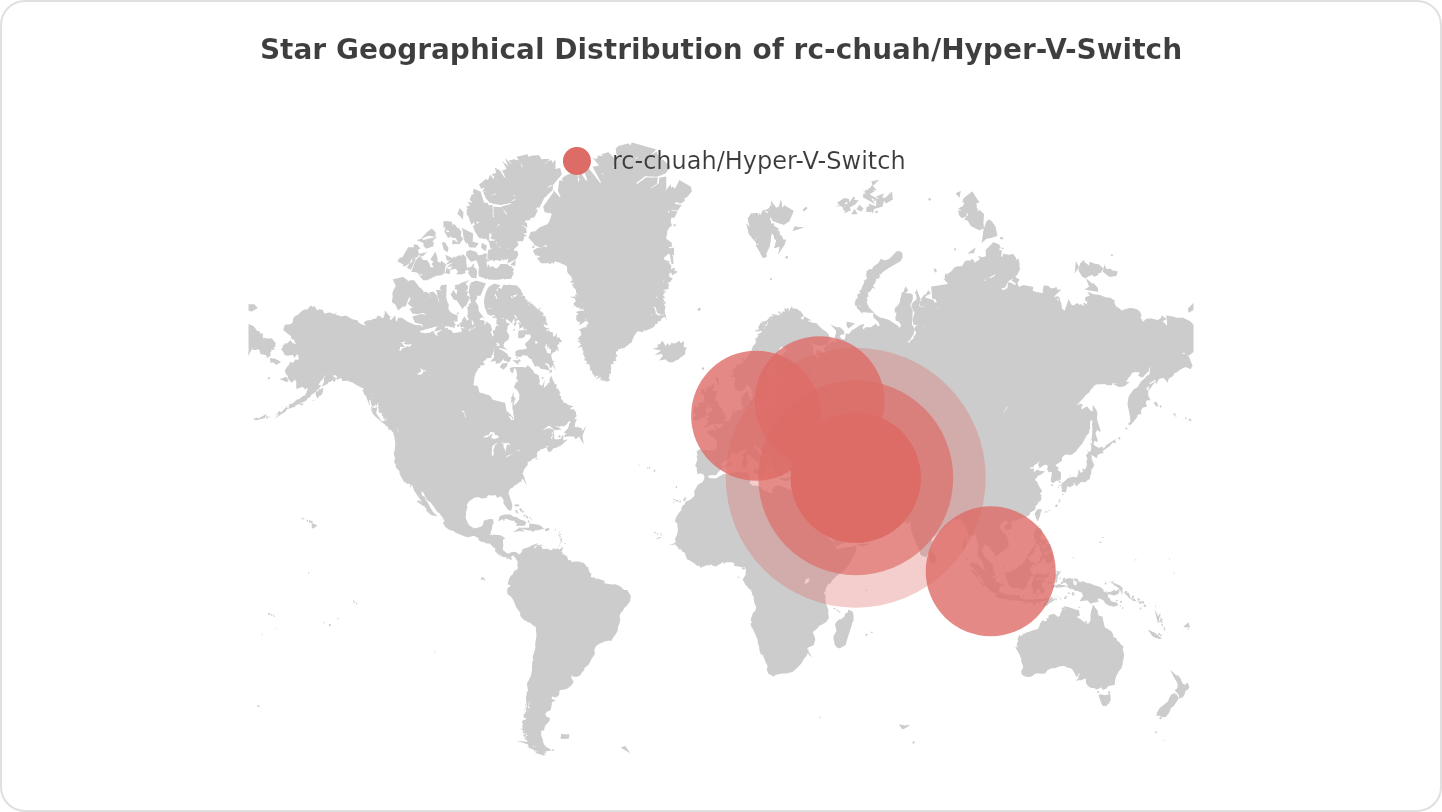
## ⭐ Star Geographical Distribution Map (Mirror 1) 🌟
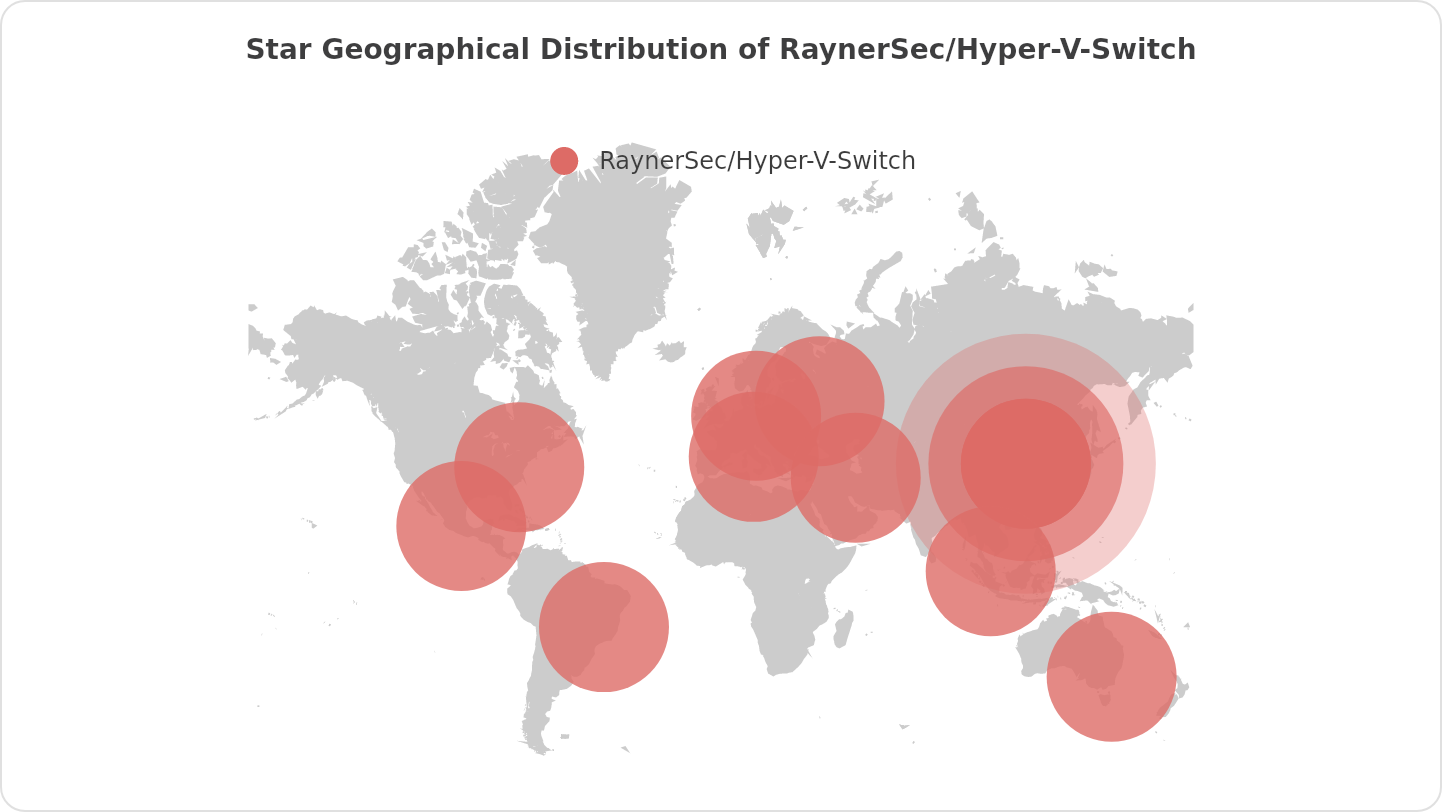
## ⭐ Star Geographical Distribution Map (Mirror 2) 🌟
## Special Thanks
- Thanks To [Advanced Installer](https://www.advancedinstaller.com) For Providing A Professional License For Free For This Project.
## License
[](http://www.gnu.org/licenses/gpl-3.0.en.html)
Hyper-V-Switch Is Free Software: You Can Use, Study Share And Improve It At Your Will. Specifically You Can Redistribute And/Or Modify It Under The Terms Of The [GNU General Public License](http://www.gnu.org/licenses/gpl-3.0.en.html) As Published By The Free Software Foundation, Either Version 3 Of The License, Or (At Your Option) Any Later Version.