https://github.com/readloud/readloud.github.io
Thanks go to these Wonderful People 👨🏻💻
https://github.com/readloud/readloud.github.io
documentation-site documentations
Last synced: 2 months ago
JSON representation
Thanks go to these Wonderful People 👨🏻💻
- Host: GitHub
- URL: https://github.com/readloud/readloud.github.io
- Owner: readloud
- License: wtfpl
- Created: 2024-09-24T04:24:22.000Z (over 1 year ago)
- Default Branch: main
- Last Pushed: 2026-01-26T22:43:55.000Z (5 months ago)
- Last Synced: 2026-01-27T09:40:29.121Z (5 months ago)
- Topics: documentation-site, documentations
- Language: HTML
- Homepage: https://readloud.github.io/
- Size: 44.8 MB
- Stars: 0
- Watchers: 0
- Forks: 0
- Open Issues: 0
-
Metadata Files:
- Readme: README.md
- License: LICENSE
Awesome Lists containing this project
README
## Hi there, I'm Readloud 👋
### About Me
I am a passionate software developer with a keen interest in building efficient and scalable applications. I love exploring new technologies and continuously improving my skills.
- 🌱 I’m currently learning **[Your Current Learning Focus]**
- 🔭 I’m working on **[Your Current Project]**
- 👯 I’m looking to collaborate on **[Your Collaboration Interests]**
- 💬 Ask me about **[Your Expertise or Interests]**
- 📫 How to reach me: **[Your Contact Information]**
- ⚡ Fun fact: **[A Fun Fact About You]**
### Tech Stack
Here are some of the technologies I work with:
- **Languages:**
- 
- 
- 
- **Frameworks and Libraries:**
- 
- 
- 
- **Tools and Platforms:**
- 
- 
- 
### GitHub Stats

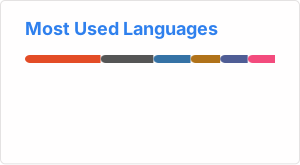
### Top Languages
### Connect with Me
You can find me on:
- [LinkedIn](https://www.linkedin.com/in/readloud/)
- [Twitter](https://twitter.com/readloud)
- [Email](mailto:readloud@example.com)
---
⭐️ From [readloud](https://github.com/readloud)




### 🚀 Quick Start :
#### Clone / Forked Repository
```bash
$ git clone https://github.com//readloud.github.io
```
#### Creating a new branch (IMP)
```bash
$ git branch
$ git checkout -b
```
Keep your cloned repo up-to date by pulling from upstream (this will also avoid any merge conflicts while committing new changes)
```bash
git pull origin main
```
#### Contribute
Make relevant changes according to the issue that you were assigned on. Contribute in any way you feel like :)
#### Committing and Pushing
Once you have modified an existing file or added a new file to the project, you can add it to your local repository, which we can do with the git add command.
```bash
git add .
```
```bash
git commit -m "useful commit message"
```
```bash
git push origin
```
## CONTRIBUTING A NEW TEMPLATE?
### Please add here to these guidelines based on [Code of Conduct](/CODE_OF_CONDUCT.md)
## ✨ Contributors
Thanks go to these **Wonderful People** 👨🏻💻
## 🚀 **Contributions** of any kind are welcome!