https://github.com/reagent-project/historian
UNDOs for your clojurescript projects.
https://github.com/reagent-project/historian
Last synced: about 1 month ago
JSON representation
UNDOs for your clojurescript projects.
- Host: GitHub
- URL: https://github.com/reagent-project/historian
- Owner: reagent-project
- License: epl-1.0
- Created: 2014-03-21T05:40:37.000Z (almost 12 years ago)
- Default Branch: master
- Last Pushed: 2019-05-01T15:36:27.000Z (over 6 years ago)
- Last Synced: 2025-04-05T14:42:01.520Z (9 months ago)
- Language: Clojure
- Homepage:
- Size: 133 KB
- Stars: 82
- Watchers: 9
- Forks: 5
- Open Issues: 0
-
Metadata Files:
- Readme: README.md
- License: LICENSE
Awesome Lists containing this project
README
Historian
=========
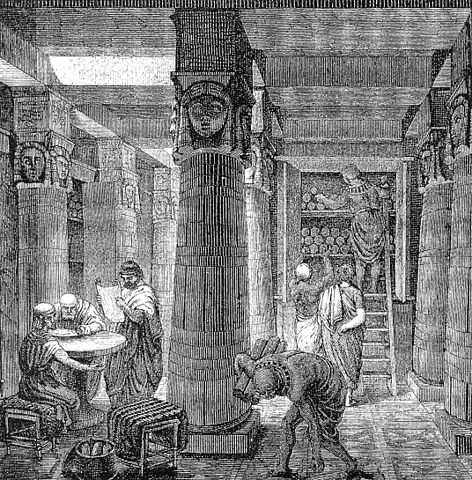
> "The present is the least important time we live in" --Alan Kay
A drop-in atom-state-management (UNDOs!!) for your clojurescript projects.
Also supports clojure in case you would want to make similar applications, or simply for testing.
## Table of contents
[Usage](#usage)
[Passive Atoms](#passive)
[Shortcuts](#shortcuts)
[Replacing Historian atoms](#atoms)
## Usage
Add the following dependency in your `project.clj`:
[](http://clojars.org/historian)
And require historian in your namespace:
```clj
(ns my-ns
(:require [historian.core :as hist]))
```
Suppose you have your state in an atom `my-state`:
```clj
(def my-state (atom "ABC"))
```
To keep an history of all changes, simply add your atom to historian:
```clj
(hist/record! my-state :my-state)
;; then change the state of your atom
(reset! my-state "DEF")
@my-state
=> "DEF"
(hist/undo!)
@my-state
=> "ABC"
(hist/redo!)
@my-state
=> "DEF"
;; tada!
```
Of course, sometimes we want to do some things without anyone noticing...
```clj
;; our current state is "ABC"
(hist/off-the-record
(reset! my-state "GHI")) ;; <--- this change won't be added to the undo history
(reset! my-state "ZZZ")
(hist/undo!)
@my-state
=> "ABC"
```
If you have a bunch of operations initiated by a single user action:
```clj
(hist/with-single-record
(doseq [i (range 200)]
(reset! my-state i)))
;; We've just done 200 operations on the atom, but only the last state is recorded.
(hist/undo!)
@my-state
=> "ABC"
```
You can also use the `with-single-before-and-after` macro to
conditionally add a before AND after state when a non passive atom is
modified. This is useful to snapshot the very last state of all
passive atoms just before a normal atom is modified.
To check if any undo/redo history is available, use `can-undo?` and `can-redo?`.
When loading an app with multiple atoms, you should use `clear-history!` and `trigger-record!` to start with a clean slate.
## Passive Atoms
When using `record!` on an atom, you can provide the optional
`passive?` argument. A passive atom will *not* trigger any new save if
modified. It will only be recorded if any other watched atom is
modified."
```clj
(hist/record! my-state :my-state :passive)
```
## Keyboard Shortcuts (cljs)
You can bind `ctrl-z` and `ctrl-y` to undo and redo by using
`bind-keys` in the `historian.keys` namespace.
## Replacing Atoms
You might need to replace the atoms in which Historian stores its data.
(Say, for example, to make them compatible with [Reagent] (https://github.com/holmsand/reagent)).
```clj
(ns some-ns (:require [reagent.core :refer [atom]]
[historian.core :as hist]))
;; for undos:
(hist/replace-library! (atom [])) ; <----- the new atom must be a vector.
;; for redos:
(hist/replace-prophecy! (atom [])) ; <----- the new atom must be a vector.
```