https://github.com/realdennis/commits
Manually generate the commit history using GitHub actions, no coding required, no need to install or run on local.
https://github.com/realdennis/commits
automatically-generated git github github-actions
Last synced: 2 months ago
JSON representation
Manually generate the commit history using GitHub actions, no coding required, no need to install or run on local.
- Host: GitHub
- URL: https://github.com/realdennis/commits
- Owner: realdennis
- Created: 2021-05-15T09:47:14.000Z (about 5 years ago)
- Default Branch: master
- Last Pushed: 2021-05-16T13:17:06.000Z (about 5 years ago)
- Last Synced: 2025-02-16T02:28:25.310Z (over 1 year ago)
- Topics: automatically-generated, git, github, github-actions
- Language: JavaScript
- Homepage:
- Size: 16.6 KB
- Stars: 4
- Watchers: 2
- Forks: 0
- Open Issues: 0
-
Metadata Files:
- Readme: README.md
Awesome Lists containing this project
README
# commits
Generate commits using github/actions, you can generate by using this template and configure + running on workflow!
No coding required
No need to install or run on local

Just using mouse.
## DEMO
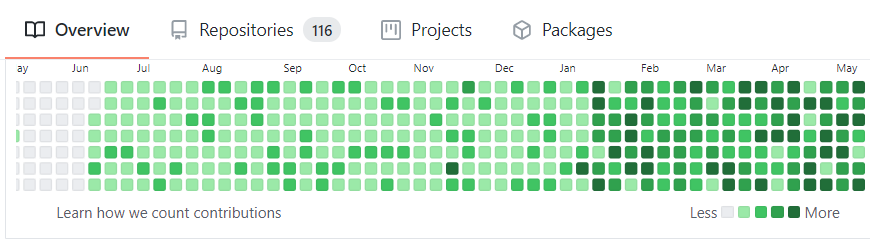
### Before
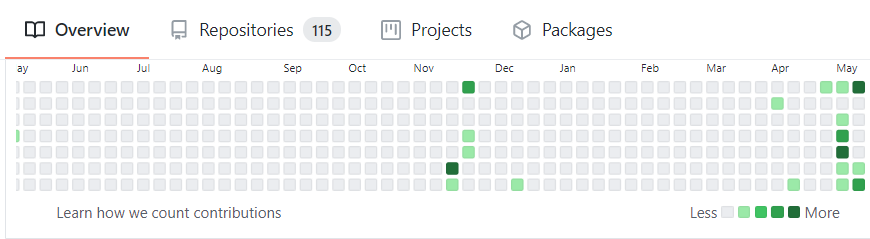
### After
## How to use
1. Click the `Use this template`, do not use `Fork`, fork repo might not be calculated. 
2. After using template, it'll redirect to your repo's page, click `Actions`
3. Click the `manually-trigger` in the left aside 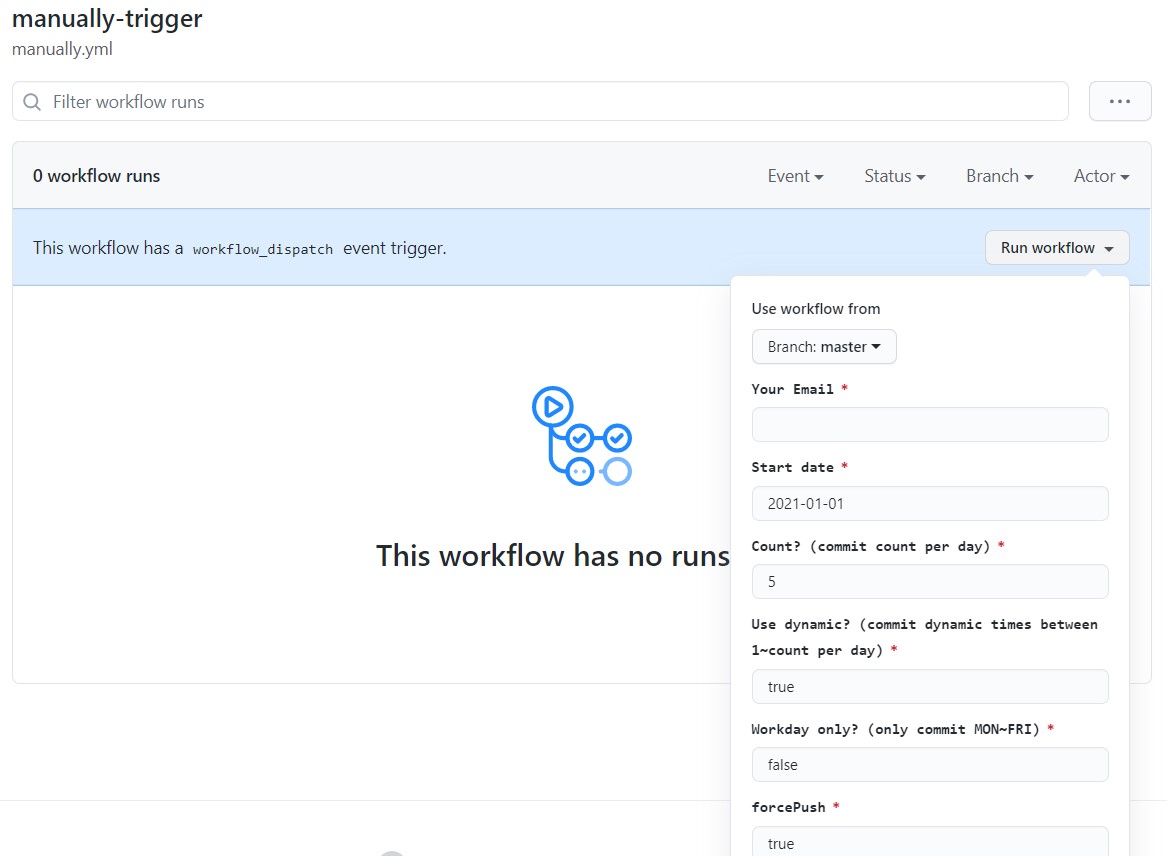
4. **Fill your email (need to be your github account email)**, and configure others
5. Run workflow
## Configure value
1. startDate: hmmm... the start date for this process
2. count: commit times per day, (eg. `5`)
3. useDynamic: if true, will get the random value between 1 to `count` each day, so you can get a more real commit history / color.
4. workdayOnly: only commit when the day is `MON` ~ `FRI`
## I regret to commit to much commit!
Calm! Just remove the repo you generate from this template, then your commit history will resume back.
## Developement
This project use the [google/zx](https://github.com/google/zx) as the node shell-script, please make sure your node version support `.mjs`, I personally recommend using `v16`.
```js
$ yarn
```
## LICENSE
MIT