https://github.com/redchupa/kr_component_kit
🇰🇷 Home Assistant integration for Korea-only services: KEPCO, Arisu water, safety alerts, GasApp, Kakao Map, GoodsFlow, and more public services.
https://github.com/redchupa/kr_component_kit
custom-component custom-components hacs hacs-integration home-assistant home-automation homeassistant kepco korea korean smart-home
Last synced: 27 days ago
JSON representation
🇰🇷 Home Assistant integration for Korea-only services: KEPCO, Arisu water, safety alerts, GasApp, Kakao Map, GoodsFlow, and more public services.
- Host: GitHub
- URL: https://github.com/redchupa/kr_component_kit
- Owner: redchupa
- License: mit
- Created: 2026-04-17T09:50:15.000Z (2 months ago)
- Default Branch: main
- Last Pushed: 2026-05-17T22:41:35.000Z (about 1 month ago)
- Last Synced: 2026-05-17T22:44:51.372Z (about 1 month ago)
- Topics: custom-component, custom-components, hacs, hacs-integration, home-assistant, home-automation, homeassistant, kepco, korea, korean, smart-home
- Language: Python
- Size: 1.19 MB
- Stars: 1
- Watchers: 0
- Forks: 0
- Open Issues: 0
-
Metadata Files:
- Readme: README.en.md
- Funding: .github/FUNDING.yml
- License: LICENSE
Awesome Lists containing this project
README
# 🇰🇷 KR Component Kit
> **A Home Assistant integration for Korean residents** — KEPCO electricity, Seoul water, city gas, KMA weather, government disaster alerts, pharmacy info, school meals, real-time public transit + dedicated Seoul Bus + nationwide bus, air quality, fuel prices, and earthquake warnings — 15 Korea-only public services bundled in one package.
🇰🇷 [한국어 README](README.md) · 🇬🇧 **English (this page)**
[![hacs][hacsbadge]][hacs]
[![GitHub Release][releases-shield]][releases]
[![GitHub Activity][commits-shield]][commits]
[![License][license-shield]](LICENSE)
[![Stargazers][stars-shield]][stars]
[](https://my.home-assistant.io/redirect/hacs_repository/?owner=redchupa&repository=kr_component_kit&category=integration)
---
## Why this exists
Korean public services don't have a standard OpenAPI surface like utilities elsewhere. Each agency runs its own portal (`data.go.kr`, `safetydata.go.kr`, `opinet.co.kr`, `open.neis.go.kr`, `data.seoul.go.kr`), with its own signup, its own dataset-by-dataset 활용신청 (use application), and its own quirks.
This integration wraps the 15 most useful Korea-only services into one Home Assistant integration, with a unified config flow, native HA entities (sensors, weather, event, calendar, button), and an optional LLM tool surface for natural-Korean voice queries.
**Who this is for:**
- Korean residents (citizens, expats, or international residents) running Home Assistant
- Korean expats abroad monitoring family-home utilities or disaster alerts back home
- Anyone integrating Korean weather/air-quality data into a global HA setup
---
## 🚀 5-minute quickstart
### Step 1. Install (2 min)
Click the **`MY` HACS badge** at the top — your Home Assistant opens automatically, lands on the HACS download screen → **DOWNLOAD** → **restart Home Assistant**.
*No HACS yet? → [HACS official setup guide](https://www.hacs.xyz/docs/setup/download/) first.*
### Step 2. Register your first service (1 min) — **no API key needed**
**Settings → Devices & Services → + Add Integration**
→ Search `한국 컴포넌트 키트` *(the Korean name; English domain `kr_component_kit` also works)*
→ Select **🚨 안전알림 (Safety Alert)** → pick 시도 (province) / 시군구 (city/district) / 읍면동 (town) → Submit.
### Step 3. Verify (30 sec)
**Developer Tools → States** → search for the friendly name `최신 안전알림` ("Latest Safety Alert") → state shows the most recent Korean government safety bulletin for your area.
### Step 4. Add more services
When ready, follow the [🔑 API Key Guide](#-api-key-guide) below to add the other 14 services one by one.
---
## 📋 The 15 services at a glance
| Service | Category | API key | Notes |
|---|---|---|---|
| 💊 **Pharmacy** (약국) | Living | ✅ data.go.kr | Pharmacies near you with "open now" flag |
| 🚨 **Safety Alert** (안전알림) | Safety | ❌ none | Government safety alerts (scraping) |
| 📢 **Disaster Alert** (재난문자) | Safety | ✅ safetydata.go.kr | Emergency text broadcasts in real time |
| 🌪️ **Weather Warning** (기상특보) | Safety | ✅ data.go.kr | 12 advisory types (rain, wind, cold, heat…) |
| 🌍 **Earthquake** (지진) | Safety | ✅ data.go.kr | Radius + magnitude filters |
| ⛅ **KMA Forecast** (동네예보) | Weather | ✅ data.go.kr | Native HA Weather card |
| 🌫️ **AirKorea** (에어코리아) | Weather | ✅ data.go.kr (×2) | PM10/PM2.5 + KHAI air-quality index |
| ⚡ **KEPCO** (한국전력) | Utility | ❌ (own login) | Electricity usage + bill |
| 💧 **Arisu** (서울 상수도) | Utility | ❌ (account number) | Seoul tap water only |
| 🏠 **GasApp** (가스앱) | Utility | ❌ (mobile-app token) | Packet capture required (advanced) |
| ⛽ **Fuel** (유가) | Living | ✅ opinet.co.kr | Province-level avg / lowest-price stations |
| 🏫 **School** (학교) | Living | ✅ open.neis.go.kr | Lunch menu, schedule, calendar |
| 🚌 **Transit** (대중교통) | Living | Partial | Subway (Seoul) + bus by KakaoMap stop-ID. Single integration entry for both |
| 🚌 **Seoul Bus** (서울버스) | Living | ✅ data.go.kr | Official Seoul Bus API (ARS-ID). Per-route arrival sensors + **low-floor + full-bus binary_sensors** + per-stop refresh button + activation switch. Add/remove stops from options menu |
| 🚍 **Korea Bus** (한국 버스) | Living | ❌ none | KakaoMap nationwide, **search by stop name**, configurable poll interval |
> 💡 **All services are free.** Korean public APIs are gratis; this integration adds no payment of its own.
---
## 🔑 API Key Guide
> ⚠️ **Three common pitfalls**
> - Disaster alerts use `safetydata.go.kr` (Safety Data Portal) — **a different site** from `data.go.kr` (Public Data Portal). Separate signup.
> - Even within `data.go.kr`, each dataset needs **its own 활용신청 (use application)** — a key approved for pharmacies returns 403 when called against weather warnings.
> - After applying, expect **1–2 hours of activation lag** (especially agency-issued keys).
Each "👉 Direct search" link below lands on the portal's search-results page with the Korean keyword pre-filled.
### 💊 Pharmacy (전국 약국 정보)
| Field | Value |
|---|---|
| 🌐 Portal | [Public Data Portal (data.go.kr)](https://www.data.go.kr) |
| 🔎 Direct search | [👉 Open pharmacy search](https://www.data.go.kr/tcs/dss/selectDataSetList.do?searchKeyword=전국%20약국) |
| Search keyword | `전국 약국` or `약국 정보` |
| Operating agency | National Medical Center (NMC) — code `B552657` |
| Exact dataset name | **국립중앙의료원_전국 약국 정보 조회 서비스** |
| Endpoint called by code | `apis.data.go.kr/B552657/ErmctInsttInfoInqireService/getParmacyListInfoInqire` |
**Steps:** Sign up at the portal (Korean OAuth via Naver/Kakao works) → click the direct-search link → pick the dataset → **활용신청** (Use Application) → My Page → Open API → Auth Key list → copy the **Decoding** form → paste into HA pharmacy field.
---
### 📢 Disaster Alert (재난문자) *(✅ Verified working — 2026-05-14)*
| Field | Value |
|---|---|
| 🌐 Portal | [Safety Data Sharing Platform (safetydata.go.kr)](https://www.safetydata.go.kr) |
| Operating agency | Ministry of the Interior and Safety |
| Exact dataset name | **행정안전부_긴급재난문자** (MOIS Emergency Disaster Alerts) |
| Endpoint | `/V2/api/DSSP-IF-00247` |
| Provisioning | **Manual operator review** — not auto-issued (1–3 business days) |
| Daily call quota | Default 1,000/day. Integration polls every 5 min → 288 calls/day. Plenty of headroom. |
| Key validity | **1 year** *(renew on My Page before expiration — check the 만료일자 field on the key screen)* |
| Key form | **Single form only** *(unlike data.go.kr, there is no Decoding/Encoding split)* |
| IP required | ⚠️ **Application form requires registering the calling IP** (see Step 3) |
> ⚠️ Safety Data Sharing Platform and Public Data Portal are **separate sites** even though both are government-run. Sign up separately even if you already have a `data.go.kr` account.
#### 1️⃣ Sign up
Register at [safetydata.go.kr](https://www.safetydata.go.kr). Your `data.go.kr` credentials do **not** work here.
#### 2️⃣ Pick the correct dataset *(⚠️ two cards look similar)*
Top search box → type `재난문자` → you'll see **two** result cards:
| Card | Use? |
|---|---|
| **행정안전부_긴급재난문자** *(50k+ views / 28M downloads / `#재난문자` tag)* | ✅ **This one** |
| 재난문자(속보) *(~900 views / tag `#-1`)* | ❌ Different endpoint code, incompatible with this integration |
Click the correct card → confirm the endpoint code on the detail page is `DSSP-IF-00247`.
#### 3️⃣ Fill out the application form
On the detail page → **오픈API 활용신청** (Open API Use Application) button → form fields:
**① 활용목적 (Purpose)** *(required)*
- Category: **`앱개발 (모바일, 솔루션 등)`** (App development) recommended
- Description example: *"Use in a Home Assistant integration to deliver real-time emergency disaster alerts to family members."*
**② 하루 최대 호출 횟수 (Daily call quota)** *(required)*
- Enter **`1000`**. Integration uses 288/day at the default 5-minute polling — well under the limit.
**③ 아이피 (IP address)** *(required)* — most important field
You must register the **public outbound IP** of the machine running Home Assistant. If the registered IP doesn't match the actual request IP, the API returns **403 Forbidden** even with a valid key.
| Option | Example | Recommendation |
|---|---|---|
| Single IP | `121.123.45.67` | Strictest. But **Korean residential ISPs use dynamic IPs** — it'll change within days/months, requiring re-application |
| CIDR-like wildcard | `121.123.*.*` | Safer if your ISP rotates within the same range |
| Allow all | `*.*.*.*` | ⭐ **Recommended for personal use** — no need to track IP changes. The key itself is the secret; broad IP scope is fine for low-risk personal use |
🔎 **How to find your HA server's public IP:**
HA add-on → **Terminal & SSH** (or SSH in) → run:
```bash
curl -s https://api.ipify.org
```
Use whatever IP this prints in the application form.
**④ License agreement checkbox** → click **이용신청** (Submit).
#### 4️⃣ Wait for approval
My Page → "데이터 활용신청 내역" (Application history) — check status:
- *"승인 대기 중입니다"* (Pending review) → an operator must approve it. **Not auto-issued — expect 1–3 business days.**
- *"발급됨"* (Issued) → service key value becomes visible.
#### 5️⃣ Copy the key → enter into HA
My Page → click the **값 복사하기 (Copy value)** button next to the issued key → in HA, add integration → pick **재난문자** → paste into the auth-key field as-is.
> 💡 safetydata.go.kr provides the key in **a single form** (no Decoding/Encoding split like data.go.kr). Whatever the **값 복사하기** button copies, paste it as-is. The integration handles URL encoding internally.
#### 🔁 After issuance
- **Quota monitoring**: My Page shows `일일호출량 / 호출량` — the first number is the limit (1000), the second is **cumulative usage today** (`0` means "not used yet today", not "max"). Resets at midnight KST.
- **Updating the registered IP**: If your dynamic IP changes, go to My Page → key → **목록 변경신청** (Edit application) → update the IP field. ⚠️ Edits also go through operator review. If your IP rotates often, save yourself the loop and switch to `*.*.*.*` from the start.
- **Key expiration (1 year)**: Renew via 변경신청 before the 만료일자 date. Expired keys return 401.
#### 🆘 Troubleshooting
| Symptom | Likely cause | Fix |
|---|---|---|
| `401 / SERVICE KEY ERROR` | Key not yet activated / expired / whitespace in pasted value | Wait 30–60 min after issuance. Check the 만료일자 (expiration date). Trim any leading/trailing whitespace and re-paste |
| `403 / ACCESS_DENIED` | **IP mismatch (most common cause)** | Compare `curl -s https://api.ipify.org` output against the IP registered in My Page. If they differ, update the registered IP via **목록 변경신청**. If it changes often, re-register with `*.*.*.*` |
| Empty response / `body []` | Normal — no recent disaster alerts in that time window | Quiet hours legitimately return empty. The feed fills up during major incidents or severe weather |
---
### 🌪️ Weather Warning + 🌍 Earthquake + ⛅ Short-term Forecast (3 KMA datasets, same key)
All three live under `data.go.kr`, operating agency **Korea Meteorological Administration (KMA)**, agency code `1360000`. **One auth key per account** — but each dataset still needs its own 활용신청.
| Service | Direct search | Keyword | Endpoint |
|---|---|---|---|
| 🌪️ Weather warning | [👉 Search](https://www.data.go.kr/tcs/dss/selectDataSetList.do?searchKeyword=기상특보) | `기상특보` | `1360000/WthrWrnInfoService` |
| 🌍 Earthquake | [👉 Search](https://www.data.go.kr/tcs/dss/selectDataSetList.do?searchKeyword=지진정보) | `지진정보` | `1360000/EqkInfoService` |
| ⛅ Short-term forecast | [👉 Search](https://www.data.go.kr/tcs/dss/selectDataSetList.do?searchKeyword=단기예보) | `단기예보` | `1360000/VilageFcstInfoService_2.0` |
---
### 🌫️ AirKorea (Air Quality) — **two datasets required**
`data.go.kr`, operating agency **Korea Environment Corporation**, agency code `B552584`. Both datasets must be applied for separately.
| Dataset | Direct search | Keyword | Endpoint |
|---|---|---|---|
| Station info | [👉 Search](https://www.data.go.kr/tcs/dss/selectDataSetList.do?searchKeyword=에어코리아%20측정소) | `에어코리아 측정소` | `B552584/MsrstnInfoInqireSvc` |
| Pollution data | [👉 Search](https://www.data.go.kr/tcs/dss/selectDataSetList.do?searchKeyword=에어코리아%20대기오염) | `에어코리아 대기오염` | `B552584/ArpltnInforInqireSvc` |
> 💡 If station-info is missing, the station dropdown in HA setup will be empty.
> ⚠️ **Optional — Living Weather Index (UV / air stagnation)**: code calls the `V4` endpoint, but the portal seems to have moved to `V5`. Live operation unverified. If you want these sensors, search `생활기상지수` and apply; check HA logs (`Settings → System → Logs`, search `LivingWthrIdx`) for actual behavior. PM10/PM2.5 (the required two) are unaffected.
---
### ⛽ Fuel (Opinet)
| Field | Value |
|---|---|
| 🌐 Portal | [👉 Opinet API signup page](https://www.opinet.co.kr/user/api/empApiInfo.do) |
| Process | Free signup → API application → immediate issuance |
| Endpoint | `opinet.co.kr/api/avgAllPrice.do`, `lowTop10.do` |
> 💡 Opinet is a **separate portal** from the Public Data Portal.
---
### 🏫 School (NEIS)
| Field | Value |
|---|---|
| 🌐 Portal | [👉 NEIS Education Open Portal](https://open.neis.go.kr) |
| Process | Sign up → request auth key → check My Page "Application Status" |
| Endpoint | `open.neis.go.kr/hub/...` |
> 💡 NEIS is also a **separate portal**. The HA config flow auto-searches schools by name — just type your school's Korean name into the dropdown.
---
### 🚌 Transit — keys depend on scenario
> ✅ **Live-verified** (2026-05-18): Korea Bus tested end-to-end on a real HA instance with two stops registered simultaneously — Seoul Sindorim.Guro Station (ARS 17003) and Gyeonggi Siheung Eungye-Umirin (ARS 25842). Per-route arrival sensors + refresh button + activation switch all working; every documented attribute (vehicle_number, current_stop, message, direction, bus_type, first_time / last_time / intervals, next_stop, status) confirmed against live KakaoMap responses.
| Use case | Key needed | Where |
|---|---|---|
| Subway arrivals | Seoul Open Data Plaza key | [👉 data.seoul.go.kr](https://data.seoul.go.kr) → apply for `지하철 실시간 도착정보` |
| Bus arrivals | **None needed** | KakaoMap's unofficial endpoint; just enter the stop ID |
| Transfer path search (optional) | Seoul transfer-route API key | [👉 data.go.kr](https://www.data.go.kr/tcs/dss/selectDataSetList.do?searchKeyword=대중교통환승경로) → `대중교통환승경로` |
**Finding a KakaoMap bus stop ID** *(for bus registration)*:
[KakaoMap](https://map.kakao.com) → search for the stop → click it → URL becomes `?busstopid=03171&...` → **copy the value after `busstopid=`** (e.g., `03171`, `BS09013700`).
**Finding a Seoul Bus ARS-ID** *("Seoul Bus" menu)*:
[bus.go.kr](https://bus.go.kr) or the 5-digit number printed on the bus-stop sign itself (e.g., `23288` for 사당역).
---
### 🚌 Seoul Bus — API key guide (5 min)
| Field | Value |
|---|---|
| 🌐 Portal | [Public Data Portal (data.go.kr)](https://www.data.go.kr) |
| 🔎 Direct link | [👉 서울특별시_정류소정보조회 서비스](https://www.data.go.kr/data/15000303/openapi.do) |
| Provider | Seoul Metropolitan Government |
| Exact dataset name | **서울특별시_정류소정보조회 서비스** |
| Endpoint called by code | `ws.bus.go.kr/api/rest/stationinfo/getStationByUid` |
| Daily call limit | 1,000 (plenty — activation switch keeps polling targeted) |
**Steps**:
1. Sign up at data.go.kr, click the link above
2. On the dataset page → **활용신청** (Use Application) → fill the form (auto-approved dataset; no IP registration needed)
3. My Page → Open API → Auth keys → copy the **일반 인증키** (regular auth key) value
> ⚠️ **Important — keys take ~24 hours to activate.**
>
> Even after the portal shows "처리상태: 승인" (status: approved) and "활용기간: 오늘부터" (effective today), the actual API gateway's auth module needs **~24 more hours** to register the key. If you see "API key is not valid" right after applying, that's expected — **come back the next day and retry**.
>
> If still failing after 24 h:
> - Verify the dataset name is exactly **서울특별시_정류소정보조회 서비스** (similarly-named datasets exist)
> - Call data.go.kr support at **1566-0025**
> - Or unregister + re-apply on My Page (gets a fresh key)
---
### 🔌 Activation switch — shared between Seoul Bus / Korea Bus
Both flows create a `switch.__update_active` entity per stop. The coordinator only polls the API **while this switch is ON**. When OFF it keeps the last fetched data on the entities and skips the API call entirely.
**Why useful**:
- Saves daily-quota calls (especially Seoul Bus 1,000/day limit)
- No reason to poll at 4 AM or while you're away
- HA automations can flip it on/off precisely when needed
**Defaults**:
- Fresh install → **starts ON** (data shows up immediately)
- After restart → RestoreEntity restores the user's last ON/OFF choice
**Automation example — poll only during commute windows + proximity**:
```yaml
alias: Toggle bus polling by time + distance
mode: restart
triggers:
- at: "06:30:00" # morning commute window opens
id: morning_on_time
trigger: time
- entity_id: sensor.
above: 1000
id: morning_off_dist
trigger: numeric_state
- at: "17:30:00"
id: evening_on_time
trigger: time
- entity_id: sensor.
below: 200
id: evening_off_dist
trigger: numeric_state
actions:
- choose:
- conditions: # morning + workday + near home
- condition: trigger
id: morning_on_time
- condition: state
entity_id: binary_sensor.workday_sensor
state: "on"
- condition: numeric_state
entity_id: sensor.
below: 200
sequence:
- service: switch.turn_on
target:
entity_id: switch.seoul_bus_*****_update_active
- conditions: # moved away from stop → OFF
- condition: trigger
id: morning_off_dist
sequence:
- service: switch.turn_off
target:
entity_id: switch.seoul_bus_*****_update_active
- conditions: # evening commute opens
- condition: trigger
id: evening_on_time
sequence:
- service: switch.turn_on
target:
entity_id: switch.seoul_bus_*****_update_active
- conditions: # arrived home → OFF
- condition: trigger
id: evening_off_dist
sequence:
- service: switch.turn_off
target:
entity_id: switch.seoul_bus_*****_update_active
```
→ Zero API calls outside commute windows.
**Conditional dashboard card** (with HACS `state-switch`):
```yaml
type: custom:state-switch
entity: switch.seoul_bus_*****_update_active
states:
on:
type: entities
entities:
- sensor.seoul_bus_*****_*****_now
- sensor.seoul_bus_*****_*****_next
- button.seoul_bus_*****_refresh
off:
type: custom:button-card
color_type: blank-card # card disappears when switch is OFF
```
---
### ⚙️ Stop management (Seoul Bus / Korea Bus)
You don't need to delete-and-re-register to add stops or change routes:
**Settings → Devices & Services → "한국 컴포넌트 키트" card → "Configure"** → menu:
| Menu item | Action |
|---|---|
| 🚏 Add stop | New stop (Seoul: enter ARS-ID / Korea Bus: search by name) |
| 🗑 Remove stop(s) | Multi-select |
| 🚌 Edit routes for a stop | Change which routes get tracked for an existing stop |
| 🔑 Change API key (Seoul only) | Live-validates the new key before saving |
| ⏱ Change poll interval (Korea Bus only) | 30 s ~ 1 h |
| ✅ Save & Finish | Commit all changes + auto-reload |
Closing with the X discards pending edits (transactional pattern).
---
### 🎁 8 ready-made automation blueprints
#### Seoul Bus ↔ Korea Bus compatibility
| Blueprint | 🚌 Seoul Bus | 🚍 Korea Bus |
|---|:---:|:---:|
| Departure alert | ✅ | ✅ |
| Get-off alert | ✅ | ✅ |
| Last-bus alert | ✅ | ✅ |
| Full / crowded alert | ✅ | ❌ (KakaoMap response lacks full-bus field) |
| Proximity polling toggle (location-aware) | ✅ | ✅ |
| Leaving-home alert (location-aware) | ✅ | ✅ |
| Destination-arrival get-off alert (location-aware) | ✅ | ✅ |
| Commute auto mode (location-aware) | ✅ | ✅ |
→ **7 of 8 work on either flow**. Korea Bus users get the full automation toolbox bar one Seoul-only feature.
#### Notify input — action selector
Every blueprint's notify input is an **HA action selector**. On import:
- pick your notify service (e.g. `notify.mobile_app_my_phone`) from the UI dropdown
- the default `title` / `message` use `{{ alert_title }}` / `{{ alert_message }}` — internal variables fill these for you
- feel free to swap in `notify.telegram`, `media_player.tts.google_say`, or any other action you prefer
Patterns from Korea's public-data bus-app catalog, shipped as HA blueprints.
| Blueprint | Trigger | Use case |
|---|---|---|
| 🚌 **Departure alert** | `native_value (TIMESTAMP)` enters N-minute window | "Bus arrives in N min. Leave home now." push |
| 🔔 **Get-off alert** | `current_stop` attribute changes | While on the bus, alert N stops before destination |
| 🌙 **Last-bus alert** | `last_vehicle` / `is_last` attribute flips | "This is the last bus tonight" push |
| 🚨 **Full / crowded alert** | full binary_sensor goes ON + `congestion` changes | Seoul Bus only — pings the next-bus ETA |
**Import** (one-click via UI):
1. HA → Settings → Automations → Blueprints → **Import Blueprint**
2. Paste one of these URLs → **Preview** → **Import**
```
Departure: https://github.com/redchupa/kr_component_kit/blob/main/blueprints/automation/kr_component_kit/bus_departure_alert.yaml
Get-off: https://github.com/redchupa/kr_component_kit/blob/main/blueprints/automation/kr_component_kit/bus_alight_alert.yaml
Last bus: https://github.com/redchupa/kr_component_kit/blob/main/blueprints/automation/kr_component_kit/bus_lastride_alert.yaml
Full/crowd: https://github.com/redchupa/kr_component_kit/blob/main/blueprints/automation/kr_component_kit/bus_crowded_alert.yaml
```
3. **Create Automation** → pick the blueprint → fill in sensor + notify target + minutes → Save
> 💡 Push notifications use **HA Companion App** (iOS / Android) — the service name is `notify.mobile_app_` where `` is whatever you set during Companion App registration.
---
### 📱 4 location-aware blueprints — leverages HA Companion App device tracking
Use the **device_tracker** from your phone (auto-tracked by Companion App) to build automations a regular bus app can't.
| Blueprint | What it does |
|---|---|
| 🚏 **Proximity-based polling toggle** | Phone enters bus-stop zone → activation switch ON; leaves → OFF after N min |
| 🏠 **Leaving-home alert** | Phone leaves `zone.home` → push the next bus ETA |
| 📍 **Destination-arrival get-off alert** | Phone enters destination zone → push ("get ready to get off") — **catches you even if you fell asleep on the bus** |
| 🌍 **Auto commute mode** | Time + location → switch auto ON/OFF (mirrors the upstream Murianwind/seoul_bus automation pattern) |
**Prerequisite — make the zones**:
1. HA → Settings → **Areas & Zones** → Add Zone
2. Enter the lat/lon of the bus stop (or office/school) — find on [KakaoMap](https://map.kakao.com)
3. Radius: 100–200 m for stops, 200–300 m for workplaces
**Import URLs**:
```
Proximity toggle: https://github.com/redchupa/kr_component_kit/blob/main/blueprints/automation/kr_component_kit/stop_proximity_toggle.yaml
Leaving-home alert: https://github.com/redchupa/kr_component_kit/blob/main/blueprints/automation/kr_component_kit/leaving_home_alert.yaml
Arrival alight alert:https://github.com/redchupa/kr_component_kit/blob/main/blueprints/automation/kr_component_kit/arrival_alight_alert.yaml
Commute auto mode: https://github.com/redchupa/kr_component_kit/blob/main/blueprints/automation/kr_component_kit/commute_auto_mode.yaml
```
Compose them:
- Proximity toggle + leaving-home alert → polling starts automatically when you head out, plus the next bus ETA push
- Arrival alight alert → no more missed stops if you doze off on the bus
- Commute auto mode → polls only when you're realistically using the bus (saves daily-quota calls)
---
## ⚙️ Registration & reconfiguration
### Adding a new entry
Settings → Devices & Services → **+ Add Integration** → `한국 컴포넌트 키트` → pick service.
> One integration menus 13 services — add them one at a time. **Same service can be registered multiple times for different regions** (e.g., pharmacy for your district + your in-laws' district = 3 separate entries).
### Changing API keys / regions after setup
The relevant entry's **"Configure"** button → edit. *(No need to delete-and-reregister; entities and automations preserved.)*
### Where to get each non-API-key input
| Service | Where |
|---|---|
| ⚡ **KEPCO** | Your KEPCO website ID / password (2FA not supported) |
| 💧 **Arisu** | Paper bill or [Arisu Cyber Customer Center](https://i-arisu.seoul.go.kr) → 요금조회 (Bill Inquiry) → left sidebar shows 수용가번호 (customer number) + 고객명 (customer name) |
| 🏠 **GasApp** | Contract number from the GasApp mobile app → My Info. Token + member ID via packet capture (mitmproxy / Charles) of the mobile-app HTTPS request headers `X-Token` / `X-Member` (⚠️ advanced) |
| 🌍 **Earthquake coordinates** | Defaults to Seoul City Hall (`37.5665, 126.978`). **Set your home coordinates.** Default radius 200 km / minimum magnitude 3.0 |
---
## 🎁 Entities you'll get
> Entity IDs are auto-romanized from Korean (e.g., device `약국 - 시흥시` + entity `운영 약국 수` → `sensor.yaggug_siheungsi_unyeong_yaggug_su`). To find the exact ID, search by **friendly name** in Developer Tools → States.
| Service | Friendly names | Key attributes |
|---|---|---|
| 💊 Pharmacy | `운영 약국 수` ("Operating Pharmacy Count") | `pharmacies[]` (up to 50: name/address/phone/lat/lon/today_hours/`open_now`/duty_time), `total`, `shown`, `open_now_count` |
| 🚨 Safety Alert | `최신 안전알림`, `안전알림 수`, `오늘 안전알림 여부` (binary), `안전알림 이벤트` (event) | `latest`, `alerts[]`, `count` |
| 📢 Disaster Alert | `최신 재난문자`, `재난문자 수`, `재난문자 이벤트` (event) | `level`, `area`, `disaster_type` |
| 🌪️ Weather Warning | `호우 특보`/`강풍 특보`/`한파 특보`/... (12 event entities) | state: `advisory`/`warning`/`pre_*`/`cancelled`/`none`, `start_time`, `end_time` |
| 🌍 Earthquake | `지진 경보` (event) | `magnitude`, `location`, `distance_km`, `datetime` |
| ⛅ Forecast | Single weather entity — compatible with HA's standard Weather card | hourly/daily forecast service |
| 🌫️ AirKorea | `PM10 미세먼지`, `PM2.5 초미세먼지`, `O₃ 오존`, `NO₂`, `SO₂`, `CO`, `통합대기질지수` + binary `대기질 경보` + event + calendar `대기질 예보` | Grade attribute attached |
| ⚡ KEPCO | `현재 사용량` (kWh), `지난달 요금` (KRW), `예상 요금`, `고객번호`, `전력구분` | — |
| 💧 Arisu | `수도 요금` (KRW), `사용량` (㎥), `청구월` | `billing_month`, `customer_info`, `arrears_info` |
| 🏠 GasApp | `청구 제목`, `총 요금` (KRW) | — |
| ⛽ Fuel | `전국 평균가`, `최저가` (per sido × fuel-type combo) | `ranking[]` (top 5 stations) |
| 🏫 School | `급식` ("Lunch"), `학교 정보` + calendar entities for academic schedule and timetable | Lunch: `menu`, `calorie`, `allergy_codes` |
| 🚌 Transit | ` ... 도착` (TIMESTAMP — HA auto-shows "N min later") | — |
---
## 🤖 Natural-language queries (LLM, optional)
If you expose this integration to HA's **Assist + LLM** (OpenAI / Google / Ollama / etc.), you can ask in natural Korean:
| Query | Service |
|---|---|
| "지금 영업중인 가까운 약국 알려줘" ("Find nearby pharmacies open now") | 💊 Pharmacy |
| "오늘 미세먼지 어때?" ("How's the air quality today?") | 🌫️ AirKorea |
| "내일 비 와?" ("Will it rain tomorrow?") | ⛅ KMA |
| "오늘 급식 뭐야?" ("What's for school lunch today?") | 🏫 School |
| "다음 버스 언제 와?" ("When's the next bus?") | 🚌 Transit |
Without LLM exposure, regular sensor/event/weather entities work as normal — no extra setup required.
---
## ❓ FAQ
Do I have to register all 13 services?
No. Register only what you want. Services you don't register create zero entities and consume no resources.
Are any of these paid?
**All free.** Korean government / public-corporation OpenAPIs; this integration adds no cost of its own. Each API has daily call quotas (typically 10,000 – 1,000,000/day) — never an issue for single-household use.
I'm intimidated by API key signups. What can I try first?
**Four services work without any API key**:
- 🚨 **Safety Alert** — pick a region (scraping-based)
- ⚡ **KEPCO / 💧 Arisu / 🏠 GasApp** — your own account (not an API key)
I live outside Seoul. Does this work?
Most services work nationwide. **Seoul-only**: Arisu (water), Seoul subway real-time arrivals. Everything else is countrywide.
How do I change my API key or region after setup?
Settings → Devices & Services → **한국 컴포넌트 키트** card → that entry's **Configure** button → edit. No delete-and-reregister needed; entities + automations preserved.
Can I register the same service multiple times for different regions?
Yes. Register the pharmacy service for your district + your in-laws' district + your parents' district — three independent device/entity sets.
How do I send phone notifications when an alert comes in?
Combine HA Automation with the Companion app's `notify.mobile_app_*` service. Minimal example:
```yaml
automation:
- alias: "Disaster alert → phone push"
trigger:
- platform: state
entity_id: sensor.
condition:
- condition: template
value_template: "{{ trigger.to_state.state not in ['없음', 'unknown', 'unavailable'] }}"
action:
- service: notify.mobile_app_
data:
title: "🚨 Disaster Alert"
message: "{{ trigger.to_state.state }}"
```
Look up entity IDs by friendly name in Developer Tools → States.
Where are my credentials stored?
In Home Assistant's internal storage (`.storage/`) only. Passwords are sent only to the respective service's official login page (e.g., KEPCO / Arisu). See [Disclaimer](#️-disclaimer).
How do I update?
HACS shows a red dot on **HACS → Integrations → KR Component Kit** when a new release is available. Click → UPDATE → restart HA. Existing config + entities preserved.
My new-build apartment isn't in the district dropdown.
Government administrative codes occasionally lag for newly-built areas. Pick the nearest adjacent district. KMA forecasts are 5 km × 5 km grids anyway, so the actual weather data is nearly identical.
---
## 🔄 Update intervals
| Category | Service | Interval |
|---|---|---|
| Real-time | Bus / Subway | 1–2 min |
| Safety | Disaster, Safety Alert, KEPCO | 5 min |
| Safety | Earthquake, Weather Warning | 10–15 min |
| Environment/Utility | GasApp, KMA Forecast, AirKorea | 20–30 min |
| Living | Arisu, Pharmacy, Fuel | 1 hour |
| Living | School (meals/timetable) | 6 hours |
> 💡 Pharmacy `open_now` (currently open) is **recomputed live each dashboard render** independently of data refresh.
---
## ⚠️ Known limitations (honest disclosure)
Some services use non-official paths (HTML scraping, mobile-app APIs). External-site changes can temporarily break them. All known weak spots:
| Service | Limit |
|---|---|
| 🚨 **Safety Alert / 📢 Disaster Alert** | `safekorea.go.kr` HTML scraping / `safetydata.go.kr` API. May break during government-site maintenance. Disaster Alert uses 5-profile Chrome impersonation rotation; Safety Alert uses single `chrome120` profile |
| ⚡ **KEPCO** | Login-success URL markers are hardcoded — if KEPCO renames its post-login page, detection fails. 2FA not supported. Look for `KEPCO login: unknown redirect` in HA logs to debug |
| 💧 **Arisu** | HTML scraping of `i121.seoul.go.kr` — Seoul city website structure changes can break parsing. Assumes 9-digit customer number |
| 🏠 **GasApp** | Uses the mobile-app internal API. Token extraction requires packet-capture tooling (mitmproxy / Charles) — high barrier for non-technical users |
| 🌫️ **AirKorea Living Index (UV / air stagnation)** | Code calls `V4` endpoint, but the portal seems upgraded to `V5` — live operation unverified. Required pollution datasets are unaffected |
| 🏫 **NEIS** | `INFO-200` (no-data, normal) is currently treated as an error — log noise possible on school holidays / vacation periods (no functional impact) |
> ✅ **Verified working** as of release `v4.2.18`: Pharmacy (live HA query showed sensor state=20 with full attribute payload). Safety Alert (cascading district registration successful). Disaster Alert (safetydata.go.kr key issued → entities live, 2026-05-14).
> 🐛 **Something broke after a site change?** Open a [GitHub issue](https://github.com/redchupa/kr_component_kit/issues) and a fix PR is usually quick.
---
## 🐛 Troubleshooting
### API key auth failures
- After applying, expect **1–2 hours** of activation lag (especially agency-issued keys)
- Within `data.go.kr`, **each dataset needs its own 활용신청** — a pharmacy-approved key returns 403 against weather warnings
- Disaster Alert needs `safetydata.go.kr` specifically — `data.go.kr` keys do not work
- `401` = wrong key, `403` = right key but no application approval for that dataset
- Hit daily quota? Check My Page traffic stats
### Login failures (KEPCO / Arisu / GasApp)
- Confirm the website itself lets you log in normally
- Accounts with 2FA enabled are not supported
- GasApp tokens expire frequently — re-extract from the app
### Empty data (Safety Alert / Disaster Alert)
- If no recent messages in your area, state shows `없음` ("none") — normal
- Government site maintenance? Wait and it auto-recovers
### Still stuck
1. **Check logs** — Settings → System → Logs → search `kr_component_kit`
2. **Open an issue** — [GitHub Issues](https://github.com/redchupa/kr_component_kit/issues) — include:
- Which service (e.g., "Pharmacy — Seoul Gangnam-gu")
- HA version + this integration version
- Error log (mask any personal info / keys)
- Steps you've tried
> 💬 Both English and Korean issues welcome — responses in your language.
---
## 📋 Requirements
- **Home Assistant** 2023.1.0 or later
- **Python** 3.11+ (HA's own requirement)
- Internet connection (each service hits its respective API)
- Auto-installed Python packages: `curl_cffi>=0.7.0`, `beautifulsoup4>=4.12.0` (declared in manifest.json)
---
## ⚠️ Disclaimer
- This integration uses **authenticated web scraping or mobile-app internal APIs** rather than official OpenAPIs for KEPCO, Arisu, GasApp, and Safety Alert
- Provider policy changes may break these services without warning
- A few government-site clients use `verify=False` (TLS-verification bypass) to work around the sites' TLS configuration quirks — review the source if this concerns you
- All credentials (IDs, passwords, tokens, API keys) are stored only in Home Assistant's local storage. Nothing is sent externally
- This is an **unofficial third-party integration** — not affiliated with the Korean government or any of the listed agencies. Use at your own risk.
---
## 🙏 Credits & Acknowledgments
The two bus modules in this integration are built on top of work by these open-source projects. Deep thanks to the original authors.
| Module | Author | Source |
|---|---|---|
| 🚍 Korea Bus (`korea_bus/`) | **luiseok** | |
| 🚌 Seoul Bus (`seoul_bus/`) — origin | **miumida** | |
| 🚌 Seoul Bus (`seoul_bus/`) — patterns | **Murianwind** | |
### What this integration adds on top
The base flows came from the works above. As we absorbed them into the `kr_component_kit` integration pattern, we layered the following on:
- **Single integration for both flows** — KakaoMap (Korea Bus) + Seoul official API (Seoul Bus) under one menu
- **Migration safety net** — `async_migrate_entry` handles the `kakao_bus` → `korea_bus` domain rename and the `_api_active` → `_update_active` suffix swap so existing users' automations don't break
- **TIMESTAMP-based sensors** — HA renders "N min from now" automatically, native to Weather/Calendar UX
- **Stale-data preservation** — last successful response stays on the entity during transient API errors
- **Activation switch** (continuing the Murianwind pattern) + **refresh button**
- **Low-floor / Full-bus binary_sensors** (uses Seoul `busType` / `isFullFlag` / `congestion` fields the original wrapper didn't expose)
- **Multi-stop entries + options menu** for add / remove / edit routes without re-registering
- **8 automation blueprints** (departure / alight / lastride / crowded / proximity-toggle / leaving-home / arrival-alight / commute-auto-mode)
- **i18n in 4 languages** (strings + en + ko + ja)
Without the upstream work, this integration wouldn't exist. 🙏
---
## 🤝 Contributing & License
- **License**: [MIT](LICENSE) — free to use, modify, and redistribute
- Issues and PRs welcome:
- Suggestions for new Korean services to add are very welcome
---
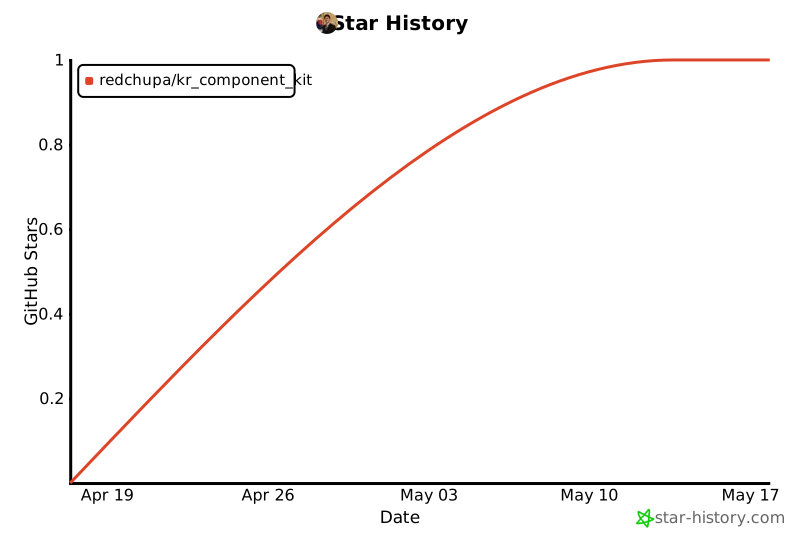
## ⭐ Star if useful
A single Star ⭐ at the top right goes a long way. More stars → higher chance of HACS Default Repository acceptance → more Korean users can discover this.
[](https://star-history.com/#redchupa/kr_component_kit&Date)
---
## ☕ Donations
If this saved you time, a coffee would be appreciated 🙏
Toss (Korean)
PayPal
---
**Made with ❤️ for Korean Home Assistant users**
[hacs]: https://github.com/hacs/integration
[hacsbadge]: https://img.shields.io/badge/HACS-Custom-orange.svg?style=for-the-badge
[releases-shield]: https://img.shields.io/github/release/redchupa/kr_component_kit.svg?style=for-the-badge
[releases]: https://github.com/redchupa/kr_component_kit/releases
[commits-shield]: https://img.shields.io/github/commit-activity/y/redchupa/kr_component_kit.svg?style=for-the-badge
[commits]: https://github.com/redchupa/kr_component_kit/commits/main
[license-shield]: https://img.shields.io/github/license/redchupa/kr_component_kit.svg?style=for-the-badge
[stars-shield]: https://img.shields.io/github/stars/redchupa/kr_component_kit.svg?style=for-the-badge
[stars]: https://github.com/redchupa/kr_component_kit/stargazers