https://github.com/redis-developer/basic-redis-chat-demo-go
A Basic redis chat demo app written in Go language
https://github.com/redis-developer/basic-redis-chat-demo-go
Last synced: about 1 year ago
JSON representation
A Basic redis chat demo app written in Go language
- Host: GitHub
- URL: https://github.com/redis-developer/basic-redis-chat-demo-go
- Owner: redis-developer
- License: mit
- Created: 2021-02-10T14:03:49.000Z (over 5 years ago)
- Default Branch: master
- Last Pushed: 2023-06-27T07:34:10.000Z (almost 3 years ago)
- Last Synced: 2025-04-12T03:52:53.197Z (about 1 year ago)
- Language: JavaScript
- Size: 14.9 MB
- Stars: 34
- Watchers: 6
- Forks: 17
- Open Issues: 4
-
Metadata Files:
- Readme: README.md
- License: LICENSE
Awesome Lists containing this project
README
# Basic Redis Chat App Demo
A basic chat application built with Golang, Websocket and Redis.
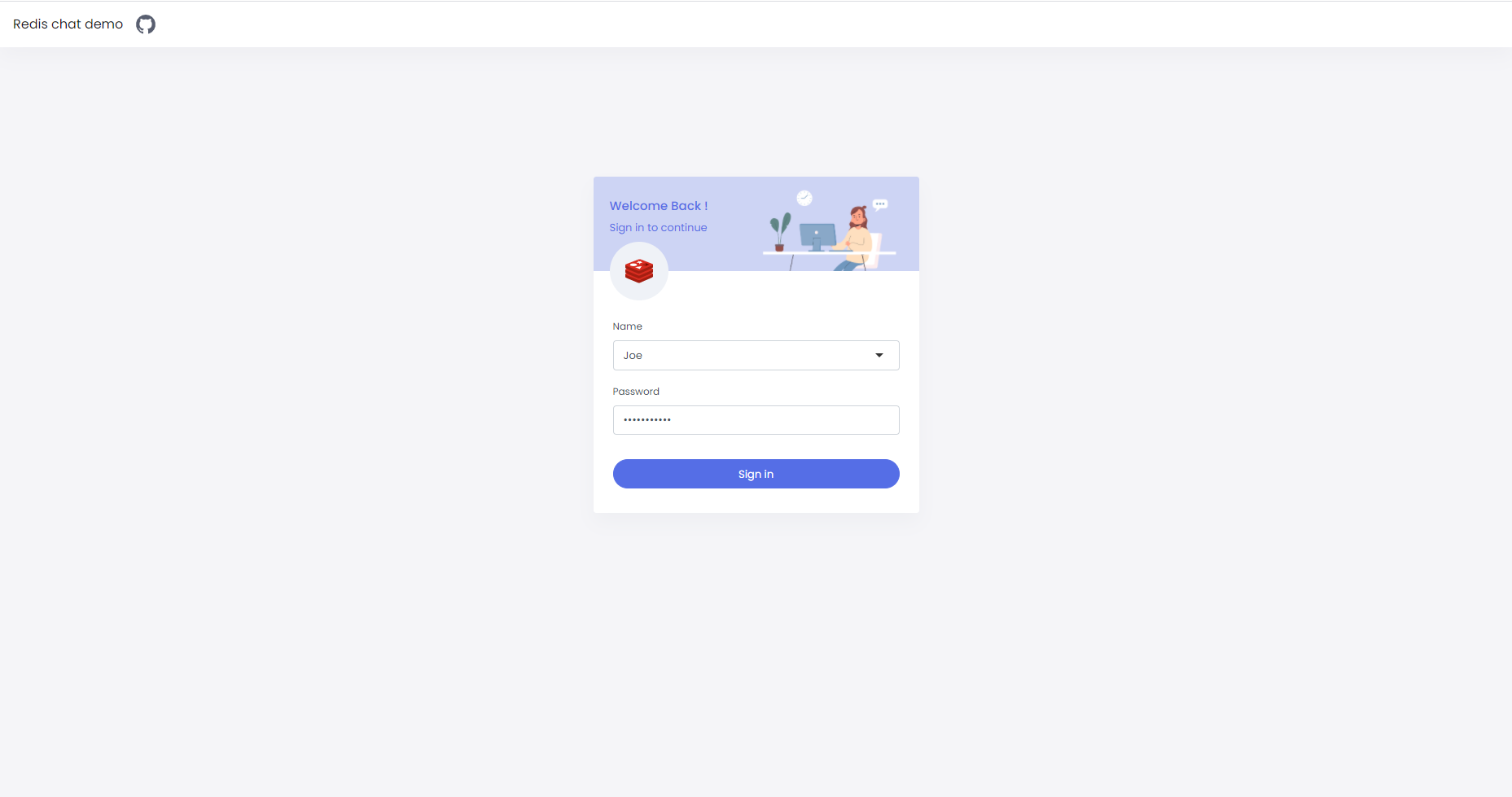
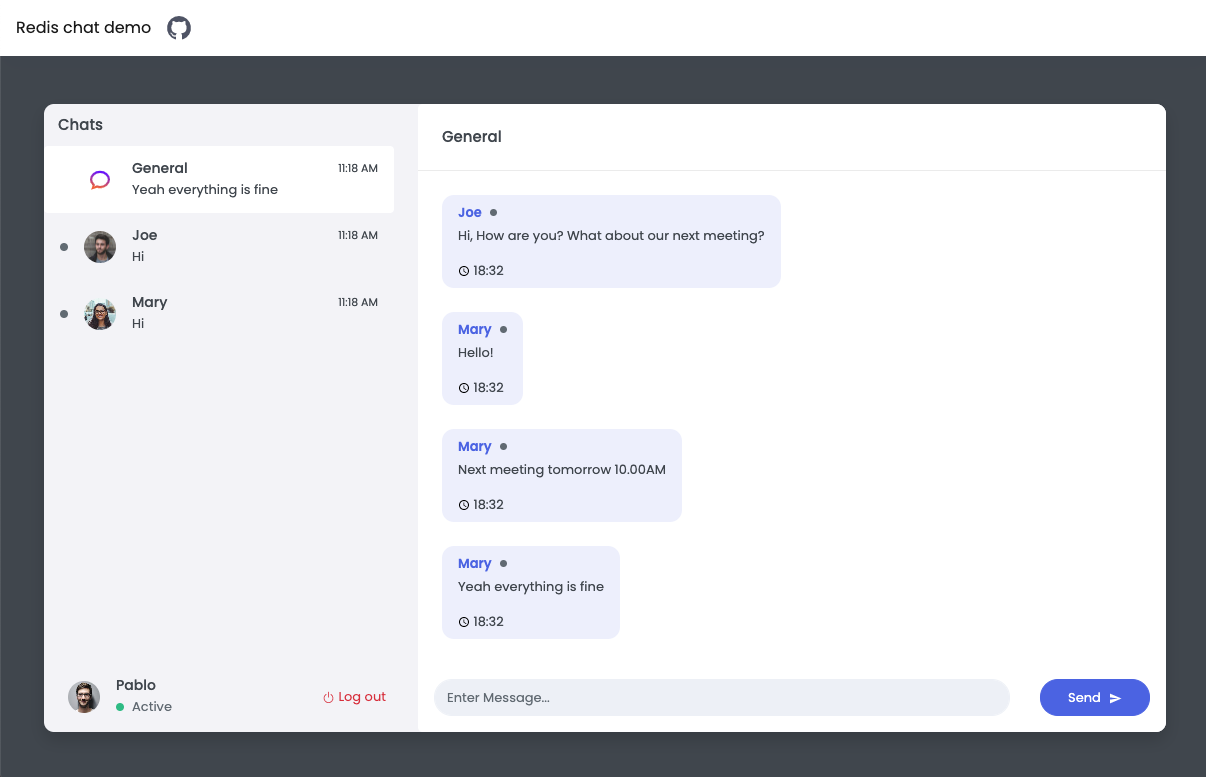
# Overview video
Here's a short video that explains the project and how it uses Redis:
[](https://www.youtube.com/watch?v=miK7xDkDXF0)
## Technical Stacks
- Frontend - _React_, _Socket_
- Backend - _Go_, _Redis_ (go-redis/redis)
## How it works?
### Client Server
Communication build on websocket messages.
Client should handle messages from websocket with `onmessage(event)` event and processed it, where `event.data`
is stringify JSON.
Send request to server available with websocket `send(data)` function, where `data` is `JSON.stringify(Object)`.
Server receive and response stringify JSON object.
Usually for not atomic message sent with `type:"example"` server respond result will be with
same message type: `type:"example"`, for details see `Chat with websocket` block below.
Server not guarantee that responses is ordered as requests order.
As example:
Client requests
```
>>> Request A
>>> Request B
>>> Request C
```
May have responses in other order
```
<<< Response C
<<< Response A
<<< Response B
```
For complicated throws client should receive response for previous sent message before send next message.
As example in a pseudocode:
```
>>> Open websocket
<<< Waiting for message type ready
>>> Send message type signIn
<<< Waiting for message type authorized
>>> Send message type channelJoin
<<< Waiting for message type channelJoin
>>> Now send multiple message to websocket and multiple receive messages
```
### Registration

#### User sign in
Login for chatting, if user not exist it will be created.
Send a message to websocket:
```
{
type: "signIn",
signIn: {
username: "Username",
password: "Password"
}
}
```
Receive a message from websocket:
```
{
type: "authorized",
authorized: {
userUUID: "123e4567-e89b-12d3-a456-426614174000",
accessKey: "generated session access key"
}
}
```
Send system message to all connected users on success:
```
{
type: "sys",
sys: {
type: "signIn",
signIn: {
uuid: "123e4567-e89b-12d3-a456-426614174000",
username: "Username"
}
}
}
```
##### Redis Commands
- Key for store user index by user UUID: `usersUUIDListIndex:`
- E.g `usersUUIDListIndex:123e4567-e89b-12d3-a456-426614174000`
###### How the data is stored:
User structure:
```
{
UUID: "123e4567-e89b-12d3-a456-426614174000",
Username: "User name",
Password: "Password",
AccessKey: "Access key",
OnLine: true
}
```
- Add user to the end redis list, will return number of elements in success: `RPUSH users `. User index in the list is ` - 1`
- E.g `RPUSH users "{\"UUID\":\"123e4567-e89b-12d3-a456-426614174000\",\"Username\":\"User name\",\"Password\":\"Password\",\"AccessKey\":\"Access key\",\"OnLine\":true}"`
- Save index for search user by Username:
- E.g `SET usersUsernameListIndex:123e4567-e89b-12d3-a456-426614174000 4` where 4 is **User Index**
- Save index for search user by UUID:
- E.g `SET usersUUIDListIndex:123e4567-e89b-12d3-a456-426614174000 4`
- On error, we should remove index for search by Username:
- E.g `DEL usersUsernameListIndex:123e4567-e89b-12d3-a456-426614174000`
- Set user online status, should expire after 60sec:
- E.g `SETEX userStatus:123e4567-e89b-12d3-a456-426614174000 2021-04-06T12:53:10.436Z 60` where we pass the start date in the ISO string format.
###### How the data is accessed:
- Read user by UUID from redis KV, on exist will return user index for users list in redis:
- E.g `GET usersUUIDListIndex:123e4567-e89b-12d3-a456-426614174000`
- Read user by username from redis KV, on exists will return user index for users list in redis:
- E.g `GET usersUsernameListIndex:123e4567-e89b-12d3-a456-426614174000`
Key for store users in LList: `users`
- Read user from the start list by user index in list, will return json stringify on success:
- E.g `lindex users 5` where **5** is index.
#### User sign up
New user registration, will append `signIn` on successful.
Send a message to websocket:
```
{
type: "signUp",
signUp: {
username: "Username",
password: "Password"
}
}
```
Receive a message from websocket:
```
{
type: "authorized",
authorized: {
userUUID: "123e4567-e89b-12d3-a456-426614174000",
accessKey: "generated session access key"
}
}
```
Each of authorized messages should contain authorized properties `userUUID` and `sessionUUID`, see details below.
Send system message to all connected users:
```
{
type: "sys",
sys: {
type: "signIn",
signIn: {
uuid: "123e4567-e89b-12d3-a456-426614174000",
username: "Username"
}
}
}
```
##### **Redis Commands**
Check the `Sign In` section for redis commands, it's the same
#### Logout user
This is atomic command without message body.
Send a message to websocket:
```
{
type: "signOut",
userUUID: "123e4567-e89b-12d3-a456-426614174000"
}
```
Receive a message from websocket:
```
{
type: "signOut",
signOut: {
uuid: "123e4567-e89b-12d3-a456-426614174000"
}
}
```
##### Redis Commands
##### How the data is stored:
On user exist and signed in, remove sign in data.
- Delete user access key:
- E.g `DEL access_key:123e4567-e89b-12d3-a456-426614174000`
- Set user offline:
- E.g `DEL userStatus:123e4567-e89b-12d3-a456-426614174000`
##### How the data is accessed:
- Check if user exist. Read user index by UUID from redis list:
- E.g `GET usersUUIDListIndex:123e4567-e89b-12d3-a456-426614174000`
- Read user from redis list by an index:
- E.g `LINDEX users 4` where 4 is **User Index**
- Read user online status (it called in `UserGet` method):
- E.g `GET userStatus:123e4567-e89b-12d3-a456-426614174000`
#### Get users
This is atomic operation, it not expected `users` block in request.
Send a message to websocket:
```
{
userUUID: "123e4567-e89b-12d3-a456-426614174000",
type: "users"
}
```
Receive a message from websocket:
```
{
type: "users",
users: {
total: 0,
received: 0,
users: [
{
UUID: "123e4567-e89b-12d3-a456-426614174000",
Username: "User name",
OnLine: true
}
]
}
}
```
##### Redis Commands
- Read number of users:
- E.g `LLEN users`
- Read all users:
- E.g `LRANGE users 0 10` where **10** is number of users.
#### Code Example: Prepare User Data in Redis HashSet
```Go
func (r *Redis) UserCreate(username, password string) (*User, error) {
log.Println("UserCreate", fmt.Sprintf("[%s|%s]", username, password))
if user, err := r.getUserFromListByUsername(username); err == nil {
return user, nil
}
user := &User{
UUID: uuid.NewString(),
Username: username,
Password: password,
}
if err := r.addUser(user); err != nil {
return nil, err
}
return user, nil
}
```
### Rooms

After signIn/signUp client should send `channelJoin` for receive messages from specified channel.
With empty `channelJoin.recipientUUID` user will join to general channel.
For private channel set `channelJoin.recipientUUID` with valid `userUUID`.
Before channel join we should leave other channels if joined, user should have one joined channel.
Send a message to websocket:
```
{
userUUID: "123e4567-e89b-12d3-a456-426614174000",
sessionUUID: "123e4567-e89b-12d3-a456-426614174000",
type: "channelJoin",
channelJoin: {
recipientUUID: "123e4567-e89b-12d3-a456-426614174000",
}
}
```
Receive a message from websocket
```
{
type: "channelJoin",
channelJoin: {
recipientUUID: "123e4567-e89b-12d3-a456-426614174000",
messages: [ // array of messages in channel in desc order
{
UUID: "123e4567-e89b-12d3-a456-426614174000", // message UUID
SenderUUID: "123e4567-e89b-12d3-a456-426614174000",
Sender: {
UUID: "123e4567-e89b-12d3-a456-426614174000", //user UUID
Username: "User name"
},
RecipientUUID: "123e4567-e89b-12d3-a456-426614174000",
Recipient: {
UUID: "123e4567-e89b-12d3-a456-426614174000", //user UUID
Username: "User name"
},
Message: "Text message",
CreatedAt: "Message send date"
}
],
users: [ // array of joined users
{
UUID: "123e4567-e89b-12d3-a456-426614174000", //user UUID
Username: "Username",
OnLine: true
}
]
}
}
```
Send system message to all connected users:
```
{
type: "sys",
SUUID: "123e4567-e89b-12d3-a456-426614174000",
userUUID: "123e4567-e89b-12d3-a456-426614174000",
user: {
UUID: "123e4567-e89b-12d3-a456-426614174000",
Username: "User name",
OnLine: true
},
sys: {
type: "channelJoin",
channelJoin: {
recipientUUID: "123e4567-e89b-12d3-a456-426614174000"
}
}
}
```
#### Join to channel (room)
After signIn/signUp client should send `channelJoin` for receive messages from specified channel.
With empty `channelJoin.recipientUUID` user will join to general channel.
For private channel set `channelJoin.recipientUUID` with valid `userUUID`.
Before channel join we should leave other channels if joined, user should have one joined channel.
Send a message to websocket:
```
{
userUUID: "123e4567-e89b-12d3-a456-426614174000",
sessionUUID: "123e4567-e89b-12d3-a456-426614174000",
type: "channelJoin",
channelJoin: {
recipientUUID: "123e4567-e89b-12d3-a456-426614174000",
}
}
```
Receive a message from websocket
```
{
type: "channelJoin",
channelJoin: {
recipientUUID: "123e4567-e89b-12d3-a456-426614174000",
messages: [ // array of messages in channel in desc order
{
UUID: "123e4567-e89b-12d3-a456-426614174000", // message UUID
SenderUUID: "123e4567-e89b-12d3-a456-426614174000",
Sender: {
UUID: "123e4567-e89b-12d3-a456-426614174000", //user UUID
Username: "User name"
},
RecipientUUID: "123e4567-e89b-12d3-a456-426614174000",
Recipient: {
UUID: "123e4567-e89b-12d3-a456-426614174000", //user UUID
Username: "User name"
},
Message: "Text message",
CreatedAt: "Message send date"
}
],
users: [ // array of joined users
{
UUID: "123e4567-e89b-12d3-a456-426614174000", //user UUID
Username: "Username",
OnLine: true
}
]
}
}
```
Send system message to all connected users:
```
{
type: "sys",
SUUID: "123e4567-e89b-12d3-a456-426614174000",
userUUID: "123e4567-e89b-12d3-a456-426614174000",
user: {
UUID: "123e4567-e89b-12d3-a456-426614174000",
Username: "User name",
OnLine: true
},
sys: {
type: "channelJoin",
channelJoin: {
recipientUUID: "123e4567-e89b-12d3-a456-426614174000"
}
}
}
```
##### Redis Commands
Leave channel if joined before channel join, see redis flow in `Leave channel` section of this README.
#### How the data is stored:
- Save joined sender to channel `HSET channelUsers: `:
- E.g `HSET channelUsers:123e4567-e89b-12d3-a456-426614174000 123e4567-e89b-12d3-a456-426634174000 2021-04-06T13:26:44.415Z`
- Save joined recipient for private channel `HSET channelUsers: `:
- E.g `HSET channelUsers:123e4567-e89b-12d3-a456-426614174000 123e4567-e89b-12d3-a456-426634174000 2021-04-06T13:26:44.415Z`
- Subcribe to channel `SUBSCRIBE `:
- E.g `SUBSCRIBE 123e4567-e89b-12d3-a456-426614174000`
#### How the data is accessed:
- Read user index by UUID:
- E.g `GET usersUUIDListIndex:123e4567-e89b-12d3-a456-426614174000`
- Read user list by user index:
- E.g `LINDEX users 5` where **5** is index
- Read channel UUID `GET channelSenderRecipient::`:
- E.g `GET channelSenderRecipient:123e4567-e89b-12d3-a456-426614174000:123e4567-e89b-12d3-a456-426614174022`
- Count message in a channel `LLEN channelMessages:`:
- E.g `LLEN channelMessages:5`
- Read last 10 messages from a channel, if number of messages in a channel less than 10:
- E.g `LRANGE channelMessages:123e4567-e89b-12d3-a456-426614174000 0, 10`
- Read last 10 messages from a channel, if number of messages in a channel more than 10 `` is `-1`: `LRANGE channelMessages: , -1`
- E.g `LRANGE channelMessages:123e4567-e89b-12d3-a456-426614174000 10, -1`
- Read channel users:
- E.g `HGETALL channelUsers:123e4567-e89b-12d3-a456-426614174000`
#### Leave channel
Send a message to websocket:
```
{
SUUID: "123e4567-e89b-12d3-a456-426614174000",
type: "channelLeave",
userUUID: "123e4567-e89b-12d3-a456-426614174000",
channelLeave: {
recipientUUID: "123e4567-e89b-12d3-a456-426614174000"
}
}
```
Receive a message from websocket, all connected users will receive it:
```
{
SUUID: "123e4567-e89b-12d3-a456-426614174000",
type: "channelLeave",
userUUID: "123e4567-e89b-12d3-a456-426614174000",
channelLeave: {
recipientUUID: "123e4567-e89b-12d3-a456-426614174000"
}
}
```
##### Redis Commands
###### How the data is stored:
If channel UUID not found for sender or recipient, we should crate it for both.
Generate `channelUUID`.
- Set channel UUID for sender `SET channelSenderRecipient:: `:
- E.g `SET channelSenderRecipient:123e4567-e89b-12d3-a456-426614174000:123e4567-e89b-12d3-a456-426614174000 123e4567-e89b-12d3-a456-426614174000`
- Set channel UUID for recipient: `SET channelSenderRecipient:: `
- E.g `SET channelSenderRecipient:123e4567-e89b-12d3-a456-426614174000:123e4567-e89b-12d3-a456-426614174000 123e4567-e89b-12d3-a456-426614174000`
###### How the data is accessed:
Get channel UUID, will return `public` on empty `recipientUUID`.
Key for private channels, first UUID is a sender(userUUID), second is recipient(userUUID):
```
channelSenderRecipient:123e4567-e89b-12d3-a456-426614174000:123e4567-e89b-12d3-a456-426614174000
```
Key for public channels:
```
channelSenderRecipient:123e4567-e89b-12d3-a456-426614174000:public
```
- Read channel UUID:
- E.g `GET channelSenderRecipient:123e4567-e89b-12d3-a456-426614174000:public`
#### Code Example: Join Room
```Go
func (r *Redis) ChannelJoin(senderUUID, recipientUUID string) (*ChannelPubSub, string, error) {
channelUUID, err := r.getChannelUUID(senderUUID, recipientUUID)
if err != nil {
return nil, "", err
}
err = r.channelJoin(channelUUID, senderUUID, recipientUUID)
if err != nil {
return nil, "", err
}
pubSub := r.client.Subscribe(channelUUID)
channel := r.addChannelPubSub(channelUUID, pubSub)
return channel, channelUUID, nil
}
```
### Messages
Send a message to websocket:
```
{
userUUID: "123e4567-e89b-12d3-a456-426614174000",
type: "channelMessage",
channelMessage: {
recipientUUID: "123e4567-e89b-12d3-a456-426614174000",
message: "Message text"
}
}
```
Receive a message from websocket, all joined users received it too:
```
{
type: "channelMessage",
channelMessage: {
SenderUUID: "123e4567-e89b-12d3-a456-426614174000",
Sender: {
UUID: "123e4567-e89b-12d3-a456-426614174000",
Username: "User name",
OnLine: true,
},
RecipientUUID: "123e4567-e89b-12d3-a456-426614174000",
Recipient: {
UUID: "123e4567-e89b-12d3-a456-426614174000",
Username: "User name",
OnLine: true,
},
Message: "Text message",
CreatedAt: "0000-00-00T00:00:00.000000000Z"
}
}
```
#### **Redis Commands**
#### How the data is stored:
- Publish a message to redis PubSub: `PUBLISH `
- E.g `PUBLISH 123e4567-e89b-12d3-a456-426614174000 {\"UUID\":\"123e4567-e89b-12d3-a456-426614174000\",\"SenderUUID\":\"123e4567-e89b-12d3-a456-426614174000\",\"RecipientUUID\":\"123e4567-e89b-12d3-a456-426614174000\",\"Message\":\"Text message\",\"CreatedAt\":\"0000-00-00T00:00:00.000000000Z\"}`
- Save message in the end of redis list: `RPUSH channelMessages. `
- E.g `RPUSH channelMessages.123e4567-e89b-12d3-a456-426614174000 {\"UUID\":\"123e4567-e89b-12d3-a456-426614174000\",\"SenderUUID\":\"123e4567-e89b-12d3-a456-426614174000\",\"RecipientUUID\":\"123e4567-e89b-12d3-a456-426614174000\",\"Message\":\"Text message\",\"CreatedAt\":\"0000-00-00T00:00:00.000000000Z\"}`
Message structure:
```
{
UUID: "123e4567-e89b-12d3-a456-426614174000", // message UUID
SenderUUID: "123e4567-e89b-12d3-a456-426614174000", // user UUID
RecipientUUID: "123e4567-e89b-12d3-a456-426614174000", // user UUID, or empty for public channel
Message: "Text message",
CreatedAt: "0000-00-00T00:00:00.000000000Z"
}
```
#### How the data is accessed:
Read channel UUID. See **Redis Commands** in `Channel leave`.
#### Code Example: Send Message
```Go
func channelSessionsSendMessage(skipUserUUID, channelUUID string, write Write, message *Message) {
channelSessionsSync.RLock()
defer channelSessionsSync.RUnlock()
for _, data := range channelSessionsJoins[channelUUID] {
if skipUserUUID != "" && skipUserUUID == data.userUUID {
continue
}
if err := write(data.conn, ws.OpText, message); err != nil {
log.Println(err)
}
}
}
```
### Session handling
On first connect to websocket client receive `ready` message:
```
{
type: "ready",
ready: {
sessionUUID: "123e4567-e89b-12d3-a456-426614174000"
}
}
```
#### Redis Commands
##### How the data is stored:
- Key for store user session UUID: `userSession:123e4567-e89b-12d3-a456-426614174000`
- E.g `SETEX userSession.123e4567-e89b-12d3-a456-426614174000 0000-00-00T00:00:00.000000000Z 3600`
- Remove user session:
- E.g `DEL userSession.123e4567-e89b-12d3-a456-426614174000`
##### How the data is accessed:
- Read user session created time:
- E.g `GET userSession.123e4567-e89b-12d3-a456-426614174000`
#### Code example: Managing session
```Go
func (r *Redis) getKeyUserSession(userSessionUUID string) string {
return fmt.Sprintf("%s.%s", keyUserSession, userSessionUUID)
}
func (r *Redis) AddConnection(userSessionUUID string) error {
key := r.getKeyUserSession(userSessionUUID)
return r.client.Set(key, time.Now().String(), time.Hour).Err()
}
func (r *Redis) DelConnection(userSessionUUID string) error {
key := r.getKeyUserSession(userSessionUUID)
return r.client.Del(key).Err()
}
```
## How to run it locally?
The client utilizes **Create React App** template, to run it with the development instance of backend, specify the proxy parameter in **package.json**:
```
"proxy": "http://localhost:5555",
```
#### Run frontend
```sh
cd client
yarn install
yarn start
```
#### Run backend
#### Set the next environment variables (.env.example):
```
SERVER_ADDRESS=:5555
CLIENT_LOCATION=/api/public
REDIS_HOST=chat-redis
REDIS_ADDRESS=:6379
REDIS_PASSWORD=
```
```sh
go run
```
## Try it out
#### Deploy to Heroku

#### Deploy to Google Cloud
