https://github.com/redsift/d3-rs-bars
https://github.com/redsift/d3-rs-bars
Last synced: about 1 year ago
JSON representation
- Host: GitHub
- URL: https://github.com/redsift/d3-rs-bars
- Owner: redsift
- License: mit
- Created: 2016-06-18T02:45:01.000Z (about 10 years ago)
- Default Branch: master
- Last Pushed: 2024-03-16T14:58:26.000Z (over 2 years ago)
- Last Synced: 2025-05-21T00:13:40.056Z (about 1 year ago)
- Language: HTML
- Size: 1.13 MB
- Stars: 1
- Watchers: 18
- Forks: 1
- Open Issues: 7
-
Metadata Files:
- Readme: README.md
- License: LICENSE
Awesome Lists containing this project
README
# d3-rs-bars
`d3-rs-bars` generate a range of bar charts. Supports stacked and un-stacked series, hovers and highlights.
## Builds
[](https://circleci.com/gh/redsift/d3-rs-bars)
[](https://www.npmjs.com/package/@redsift/d3-rs-bars)
[](https://raw.githubusercontent.com/redsift/d3-rs-bars/master/LICENSE)
## Example
[View @redsift/d3-rs-bars on CodePen](http://codepen.io/rahulpowar/pen/mEOopX?editors=0010)
[Full example @redsift/d3-rs-bars as REFViewer on CodePen](http://codepen.io/rahulpowar/full/OXgWYj/)
[View @redsift/d3-rs-bars Collection on CodePen](http://codepen.io/collection/AYWgqm/)
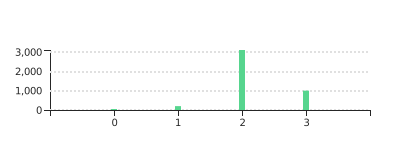
### Bottom orientation
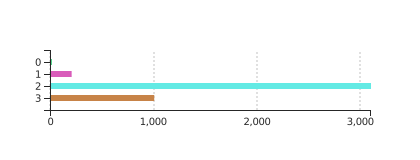
### Left orientation as a series
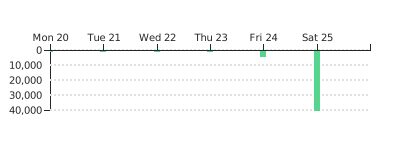
### Top orientation as time
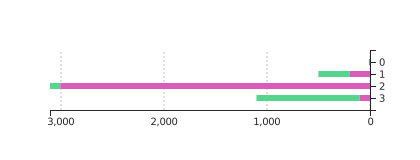
### Right orientation as stacked time
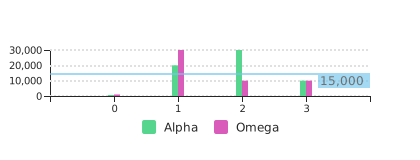
### Side-by-Side with highlight and legend
## Usage
### Browser
var chart = d3_rs_bars.html();
chart.fill('global');
d3.select('body').datum([ 1, 2, 3, 10, 100 ]).call(chart);
### ES6
import { html as bars } from "@redsift/d3-rs-bars";
import { select } from "d3-selection";
let chart = bars();
select('body').datum([ 1, 2, 3, 10, 100 ]).call(chart);
### Require
var chart = require("@redsift/d3-rs-bars");
var eml = chart.html();
...
### Datum
- Simplest form, array of numbers: `[1,2,3,4...]` [Datum Bricks Example](https://bricks.redsift.cloud/reusable/d3-rs-bars.svg?_datum=[1,2,20,4,10,30])
- Using a set of array `[[1,2],[20,4],[10,30]]` to form stacked bar chart. [Datum Bricks Example](https://bricks.redsift.cloud/reusable/d3-rs-bars.svg?_datum=[[1,2],[20,4],[10,30]])
- The datum parameter can be altered using **Index** and **Value** to customise the ticks and the bar size. Index is used to customise the tick taking a String
or an Integer as an argument and Value changes the bar size.The following datum uses a tick as a String [{"l":"Boys","v":30},{"l":"Girls","v":[83,20]}] where "v" can contain a single or an array of numbers. [Datum Bricks Example](https://bricks.redsift.cloud/reusable/d3-rs-bars.svg?_datum=[{%22l%22:%22Boys%22,%22v%22:30},{%22l%22:%22Girls%22,%22v%22:[83,20]}])
- Epoch time can also be supplied to Index as such ["l":1466684012000,"v":300.5,"l":1466770412000,"v":4000,"l":1466856812000,"v":40000] to include customised Calendar date to chart and using [String Specifiers](https://github.com/d3/d3-time-format#locale_format) as a parameter to `labelTime` property to set the date format. [Datum Bricks Example](https://bricks.redsift.io/reusable/d3-rs-bars.svg?_datum=%5B%7B%22l%22:1466684012000,%22v%22:300.5%7D,%7B%22l%22:1466770412000,%22v%22:4000%7D,%7B%22l%22:1466856812000,%22v%22:40000%7D%5D&orientation=bottom&labelTime=%25a)
### Parameters
Property|Description|Transition|Preview
----|-----------|----------|-------
`classed`| *String* Customise SVG by adding, removing and toggling of CSS classes. |N|
`background`| *Sting, Array, Function* Change the background colour of the SVG container. Background colour can be set using a colour name, rgb or hex value. | Y|[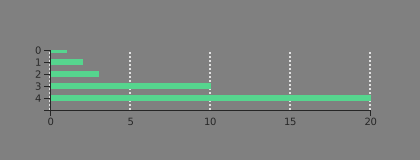](https://bricks.redsift.cloud/reusable/d3-rs-bars.svg?_datum=[1,2,3,10,20]&background=grey)
Examples: [Bricks](https://bricks.redsift.cloud/reusable/d3-rs-bars.svg?_datum=[1,2,3,10,20]&background=grey)/[CodePen](http://codepen.io/geervesh/pen/RGjQNB)
`theme`| *String* Customise the chart theme including `'light'`(default) and `'dark'`. |Y| [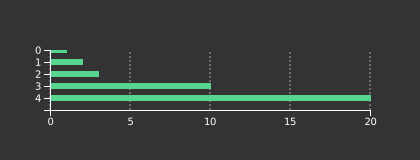](https://bricks.redsift.cloud/reusable/d3-rs-bars.svg?_datum=[1,2,3,10,20]&theme=dark)
Examples: [Bricks](https://bricks.redsift.cloud/reusable/d3-rs-bars.svg?_datum=[1,2,3,10,20]&theme=dark)/ [CodePen](http://codepen.io/geervesh/pen/gwXvgE)
`fill`| *Sting, Array, Function* Change the bar chart colour using a `String` which can take colour name, rgb or hex value as an argument. Using an `Array` of custom colours or use `'global'` to generate random colour or supply a custom function.| Y| [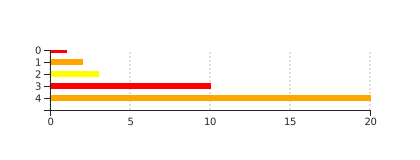](https://bricks.redsift.cloud/reusable/d3-rs-bars.svg?_datum=[1,2,3,10,20]&fill=yellow&fill=orange&fill=red)
[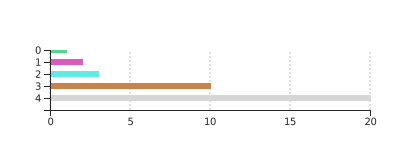](https://bricks.redsift.cloud/reusable/d3-rs-bars.svg?_datum=[1,2,3,10,20]&fill=global)
`style`|*String* Custom CSS to inject into chart. |N|
`width`, `height` |*Integer* Resize the height and width of the chart. `Default` `width`: `420` pixels. |Y| [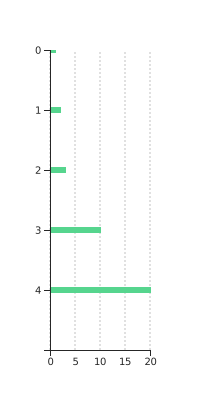](https://bricks.redsift.cloud/reusable/d3-rs-bars.svg?_datum=[1,2,3,10,20]&width=200&height=400)
Examples: [Bricks](https://bricks.redsift.cloud/reusable/d3-rs-bars.svg?_datum=[1,2,3,10,20]&width=200&height=400)/[CodePen](http://codepen.io/geervesh/pen/qaXgxg)
`size` | *Integer* Resize the chart to a certain size changing both the width and height maintaining a default aspect ratio. |Y| [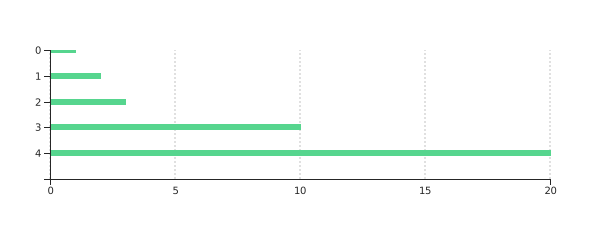](https://bricks.redsift.cloud/reusable/d3-rs-bars.svg?_datum=[1,2,3,10,20]&size=600)
Examples: [Bricks](https://bricks.redsift.cloud/reusable/d3-rs-bars.svg?_datum=[1,2,3,10,20]&size=600)/[CodePen](http://codepen.io/geervesh/pen/bwKJPB)
`scale` | *Integer* Scale the entire chart by the scaling value. Used to zoom the chart or compensate for high DPI displays when rasterized. `Default` `scale`: 1 |Y| [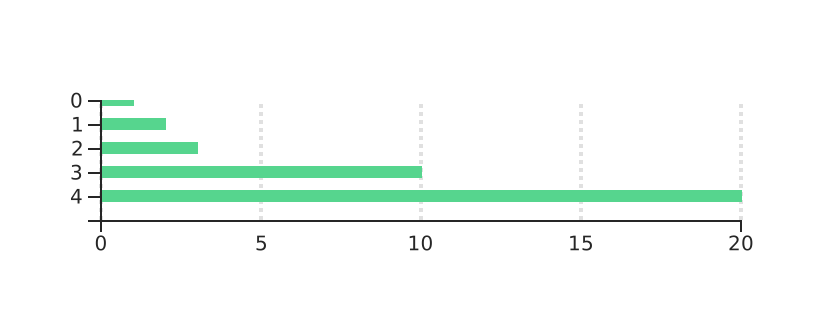](https://bricks.redsift.cloud/reusable/d3-rs-bars.svg?_datum=[1,2,3,10,20]&scale=2)
Examples: [Bricks](https://bricks.redsift.cloud/reusable/d3-rs-bars.svg?_datum=[1,2,3,10,20]&scale=2)/[CodePen](http://codepen.io/geervesh/pen/BLVZNQ)
`margin`| *Number* Change the chart margin inside of the SVG container. `Default margin: 26`.|Y|[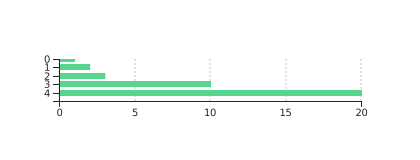](https://bricks.redsift.cloud/reusable/d3-rs-bars.svg?_datum=[1,2,3,10,20]&margin=35)
Examples: [Bricks](https://bricks.redsift.cloud/reusable/d3-rs-bars.svg?_datum=[1,2,3,10,20]&margin=35),[CodePen](http://codepen.io/geervesh/pen/ORzpvv)
`inset`| *Number* Resize the space inside the chart margin for the main chart element. This excludes items like legends. Comparing [Margin](https://bricks.redsift.cloud/reusable/d3-rs-bars.svg?_datum=[1,2,3,10,20]&margin=60&legend=barChart) & [Inset](https://bricks.redsift.cloud/reusable/d3-rs-bars.svg?_datum=[1,2,3,10,20]&inset=60&legend=barChart) legend where the legend get distorded while using margin on using a big value. |Y| [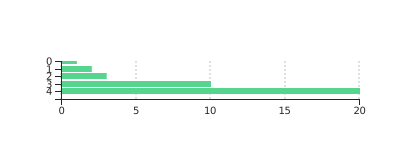](https://bricks.redsift.cloud/reusable/d3-rs-bars.svg?_datum=[1,2,3,10,20]&inset=40)
Examples: [Bricks](https://bricks.redsift.cloud/reusable/d3-rs-bars.svg?_datum=[1,2,3,10,20]&inset=35)/[CodePen](http://codepen.io/geervesh/pen/BLJWLm)
`highlight`| *(Array of)Integer* Highlight an array of value or a particular value. |Y| [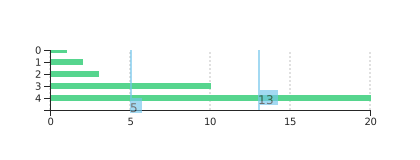](https://bricks.redsift.cloud/reusable/d3-rs-bars.svg?_datum=[1,2,3,10,20]&highlight=5&highlight=13)
Examples: [Bricks](https://bricks.redsift.cloud/reusable/d3-rs-bars.svg?_datum=[1,2,3,10,20]&highlight=5&highlight=13)/[CodePen](http://codepen.io/geervesh/pen/pEdQxV)
`minValue`,`maxValue`| *Number* Sets the minimum and maximum Value scale range. Note that for log scales, minValue must be > 0.|Y| [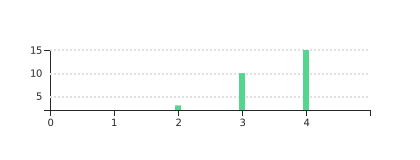](https://bricks.redsift.cloud/reusable/d3-rs-bars.svg?_datum=[1,2,3,10,20]&minValue=2&maxValue=15&orientation=bottom)
Examples: [Bricks](https://bricks.redsift.cloud/reusable/d3-rs-bars.svg?_datum=[1,2,3,10,20]&minValue=2&maxValue=15&orientation=bottom)/[CodePen](http://codepen.io/geervesh/pen/NRwqNW)
`legend`| *(Array of) String* Add legends to the chart where array of `String` can be supply for multiple bar chart. | N| [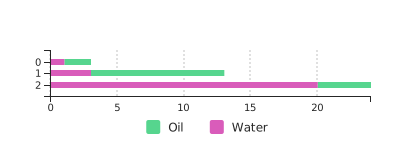](https://bricks.redsift.cloud/reusable/d3-rs-bars.svg?_datum=[[1,2],[3,10],[20,4]]&legend=Oil%20&legend=Water)
Examples: [Bricks](https://bricks.redsift.cloud/reusable/d3-rs-bars.svg?_datum=[[1,2],[3,10],[20,4]]&legend=Oil%20&legend=Water)/[CodePen](http://codepen.io/geervesh/pen/bwapjG)
`legendOrientation` | *String* Position the legend, positions include top, bottom, left or right. `Default orientation : 'bottom'` | Y| [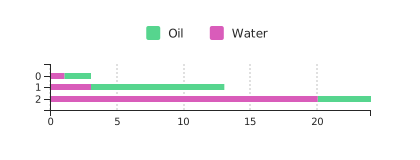](https://bricks.redsift.cloud/reusable/d3-rs-bars.svg?_datum=[[1,2],[3,10],[20,4]]&legend=Oil%20&legend=Water&legendOrientation=top)
Examples: [Bricks](https://bricks.redsift.cloud/reusable/d3-rs-bars.svg?_datum=[[1,2],[3,10],[20,4]]&legend=Oil%20&legend=Water&legendOrientation=top)/[CodePen](http://codepen.io/geervesh/pen/RGxVXO)
`orientation`| *String* Set the orientation of the labels. `Default` oriented : `left`. Parameters include `right`,`left`,`top` and `bottom`. |Y|[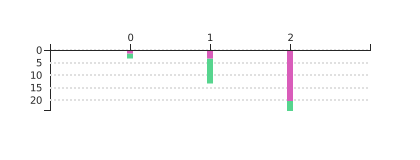](https://bricks.redsift.cloud/reusable/d3-rs-bars.svg?_datum=[[1,2],[3,10],[20,4]]&orientation=top)
Examples: [Bricks](https://bricks.redsift.cloud/reusable/d3-rs-bars.svg?_datum=[[1,2],[3,10],[20,4]]&orientation=top)/[CodePen](http://codepen.io/geervesh/pen/ZpabwP)
`rotateValue`,`rotateIndex` | *Integer* Rotate the Index or Value ticks in degree where positive degree represent clockwise rotation and negative degree anticlockwise rotation. `Default` `rotation` : `0`. |Y| [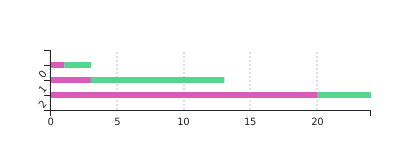](https://bricks.redsift.cloud/reusable/d3-rs-bars.svg?_datum=[[1,2],[3,10],[20,4]]&rotateIndex=310&rotateValue=%20240)
Examples: [Bricks](https://bricks.redsift.cloud/reusable/d3-rs-bars.svg?_datum=[[1,2],[3,10],[20,4]]&rotateIndex=310&rotateValue=%20240)/[CodePen](http://codepen.io/geervesh/pen/NRXpZE)
`labelTime`| *String* Interpret the label as a millisecond epoch and format it using [specified string](https://github.com/d3/d3-time-format#locale_format).|N|[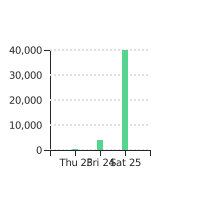](https://bricks.redsift.io/reusable/d3-rs-bars.svg?width=200&height=200&_datum=[{%22v%22:300.5,%22l%22:1466684012000},{%22v%22:4000,%22l%22:1466770412000},{%22v%22:40000,%22l%22:1466856812000}]&orientation=bottom&labelTime=%25a%20%25d)
Examples: [Bricks](https://bricks.redsift.io/reusable/d3-rs-bars.svg?width=200&height=200&_datum=[{%22v%22:300.5,%22l%22:1466684012000},{%22v%22:4000,%22l%22:1466770412000},{%22v%22:40000,%22l%22:1466856812000}]&orientation=bottom&labelTime=%25a%20%25d)/[CodePen](http://codepen.io/geervesh/pen/gwXvyO)
`barSize`| *Interger* Change the size of the bar elements. Positive value set the absolute value in pixels. Negative values specify the scale relative to space between ticks. i.e. -0.5 will set the bar size to 50% of the width between the ticks. `Default` size set to `6`. |Y|[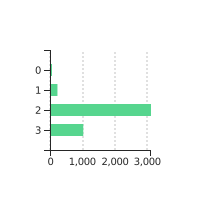](https://bricks.redsift.io/reusable/d3-rs-bars.svg?width=200&height=200&_datum=[1,200,3100,1000]&barSize=12)
[Above Brick Example](https://bricks.redsift.io/reusable/d3-rs-bars.svg?width=200&height=200&_datum=[1,200,3100,1000]&barSize=12)
[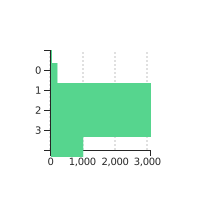](https://bricks.redsift.io/reusable/d3-rs-bars.svg?width=200&height=200&_datum=[1,200,3100,1000]&barSize=-0.5)
[Above Brick Example](https://bricks.redsift.io/reusable/d3-rs-bars.svg?width=200&height=200&_datum=[1,200,3100,1000]&barSize=-0.5) / [CodePen](http://codepen.io/geervesh/pen/RGjyWp)
`tickDisplayValue`| *String, Integer* Rename all tick to a single argument by supplying a String or a Number. |N| [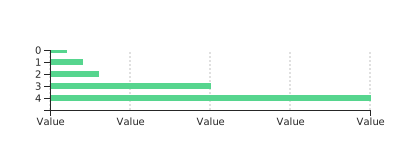](https://bricks.redsift.cloud/reusable/d3-rs-bars.svg?_datum=[1,2,3,10,20]&tickDisplayValue=Value)
Examples: [Bricks](https://bricks.redsift.cloud/reusable/d3-rs-bars.svg?_datum=[1,2,3,10,20]&tickDisplayValue=Value)/[CodePen](http://codepen.io/geervesh/pen/kkvkOY)
`label`| *String* Use the same labels for value using a String or an Integer. |N| [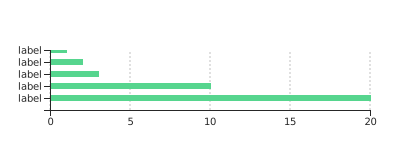](https://bricks.redsift.cloud/reusable/d3-rs-bars.svg?_datum=[1,2,3,10,20]&label=label)
Examples: [Bricks](https://bricks.redsift.cloud/reusable/d3-rs-bars.svg?_datum=[1,2,3,10,20]&label=label)/[CodePen](http://codepen.io/geervesh/pen/KgkrBk)
`tickFormatValue`, `tickFormatIndex`| *String, Function* Set the formatting string or function for the ticks. |N| [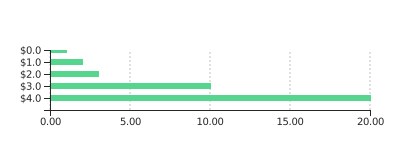
Examples: [Bricks](https://bricks.redsift.cloud/reusable/d3-rs-bars.svg?_datum=[1,2,3,10,20]&tickFormatValue=.2f&tickFormatIndex=$.1s)/ [CodePen](http://codepen.io/geervesh/pen/xEpRPX)
`tickCountValue`, `tickCountIndex`| *Number, String, Interval Function* Hints at the number of ticks to set in the corresponding axis. Supports strings for example split [time intervals](https://github.com/d3/d3-time#intervals), apply when using epoch time format. `Default tickCountIndex: 6` | N | [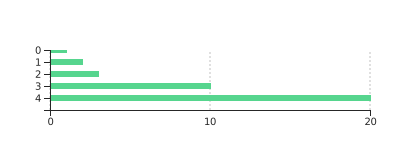](https://bricks.redsift.cloud/reusable/d3-rs-bars.svg?_datum=[1,2,3,10,20]&tickCountIndex=1&tickCountValue=2)
Examples: [Bricks](https://bricks.redsift.cloud/reusable/d3-rs-bars.svg?_datum=[1,2,3,10,20]&tickCountIndex=1&tickCountValue=2)/[CodePens](http://codepen.io/geervesh/pen/dpqzVm?editors=1010)
`displayTip`| *Integer* Position the tip display on the bar chart on hovering. |Y| [CodePen Example](http://codepen.io/geervesh/pen/qaVLpa)
`displayHtml` | *String,Function* Customise the tip info. Function parameters include `(d,i)`, `d` represent data and `i` the dataset. |N| [CodePen Example](http://codepen.io/geervesh/pen/GjOPwd)
`stacked`| *Boolean* Enable bar chart to stack onto each other. | Y| [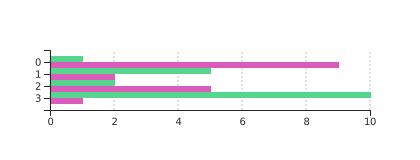](https://bricks.redsift.cloud/reusable/d3-rs-bars.svg?_datum=[%20[%201,%209%20],%20[%205,%202%20],%20[%202,%205%20],%20[%2010,%201%20]]&stacked=false)
Examples: [Bricks](https://bricks.redsift.cloud/reusable/d3-rs-bars.svg?_datum=[%20[%201,%209%20],%20[%205,%202%20],%20[%202,%205%20],%20[%2010,%201%20]]&stacked=false)/[CodePen](http://codepen.io/geervesh/pen/RGxazO)
`value`| *Function* Generate a bar chart from selecting an object values carrying the data to generate the bar chart.|N| [CodePen Example](http://codepen.io/geervesh/pen/JRrKqg)
`grid`| *Boolean* Enable grid to display on the chart. `Default`: `true`. |N| [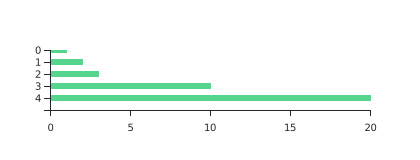](https://bricks.redsift.cloud/reusable/d3-rs-bars.svg?_datum=[1,2,3,10,20]&grid=false)
Examples: [Bricks](https://bricks.redsift.cloud/reusable/d3-rs-bars.svg?_datum=[1,2,3,10,20]&grid=false)/[CodePen](http://codepen.io/geervesh/pen/wzpzRE)
`logValue`| *Integer* Alter the grid spacing for value. |Y| [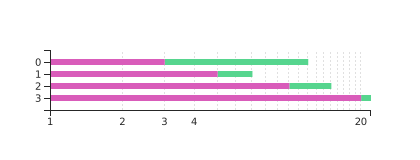](https://bricks.redsift.cloud/reusable/d3-rs-bars.svg?_datum=[%20[%203,%209%20],%20[%205,%202%20],%20[%2010,%205%20],%20[%2020,%202%20]%20]&logValue=20)
Examples: [Bricks](https://bricks.redsift.cloud/reusable/d3-rs-bars.svg?_datum=[%20[%203,%209%20],%20[%205,%202%20],%20[%2010,%205%20],%20[%2020,%202%20]%20]&logValue=20)/[CodePen](http://codepen.io/geervesh/pen/RGxazO)
`language`| *String* Change the language format of the chart affecting digit, currency and time formats. |N| [CodePen Example](http://codepen.io/geervesh/pen/RGxRob)
### Time
The two main time formatter available are UTC and Local Time. UTC uses the time standard applied across the world which is unaffected by Daylight Saving Time whereas Local Time is set to your local timezone.
To use any of the formatters, string specifiers is passed to the [`labelTime`](http://codepen.io/geervesh/pen/gwXvyO) function. To apply UTC format, d3.utcFormat(*specifier*) is used as a parameter to `labelTime`, *specifier* being the [string specifiers](https://github.com/d3/d3-time-format#locale_format). When using Local Time, only string specifiers can be passed to `labelTime` since by default the time format is set to Local Time.
Additional information about Time format for D3 can be found [here](https://github.com/d3/d3-time-format#d3-time-format).