https://github.com/redsift/d3-rs-lines
Line chart plugin for D3.js version 4. Supports stacks, area fills, hovers and highlights.
https://github.com/redsift/d3-rs-lines
chart d3 d3v4
Last synced: 11 months ago
JSON representation
Line chart plugin for D3.js version 4. Supports stacks, area fills, hovers and highlights.
- Host: GitHub
- URL: https://github.com/redsift/d3-rs-lines
- Owner: redsift
- License: mit
- Created: 2016-06-23T15:24:19.000Z (about 10 years ago)
- Default Branch: master
- Last Pushed: 2024-03-16T14:58:23.000Z (over 2 years ago)
- Last Synced: 2024-12-16T20:54:12.637Z (over 1 year ago)
- Topics: chart, d3, d3v4
- Language: HTML
- Homepage:
- Size: 1.46 MB
- Stars: 2
- Watchers: 19
- Forks: 1
- Open Issues: 18
-
Metadata Files:
- Readme: README.md
- License: LICENSE
Awesome Lists containing this project
README
# d3-rs-lines
[](https://circleci.com/gh/redsift/d3-rs-lines)
[](https://www.npmjs.com/package/@redsift/d3-rs-lines)
[](https://raw.githubusercontent.com/redsift/d3-rs-lines/master/LICENSE)
`d3-rs-lines` generate a range of line charts via the D3 reusable chart convention. Supports area fills, hovers and highlights.
## Example
[View @redsift/d3-rs-lines on Codepen](http://codepen.io/collection/DgkEpa/)
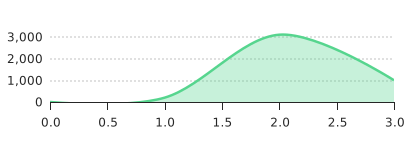
### Line chart
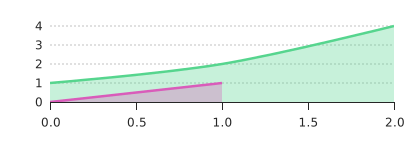
### Multiple series
## Usage
### Browser
var chart = d3_rs_lines.html();
d3.select('body').datum([ 1, 2, 3, 10, 100 ]).call(chart);
### ES6
import { html as chart } from "@redsift/d3-rs-lines";
let eml = chart();
...
### Require
var chart = require("@redsift/d3-rs-lines");
var eml = chart.html();
...
### Datum
- Simplest form, array of numbers: `[1,2,3,4...]`. [View Datum result on Bricks](https://bricks.redsift.cloud/reusable/d3-rs-lines.svg?_datum=[1,2,3,10,30])
- Datum includes parameters, **Index** and **Value** which form the datum `[{ "l": 1,"v":1},{"l": 4,"v":6}]`, `"l"` represent the Index and `"v"` the Value. The simple datum generate a line starting at (1,1) and ending at (4,6). [View Datum result on Bricks.](https://bricks.redsift.cloud/reusable/d3-rs-lines.svg?_datum=[{%20%22l%22:%201,%22v%22:1},{%22l%22:%204,%22v%22:6}])
- A set of line charts that can be achieved using different **Value** creating the datum `[{"l":1,"v":[1,2,3]},{"l":2,"v":[3,2,1]},{"l":3,"v":[2,1,3]}]`, the advantage of using this datum format is that the different line charts can be stacked using the [stacked property](http://codepen.io/geervesh/pen/oLaYXB). [View Datum result on Bricks.](https://bricks.redsift.cloud/reusable/d3-rs-lines.svg?_datum=[{%22l%22:1,%22v%22:[1,2,3]},{%22l%22:2,%22v%22:[3,2,1]},{%22l%22:3,%22v%22:[2,1,3]}])
- Else generating each line separately in a datum array `[[{"l":1,"v":3},{"l":2,"v":5}],[{"l":1,"v":1},{"l":6,"v":7}]]`, great for populating distinct chart. [View Datum result on Bricks.](https://bricks.redsift.io/reusable/d3-rs-lines.svg?_datum=[[{%22l%22:1,%22v%22:3},{%22l%22:2,%22v%22:5}],[{%22l%22:1,%22v%22:1},{%22l%22:6,%22v%22:7}]])
- Datum also supports Unix timestamp (or epoch time) data-set which can be easily converted into specific calendar date using [string specifiers](https://github.com/d3/d3-time-format/blob/master/README.md#locale_format). An example of a datum using epoch datum `[ { "l" : 1461456000000, "v" : [ 12, 3 ] }, { "l" : 1461542400000, "v" : [ 5, 11 ] }, { "l" : 1461628800000, "v" : [ 8, 7 ]}]`, in this example the **Index** is set to epoch format. [View Datum result on Bricks](https://bricks.redsift.io/reusable/d3-rs-lines.svg?_datum=[%20{%20%22l%22%20:%201461456000000,%20%22v%22%20:%20[%2012,%203%20]%20},%20{%20%22l%22%20:%201461542400000,%20%22v%22%20:%20[%205,%2011%20]%20},%20{%20%22l%22%20:%201461628800000,%20%22v%22%20:%20[%208,%207%20]%20}]&labelTime=multi&tickCountIndex=4), in the example I used [`labelTime`](http://codepen.io/geervesh/pen/GqYdoo) property to convert the Unix timestamp using the smart formatter call `'multi'` and using [`tickCountIndex`](http://codepen.io/geervesh/pen/QEVPJk) property to display only `4` ticks.
### Parameters
This section gives an overview of all the properties available and how they can be used. Examples provided are linked to Codepens that can be easily edited.
Property|Description|Transition|Preview
--------|-----------|----------|-------
`classed`|*String* Customise SVG by adding, removing and toggling of CSS classes.|N |
`background` | *String, Number* Change the background colour of the chart. |Y | [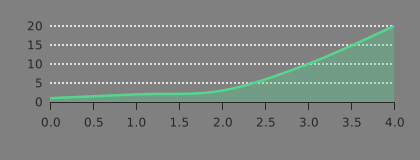](https://bricks.redsift.cloud/reusable/d3-rs-lines.svg?_datum=[1,2,3,10,20]&orientation=bottom&background=grey)
Examples: [Bricks](https://bricks.redsift.cloud/reusable/d3-rs-lines.svg?_datum=[1,2,3,10,20]&orientation=bottom&background=grey) / [CodePen](http://codepen.io/geervesh/pen/ZOrLOa)
`theme` | *String* Change the chart theme which includes `'light'`(default) and `'dark'`. |Y | [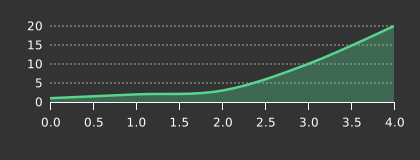](https://bricks.redsift.cloud/reusable/d3-rs-lines.svg?_datum=[1,2,3,10,20]&orientation=bottom&theme=dark)
Examples: [Bricks](https://bricks.redsift.cloud/reusable/d3-rs-lines.svg?_datum=[1,2,3,10,20]&theme=dark) / [CodePen](http://codepen.io/geervesh/pen/PzBvdA)
`height`, `width` | *Integer* Resize the height and width of chart. `Default width: 420 pixels`. |Y | [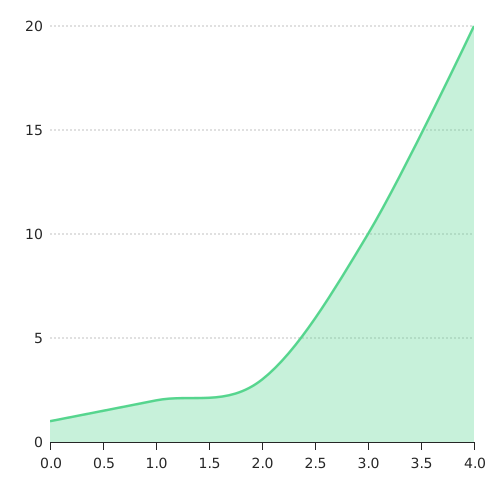](https://bricks.redsift.cloud/reusable/d3-rs-lines.svg?_datum=[1,2,3,10,20]&width=500&height=200)
Examples: [Bricks](https://bricks.redsift.cloud/reusable/d3-rs-lines.svg?_datum=[1,2,3,10,20]&width=500&height=500) / [CodePen](http://codepen.io/geervesh/pen/grjgap)
`size` | *Integer* Resize the chart to a certain size changing both the width and height maintaining the default aspect ratio. |Y | [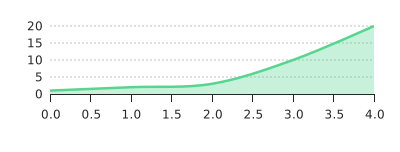](https://bricks.redsift.cloud/reusable/d3-rs-lines.svg?_datum=[1,2,3,10,20]&size=400)
Examples: [Bricks](https://bricks.redsift.cloud/reusable/d3-rs-lines.svg?_datum=[1,2,3,10,20]&size=400) / [CodePen](http://codepen.io/geervesh/pen/grdQgY)
`scale` | *Number* Scale the entire chart by the scaling value. Used to zoom the chart or compensate for high DPI displays when rasterized. `Default scale: 1.0`. |Y| Examples: [Bricks](https://bricks.redsift.cloud/reusable/d3-rs-lines.svg?_datum=[1,2,3,10,20]&scale=0.5) / [CodePen](http://codepen.io/geervesh/pen/BzPzZw)
`margin` | *Number* Resize the chart margin inside of the SVG container. `Default margin: 26 pixels`. |Y | [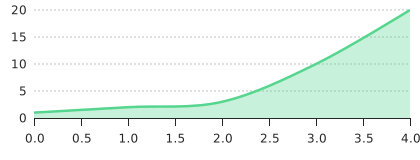](https://bricks.redsift.cloud/reusable/d3-rs-lines.svg?_datum=[1,2,3,10,20]&margin=10)
Examples: [Bricks](https://bricks.redsift.cloud/reusable/d3-rs-lines.svg?_datum=[1,2,3,10,20]&margin=10) / [CodePen](http://codepen.io/geervesh/pen/qNyZmb)
`inset` | *Number* Resize the space inside the chart margin for the main chart element. This excludes items like legends. | Y| [ ](http://codepen.io/geervesh/pen/EyOZgZ)
Examples: [CodePen](http://codepen.io/geervesh/pen/EyOZgZ)
`style`| *String* Custom CSS to inject into chart|N |
`trim`| *Integer* Trim the datum array, use for slicing the data on the chart. | N | [ ](http://codepen.io/geervesh/pen/rrWaRg)
Examples: [CodePen](http://codepen.io/geervesh/pen/rrWaRg)
`minValue`,`maxValue`| *Number* Sets the minimum and maximum Value range. Note that for log scales, `minValue` must be > 0.|Y | [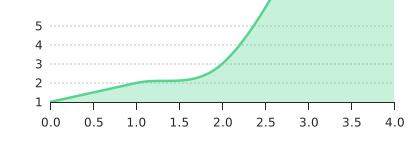](https://bricks.redsift.cloud/reusable/d3-rs-lines.svg?_datum=[1,2,3,10,20]&minValue=1.0&maxValue=5.0)
Examples: [Bricks](https://bricks.redsift.cloud/reusable/d3-rs-lines.svg?_datum=[1,2,3,10,20]&minValue=1.0&maxValue=5.0) / [CodePen](http://codepen.io/geervesh/pen/bZjprd)
`minIndex` ,`maxIndex` | *Number* Sets the minimum and maximum Index range. Note that for log scales, `minIndex` must be > 0. |Y | [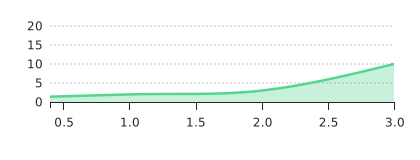](hhttps://bricks.redsift.cloud/reusable/d3-rs-lines.svg?_datum=[1,2,3,10,20]&minIndex=0.5&maxIndex=3.0)
Examples: [Bricks](https://bricks.redsift.cloud/reusable/d3-rs-lines.svg?_datum=[1,2,3,10,20]&minIndex=0.5&maxIndex=3.0) / [CodePen](http://codepen.io/geervesh/pen/qNybzX)
`tickCountIndex`,`tickCountValue`|*Number, String, Interval Function* Hints at the number of ticks to set in the corresponding axis. Supports strings for example split [time intervals](https://github.com/d3/d3-time#intervals) when using Unix timestamp(or epoch time) Index values. `Default tickCountIndex: 6` | N | [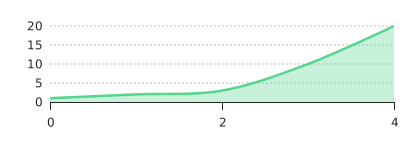](https://bricks.redsift.cloud/reusable/d3-rs-lines.svg?_datum=[1,2,3,10,20]&tickCountIndex=2&tickCountValue=4)
Examples: [Bricks](https://bricks.redsift.cloud/reusable/d3-rs-lines.svg?_datum=[1,2,3,10,20]&tickCountIndex=2&tickCountValue=4) / [CodePen](http://codepen.io/geervesh/pen/QEVPJk)
`tickMinorIndex`, `tickMinorValue`|*Number, String, Interval Function* Hints at the number of minor ticks to set in the corresponding axis. | N | [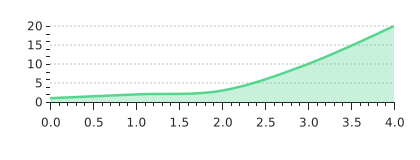](https://bricks.redsift.cloud/reusable/d3-rs-lines.svg?_datum=[1,2,3,10,20]&tickMinorIndex=50&tickMinorValue=10)
Examples: [Bricks](https://bricks.redsift.cloud/reusable/d3-rs-lines.svg?_datum=[1,2,3,10,20]&tickMinorIndex=50&tickMinorValue=10) / [CodePen](http://codepen.io/geervesh/pen/XKPGBY)
`tickFormatIndex`, `tickFormatValue`|*String, Function* Sets the formatting string or function for the ticks. | N| [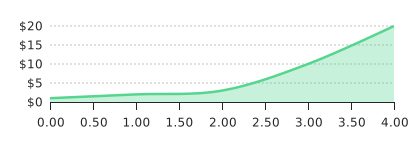](https://bricks.redsift.cloud/reusable/d3-rs-lines.svg?_datum=[1,2,3,10,20]&tickFormatIndex=.2f&tickFormatValue=$.1s)
Examples: [Bricks](https://bricks.redsift.cloud/reusable/d3-rs-lines.svg?_datum=[1,2,3,10,20]&tickFormatIndex=.2f&tickFormatValue=$.1s) / [CodePen](http://codepen.io/geervesh/pen/wWEQXz)
`tickDisplayIndex`, `tickDisplayValue`|*String, Integer* Customise all tick presentation logic with this function. | N | [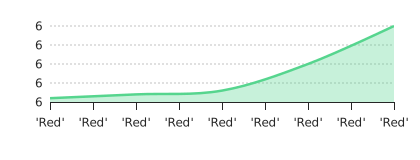](https://bricks.redsift.cloud/reusable/d3-rs-lines.svg?_datum=[1,2,3,10,20]&tickDisplayIndex='Red'&tickDisplayValue=6)
Examples: [Bricks](https://bricks.redsift.cloud/reusable/d3-rs-lines.svg?_datum=[1,2,3,10,20]&tickDisplayIndex='Red'&tickDisplayValue=6) / [CodePen](http://codepen.io/geervesh/pen/YWOgqB)
`curve`|*String, Function*, Interpolation function for the line. [Standard functions](https://github.com/d3/d3-shape#curves) excluding closed and open curves are usable by name e.g. 'curveStep'. If a function is supplied, it should implement [custom curves](https://github.com/d3/d3-shape#custom-curves). `Default curve: 'curveCatmullRom'` | Y | [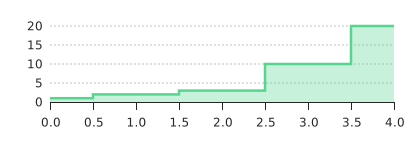](https://bricks.redsift.cloud/reusable/d3-rs-lines.svg?_datum=[1,2,3,10,20]&curve=curveStep)
Examples: [Bricks](https://bricks.redsift.cloud/reusable/d3-rs-lines.svg?_datum=[1,2,3,10,20]&curve=curveStep) / [CodePen](http://codepen.io/geervesh/pen/vKVKpw)
`symbol`|*(Array of) String, Function* Change the points connecting the lines into [customised symbols](https://github.com/d3/d3-shape#symbolCircle) or [custom symbol types](https://github.com/d3/d3-shape#custom-symbol-types) | N | [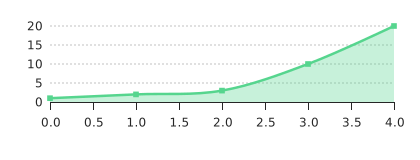](https://bricks.redsift.cloud/reusable/d3-rs-lines.svg?_datum=[1,2,3,10,20]&symbol=symbolSquare)
Examples: [Bricks](https://bricks.redsift.cloud/reusable/d3-rs-lines.svg?_datum=[1,2,3,10,20]&symbol=symbolSquare) / [CodePen](http://codepen.io/geervesh/pen/zBmagk)
`symbolSize` | *Number* Resize the symbol to a specific size. `Default size: 32` | Y| [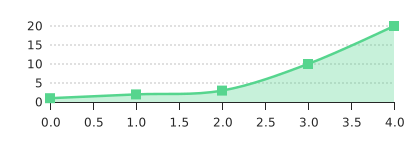](https://bricks.redsift.cloud/reusable/d3-rs-lines.svg?_datum=[1,2,3,10,20]&symbol=symbolSquare&symbolSize=100)
Examples: [Bricks](https://bricks.redsift.cloud/reusable/d3-rs-lines.svg?_datum=[1,2,3,10,20]&symbol=symbolSquare&symbolSize=100) / [CodePen](http://codepen.io/geervesh/pen/zBmagk)
`fill`|*String, Array, Function* If function, in addition to usual *data*, *index* parameters, a 3rd string parameter indicates the context - one of `area`, `stroke`, `symbol`, `legend` | Y | [)](https://bricks.redsift.cloud/reusable/d3-rs-lines.svg?_datum=[1,2,3,10,20]&fill=rgb(0,0,259))
Examples: [Bricks](https://bricks.redsift.cloud/reusable/d3-rs-lines.svg?_datum=[1,2,3,10,20]&fill=rgb(0,0,259)) / [CodePen](http://codepen.io/geervesh/pen/JKkAQx)
`fillAreaOpacity` | *Unit Number* Fill the area of the graph to a certain opacity |N| [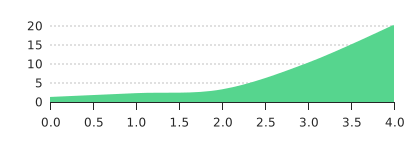](https://bricks.redsift.cloud/reusable/d3-rs-lines.svg?_datum=[1,2,3,10,20]&fillAreaOpacity=1.0)
Examples: [Bricks](https://bricks.redsift.cloud/reusable/d3-rs-lines.svg?_datum=[1,2,3,10,20]&fillAreaOpacity=1.0) / [CodePen](http://codepen.io/geervesh/pen/oLybEG)
`fillArea`|*Boolean, (Array of) Boolean* Set the lines fill. | N |[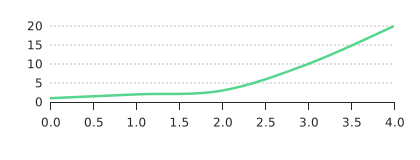](https://bricks.redsift.cloud/reusable/d3-rs-lines.svg?_datum=[1,2,3,10,20]&fillArea=false)
Examples: [Bricks](https://bricks.redsift.cloud/reusable/d3-rs-lines.svg?_datum=[1,2,3,10,20]&fillArea=false) / [CodePen](http://codepen.io/geervesh/pen/EyRXYO)
`fillStroke`|*Boolean, (Array of) Boolean* Set the lines stroke. | N |[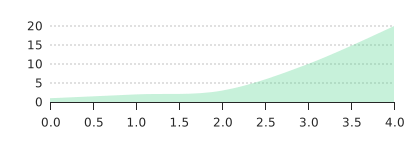](https://bricks.redsift.cloud/reusable/d3-rs-lines.svg?_datum=[1,2,3,10,20]&fillStroke=false)
Examples: [Bricks](https://bricks.redsift.cloud/reusable/d3-rs-lines.svg?_datum=[1,2,3,10,20]&fillStroke=false) / [CodePen](http://codepen.io/geervesh/pen/zBazvr)
`stacked` | *Boolean* Enable stacking. `Default value: false` | Y|[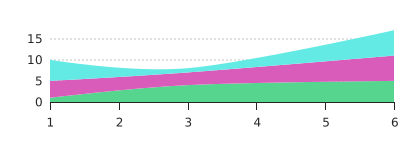](https://bricks.redsift.cloud/reusable/d3-rs-lines.svg?_datum=[{"l":1,"v":[1,4,5]},{"l":3,"v":[4,3,1]},{"l":6,"v":[5,6,6]}]&stacked=true)
Examples: [Bricks](https://bricks.redsift.cloud/reusable/d3-rs-lines.svg?_datum=[{"l":1,"v":[1,4,5]},{"l":3,"v":[4,3,1]},{"l":6,"v":[5,6,6]}]&stacked=true) / [CodePen](http://codepen.io/geervesh/pen/oLaYXB)
`stackOffset` | *String, Function* Shift the baseline of the chart to give more emphasis on the changing values using different [offset properties.](https://github.com/d3/d3-shape#stack-offsets) |Y | [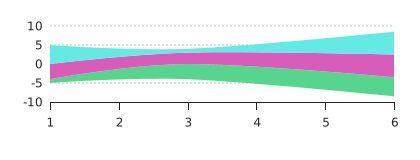](https://bricks.redsift.cloud/reusable/d3-rs-lines.svg?_datum=[{"l":1,"v":[1,4,5]},{"l":3,"v":[4,3,1]},{"l":6,"v":[5,6,6]}]&stacked=true&stackOffset=stackOffsetSilhouette)
Examples: [Bricks](https://bricks.redsift.cloud/reusable/d3-rs-lines.svg?_datum=[{"l":1,"v":[1,4,5]},{"l":3,"v":[4,3,1]},{"l":6,"v":[5,6,6]}]&stacked=true&stackOffset=stackOffsetSilhouette) / [CodePen](http://codepen.io/geervesh/pen/akPqqz)
`stackOrder` | *String, Function* Stack the chart using different stack [ordering properties](https://github.com/d3/d3-shape#stack-orders). |Y | [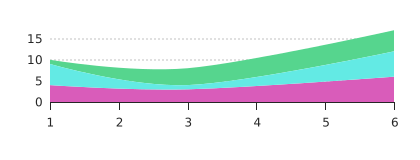](https://bricks.redsift.cloud/reusable/d3-rs-lines.svg?_datum=[{"l":1,"v":[1,4,5]},{"l":3,"v":[4,3,1]},{"l":6,"v":[5,6,6]}]&stacked=true&stackOrder=stackOrderInsideOut)
Examples: [Bricks](https://bricks.redsift.cloud/reusable/d3-rs-lines.svg?_datum=[{"l":1,"v":[1,4,5]},{"l":3,"v":[4,3,1]},{"l":6,"v":[5,6,6]}]&stacked=true&stackOrder=stackOrderInsideOut) / [CodePen](http://codepen.io/geervesh/pen/akPqqz)
`animation`|*String* Change the animation interpolating between points. Parameters: `reveal`, `value`, `default`.| Y| [Codepen Example](http://codepen.io/geervesh/pen/pbQNam)
`tipHtml`|*String, Function* Add information to the tip of the chart. Parameters of the function are `(d, i, s)` where `d` is the data element, `i` is the index, `s` is the series of the data. | Y |[ ](http://codepen.io/geervesh/pen/QEkjzv)
Examples: [CodePen](http://codepen.io/geervesh/pen/ZOrLOa)
`animateAxis`, `animateLabels` | *Boolean* Set the animation of the axis and label. `Default value: true`. | N |[Codepen Example](http://codepen.io/geervesh/pen/pbQNam)
`axisDisplayIndex`,`axisDisplayValue` | *Boolean* Set the axes to display. `Default axisDisplayIndex: true`, `axisDisplayValue: false`. |N | [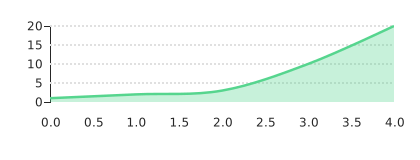](https://bricks.redsift.cloud/reusable/d3-rs-lines.svg?_datum=[1,2,3,10,20]&axisDisplayValue=true&axisDisplayIndex=false)
Examples: [Bricks](https://bricks.redsift.cloud/reusable/d3-rs-lines.svg?_datum=[1,2,3,10,20]&axisDisplayValue=true&axisDisplayIndex=false) / [CodePen](http://codepen.io/geervesh/pen/kXpWEx)
`axisPaddingValue`,`axisPaddingIndex` | *Number* Set the padding size of the axis. `Default axisPaddingValue: 8`, `axisPaddingIndex: 8`.|N | [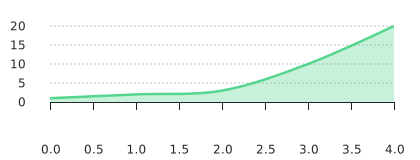](https://bricks.redsift.cloud/reusable/d3-rs-lines.svg?_datum=[1,2,3,10,20]&axisPaddingIndex=35&axisPaddingValue=25)
Examples: [Bricks](https://bricks.redsift.cloud/reusable/d3-rs-lines.svg?_datum=[1,2,3,10,20]&axisPaddingIndex=35&axisPaddingValue=25) / [CodePen](http://codepen.io/geervesh/pen/kXprNp)
`axisValue` | *String* Changes the axis label of value (on the y-axis) to the left or right. `Default value: 'left'`.| N | [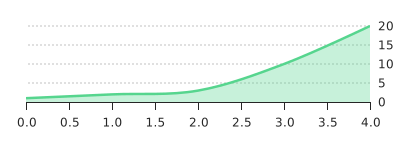](https://bricks.redsift.cloud/reusable/d3-rs-lines.svg?_datum=[1,2,3,10,20]&axisValue=right)
Examples: [Bricks](https://bricks.redsift.cloud/reusable/d3-rs-lines.svg?_datum=[1,2,3,10,20]&axisValue=right) / [CodePen](http://codepen.io/geervesh/pen/kXprvz)
`highlightIndex` | *(Array of)Number, Function* Highlight a particular or an array of Index|Y | [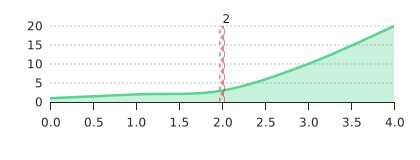](https://bricks.redsift.cloud/reusable/d3-rs-lines.svg?_datum=[1,2,3,10,20]&highlightIndex=2)
Examples: [Bricks](https://bricks.redsift.cloud/reusable/d3-rs-lines.svg?_datum=[1,2,3,10,20]&highlightIndex=2) / [CodePen](http://codepen.io/geervesh/pen/qNKdgv)
`legend` | *(Array of)String, Number* Add a legend for the lines in the chart. |N| [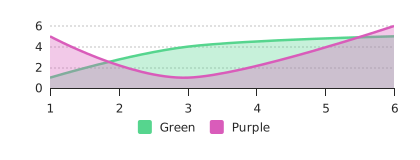](https://bricks.redsift.cloud/reusable/d3-rs-lines.svg?_datum=[{"l":1,"v":[1,5]},{"l":3,"v":[4,1]},{"l":6,"v":[5,6]}]&legend=Green&legend=Purple)
Examples: [Bricks](https://bricks.redsift.cloud/reusable/d3-rs-lines.svg?_datum=[{"l":1,"v":[1,5]},{"l":3,"v":[4,1]},{"l":6,"v":[5,6]}]&legend=Green&legend=Purple) / [CodePen](http://codepen.io/geervesh/pen/rLKgQz)
`legendOrientation` | *String* Position the legend, positions include top, bottom, left, right or voronoi. `Default orientation: 'bottom'` | Y | [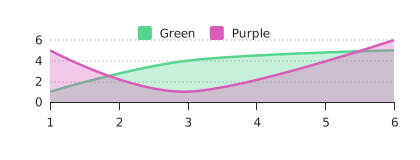](https://bricks.redsift.cloud/reusable/d3-rs-lines.svg?_datum=[{"l":1,"v":[1,5]},{"l":3,"v":[4,1]},{"l":6,"v":[5,6]}]&legend=Green&legend=Purple&legendOrientation=top)
Examples: [Bricks](https://bricks.redsift.cloud/reusable/d3-rs-lines.svg?_datum=[{"l":1,"v":[1,5]},{"l":3,"v":[4,1]},{"l":6,"v":[5,6]}]&legend=Green&legend=Purple&legendOrientation=top) / [CodePen](http://codepen.io/geervesh/pen/LkAVjg)
`legendOrientation('voronoi')` | *String* Position the legend in an area containing the least number of intersecting lines. |N | [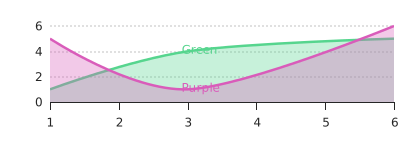](https://bricks.redsift.cloud/reusable/d3-rs-lines.svg?_datum=[{"l":1,"v":[1,5]},{"l":3,"v":[4,1]},{"l":6,"v":[5,6]}]&legend=Green&legend=Purple&legendOrientation=voronoi)
Examples: [Bricks](https://bricks.redsift.cloud/reusable/d3-rs-lines.svg?_datum=[{"l":1,"v":[1,5]},{"l":3,"v":[4,1]},{"l":6,"v":[5,6]}]&legend=Green&legend=Purple&legendOrientation=voronoi) / [CodePen](http://codepen.io/geervesh/pen/Lkqaxb)
`voronoiAttraction`|*Number -1...0...1* Use when legendOrientation set to voronoi. Specifies the attraction of the label to the data line. 0 implies no dragging, -1 pushes the labels away. `Default value: 0.33` | Y | [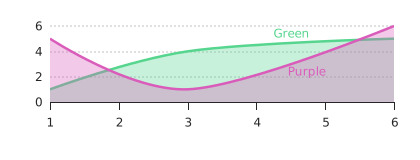](https://bricks.redsift.cloud/reusable/d3-rs-lines.svg?_datum=[{"l":1,"v":[1,5]},{"l":3,"v":[4,1]},{"l":6,"v":[5,6]}]&legend=Green&legend=Purple&legendOrientation=voronoi&voronoiAttraction=-5)
Examples: [Bricks](https://bricks.redsift.cloud/reusable/d3-rs-lines.svg?_datum=[{"l":1,"v":[1,5]},{"l":3,"v":[4,1]},{"l":6,"v":[5,6]}]&legend=Green&legend=Purple&legendOrientation=voronoi&voronoiAttraction=-5) / [CodePen](http://codepen.io/geervesh/pen/PGbgoN)
`gridIndex`, `gridValue` | *Boolean* Add guidelines for Index or Value. `Default gridIndex: false`, `gridValue: true`. | N| [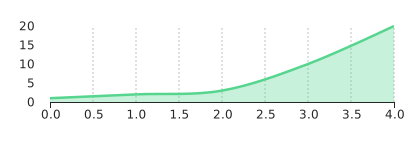](https://bricks.redsift.cloud/reusable/d3-rs-lines.svg?_datum=[1,2,3,10,20]&gridIndex=true&gridValue=false) Examples: [Bricks](https://bricks.redsift.cloud/reusable/d3-rs-lines.svg?_datum=[1,2,3,10,20]&gridIndex=true&gridValue=false) / [CodePen](http://codepen.io/geervesh/pen/ZORkKE)
`labelTime` | *String, Function* Interpret the Index value from timestamp and format it using [string specifiers](https://github.com/d3/d3-time-format/blob/master/README.md#locale_format) or the supplied function. `'multi'` (string specifier) smartly displays the time and use the UTC format.| N|[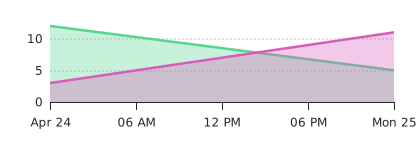](https://bricks.redsift.cloud/reusable/d3-rs-lines.svg?_datum=%5B%7B%22l%22:%201461456000000,%22v%22:%5B%2012,3%5D%7D,%7B%22l%22:1461542400000,%22v%22:%5B%205,11%5D%7D%5D&labelTime=multi&tickCountIndex=3) Examples: [Bricks](https://bricks.redsift.cloud/reusable/d3-rs-lines.svg?_datum=%5B%7B%22l%22:%201461456000000,%22v%22:%5B%2012,3%5D%7D,%7B%22l%22:1461542400000,%22v%22:%5B%205,11%5D%7D%5D&labelTime=multi&tickCountIndex=3) / [CodePen](http://codepen.io/geervesh/pen/GqYdoo)
`language` | *String* Change the language format of the chart affecting digit, currency and time formats. |N | Examples: [Bricks](https://bricks.redsift.cloud/reusable/d3-rs-lines.svg?_datum=[30,40,100,70,50]&tickFormatValue=($.1s&language=fr))/ [CodePen](http://codepen.io/geervesh/pen/vXywyJ)
`onClick`|*Function* Handler for a click event on a data series. |N | Examples: [CodePen](http://codepen.io/geervesh/pen/NRrEkq)
`legendSize`|*Number* Height of the legend component (if present) |N
`legendIsToggleable`|*Boolean* If true, the legend's items will have a checkbox that make it able to switch on/off data sets.|N
`tintColor`|*String* Color of some components, only supports checkbox color for now|N
### Time
The two main time formatter available in UTC or Local Time. UTC uses the time standard applied across the world which is unaffected by Daylight Saving Time whereas Local Time is set to your local timezone.
To use any of the formatter a function is parsed to [`labelTime`](http://codepen.io/geervesh/pen/GqYdoo) function. To apply UTC format, d3.utcFormat(*specifier*) is used, argument being the [string specifiers](https://github.com/d3/d3-time-format#locale_format) and when using Local Time, only the string specifiers can be supply since by default the time format is set to Local Time.
`timeMultiFormat` is a smart formatter that displays the time in UTC using `'multi'` as an argument which is parsed to the `labelTime` function. Use `'multi-local'` to enable local timezone ticks. The tick display can be customised using the `tickCountIndex` function displaying the number of ticks for the Index. [Bricks Example](https://bricks.redsift.cloud/reusable/d3-rs-lines.svg?_datum=%5B%7B%22l%22:%201461456000000,%22v%22:%5B%2012,3%5D%7D,%7B%22l%22:1461542400000,%22v%22:%5B%205,11%5D%7D%5D&labelTime=multi&tickCountIndex=3)
Additional information about Time format for D3 can be found [here](https://github.com/d3/d3-time-format#d3-time-format).