https://github.com/redsift/d3-rs-treemap
A TreeMap visual component made with D3v4
https://github.com/redsift/d3-rs-treemap
Last synced: 6 months ago
JSON representation
A TreeMap visual component made with D3v4
- Host: GitHub
- URL: https://github.com/redsift/d3-rs-treemap
- Owner: redsift
- License: mit
- Created: 2016-08-05T11:34:56.000Z (almost 10 years ago)
- Default Branch: master
- Last Pushed: 2017-01-09T17:53:56.000Z (over 9 years ago)
- Last Synced: 2025-09-27T22:52:49.770Z (10 months ago)
- Language: JavaScript
- Size: 31.3 KB
- Stars: 3
- Watchers: 19
- Forks: 0
- Open Issues: 2
-
Metadata Files:
- Readme: README.md
- License: LICENSE
Awesome Lists containing this project
README
# d3-rs-treemap
`d3-rs-treemap` A TreeMap visual component made with D3v4
## Builds
[](https://circleci.com/gh/Redsift/d3-rs-treemap)
[](https://www.npmjs.com/package/@redsift/d3-rs-treemap)
[](https://raw.githubusercontent.com/redsift/d3-rs-treemap/master/LICENSE)
## Example
[View @redsift/d3-rs-treemap on Codepen](https://....)
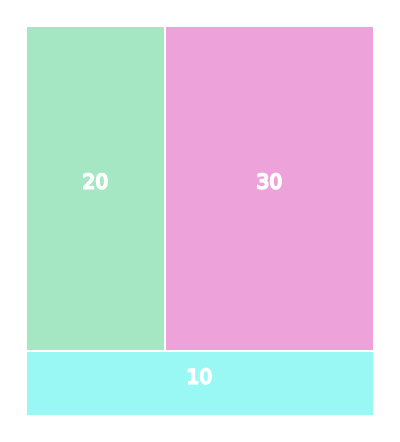
### Treemap chart
## Usage
### Browser
var treemap = d3_rs_treemap.html();
### ES6
import { chart } from "@redsift/d3-rs-treemap";
let eml = chart.html();
...
### Require
var chart = require("@redsift/d3-rs-treemap");
var eml = chart.html();
...
### Data layout
Data need to be in a hierarchical form as it is described in [d3-hierarchy](https://github.com/d3/d3-hierarchy#hierarchy). The basic criteria is to have the *children* property. If your data are not in a hierarchical form you can use the [stratify](https://github.com/d3/d3-hierarchy#stratify) method in d3-hierarchy to manipulate them.
{
name:'root',
children: [
{
l: 'children1',
v: 10
},
{
l: 'children1',
v: 10,
u: 'http://www.google.com/children2'
}
]
}
For this visualization objects inside the *children* array are expected to have the above layout. The `u` property is optional, only if you want to display images so you need to provide a link.
### Parameters
|Name|Description|Transition|
|----|----------|----------|
|`classed`| SVG custom class|N|
|`width`, `height`, `size`, `scale`, `margin`| *Integer* SVG container sizes|Y
|`style`| *String* Custom CSS to inject into chart| N
|`fill`| *String, Array, Function* Colour palette for the data. Available options from [d3-rs-theme](https://github.com/Redsift/d3-rs-theme#presentation-color-palette) | Y|
|`theme`| *String* `dark` or `light`(default)| |
|`appendText`| *Boolean* Append a text element inside the rect| |
|`textValue` | *String, Function* for the value of the text element that will be displayed| |
|`appendImage`| *Boolean* Append an image element inside the rect | Y |
|`imageFallbackLink`| *String* Helper link of asset to display as a fall back solution when an image fails to load| |
|`filter`| *String* Filter to be applied on an image as described in [d3-rs-theme#filters](https://github.com/redsift/d3-rs-theme#filters) e.g. `'emboss'`, `'greyscale'`, `'shadow'` |