https://github.com/redxtech/glitch-in-bio
bio link aggregator
https://github.com/redxtech/glitch-in-bio
Last synced: 3 months ago
JSON representation
bio link aggregator
- Host: GitHub
- URL: https://github.com/redxtech/glitch-in-bio
- Owner: redxtech
- License: other
- Created: 2022-12-19T22:44:01.000Z (over 3 years ago)
- Default Branch: master
- Last Pushed: 2023-03-08T13:19:40.000Z (over 3 years ago)
- Last Synced: 2025-02-19T13:46:49.549Z (over 1 year ago)
- Language: HTML
- Size: 2.15 MB
- Stars: 0
- Watchers: 2
- Forks: 0
- Open Issues: 3
-
Metadata Files:
- Readme: README.md
- Changelog: CHANGELOG.md
- License: LICENSE
Awesome Lists containing this project
README
# Glitch in Bio!
Your links, your way. A link-in-bio app you can customize any way you want.
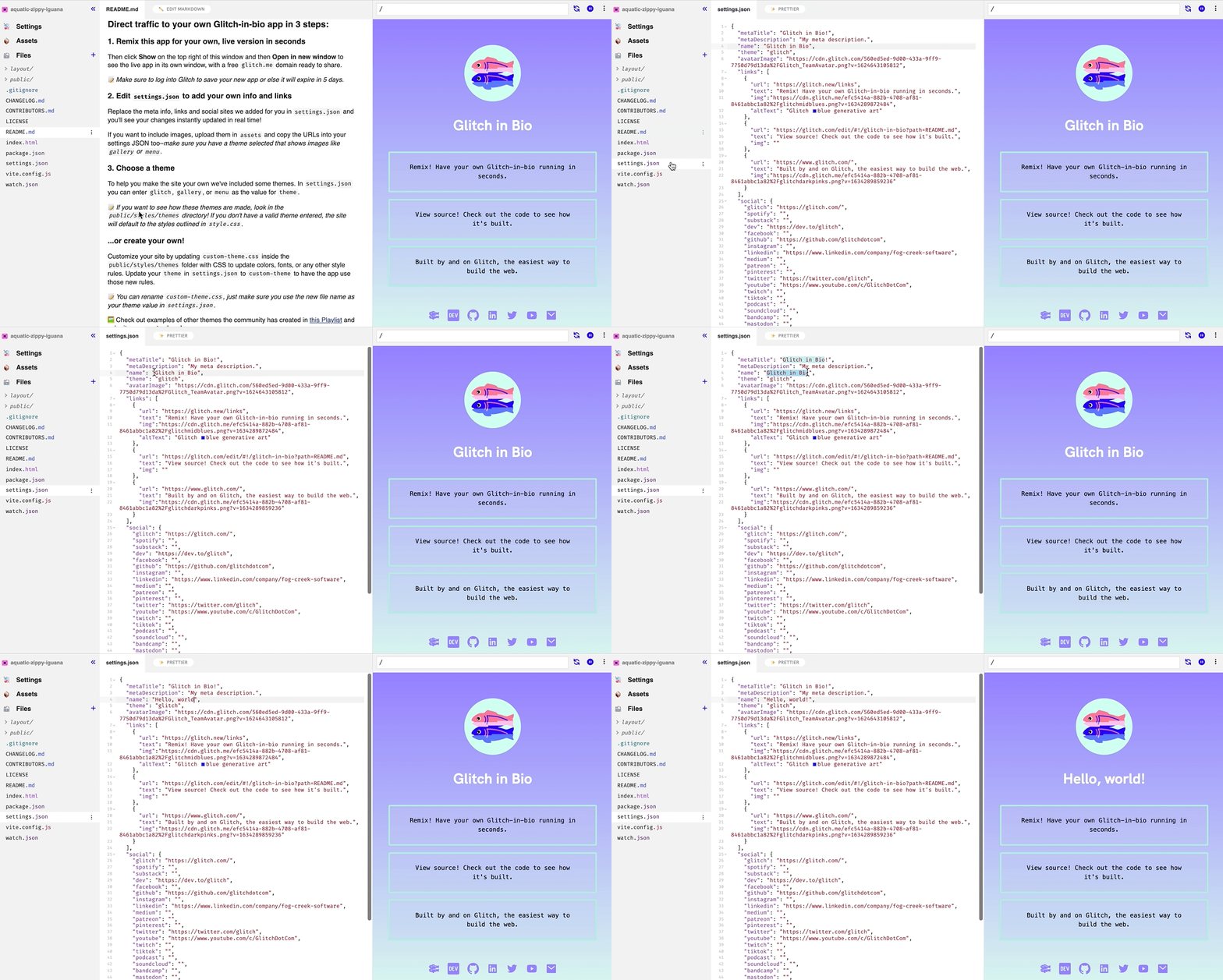
## Direct traffic to your own Glitch-in-bio app in 3 steps:
### 1. Remix this app for your own, live version in seconds
Then click **Preview** at the bottom of this window and then **Preview in new window** to see the live app in its own window, with a free `glitch.me` domain ready to share.
📝 _Make sure to log into Glitch to save your new app or else it will expire in 5 days._
### 2. Edit `settings.json` to add your own info and links
Replace the meta info, links and social sites we added for you in `settings.json` and you'll see your changes instantly updated in real time!
If you want to include images, upload them in `assets` and copy the URLs into your settings JSON too–_make sure you have a theme selected that shows images like `gallery` or `menu`_.
### 3. Choose a theme
To help you make the site your own we've included some themes. In `settings.json` you can enter `glitch`, `gallery`, or `menu` as the value for `theme`.
📝 _If you want to see how these themes are made, look in the `public/styles/themes` directory! If you don't have a valid theme entered, the site will default to the styles outlined in `style.css`._
### ...or create your own!
Customize your site by updating `custom-theme.css` inside the `public/styles/themes` folder with CSS to update colors, fonts, or any other style rules. Update your `theme` in `settings.json` to `custom-theme` to have the app use those new rules.
📝 _You can rename `custom-theme.css`, just make sure you use the new file name as your theme value in `settings.json`._
🖼️ Check out examples of other themes the community has created in [this Playlist](https://glitch.com/@glitch/featured-glitch-in-bio-remixes) and [submit your own](https://forms.gle/9WFWjSmhdiEoRgVs5) to share!
## Other Tips & tricks
Get **verified** links by adding `rel="me"` to your anchor tags in `layout/social.html` like this for Mastodon:
```
{{#if settings.social.mastodon}}
```
* Check out the [Glitch-in-bio section of our Help Center](https://help.glitch.com/kb/section/13/) for more documentation on how to customize or troubleshoot your new app!
* If you notice your preview is a little out of sync with your `settings.json`, hit the reload button in the preview window and it should update!
* Looking for ways to extend your app, or for inspiration? Check out the official [Glitch-in-bio page](https://glitch.com/glitch-in-bio).
## What's in this project?
← `README.md`: That’s this file. You can delete it, or keep it handy so you don't lose the instructions.
← `index.html`: This is the main page template vite uses to build your site. You'll see the handlebars syntax for importing the data you specify in `settings.json` (built into the structures in `layout/`). You'll also find some tips on configuring the page in the HTML comments.
← `settings.json`: Settings for your name, links, images, and social media. The `index.html` page includes the data using the structures defined in `layout/`.
← `layout/`: Markup templates — you can edit every line of HTML or never even look at any of it. The data you specify in `settings.json` will be built into the page using the HTML in here using handlebars syntax (e.g. `{{settings.name}}`).
← `public/styles/`: Stylesheets for Glitch in Bio, including alternate themes. Change your theme in `settings.json`. You can create a new theme by adding a CSS file to this folder and specifying it using its name in the settings (e.g. `glitch`, `gallery`, `menu`, or whatever yours is called!)
← `public/manifest.json` and `public/sw.js`: These set your site up to function as a Progressive Web App (PWA)–if you add new assets (e.g. stylesheets) you can include them in the list in `sw.js` to cache your site for offline viewing.
← `assets`: Add images here and copy the links into `settings.json` to show them in your site.

## You built this with Glitch!
[Glitch](https://glitch.com) is a friendly community where millions of people come together to build web apps and websites.
- Need more help? [Check out our Help Center](https://help.glitch.com/) for answers to any common questions.
- Ready to make it official? [Become a paid Glitch member](https://glitch.com/pricing) to boost your app with private sharing, more storage and memory, domains and more.