https://github.com/reinskywalker/esp32-rest-sensor
A dead simplee esp32 REST sensor for temp and humidity
https://github.com/reinskywalker/esp32-rest-sensor
Last synced: about 1 year ago
JSON representation
A dead simplee esp32 REST sensor for temp and humidity
- Host: GitHub
- URL: https://github.com/reinskywalker/esp32-rest-sensor
- Owner: reinskywalker
- Created: 2024-06-13T12:35:56.000Z (about 2 years ago)
- Default Branch: main
- Last Pushed: 2024-06-14T11:58:10.000Z (about 2 years ago)
- Last Synced: 2025-04-09T19:55:44.369Z (about 1 year ago)
- Language: Python
- Homepage:
- Size: 54.7 KB
- Stars: 0
- Watchers: 1
- Forks: 0
- Open Issues: 0
-
Metadata Files:
- Readme: README.md
Awesome Lists containing this project
README
The Python Flask code snippet you provided sets up a simple web server capable of receiving POST requests containing JSON data, specifically for temperature and humidity values. Here's a detailed breakdown of its components and functionality:
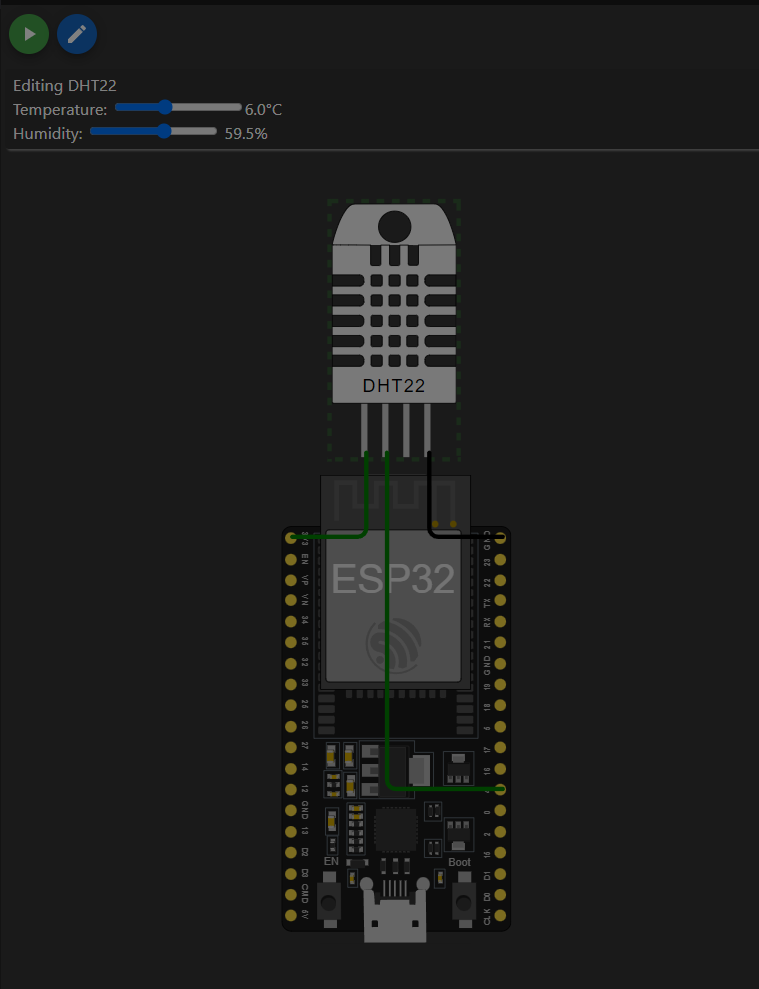
### Flask Application Overview
- **Application Setup**: The application is built using Flask, a lightweight WSGI web application framework in Python. It is designed to be quick and easy to get started with, making it an excellent choice for simple web APIs.
### Route Description
- **Endpoint**: `'/data'`
- This endpoint listens for POST requests. It is intended to receive JSON data that includes temperature and humidity readings.
- **Function**: `sensor_data()`
- This function processes incoming POST requests to the `/data` endpoint.
### Request Handling
- **JSON Data Retrieval**:
- `data = request.get_json()` extracts JSON data from the incoming POST request. Flask automatically handles the parsing of JSON data if the `Content-Type` header of the request is set to `application/json`.
- **Data Processing**:
- The temperature and humidity values are extracted from the JSON data using `data.get('temperature')` and `data.get('humidity')`. The `.get()` method is used for safe access, which returns `None` if the specified key does not exist, rather than throwing an error.
- These values are then printed to the console with the format: `"Received temperature: {t}°C, humidity: {h}%"`. This logging is helpful for debugging and monitoring the data received by the server.
### Response Construction
- **Response JSON Object**:
- A response JSON object is constructed containing a message stating `"Data received successfully"`, along with the received `temperature` and `humidity` values. This response confirms to the client that the data was received and processed.
- **Response Return**:
- `return jsonify(res), 200` sends the response back to the client. The `jsonify` function from Flask converts the Python dictionary into a JSON response. The `200` HTTP status code indicates that the request has been processed successfully.
### Server Execution
- **Running the Server**:
- `if __name__ == '__main__': app.run(host='0.0.0.0', port=5000)`
- This condition ensures that the Flask server runs directly when the script is executed, not when imported as a module.
- `host='0.0.0.0'` tells the server to be accessible externally, not just locally. It listens on all network interfaces.
- `port=5000` specifies that the server will be accessible on TCP port 5000, which is the default port for Flask development servers.