https://github.com/relrin/helenae
Simplest analog of distributed file storages such as DropBox/SugarSync/etc.
https://github.com/relrin/helenae
Last synced: 2 months ago
JSON representation
Simplest analog of distributed file storages such as DropBox/SugarSync/etc.
- Host: GitHub
- URL: https://github.com/relrin/helenae
- Owner: Relrin
- License: mit
- Created: 2014-02-17T21:19:48.000Z (over 12 years ago)
- Default Branch: master
- Last Pushed: 2017-03-30T06:52:25.000Z (about 9 years ago)
- Last Synced: 2025-03-23T05:43:59.540Z (about 1 year ago)
- Language: Python
- Homepage:
- Size: 3.07 MB
- Stars: 1
- Watchers: 1
- Forks: 0
- Open Issues: 0
-
Metadata Files:
- Readme: README.md
- License: LICENSE
Awesome Lists containing this project
README
Helenae [](https://travis-ci.org/Relrin/Helenae)
=======
Simplest analog of distributed file storages such as DropBox/SugarSync/etc.
Using
-------
- Python 2.7.5
- PostgreSQL
- Twisted
- Autobahn.ws
- OpenSSL
- SQLAlchemy ORM
- Flask
- pytest
- wxPython
- PyCrypto with [python-cryptoplus](https://github.com/doegox/python-cryptoplus) extension
Features
-------
- opening/writing/renaming/removing/transfering file or catalog
- synchronization files
- encryption by AES-256/Serpent/Twofish
- console/GUI clients
- supporting multiple file servers
- shared files between users (via creating links)
Screenshots:
-------
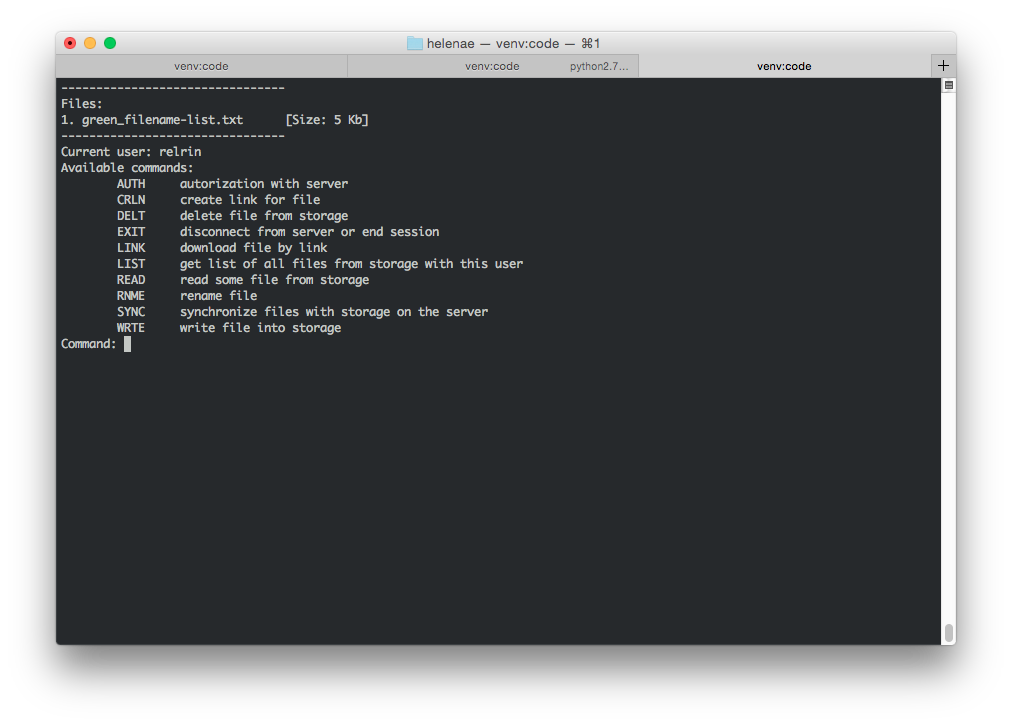
Console application:
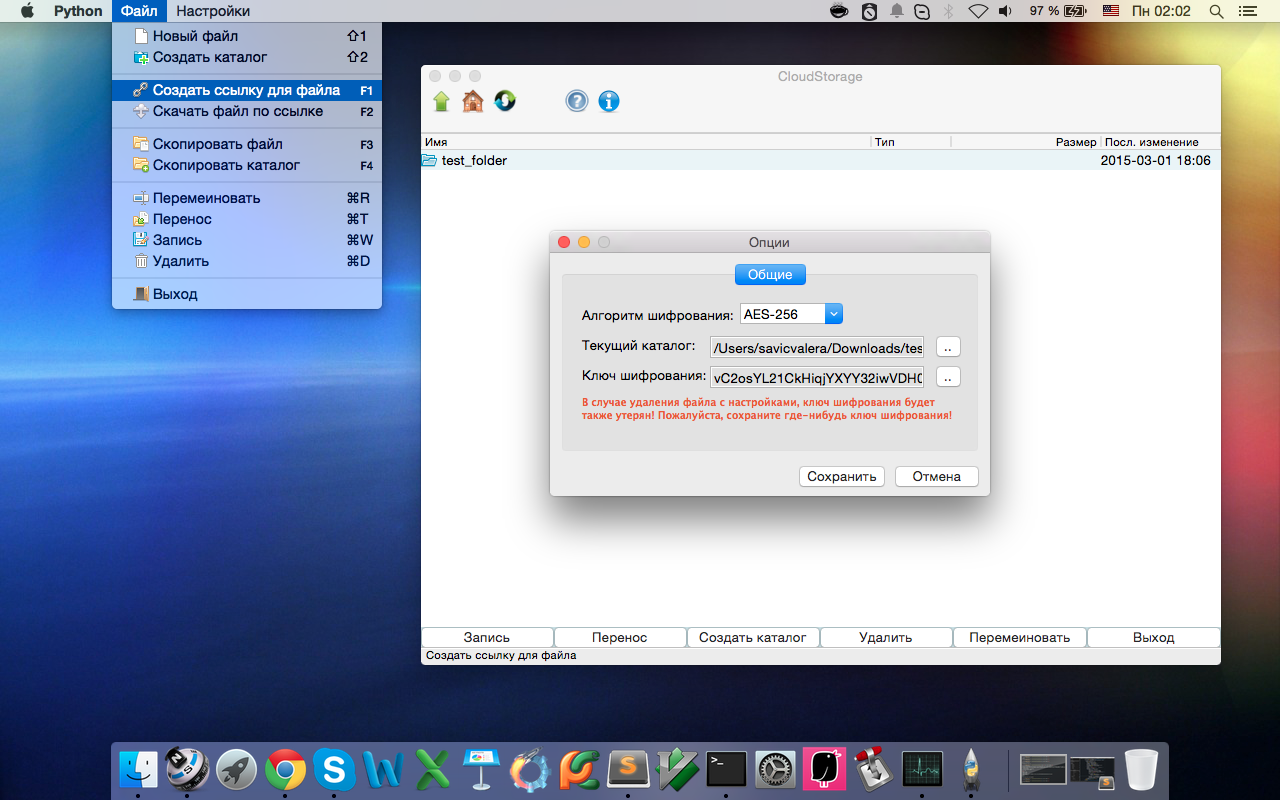
Client GUI:
Running
-------
For start working with distributed file storage you will need:
1) Run the server.py by doing
```
python server.py [port]
```
2) Start few (minimum one) file servers
```
# take example of fs.json
python fileserver.py [path_to_config.json] [port]
```
[path_to_config.json] its configuration file for fileserver.py, which contains:
- "path" its a place on HDD/SSD, where all files will be stored
- "base_dir" its just name for basic directory, which using for creating with "path" argument
- "server_ip" means IP-address of this computer, which get access to connecting new users
- "server_port" means port, which listening server for connected users
- "debug" - boolean flag, which means sending information about fileserver to server (by default its shall be false)
3) Open in your browser
https://localhost:8080/
or run the Python console client
```
python client_console.py [port]
```
or run the Python GUI client
```
python client_gui.py [port]
```
NOTE: by default client applications using port=9000
Creating Server Keys and Certificates
-------------------------------------
TLS server keys and certificate can be generated by doing:
```
openssl genrsa -out server.key 2048
openssl req -new -key server.key -out server.csr
openssl x509 -req -days 3650 -in server.csr -signkey server.key -out server.crt
openssl x509 -in server.crt -out server.pem
```
To run the server 2 files are required.
Private key (with *no* passphrase set!):
```
server.key
```
Certificate:
```
server.crt
```
Thanks
-------------------------------------
Big thanks to:
- Jean-Paul Calderone [creator of Twisted] for help and advices on event-based programming with Twisted
- Tobias Oberstein [creator of Autobahn.ws] for programming tips on Autobahn.ws
Especially thanks http://www.fatcow.com/ for free icons