https://github.com/renansouza12/todo-list
Angular to-do list with drag and drop event 📚
https://github.com/renansouza12/todo-list
angular angular-material css drag-and-drop list scss todolist typescript
Last synced: 3 months ago
JSON representation
Angular to-do list with drag and drop event 📚
- Host: GitHub
- URL: https://github.com/renansouza12/todo-list
- Owner: renansouza12
- Created: 2024-06-12T03:54:49.000Z (about 2 years ago)
- Default Branch: main
- Last Pushed: 2024-08-19T01:08:23.000Z (almost 2 years ago)
- Last Synced: 2025-03-25T05:36:52.362Z (over 1 year ago)
- Topics: angular, angular-material, css, drag-and-drop, list, scss, todolist, typescript
- Language: HTML
- Homepage: https://todo-list-liard-tau.vercel.app/
- Size: 640 KB
- Stars: 0
- Watchers: 1
- Forks: 0
- Open Issues: 0
-
Metadata Files:
- Readme: README.md
Awesome Lists containing this project
README
# 📝 To-Do List
Welcome to the **To-Do List** project! This application helps you keep track of your tasks by allowing you to add, view, and manage your to-do items.
## 🌟 Features
- 📅 **Current Date Display**: View the current date at the top of the app.
- ➕ **Add New Task**: Easily add a new task with a title and a description.
- 🗂️ **Task Management**: Each task includes a title and a description to help you organize your to-dos.
## 🚀 Getting Started
Follow these instructions to get a copy of the project up and running on your local machine.
### Prerequisites
Make sure you have the following installed:
- Node.js
- Angular CLI
### Installation
1. Clone the repository:
```bash
git clone https://github.com/your-username/angular-todo-list.git
```
2. Navigate to the project directory:
```bash
cd angular-todo-list
```
3. Install the dependencies:
```bash
npm install
```
### Running the Application
Start the development server:
```bash
ng serve
```
Navigate to `http://localhost:4200/` in your browser to view the app.
## 🌐 Live Demo
Check out the live demo of the project [here](https://todo-list-liard-tau.vercel.app/).
## 📸 Screenshots
Below are some screenshots of the application in action:
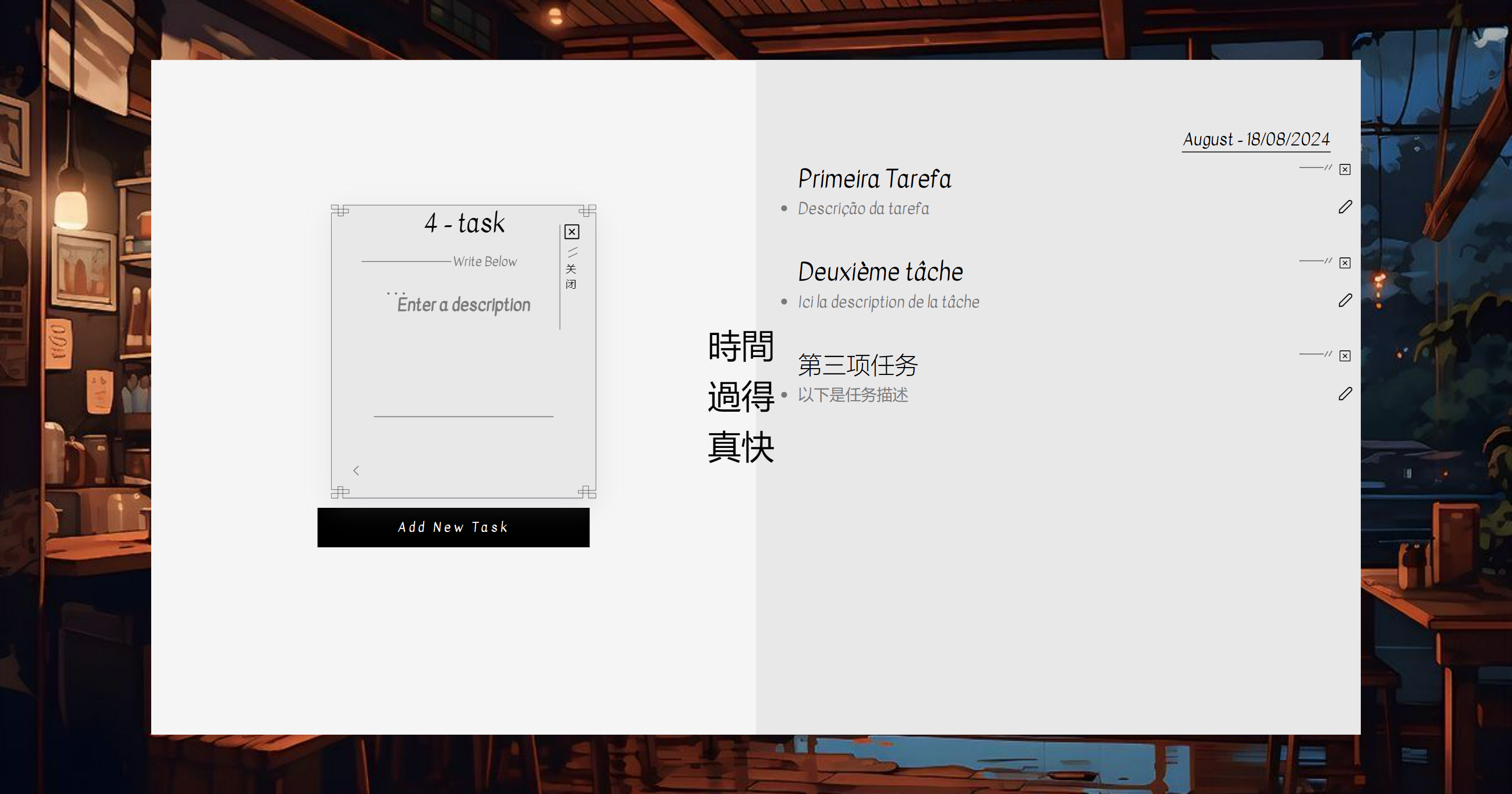
*Desktop*

*Mobile*
## 🛠️ Built With
- **Angular**: The framework used for building the application.
- **TypeScript**: Typed superset of JavaScript that compiles to plain JavaScript.