https://github.com/rene-d/from-scratch
Static compilation and bare container demo
https://github.com/rene-d/from-scratch
alpine-linux docker static-library
Last synced: 8 months ago
JSON representation
Static compilation and bare container demo
- Host: GitHub
- URL: https://github.com/rene-d/from-scratch
- Owner: rene-d
- License: unlicense
- Archived: true
- Created: 2019-07-13T07:01:40.000Z (almost 7 years ago)
- Default Branch: master
- Last Pushed: 2019-07-16T21:50:41.000Z (almost 7 years ago)
- Last Synced: 2025-01-29T09:40:41.293Z (over 1 year ago)
- Topics: alpine-linux, docker, static-library
- Language: C
- Homepage:
- Size: 98.6 KB
- Stars: 0
- Watchers: 1
- Forks: 0
- Open Issues: 0
-
Metadata Files:
- Readme: README.md
- License: LICENSE
Awesome Lists containing this project
README
# FROM scratch
[](https://microbadger.com/images/rene2/fromscratch "Get your own version badge on microbadger.com")[](https://microbadger.com/images/rene2/fromscratch "Get your own image badge on microbadger.com")
Demonstration of creating a base image that contains a statically-linked program.
## The background
In classic Linux distro, some libraries are available only for dynamic linking (ex: GLib). Even the [glibc](https://www.gnu.org/software/libc/) requires a dynamically loaded library for some functions ([read here](https://stackoverflow.com/questions/2725255/create-statically-linked-binary-that-uses-getaddrinfo)).
> Indeed, on [`getaddrinfo()`](https://linux.die.net/man/3/getaddrinfo) calls, static and dynamic flavours of `glibc` always **dynamically** load at least `libnss_files.so.2` which depends on `libc.so` itself. So you *cannot* make a static self-sufficient executable that uses `getaddrinfo()` API with the standard `glibc`.
In order to create an [empty Docker image](https://docs.docker.com/develop/develop-images/baseimages/) that contains just an executable, you will need statically linked program that will not require or load any dynamic libraries, since the image will not have any shared libraries.
The best choice is to use [musl-libc](https://www.musl-libc.org) and [Alpine Linux](https://alpinelinux.org), where all the hard work has already be done.
## The Docker image
The Docker image uses a [multi-stage build](https://docs.docker.com/develop/develop-images/multistage-build/).
- The first stage prepares the build environment (compiler and libraries).
- The second one creates a bare image with only the program and its data.
## Running the demo
### From the Docker registry
```bash
docker run --rm -ti rene2/fromscratch
```
Nota: This image is made by the automated build system on _Docker Hub's infrastructure_.
### With a fresh image
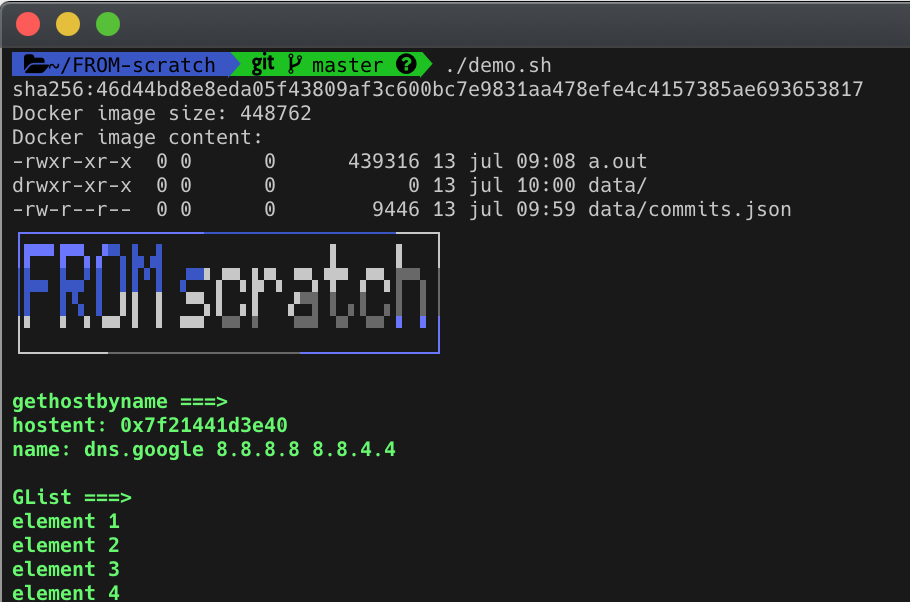
The [demo.sh](demo.sh) script builds and inspects the image ([jq](https://stedolan.github.io/jq/) is required to filter the [inspect](https://docs.docker.com/engine/reference/commandline/inspect/) output, or comment line 8).
Then, it runs the unique executable (`a.out`) in the container.
## To go further
Some [explanations](details.md).