https://github.com/respeaker/seeed-voicecard
2 Mic Hat, 4 Mic Array, 6-Mic Circular Array Kit, and 4-Mic Linear Array Kit for Raspberry Pi
https://github.com/respeaker/seeed-voicecard
alexa-voice-service alsa google-assistant raspberry-pi respeaker
Last synced: 8 months ago
JSON representation
2 Mic Hat, 4 Mic Array, 6-Mic Circular Array Kit, and 4-Mic Linear Array Kit for Raspberry Pi
- Host: GitHub
- URL: https://github.com/respeaker/seeed-voicecard
- Owner: respeaker
- License: gpl-3.0
- Created: 2017-05-22T03:33:34.000Z (about 9 years ago)
- Default Branch: master
- Last Pushed: 2023-04-09T15:35:42.000Z (over 3 years ago)
- Last Synced: 2025-04-05T11:34:38.559Z (over 1 year ago)
- Topics: alexa-voice-service, alsa, google-assistant, raspberry-pi, respeaker
- Language: C
- Homepage:
- Size: 1.43 MB
- Stars: 504
- Watchers: 52
- Forks: 306
- Open Issues: 22
-
Metadata Files:
- Readme: README.md
- License: LICENSE
Awesome Lists containing this project
README
# seeed-voicecard
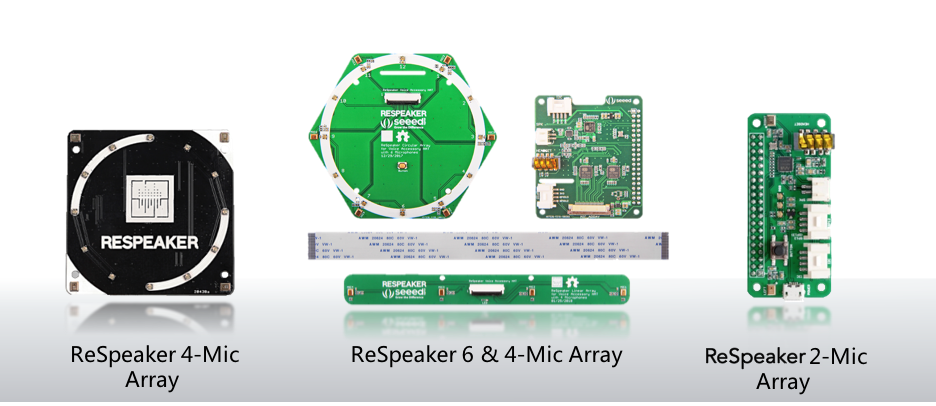
The drivers for [ReSpeaker Mic Hat](https://www.seeedstudio.com/ReSpeaker-2-Mics-Pi-HAT-p-2874.html), [ReSpeaker 4 Mic Array](https://www.seeedstudio.com/ReSpeaker-4-Mic-Array-for-Raspberry-Pi-p-2941.html), [6-Mics Circular Array Kit](), and [4-Mics Linear Array Kit]() for Raspberry Pi.
### Install seeed-voicecard
Get the seeed voice card source code and install all linux kernel drivers
```bash
git clone https://github.com/respeaker/seeed-voicecard
cd seeed-voicecard
sudo ./install.sh
sudo reboot
```
**Note** If you have 64-bit version of Rasperry Pi OS, use install_arm64.sh script for driver installation.
## ReSpeaker Documentation
Up to date documentation for reSpeaker products can be found in [Seeed Studio Wiki](https://wiki.seeedstudio.com/ReSpeaker/)!
### Coherence
Estimate the magnitude squared coherence using Welch’s method.
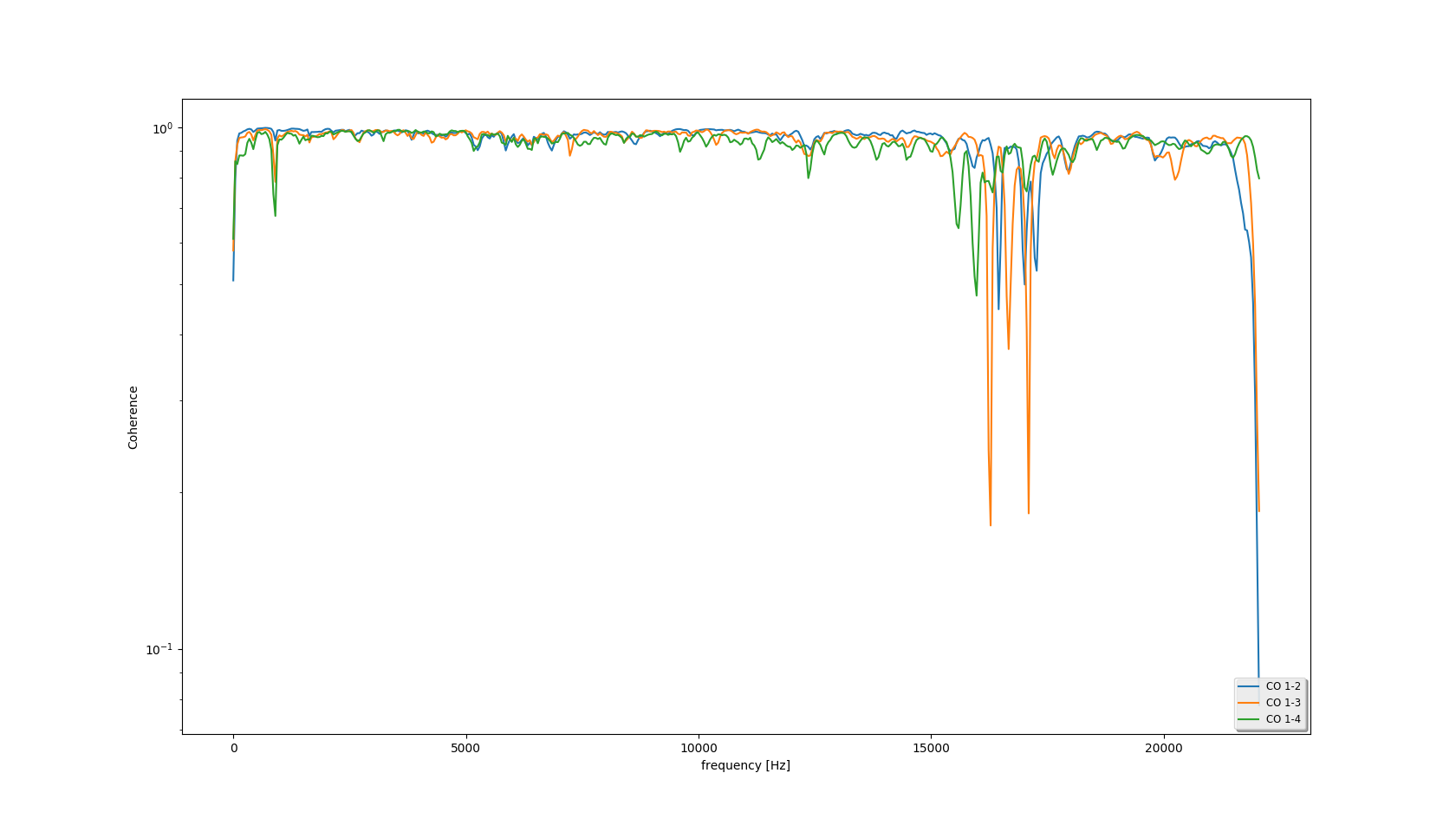
Note: 'CO 1-2' means the coherence between channel 1 and channel 2.
```bash
# How to get the coherence of the captured audio(a.wav for example).
sudo apt install python-numpy python-scipy python-matplotlib
python tools/coherence.py a.wav
# Requirement of the input audio file:
- format: WAV(Microsoft) signed 16-bit PCM
- channels: >=2
```
### uninstall seeed-voicecard
If you want to upgrade the driver , you need uninstall the driver first.
```
pi@raspberrypi:~/seeed-voicecard $ sudo ./uninstall.sh
...
------------------------------------------------------
Please reboot your raspberry pi to apply all settings
Thank you!
------------------------------------------------------
```
Enjoy !
### Technical support
For hardware testing purposes we made a Rasperry Pi OS 5.10.17-v7l+ 32-bit image with reSpeaker drivers pre-installed, which you can download by clicking on [this link](https://files.seeedstudio.com/linux/Raspberry%20Pi%204%20reSpeaker/2021-05-07-raspios-buster-armhf-lite-respeaker.img.xz).
We provide official support for using reSpeaker with the following OS:
- 32-bit Raspberry Pi OS
- 64-bit Raspberry Pi OS (experimental support)
And following hardware platforms:
- Raspberry Pi 3 (all models), Raspberry Pi 4 (all models), Raspberry Pi Zero and Zero W
Anything beyond the scope of official support is considered to be community supported. Support for other OS/hardware platforms can be added, provided MOQ requirements can be met.
If you have a technical problem when using reSpeaker with one of the officially supported platforms/OS, feel free to create an issue on Github. For general questions or suggestions, please use [Seeed forum](https://forum.seeedstudio.com/c/products/respeaker/15).