https://github.com/restatedev/deno-template
Restate + Deno deploy template
https://github.com/restatedev/deno-template
Last synced: 12 days ago
JSON representation
Restate + Deno deploy template
- Host: GitHub
- URL: https://github.com/restatedev/deno-template
- Owner: restatedev
- Created: 2025-09-25T07:39:21.000Z (10 months ago)
- Default Branch: main
- Last Pushed: 2025-09-30T08:39:39.000Z (10 months ago)
- Last Synced: 2025-10-10T07:56:39.937Z (9 months ago)
- Language: TypeScript
- Size: 6.84 KB
- Stars: 0
- Watchers: 0
- Forks: 1
- Open Issues: 0
-
Metadata Files:
- Readme: README.md
Awesome Lists containing this project
README
# 🚀 Restate + Deno Deploy Template
Welcome to the **Restate TypeScript + Deno Deploy** template! ✨
[](https://console.deno.com/new?clone=https://github.com/restatedev/deno-template)
## 🏁 Getting Started
### Prerequisites
- 📦 Deno runtime installed
- 🔧 npx
- 🌐 Deno account (for deployment)
## 🛠️ Local Development
Launch the local Restate server:
```bash
npx @restatedev/restate-server
```
Start the Deno server locally:
```bash
deno task dev
```
Connect your local service to Restate:
```bash
npx @restatedev/restate dep add http://localhost:9080
```
Iterate! 🔧
## 🚀 Deploy
If you haven't done it yet, create the project in the Deno console: https://console.deno.com/
### 📦 On Restate Cloud
This template includes a GitHub Actions workflow setup for automated registration of the service to Restate. To set up:
* Add the following to **Github Actions repository secrets**:
- `RESTATE_ADMIN_URL`: The Admin URL. You can find it in [Developers > Admin URL](https://cloud.restate.dev/to/developers/integration#admin)
- `RESTATE_AUTH_TOKEN`: Your Restate Cloud auth token. To get one, go to [Developers > API Keys > Create API Key](https://cloud.restate.dev?createApiKey=true&createApiKeyDescription=deployment-key&createApiKeyRole=rst:role::AdminAccess), and make sure to select **Admin** for role
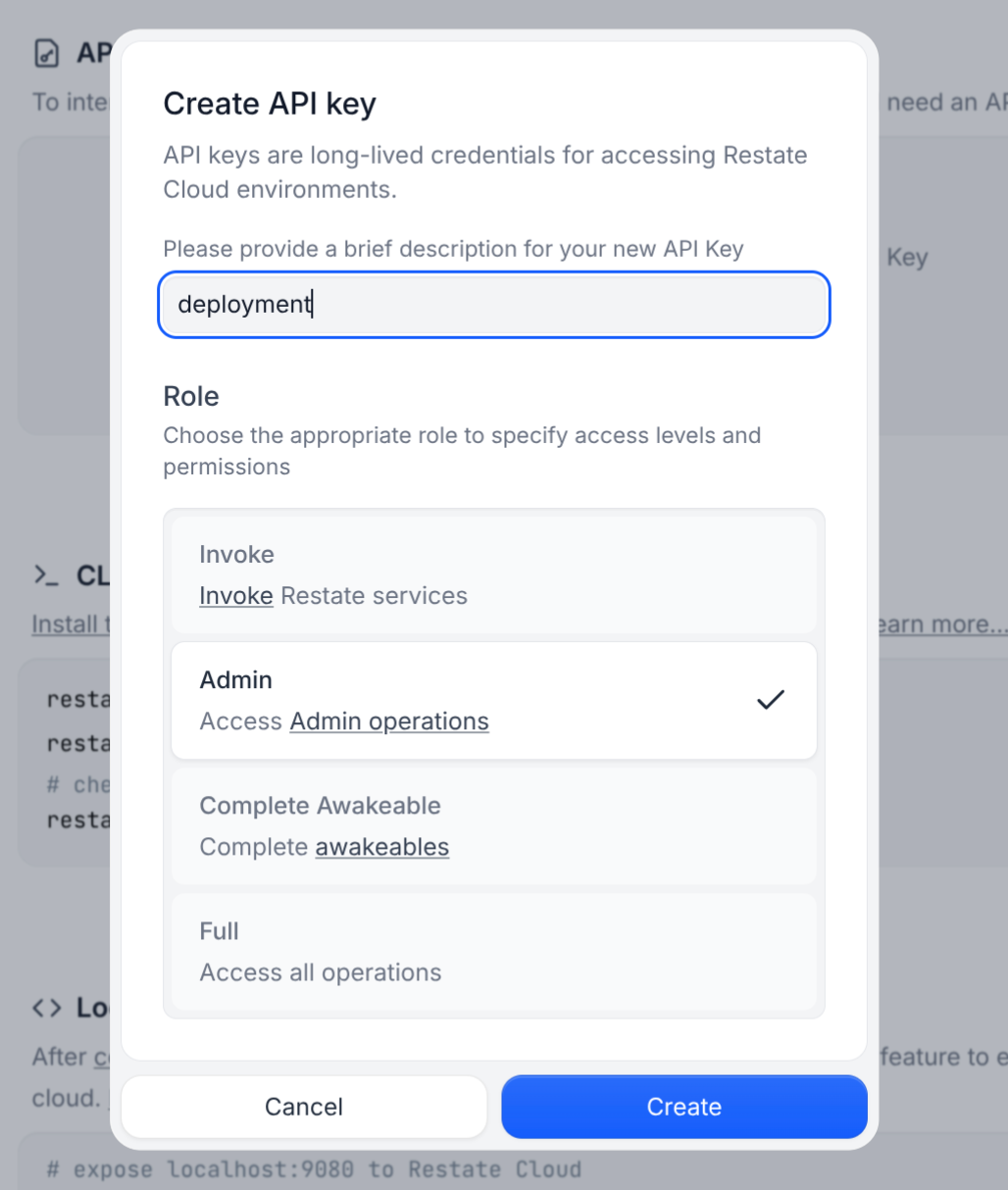
Once the repo is set up, **just push to the main branch**, Deno Deploy will deploy the service, and [workflow deploy.yml](.github/workflows/deploy.yml) kicks in to register the service to Restate.
> 💡 **Note**: This setup uses [Deno deploy EA](https://docs.deno.com/deploy/early-access/). For Deno deploy Classic, refer to our [documentation](https://docs.restate.dev/services/deploy/deno-deploy).
### 🔧 Manual Deployment
You can also register manually by following the [Restate + Deno Deploy documentation](https://docs.restate.dev/services/deploy/deno-deploy).
## 🎮 Test Your Service
Once deployed, you can test your service using the [Restate Cloud Playground](https://cloud.restate.dev/to/overview?servicePlayground=Greeter#/operations/greet).
## 🎯 Next Steps
- 🔐 Secure your endpoint as shown in your [Restate Cloud Dashboard > Developers > Security](https://cloud.restate.dev/to/developers/integration#security)
- 📖 Explore the [Restate documentation](https://docs.restate.dev)
- 🔍 Check out more [examples and tutorials](https://github.com/restatedev/examples)
- 💬 Join the [Restate Discord community](https://discord.restate.dev)
Happy building! 🎉
## Using AI coding tools
If you use Claude Code or Codex, then the Restate plugin will automatically be installed. For Cursor, consult the [skills repo README](https://github.com/restatedev/skills).
Plugin repo: https://github.com/restatedev/skills/tree/main