https://github.com/retifrav/alfred-airdrop-discoverability
Alfred workflow for toggling AirDrop discoverability
https://github.com/retifrav/alfred-airdrop-discoverability
airdrop alfred-workflow macos
Last synced: 9 months ago
JSON representation
Alfred workflow for toggling AirDrop discoverability
- Host: GitHub
- URL: https://github.com/retifrav/alfred-airdrop-discoverability
- Owner: retifrav
- License: gpl-3.0
- Created: 2023-09-14T20:04:50.000Z (almost 3 years ago)
- Default Branch: master
- Last Pushed: 2025-06-21T13:26:06.000Z (about 1 year ago)
- Last Synced: 2025-08-03T08:23:26.603Z (11 months ago)
- Topics: airdrop, alfred-workflow, macos
- Homepage:
- Size: 292 KB
- Stars: 2
- Watchers: 2
- Forks: 0
- Open Issues: 1
-
Metadata Files:
- Readme: README.md
- Funding: .github/FUNDING.yml
- License: LICENSE
Awesome Lists containing this project
README
# AirDrop discoverability
- [How does it work](#how-does-it-work)
- [Tested Mac OS versions](#tested-mac-os-versions)
- [Installation](#installation)
- [3rd-party](#3rd-party)
[Alfred workflow](https://alfredapp.com/workflows/) for toggling [AirDrop](https://en.wikipedia.org/wiki/AirDrop) discoverability. This is about controlling your Mac discoverability so other devices could send files *to* it, so this is not about sharing files *from* it.
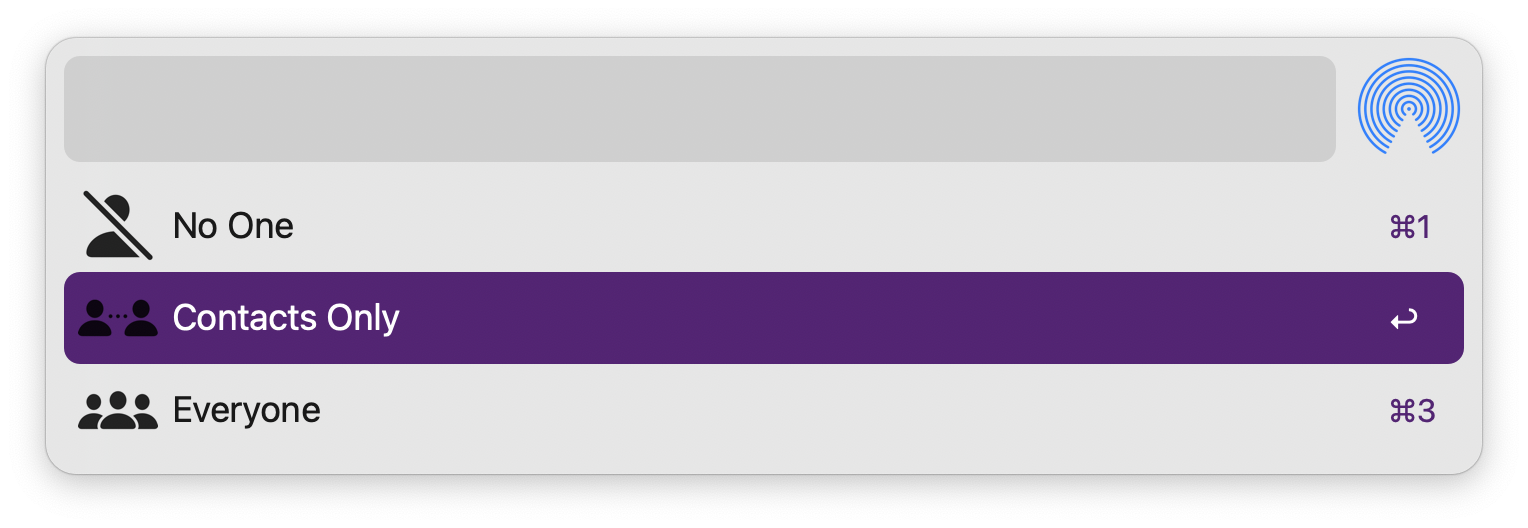
## How does it work
Since there is no(?) API for toggling AirDrop discoverability, one has to manually click through controls in the Finder window. And that is what this workflow does - it automates clicking on Finder UI controls using [Mac OS Accessibility](https://support.apple.com/guide/mac-help/get-started-with-accessibility-features-mh35884/mac) functionality via [AppleScript](https://en.wikipedia.org/wiki/AppleScript).
To be able to do so (*find the right controls to click on*) the main script heavily relies on controls ordinals, such as `button 1 of splitter group 1 of window 1`, because there are no IDs/labels (*anymore?*), and so this entire logic is rather fragile and will likely "break" with one of the next Mac OS versions. When/if this happens, the script will need to be adjusted to correctly find the controls again.
And since it uses Accessibility, you can expect seeing windows (*Finder, Control Centre, etc*) opening and closing and buttons/toggles being clicked/toggled. If you don't have AirDrop icon added to the Menu Bar (*via Control Centre Modules in System Settings*), then it will click through the Finder window, which looks quite annoying, so you might want to consider adding the AirDrop icon to the Menu Bar, as clicking through that one will look less annoying manner.
### Tested Mac OS versions
Different versions of the workflow work with different versions of Mac OS:
- Mac OS `13.5.2` Ventura, workflow version `0.9.2`;
- Mac OS `14.4` Sonoma, workflow version `0.9.2`;
- Mac OS `15.5` Sequoia, workflow version `1.0.0`.
## Installation
Download the [latest version](https://github.com/retifrav/alfred-airdrop-discoverability/releases/latest) of the workflow itself and optionally its SHA-256 hash and PGP signature. Before [installing the workflow](https://www.alfredapp.com/blog/tips-and-tricks/tutorial-importing-and-setting-up-alfred-workflows/) it is recommended to verify its hash and signature:
``` sh
$ shasum -c ./airdrop-discoverability.alfredworkflow.sha256
$ curl -sS https://decovar.dev/about/retif-public.asc | gpg --import -
$ gpg --verify ./airdrop-discoverability.alfredworkflow.sig ./airdrop-discoverability.alfredworkflow
```
## 3rd-party
- AirDrop icon from Apple Mac OS resources (*`/System/Library/CoreServices/CoreTypes.bundle/Contents/Resources/AirDrop.icns`*);
- icons from Apple [SF Symbols](https://developer.apple.com/sf-symbols/) collection.